



Waterpik WF-10 Cordless Select Water Flosser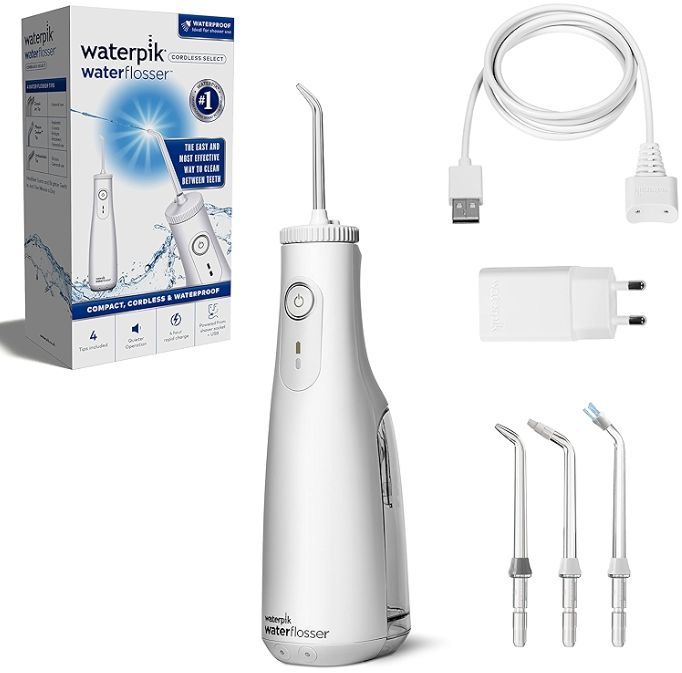
Register and Save
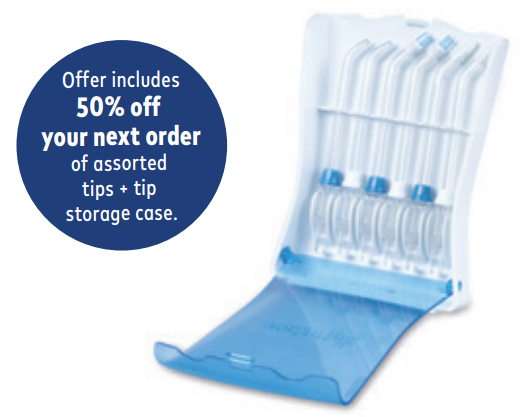
- Register your product at waterpik.com/registration to receive over $50 in savings (includes 50% off your next order of assorted tips + tip storage case).
Write a Review
- Creating innovative Waterpik® products that inspire better oral health is our passion.
- We invite you to leave a review by sharing your thoughts on the Cordless Select Water Flosser on waterpik.com or the retailer’s website.
We’re Here to Help
- We hope you are loving your new Cordless Select Water Flosser. If for any reason you are not satis˜ied or have any product questions, please get in touch with our fast and friendly Customer Service Team based in Fort Collins, Colorado.
- The Cordless Select Water Flosser is backed by a 2-year manufacturer’s warranty.
Save over $50!
- Register at Waterpik.com/Registration to receive an exclusive discount code.
We’d Love to Hear from You!
- Connect with Us @Waterpik.

Getting Started
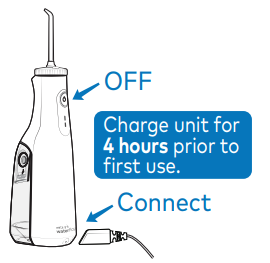
Power unit OFF before charging. Plug the power cord Waterpik WF-10 Cordless Select Water Flosser into the outlet and connect the charging cord to the unit.
Press tip ÿrmly into the unit until it clicks into place. Tip eject button while To remove the tip, push the Insert unit is running. tip eject button.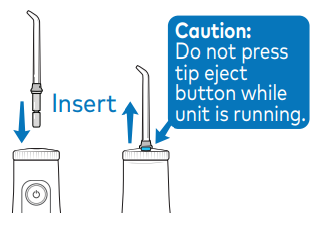
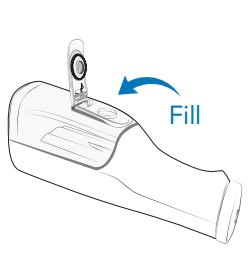
Disconnect the charging cord from the unit. Li˛ the ˜ip top on the reservoir and ÿll with warm water. Reÿll as needed.
Water Floss
With the unit OFF, place the tip in your mouth. Start on low pressure by pressing the power button once. Press the Power button twice for high pressure.
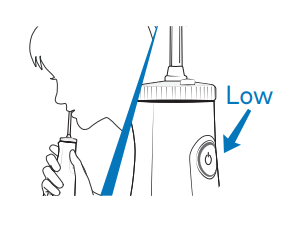
Lean over the ink. Close lips enough to prevent splashing. Keep the utheninutpright during use to ensure continuous water ˜ow.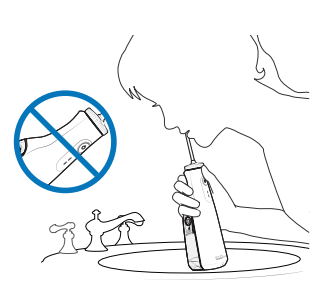
Technique
Aim water at the gumline at a 90-degree angle. Follow the gumline and pause brie˜y between teeth.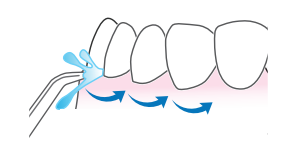
TO AVOID MESS: KEEP TIP IN MOUTH WHILE UNIT IS ON.
NEED HELP
- Timings: Monday-Friday 7 am – 5 pm
- E-mail: service@waterpik.com
- Website: Waterpik.com/WelcomeWF
- Tel: 1-800-525-2774
FAQs
What types of heating and cooling systems are compatible with the TH3110D1008?
The TH3110D1008 and other common 24-volt heating and cooling systems are compatible with gas, oil, and electric furnaces as well as other single-stage heating and cooling systems.
How do I set the desired temperature on the thermostat?
Use the front panel’s up and down arrow buttons to adjust the temperature.
How do I replace the batteries?
Open the thermostat’s cover and swap out the two AA batteries inside. It is recommended to change the battery once a year or anytime the low battery indication appears.
What does the “Fan” mode do?
The Fan mode allows you to move air around without heating or cooling. The fan can be either ON for continuous airflow or AUTO to only run when the system is heating or cooling.
How do I switch between heating and cooling modes?
Use the mode switch on the thermostat to switch between Heat, Cool, and Off.
What should I do if the thermostat display is blank?
Check the batteries and replace them if necessary. Additionally, confirm that the thermostat wiring is securely fastened and that your HVAC system is powered on.
Can I use this thermostat with a heat pump?
The TH3110D1008, designed for conventional heating and cooling systems, is not compatible with heat pump systems.