

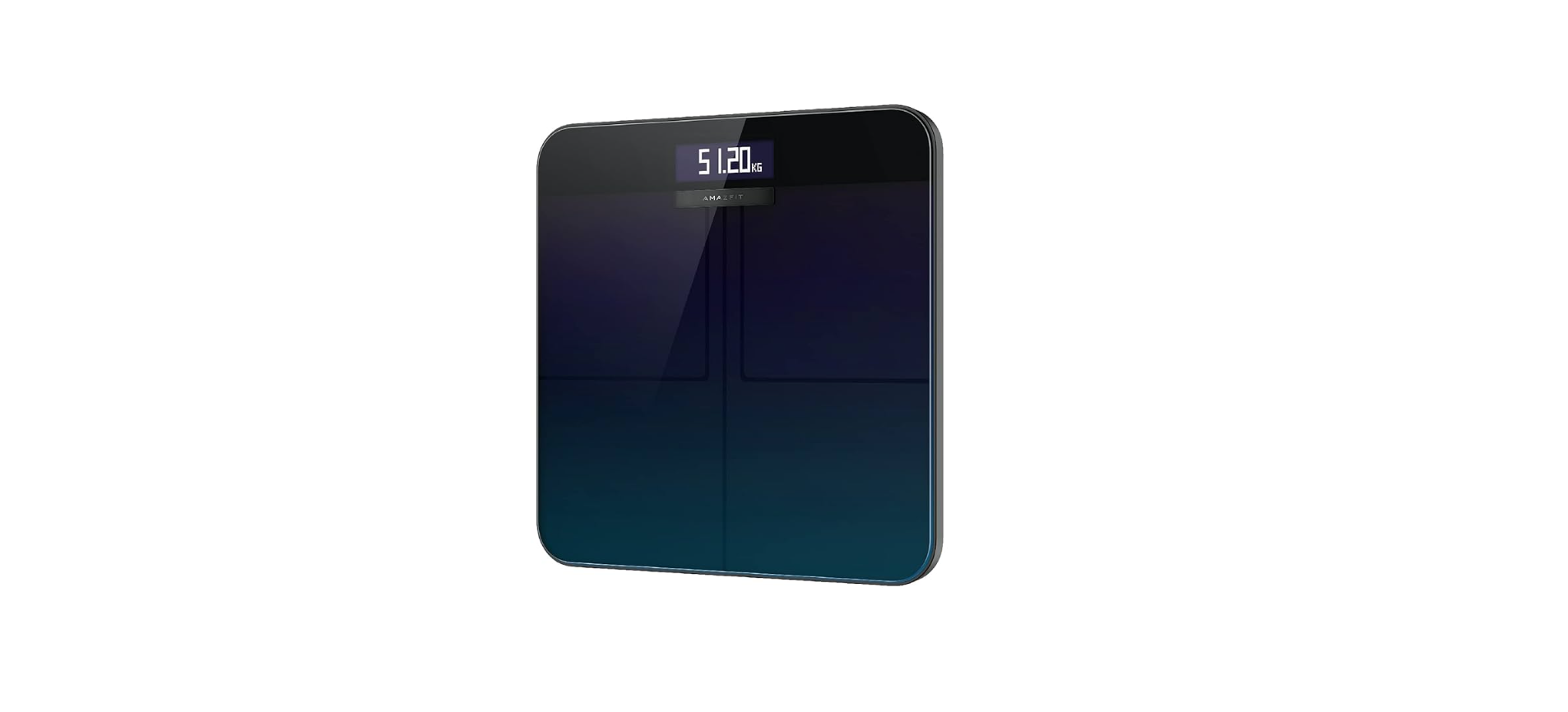

Amazfit A2003 Digital Smart Scale
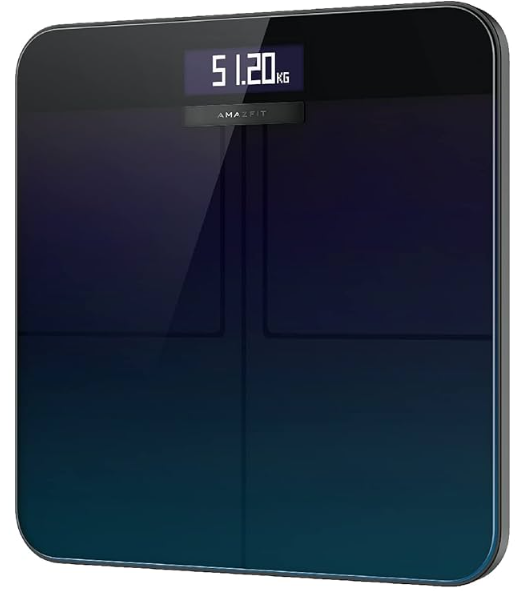
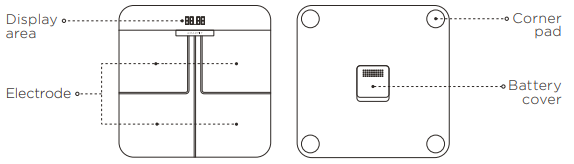
Device Overview
Read this manual carefully before use, and retain it for future reference.
Safety Instructions
- Always stand in the middle of the scale to prevent it from accidentally flipping over while weighing yourself.
- Only use the scale in a dry environment, and do not immerse it in water.
- Wipe the surface of the scale with a damp cloth and mild detergent to clean it. Do not use any organic solvents or other chemicals.
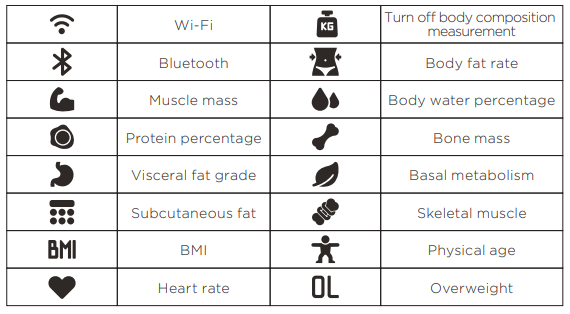
- For pregnant women, please turn on the “body composition measurement” before weighing.
- Professional athletes and people who exercise regularly should use “Sports Mode” for weighing.
- Please do not weigh yourself when you feel unwell (fever, diarrhea, drunkenness), when you suffer extreme dehydration, after using a sauna or hot spring, or after vigorous exercise.
- Body composition measurement data may vary when used by people with metal devices in their bodies, who take medicines that induce changes in the body’s water retention, people with thick cuticles on the surface of the soles of the feet, and certain other individuals with special conditions.
Installing the App
Scan the QR code below to download the Zepp app (hereinafter referred to as “the app”), or search for “Zepp” in your app market to download and install the app.

Notes
- For the best experience, update the app to the latest version as prompted.
- The system is compatible with Android 5.0 or iOS 10.0 and above.
Installing the Batteries
Open the battery cover and insert four AAA batteries in the directions indicated inside the battery compartment.

Pairing the Scale
Open the Zepp app, register or sign in with your account, then pair the scale with your account and enter your data according to the on-screen instructions. After pairing the scale, you can check the weighing records and body composition information via the app. Personal data is used to analyze your body composition. To ensure the accuracy of the results, please enter accurate personal data.
Configuring Wi-Fi
After the first pairing, click Configure Wi-Fi as prompted, select a Wi-Fi
connection and enter the password, and wait for the configuration to complete.
Notes
- The scale only supports 2.4GHz Wi-Fi connections, not 5GHz Wi-Fi connections.
- If you prefer to configure Wi-Fi later, you can then open the app, step on the scale to connect to the app, click Configure Wi-Fi, select a Wi-Fi connection, and enter the password to complete the configuration.
Starting Measurement
- Place the scale on a hard, flat floor.
- Step barefoot onto the scale as shown in the figure. Make sure the skin of your feet makes good contact with the four electrodes on the scale.
- After your weight is measured, the scale will begin calculating your body composition, such as body fat rate and heart rate.
- During measurement, you can view each type of information measured on the scale screen in succession.
- After the measurement is finished and the data is synchronized, you can view the details in the app.

Notes
- The body composition data provided by this scale is for reference only and does not constitute medical advice.
- Moving or bumping the scale may affect the accuracy, in which case you should weigh the item again to make sure the measurement is accurate.
Prompt Symbols
Selecting a Weighing Unit
The scale calculates weight in Amazfit A2003 Digital Smart Scale kilograms (kg) by default. You can change the scale’s weighing unit via the device settings in the app. The scale can display weight in kilograms (kg), pounds (lbs), and stones (st).
Regulatory Notice
This device complies with part 15 of the FCC Rules. Operation is subject to the following two conditions:
- This device may not cause harmful interference, and
- This device must accept any interference, including interference that may cause undesired operation.
Exposure of humans to RF fields (RSS-102)
The radiated energy from the antennas connected to the wireless adapters conforms to the IC limit of the RF exposure requirement regarding IC RSS-102, Issue 5, clause 4. SAR tests are conducted using recommended operating Amazfit A2003 Digital Smart Scale positions accepted by the RSS with the device transmitting at its highest certified power level in all tested ffrequency bandswithout distance attaching away from the body.
This device contains license-exempt transmitter(s)/receiver(s) that comply with Innovation, Science and Economic Development Canada’s license-exempt RSS(s). Operation is subject to the following two conditions:
- This device may not cause interference.
- This device must accept any interference, including interference that may
- cause undesired operation .
Specifications
- Name: Amazfit Smart Scale
- Weighing UUnit kglbsbs / st
- Increments: 0.1 kg/lbs
- Wi-Fi Frequency: 2412 – 2472 MHz
- Wi-Fi Max. Output: < 20 mW
- Bluetooth Frequency: 2402 – 2480 MHz
- Bluetooth Max. Output: < 3 mW
- Wireless Connectivity: 2.4 GHz 802.11 b/g/n Wi-Fi, 2.4 GHz Bluetooth 5.0
- Operating Temperature: 5 °C – 40 °C
- Power Source: 1.5 V AAA batteries × 4
- Casing Material: Tempered glass, ABS engineering plastic
- Compatible with: Android 5.0 or iOS 10.0 and above
- Package Contents: Amazfit Smart Scale, User Manual
Disposal and Recycling Information
All products bearing this symbol are waste electrical and electronic equipment (WEEE, as per Directive 2012/19/EU), which should not be mixed with unsorted household waste. Instead, you should protect human
health and the environment by handing over your waste equipment to a designated collection point for the recycling of waste electrical and electronic equipment, appointed by the government or local authorities. Correct disposal and recycling will help prevent potential negative consequences to the environment and human health. Please contact Amazfit A2003 Digital Smart Scale the installer or local authorities for more information about the location, as well as the terms and conditions of such collection points.
Warranty and Return Policy
The Amazfit Limited Warranty covers Amazfit products against manufacturing defects beginning on the original purchase date. The warranty period is 12 months or other period as the applicable consumer laws in the consumer’s Country of purchase required. Our warranty is in addition to the rights provided by applicable consumer laws.
Customer Support
- Official website: en.amazfit.com
- Help: support.amazfit.com
FAQs
Q: Can the scale measure weight without connecting to the app?
Indeed. Weight can be shown instantly on the scale’s digital screen, but trend and other parameters can be tracked by connecting to the app.
Q: How does the scale recognize different users?
The scale automatically separates registered users based on their height, weight, and past measurements.
Q: Does the scale support multiple users?
Indeed. Multiple user profiles can be stored on the Amazfit A2003, which will automatically identify them when they walk on the scale.
Q: Can I view historical data?
Indeed. You can monitor trends, past measurements, and progress charts over time when you’re linked to the Zepp app.
Q: Is the Amazfit A2003 waterproof?
No, although the scale can withstand splashes, it shouldn’t be used in damp environments or immersed in water.
Q: Can I use the scale without the app?
The Zepp app is necessary for body composition measurements and historical tracking, but you can weigh yourself without it.
Q: How accurate is the body fat measurement?
Bioelectrical impedance and user profile are used to assess body fat and other composition variables. See a physician for medical advice.
Q: Can I share my data with other apps?
Indeed. Depending on your device, the Zepp app can sync or export data to third-party fitness apps like Apple Health or Google Fit.