

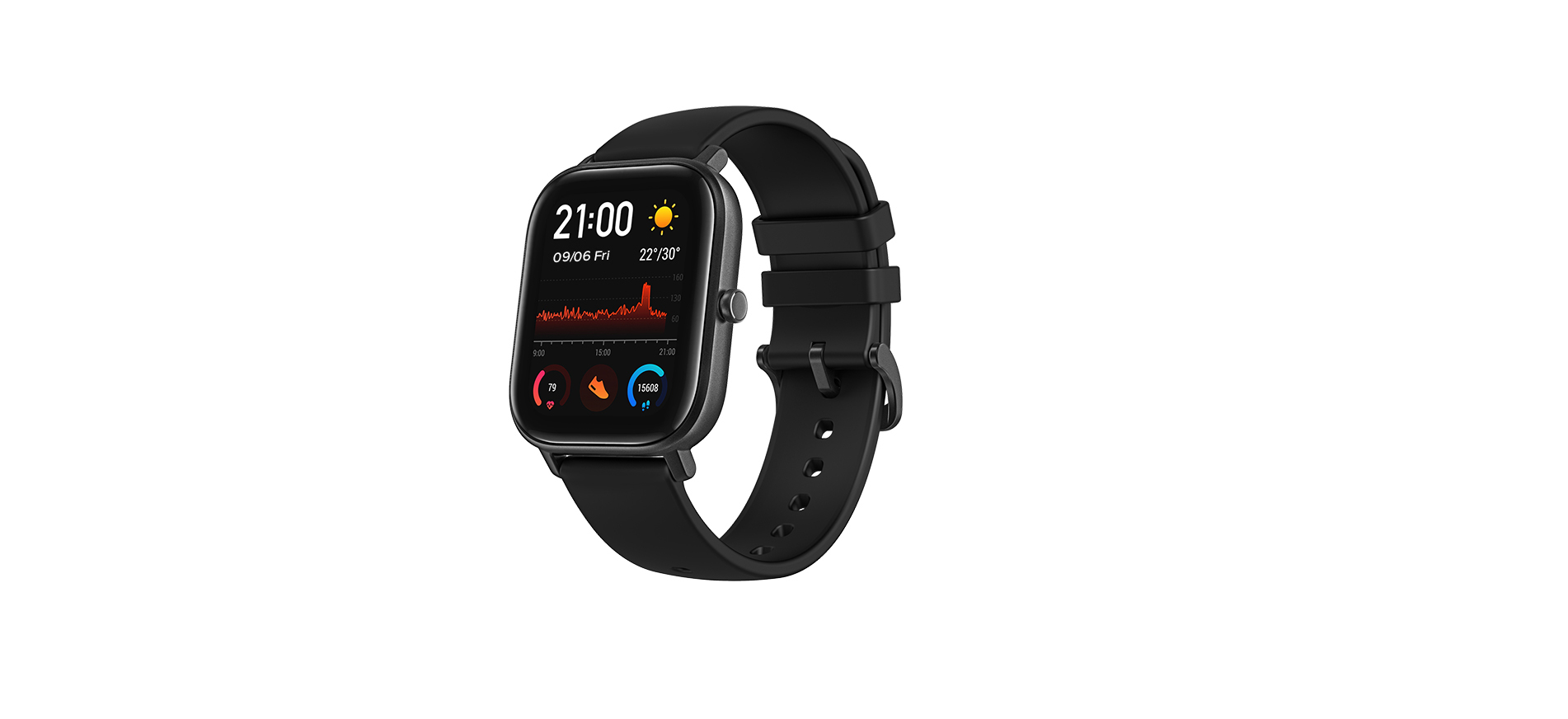

Amazfit GTS Smart Watch For Men
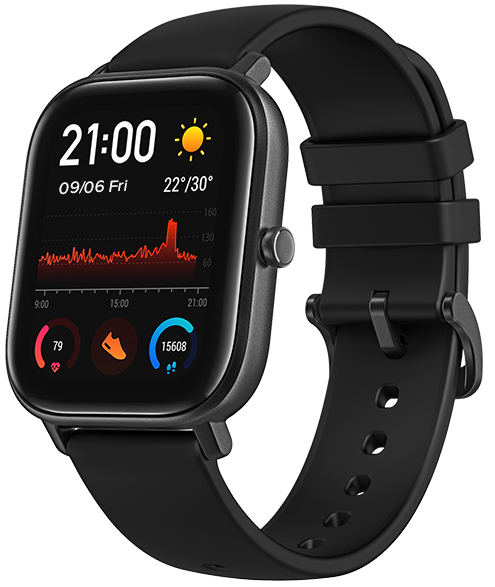
Package Contents
- Smartwatch with the band × 1

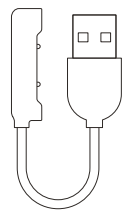
- Charging base × 1
- Instruction Manual × 1
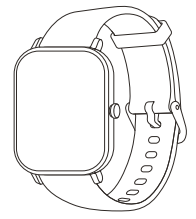
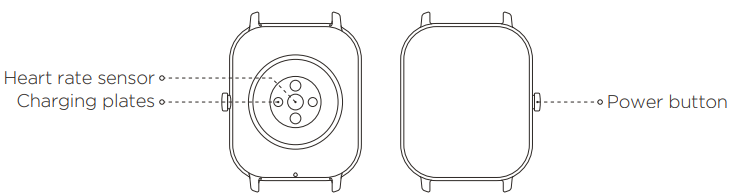
About the Watch
Note
If the watch is powered off and doesn’t turn on when you press and hold the power button, the battery may be running low. Please charge the watch and try again.
Installing the App
The watch works with the Zepp App. The Zepp App helps you control your smartwatch and
all its functions.
- Press and hold the power button to turn the watch on.
- Scan the QR code on the Instruction Manual with your mobile phone to download the Zepp App to your mobile phone. You can also download the latest version of the Zepp App from the Google Play Store or the Apple App Store.

Note
- For a better user experience, please use the most recent version of the Zepp App.
- The operating system needs to be Android 5.0, iOS 10.0, or above.
- Open the Zepp App on your mobile phone and create an account. Please log in if you already have an account.
- From the device list, select the watch you want to pair. Finish pairing by following the instructions on the app.
- Once the pairing is done, the watch will display the correct time. You can set the other watch functions as needed.
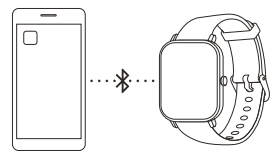
Note: Do not pair the watch directly using your mobile phone’s Bluetooth. Follow the steps in the app to pair your watch correctly.
Charging the Watch
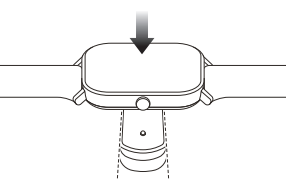
Only use the original charger to charge your watch. The charging plates on the back of the watch should be aligned with those of the charger. Once the watch begins to charge, the charging indicator will appear on the screen.
Note
Only use the original charging base provided in the product package to charge your watch. Also, make sure that the charging base is always kept dry.
Disassembly and Assembly of the Watch Strap
- The strap can be adjusted according to your wrist size.
- Please refer to the illustrations to disassemble or assemble the watch strap.
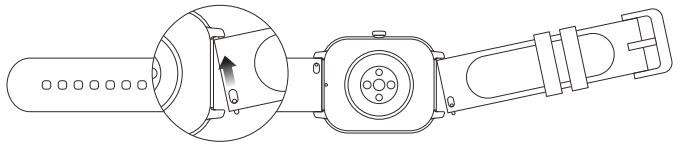
Note:
- Once the strap is assembled, pull the strap properly to ensure it is installed successfully.
- The leather strap is not waterproof or water-resistant. Please keep it away from any liquids. If you are planning to wear your watch during swimming or any other activities that may be exposed to water, please replace the leather strap with a silicone one.
Regulatory Notice
This device complies with part 15 of the FCC Rules. Operation is subject to the following two conditions:
- This device may not cause harmful interference, and
- This device must accept any interference received, including the interference that may cause undesired operation.
FCC ID: 2AC8UA1914
Any changes or modifications that are not expressly approved by the party responsible for compliance may void the user’s authority to operate the device.
Note
This device has been tested and found to comply with the limits for a Class B digital device, pursuant to Part 15 of the FCC Rules. These limits are designed to provide reasonable protection against harmful interferences in a residential installation. This device generates, uses, and may radiate radio frequency energy and, if not installed and used by the instructions, may cause harmful interference to radio communications.
However, there is no guarantee that interference will not occur in a particular installation. If this product does cause harmful interference to radio or television reception, which can be determined by turning the device on and on, the user is encouraged to try to correct the interference by one or more of the following measures:
- Reorient or relocate the receiving antenna.
- Increase the separation Amazfit GTS Smart Watch For Men between the device and receiver.
- Connect the device to an outlet on a circuit different from that to which the receiver is connected.
- Consult the dealer or an experienced radio/TV technician for help.
The device has been evaluated to meet the general RF exposure requirements. The device can be used in portable exposure conditions without restriction. This device complies with Industry Canada license-exempt RSS standard(s). Operation is subject to the following two conditions:
- This device may not cause interference, and
- This device must accept any interference, including interference that may cause undesired operation of the device.
Under Industry Canada regulations, this radio transmitter may only operate using an antenna of a type and the maximum (or lesser) gain approved for the transmitter by Industry Canada. To reduce the potential of radio interference to other users, the antenna type and its gain should bechosen son that the equivalent isotropically radiated power EIRP.) is not more than that necessary for successful communication.
Disposal and Recycling Information
The following symbol signifies that this device has to be disposed of separately from ordinary household wastes at the end of its life. Please kindly be aware that this is your responsibility to dispose of the electronic device at recycling centers so as to help conserve natural resources.
Certifications and Safety Approvals
Hereby, Anhui Huami Information Technology Co., Ltd. declares that the radio device type A1914 complies with Directive 2014/53/EU. The full text of the EU declaration of conformity is available at the following internet address:
- http://en.amazfit.com/support.html
- For more regulatory information and product certification/compliance logos related to Amazfit GTS, please go to Regulatory on your Amazfit GTS.
Safety Notice
- The device is water resistant with a certified rating of 5ATM. This means that the device is resistant to rain and can be worn while Amazfit GTS Smart Watch For Men showering. It may also be used in shallow-water activities, such as swimming in a pool.
- However, the watch should not be used when scuba diving, bathing, taking a sauna, or in other activities involving high-velocity water or submersion below shallow depths.
- Please do not operate the watch underwater. After submerging, dry it with a dry cloth before operating or charging.
- The watch is not protected against chemical reagents, acidic or alkaline solutions, etc. Defects caused by liquiddamages are not covered under the warranty.
Basic Parameters
- Product model: A1914
- Wireless connection: BT 5.0, BLE
- Input: 5 V 500 mA MAX
- Frequency: 2402–2480 MHz
- Max. Output: 0 dBm
- Operating temperature: 0°C to 45°C
- Water resistance rating: 5 ATM
- Device requirements: Devices installed with Android 5.0 or iOS 10.0 or above OS versions
Warranty and Return Policy
The Amazfit Limited Warranty covers Amazfit products against manufacturing defects beginning on the original purchase date. The warranty period is 12 months or other period as the applicable consumer laws in the consumer’s country of purchase require. Our warranty is in addition to rights provided by applicable consumer laws.
- Official website: en.amazfit.com
- Support: support.amazfit.comhttp://en.amazfit.com