
Close Menu
onyxguides.comonyxguides.com

    Subscribe to Updates

    Get the latest creative news from FooBar about art, design and business.

    What's Hot

    Harman Kardan OMNI BAR Plus Bluetooth Soundbar User Manual

    January 14, 2026

    Aurzen D1R Roku TV Bluetooth Smart Projector User Manual

    January 13, 2026

    Aurzen EAZZE D1 MAX 1000 ANSI Lumens Projector User Manual

    January 12, 2026
    Facebook X (Twitter) Instagram
    onyxguides.comonyxguides.com
    Facebook X (Twitter) Instagram Pinterest
    • Home
    • About us
    • Terms & Conditions
    • Privacy Policy
    • FAQs
    • Contact us
    onyxguides.comonyxguides.com
    Home » Cablematic Ceiling Mount for 32”- 75” Screens User Guide
    Other

    Cablematic Ceiling Mount for 32”- 75” Screens User Guide

    By Gabriel SmithNovember 20, 2025No Comments3 Mins Read
    Facebook Twitter Pinterest LinkedIn Tumblr WhatsApp Telegram Email
    Cablematic Ceiling Mount
    Share
    Facebook Twitter LinkedIn Pinterest Email

    Cablematic-XLD-Walk-Through-Metal-Detector-LOGO

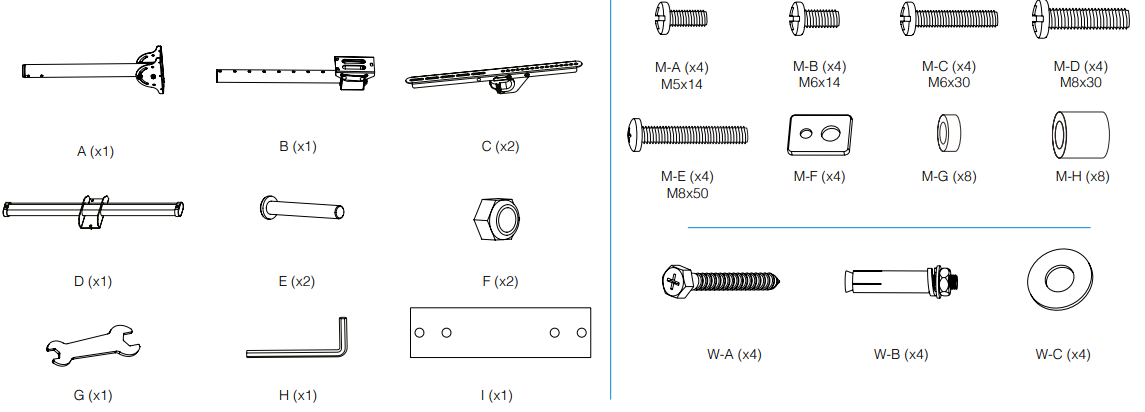
    Cablematic Ceiling Mount for 32”- 75” ScreensCeiling mount brackets and hardware laid out for installation

    OverviewScrews and tools needed for securing the TV mount

    Before installation

    • Make sure you have received all parts for the Cablematic Ceiling Mount according to the components checklist.
    • If any parts are missing or defective, please contact your local distributor.
    • Installation of heavier products may result in instability and possible personal injury.
    • The brackets must be assembled as specified in the assembly instructions.
    • Incorrect installation may result in product failure and serious personal injury.
    • Proper safety equipment and tools must be used.
    • This product should only be installed by professionals.
    • Use the supplied mounting screws and DO NOT OVERTIGHTEN THEM.
    • This product contains small parts that could be a choking hazard if swallowed.
    • Keep these products away from children. This product is intended for indoor use only.
    • Outdoor use will not only damage the product but may also cause personal injury.

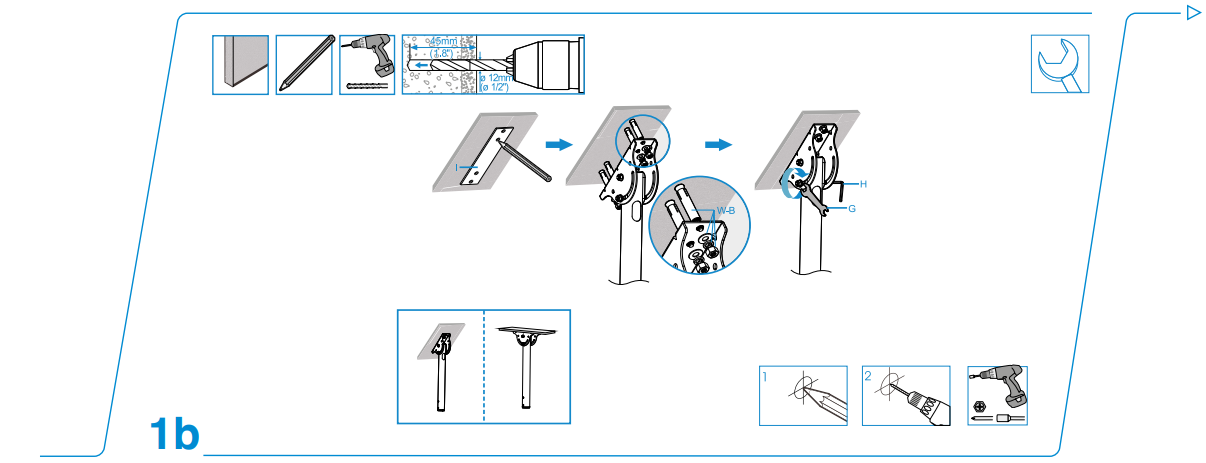
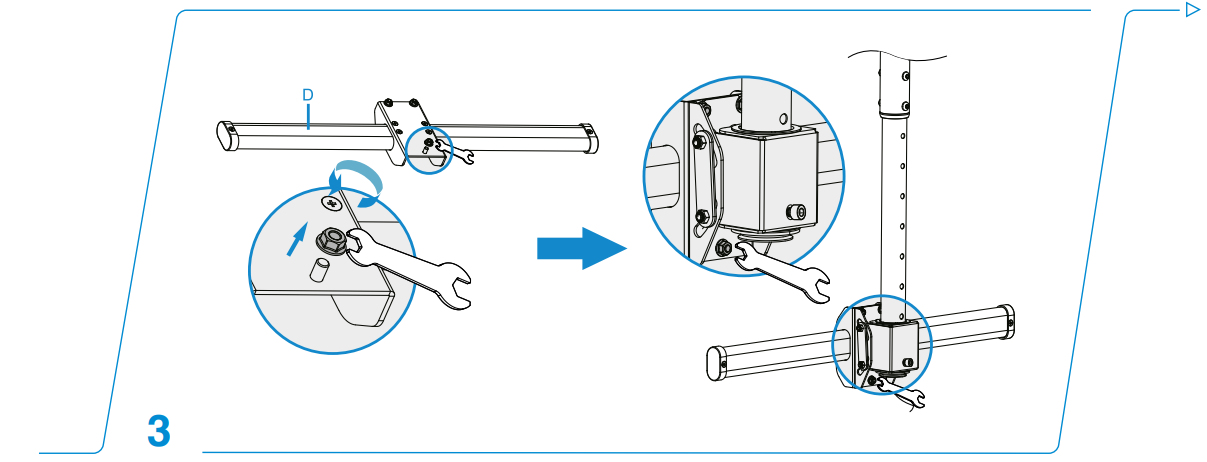
    Installation
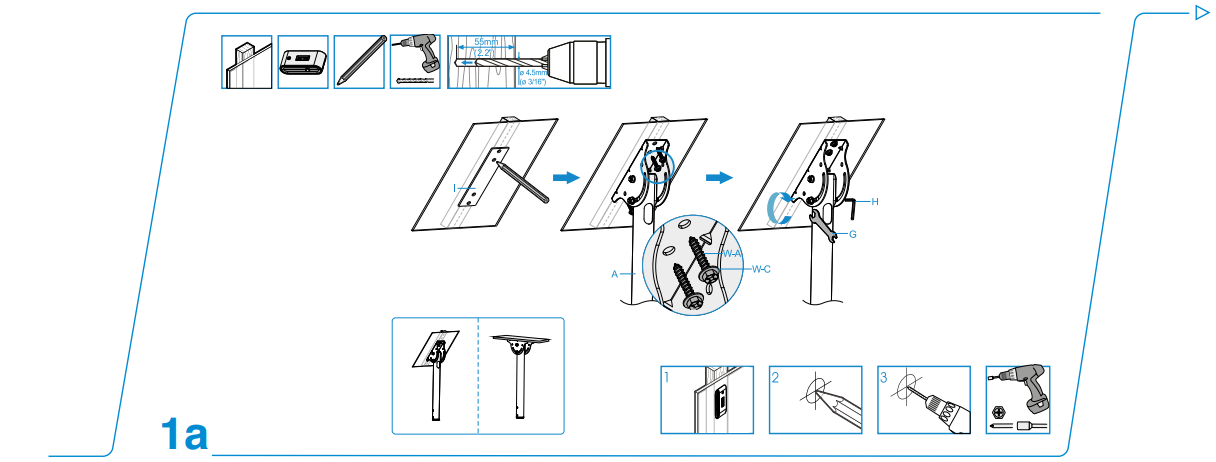
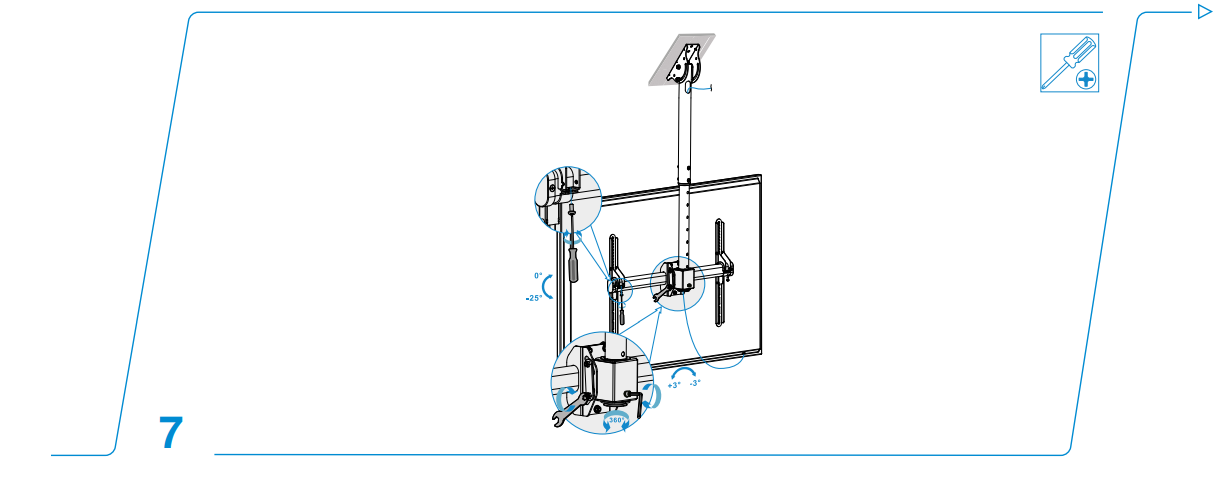
    Close-up of adjustable tilt mechanism on the mount

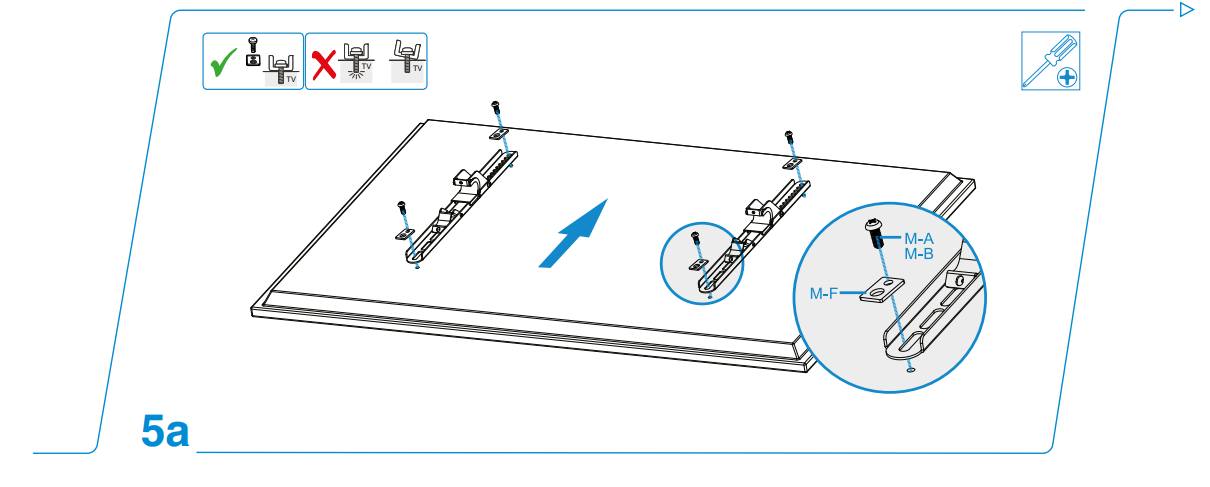
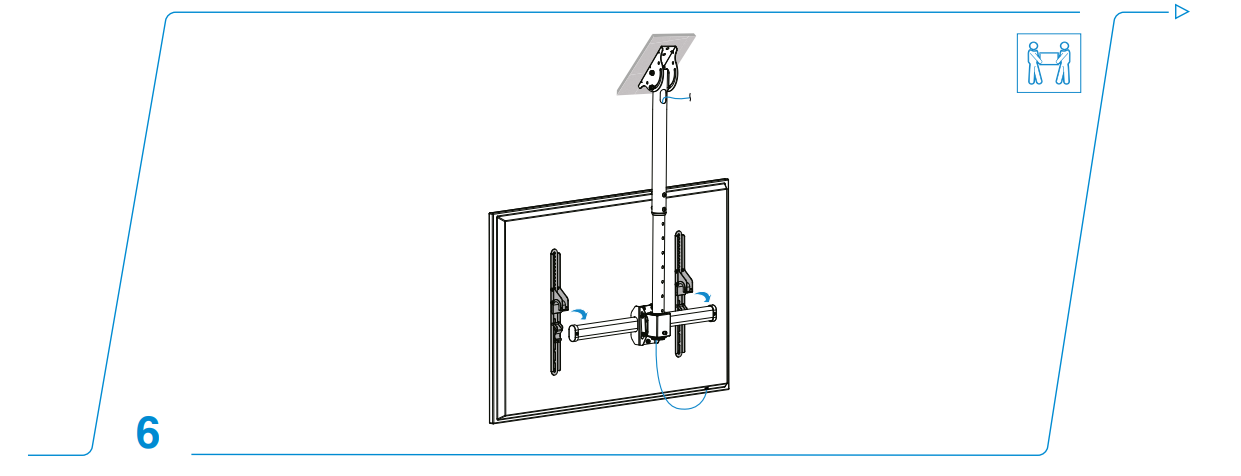
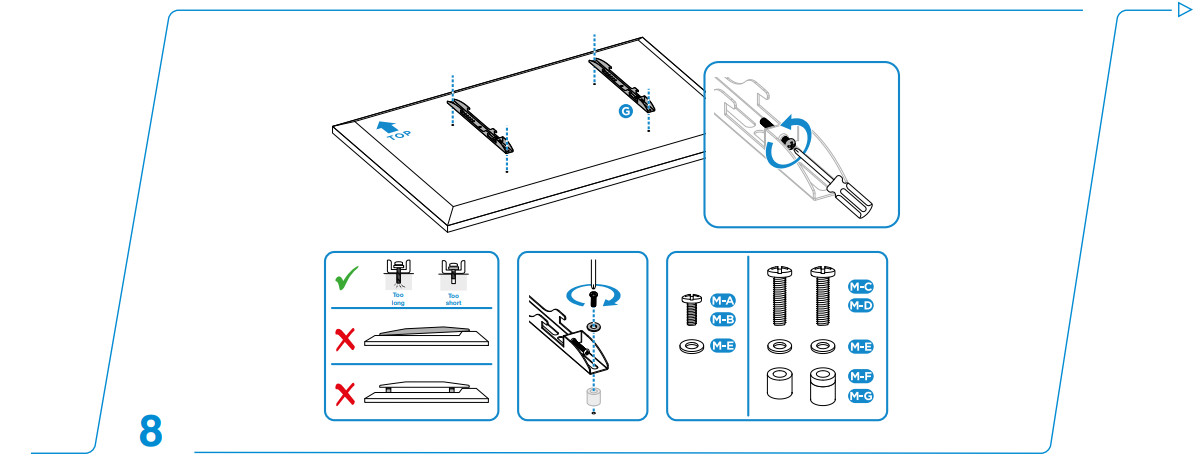
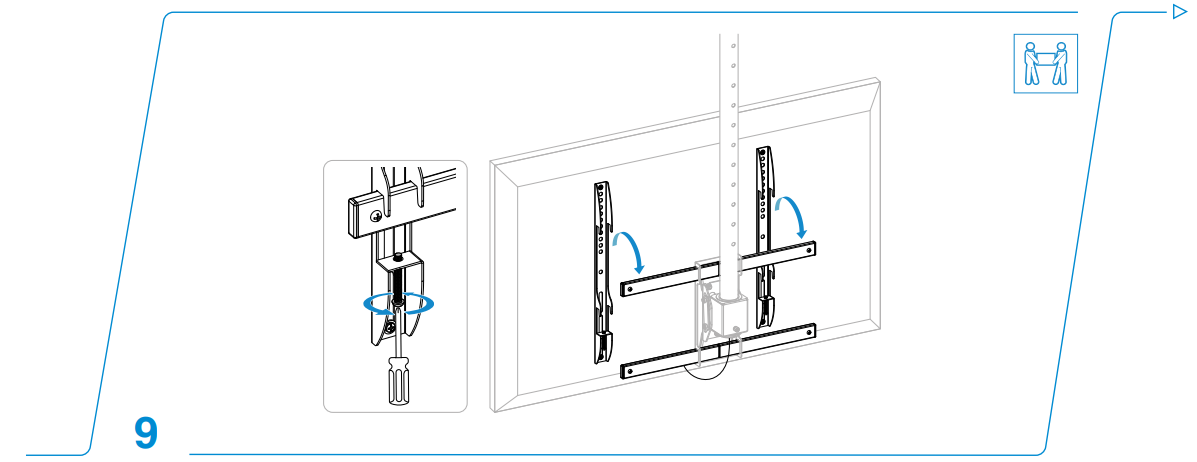
    TV being attached to the ceiling mount bracket

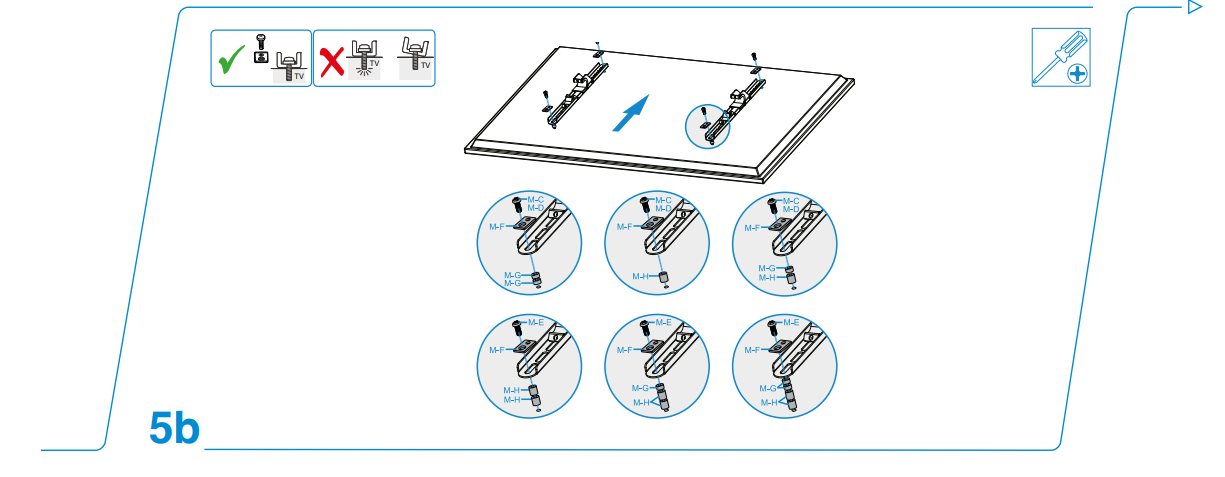
    Diagram showing VESA pattern compatibility for TVs

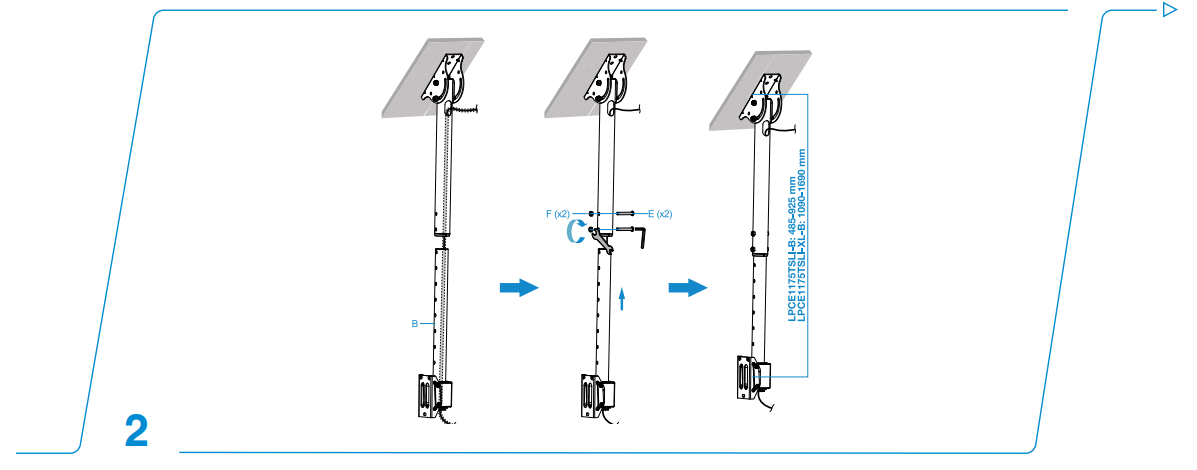
    Telescopic pole adjustment on the ceiling mountSide view of mounted flat-screen TV in living roomMounting screws being tightened with screwdriver

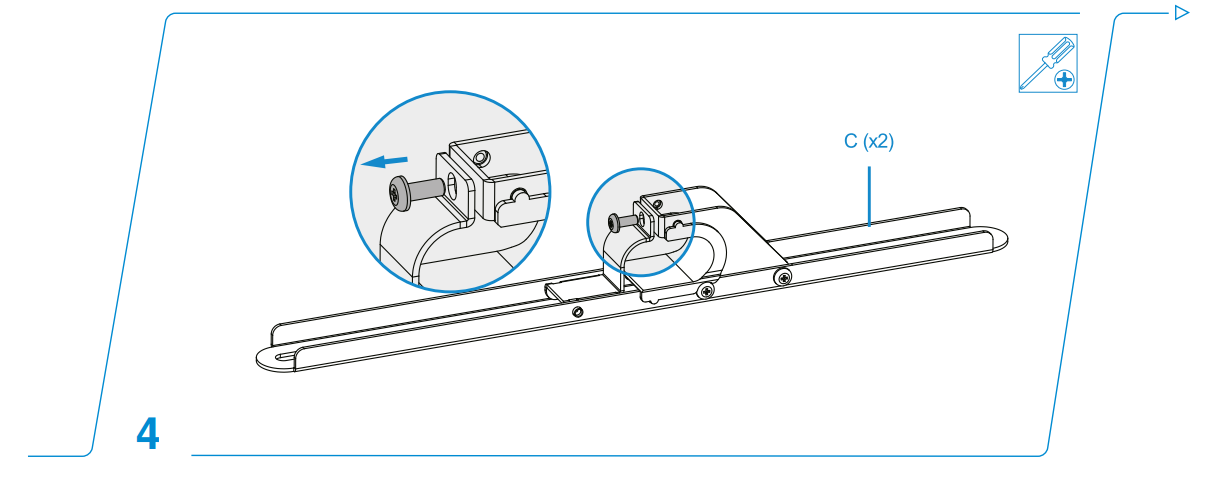
    Ceiling mount assembly instructions illustration

    Soft cloth used for cleaning the TV mount

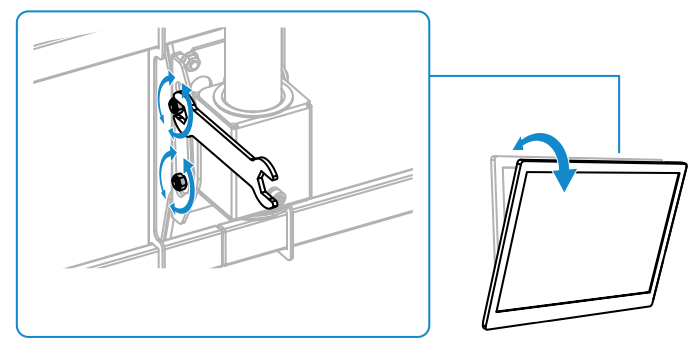
    TV tilt adjustment demonstration on the mount

    Mount height adjustment using movable extension

    Proper installation setup with safety equipment

    Loosen the screws as shown and adjust the screen to the desired angle.Illustration of weight limit for mounted TVs
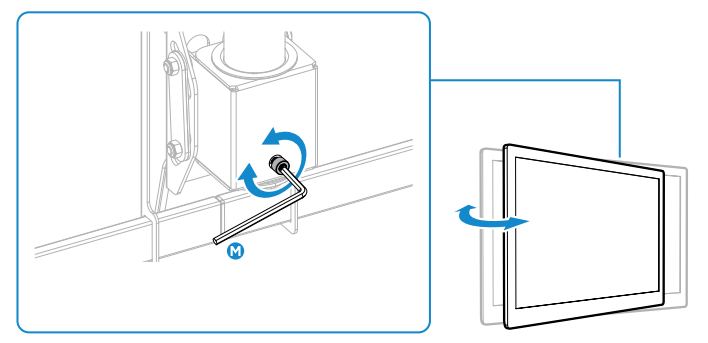
    If the display does not stop in the desired position, adjust the screws using the tools as shown.Waste disposal and recycling symbols for mount packaging
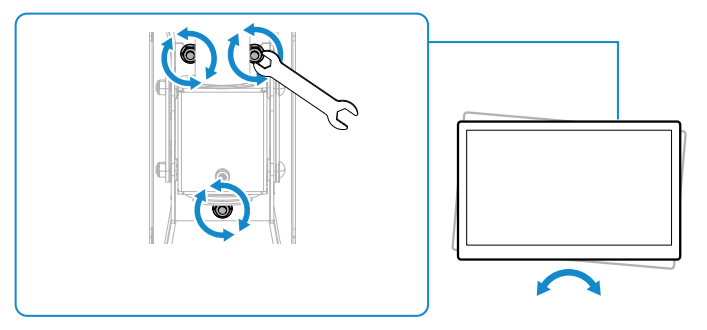
    Loosen the screws as shown and adjust the screen to the desired angle, then tighten the screws.Warranty certificate or product guarantee documentation
    Cleaning & Maintainance

    • Make sure that the Cablematic Ceiling Mount is switched off or secured before cleaning.
    • Clean with a soft, damp cloth, without detergent, aggressive liquids, or solvents.
    • Do not immerse the fan in water or any other liquid. For detailed cleaning and safety instructions on Cablematic fans, see the Cablematic EDM Oscillating Tower Fan Instruction Manual.
    • If the fan is not to be used for a long period of time, protect the fan and store it or, after cleaning it, in a dry place.
    Waste

    In the EU, there are special waste collection systems for subsequent recycling. For more information, contact the local authority or the retailer from whom you purchased the product.

    Warranty

    The Cablematic Ceiling Mount is covered by all applicable legal warranties regarding material and quality. This warranty protects against any manufacturer’s defects and ensures your Cablematic Ceiling Mount meets the highest standards.

    Customer Support

    • Website: comercial@cablematic.com
    • Ph: 2035146931
    • Timings: 09:00 h to 18:00 h from Monday to Friday

    FAQs

    Q: What is the Cablematic Ceiling Mount used for?

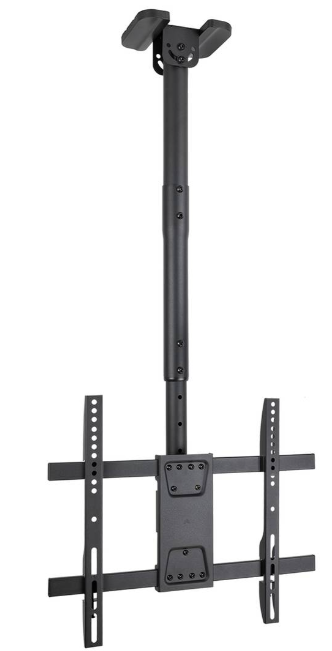
    This mount, which supports screens ranging from 32″ to 75″, firmly suspends flat-screen TVs or monitors from the ceiling. It offers a space-saving, robust, and adaptable installation for business, office, or residential settings.

    Q: What is the maximum weight capacity of this mount?

    Screens up to 50 kg (110 lbs) can be supported by the mount. Make sure your TV never goes over this limit.

    Q: Is this mount compatible with all TV brands?

    Indeed, VESA-standard TVs may use it. To make sure your TV is compatible, check its VESA pattern (e.g., 200×200, 400×400, etc.).

    Q: How do I adjust the height of the ceiling mount?

    A telescopic pole or movable extension is part of the mount. Before fastening it, you can adjust the height to suit your ceiling and preferred viewing.

    Q: Can I tilt or swivel the TV once mounted?

    Yes, you may angle the screen for the best viewing from various locations in the room thanks to the mount’s tilt and swivel settings.

    Q: Do I need special tools for installation?

    It is necessary to have basic instruments such a drill, screwdriver, level, and wrench.

    Adjustable Ceiling Mount Cablematic Ceiling Mount Cablematic Ceiling Mount for 32”-75” Screens Ceiling TV Bracket Ceiling TV Mount Guide Flat Screen TV Mount OnyxGuides Manual TV Ceiling Mount TV Mount Installation User Manual
    Share. Facebook Twitter Pinterest LinkedIn Tumblr Email
    Gabriel Smith

      Related Posts

      Aurzen D1R Roku TV Bluetooth Smart Projector User Manual

      January 13, 2026

      HAPPRUN KC7 Pro 2500 ANSI Lumens Projector User Manual

      January 11, 2026

      Kogan HSD01 8GB, 128GB Full HD Wi-Fi Speakers User Manual

      January 10, 2026

      Aurzen EAZZE D1R Cube Roku TV Smart Projector User Guide

      January 9, 2026

      Devialet Dione White Dolby Atmos Soundbar User Manual

      January 7, 2026

      Tribit BTH80 CallElite 81 Wireless Headset User Guide

      January 4, 2026
      Add A Comment

      Comments are closed.

      Don't Miss
      Harman Kardon

      Harman Kardan OMNI BAR Plus Bluetooth Soundbar User Manual

      January 14, 2026

      Harman Kardon OMNI BAR Plus Bluetooth Soundbar Introduction We’ve created a system that harnesses the…

      Aurzen D1R Roku TV Bluetooth Smart Projector User Manual

      January 13, 2026

      Aurzen EAZZE D1 MAX 1000 ANSI Lumens Projector User Manual

      January 12, 2026

      HAPPRUN KC7 Pro 2500 ANSI Lumens Projector User Manual

      January 11, 2026
      Stay In Touch
      • Facebook
      • Twitter
      • Pinterest
      • Instagram
      • YouTube
      • Vimeo

      Subscribe to Updates

      Subscribe to Updates

      Follow us

      Facebook X-twitter Instagram Pinterest

      © 2025 All rights reserved Onyx Guide.