

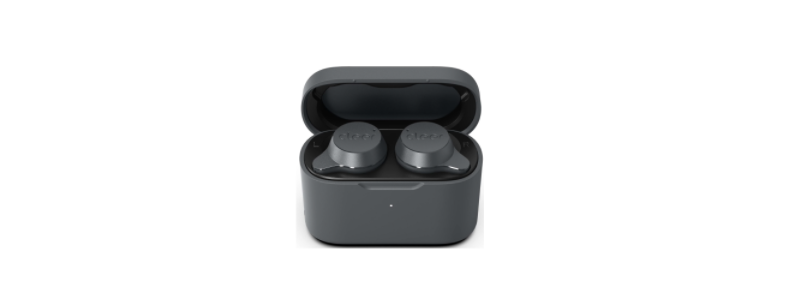
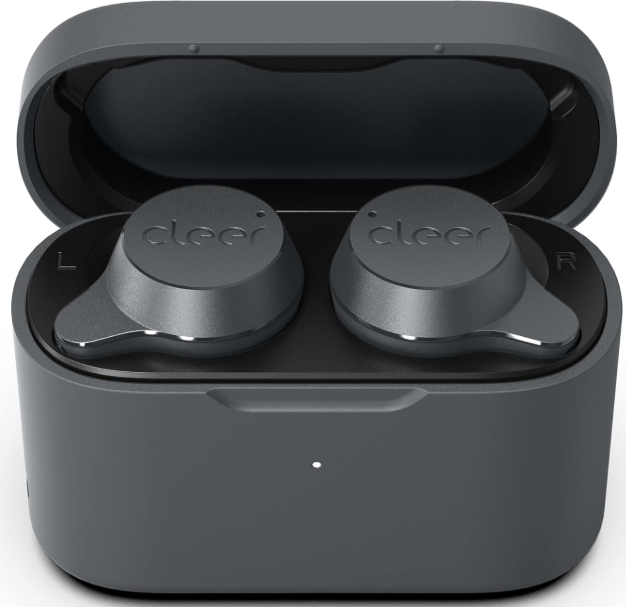
 Cleer Roam Sport Noise Cancelling Sport Earbuds

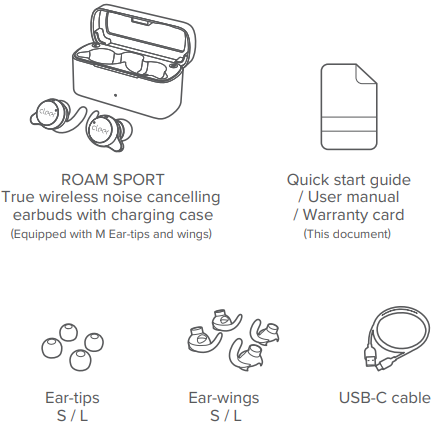
Box Contents
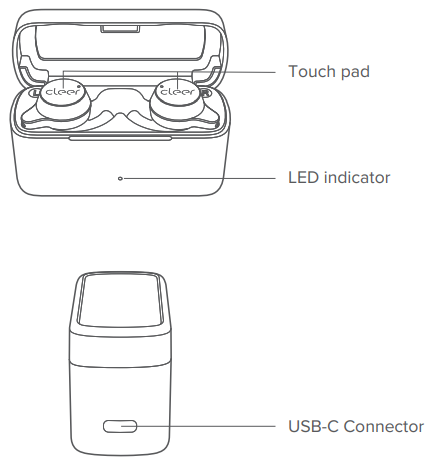
Overview
Quick Start
- ROAM SPORT will power ON automatically when the case lid is opened. Insert both earbuds into your ears, and you should hear the voice prompt “looking for device”.
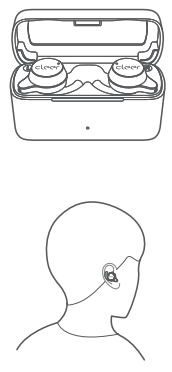
- ROAM SPORT will go into pairing mode automatically when powered ON for the first time (if you need to manually go into pairing mode, please follow the steps in the Bluetooth pairing section).
- ROAM SPORT will automatically connect to the last connected device if it is in range and available for pairing.
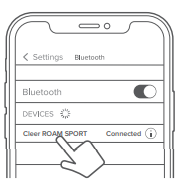
- Find “Cleer ROAM SPORT” on the new Bluetooth device list.
- Enjoy your ROAM SPORT
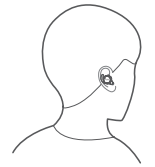
Fitting
Bluetooth Pairing
Pairing Mode
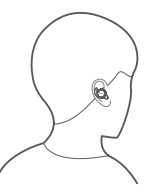
- Remove both earbuds from the charging case and insert them into your ears.
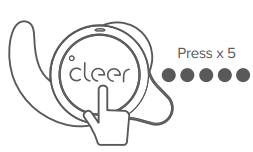
- Press the touch pad on either earbud 5 times. You will hear the voice prompt “looking for device”.
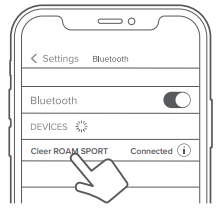
- Select “Cleer ROAM SPORT” on new Bluetooth device list to pair.
- ROAM SPORT is now paired.
Clearing
- Remove both earbuds from the charging case.
- Put both earbuds into pairing mode.
- Press and hold the touch pad until a voice prompt announces two audio tones,
- Return the earbuds to the charging case and leave them there for 10 seconds,
- The pairing record is now cleared.
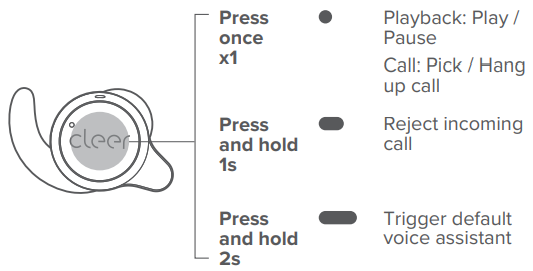
Track Control
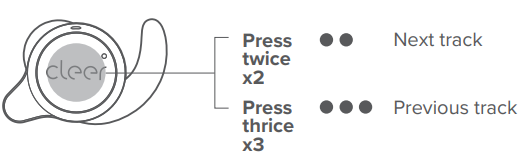
You can select which earbud to use this function on the Cleer+ app; it is set to the left earbud by default.
Noise Cancellation Mode
You can select which earbud to use this function on the Cleer+ app; it is set to the right earbud by default.
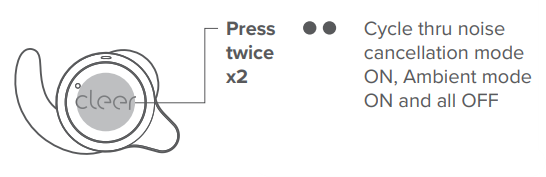
- Our noise-cancelling technology and optimized passive isolation can suppress wide-band ambient noise.
Ambient mode
- Allows you to hear sounds around you even while wearing your ROAM SPORT.
ROAM SPORT will go into noise cancellation mode by default when powered ON.
Call and Playback Control
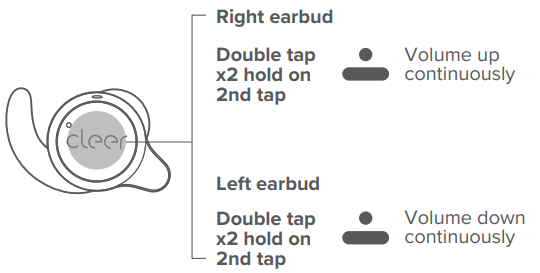
Volume Control
Charging
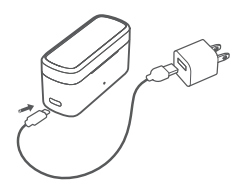
- Connect ROAM SPORT to a power source with the compatible USB-C cable.
- 5 minutes of charge time equals 1 hour of playtime. Up to 15 hours of playtime
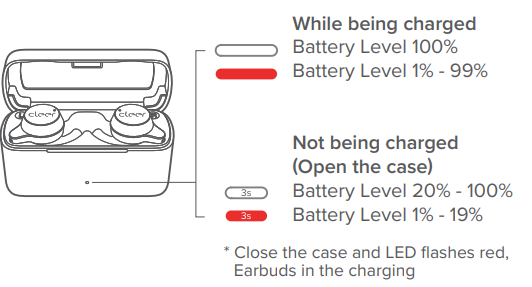
LED Behavior
Specifications
- Driver: 5.8mm neodymium dynamic driver
- Supported Audio CODEC: SBC, aptX adaptive
- Frequency response range: 20 – 20,000Hz
- Connections: USB-C
- Battery charging: A 5-minute charge delivers up to 1 hour of playback; less than 2 hours for a full charge (when charging unit via USB-C cable and charging case)
- Playback time: Up to 5 hours, up to additional 15 hours with charging case
- Supported Bluetooth profiles: BT 5.2, A2DP v1.3, AVRCP v1.6, HFP v1.7, HSP v1.2
Bluetooth Transmission
- frequency range: 2.402-2.480GHz
- Bluetooth transmission power: <8.0dBm
- Water resistance rating: IPX4 (for earbuds only)
- Weight: 5.6g (per earbud), 56g (both buds and case)
Warranty
Labour: For a period of (1) year from the original date of purchase of the product (“Labor Warranty”), Cleer Limited will, at its option, repair or replace with a new or refurbished product, the product determined to be defective. If Cleer Limited elects to replace the product after this Labor Warranty has expired but while the parts warranty is still in effect, it will do so for the applicable labor charge.
Parts: For a period of (1) year from the original date of purchase of the product (“Parts Warranty”), Cleer Limited will supply new or refurbished replacement parts in exchange for parts determined to be defective.
Following warranty service, your original Product or a replacement Product will be returned to you as your Product was configured when originally purchased.
Repair / Replacement Warranty: This Limited Warranty shall apply to any repair, replacement, part, or replacement product for the remainder of the original Limited Warranty period or for (90) days, whichever is longer. Any product replaced under this.
Limited Warranty will become property of Cleer Limited This Limited Warranty shall not apply to: (a) consumable parts, such as batteries that are designed to diminish over time, unless failure has occurred due to a defect in materials or workmanship; (b) cosmetic damage, including but not limited to scratches, dents and broken plastic on ports; (c) defects caused by normal wear and tear or otherwise due to the normal aging of the device; (d) damage caused by accident, negligence, abuse, misuse, fire, earthquakes, acts of God or damage resulting from liquid outside of the approved levels.
Recycling
Please inform yourself about the local rules on the separate collection of electrical and electronic products. The correct disposal of your old product helps prevent potentially negative consequences on the environment and human health.
Compliance with FCC rules
This device complies with Part 15 of the FCC Rules. Operation is subject to the following two conditions. This device may not cause harmful interference. This device must accept any interference received, including interference that may cause undesired operation.
Changes or modifications not expressly approved by the party responsible for compliance could void the user’s authority to operate the equipment. This equipment generates uses and can radiate radio frequency energy and, if not installed and used in accordance with the instructions, may cause harmful interference to radio communications. However, there’s no guarantee that interference will not occur in a particular installation.
- Consult the dealer or an experienced radio/TV technician for help.
- Increase the separation between the equipment and the receiver
- Reorient or relocate the receiving antenna.
Radiation Exposure Statement
This equipment complies with FCC radiation exposure requirements. The device can be used in portable exposure conditions without RF restriction. This device complies with Industry Canada licence-exempt RSS standard(s). Operation is subject to the following two conditions
- This device may not cause interference,
- This device must accept any interference, including interference that may cause undesired operation of the device.”
Cleer+ App
The Cleer+ app gives you more customised control over your ROAMSPORT. Download the Cleer+ app from the App Store (for iOS devices) or Google Play (for Android devices). With the Cleer+ app, you can:
- Turn on or off the Ambient Noise Control.
- Customise the equaliser setting of your ROAM SPORT.
- Change the touchpad function to suit your preference.
- Change the Bluetooth name of your ROAM SPORT.
- Receive software updates when new features and improvements are available.
- Check the playback time and battery level of your ROAM SPORT.
- Voice prompt selection.

Sound settings are saved to your ROAM SPORT, so you can enjoy them with any playback device connected to your ROAM SPORT.
Customer Service
- Website: www.cleeraudio.com
- Ph: 1 888 672 5337 (67 CLEER)
FAQs
Q: What are Cleer ROAM Sport earbuds — and who are they for?
The ROAM Sport are real wireless earbuds designed for active lives, such as jogging, working out, going to the gym, travelling, or daily use. They are ideal for athletes or people who are constantly on the go because of its design, which strikes a balance between portability, water resistance, secure fit, and noise cancellation.
Q: What kind of noise-cancelling do they have?
They have active noise cancelling (ANC), which may reduce ambient noise by up to about 25 dB, making it easier to shut out background distractions in busy places like gyms, cars, and aeroplanes.
Q: Are they good for workouts or outdoor running?
Indeed. Because ROAM Sport earbuds are IPX4 sweat and water-resistant, they can withstand perspiration and light rain, making them ideal for cycling, outdoor runs, and workouts.
Q: How is the sound quality? What audio hardware/codecs do they support?
They enable aptX Adaptive + SBC over Bluetooth and employ specially made 5.8 mm dynamic drivers to produce clear, bright sound.
Q: What is battery life like?
Each earphone can play music for roughly five hours on a single battery.
Q: Do they support calls and voice assistants?
Yes, the ROAM Sport earbuds have built-in microphones, Bluetooth call capabilities, and touch controls for voice assistant activation.
Q: Can I use a single earbud on its own (mono mode)?
Indeed. The left and right earbuds can be used separately. This can be useful if you wish to switch between earphones to prolong battery life or keep aware of your surroundings (one ear free).
Q: How do I put them on properly — are multiple wing/tip sizes provided?
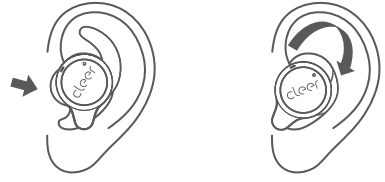
Indeed. Freebit wings and ear tips come in a variety of sizes, so you can try to discover the one that works best. The design is meant to remain secure even with strong movement once you insert and twist to lock.
3 Comments
Thanks for sharing. I read many of your blog posts, cool, your blog is very good. https://accounts.binance.com/en-NG/register?ref=YY80CKRN
Thank you for your sharing. I am worried that I lack creative ideas. It is your article that makes me full of hope. Thank you. But, I have a question, can you help me?
I don’t think the title of your article matches the content lol. Just kidding, mainly because I had some doubts after reading the article. https://www.binance.com/ur/register?ref=SZSSS70P