

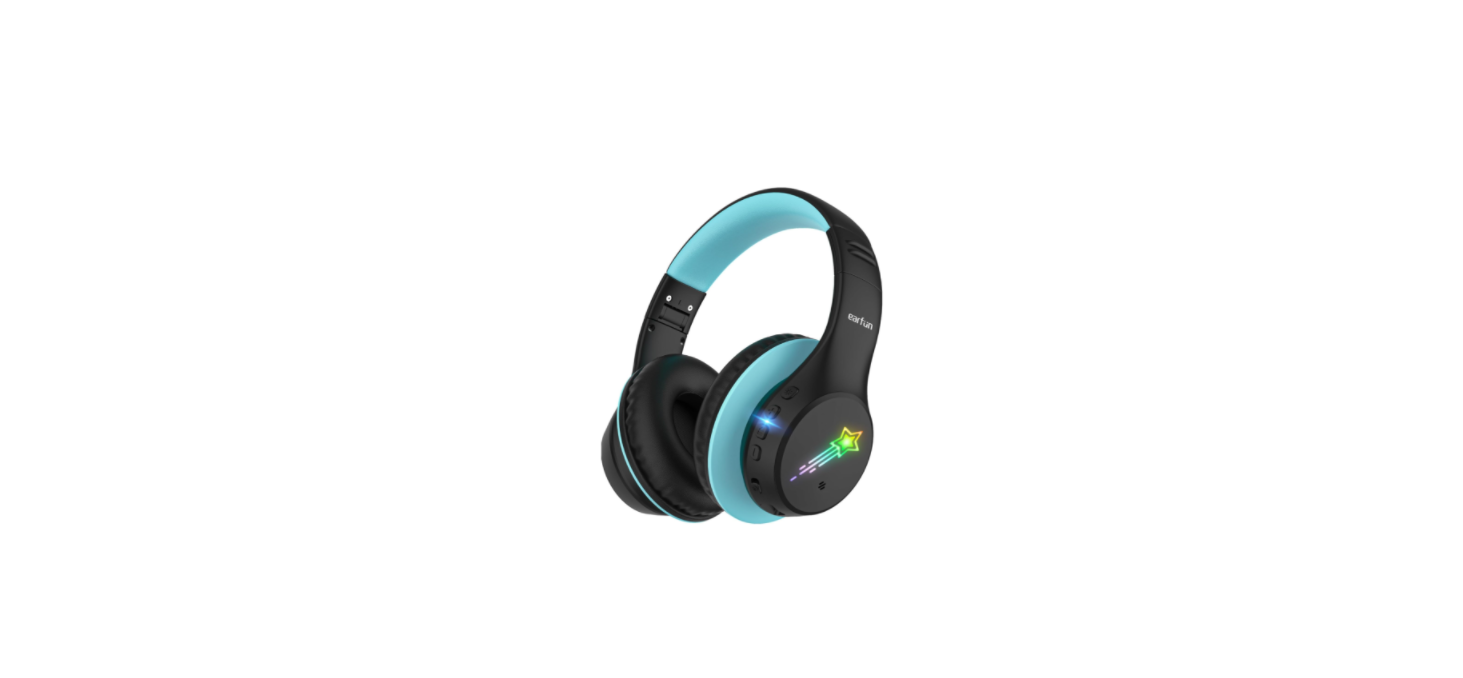
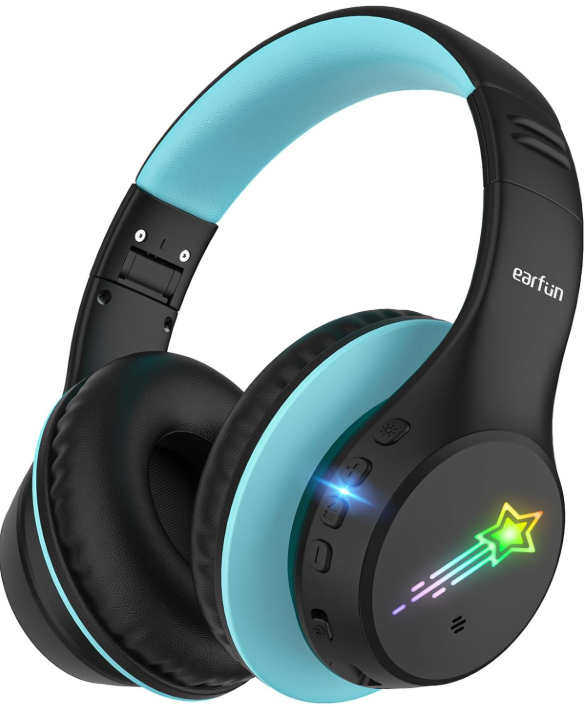
 EarFun K4 Noise Cancelling Wireless Headphones

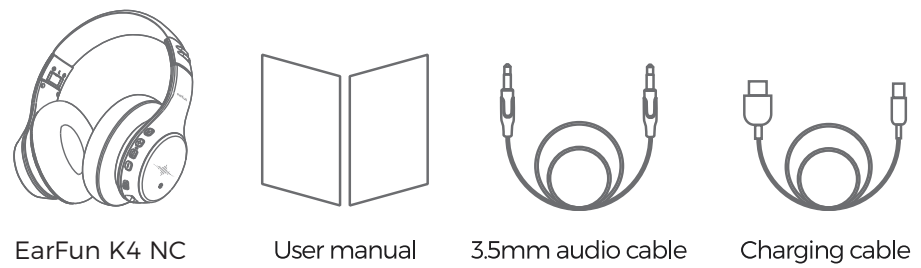
Package Content
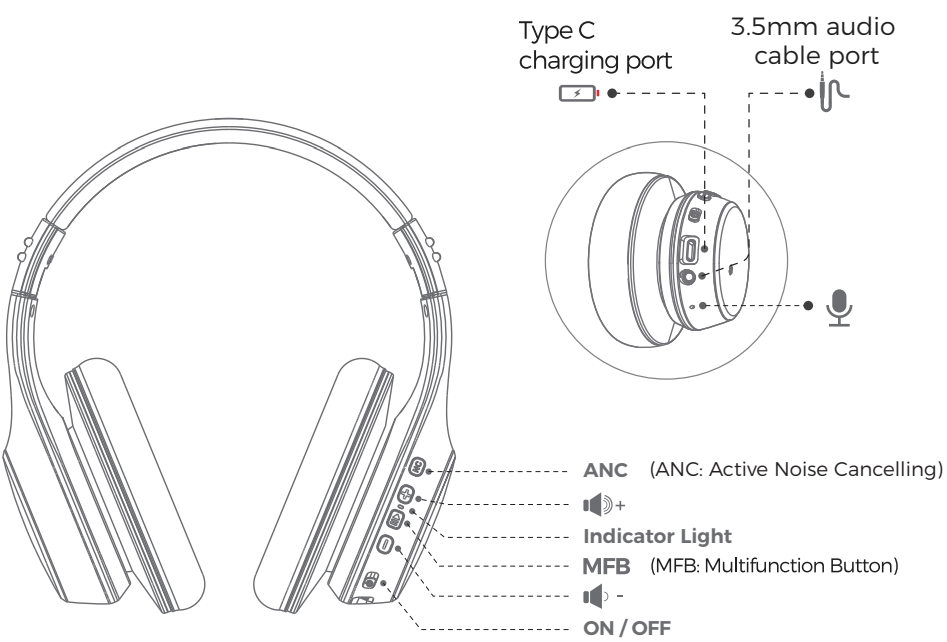
Overview
Power On / Off
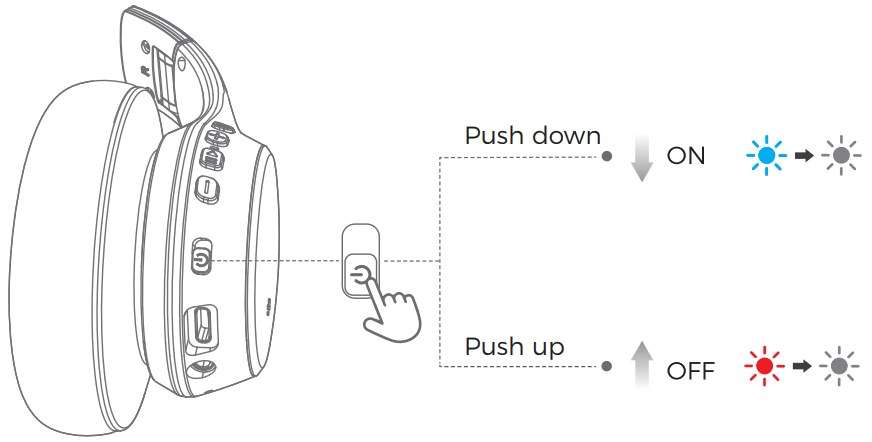
- Power On
- Push the “ ” button down, the blue light will turn on and then go out. You can hear the voice prompt “power on”.
- Power Off
- Push the “ ” button up, the red light will turn on and then go out. You can hear the voice prompt “power off ”.
How to Pair
Step 1
Step 2
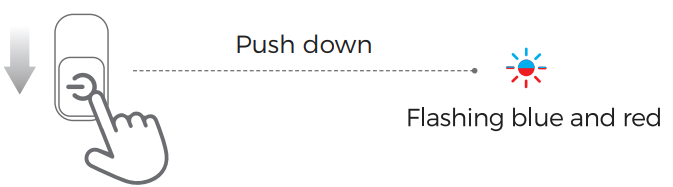
- Push the “ ” button down, the blue light will turn on and go out, then the red and blue lights flash alternately to enter the pairing mode. You will hear a voice prompt “Pairing”.
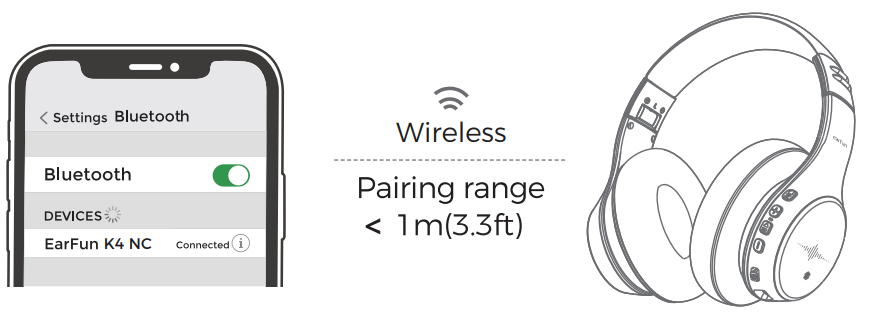
- Enable the wireless connection on your cellphone and find “EarFun K4 NC” to connect. Once paired, you will hear “Connect.
Notes
- If the headphone exceeds the 20-meter distance from the device, it will automatically disconnect.
- The headphone will default to reconnect to the last connected device.
Active Noise Cancelling
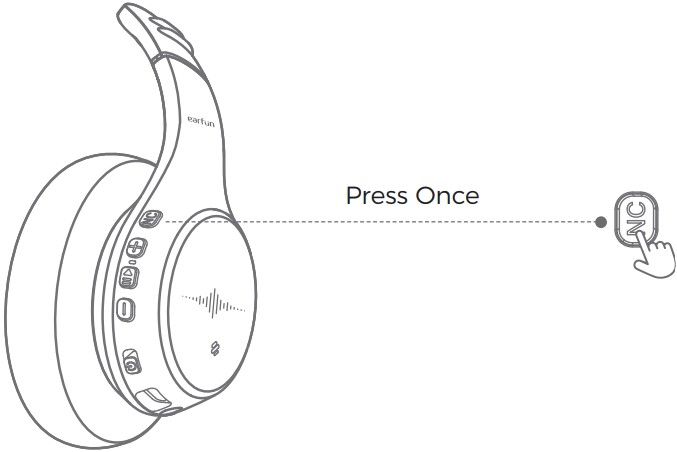
- Active Noise Cancelling On
- Press the “NC” button once to activate the active noise-cancelling function. You can hear the voice prompt “Noise Cancelling On”.
- Active Noise Cancelling Off
- Press the “NC” button once to turn off the active noise-cancelling function. You can hear the voice prompt “Normal”.
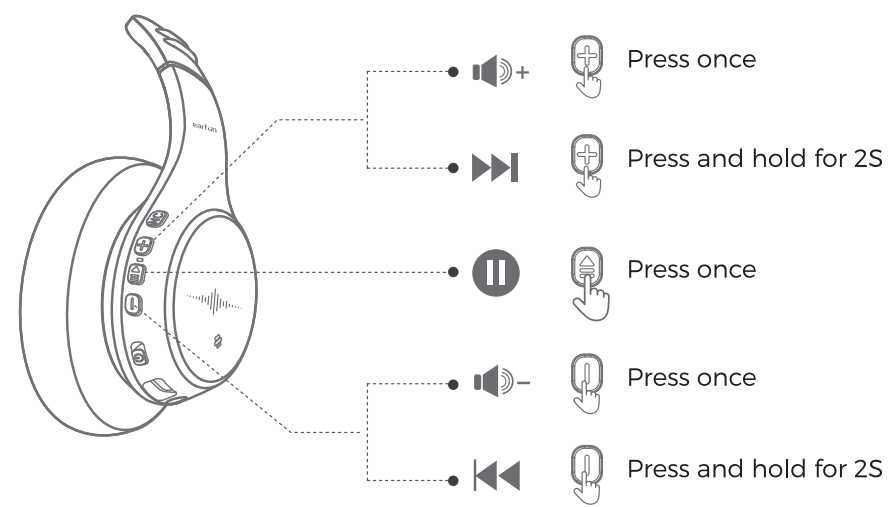
Volume Control
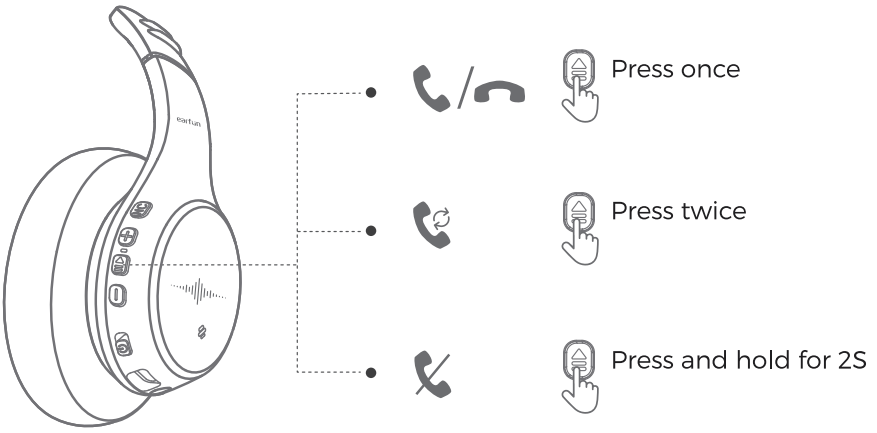
Answer / Hang up/ Reject a Call
Reset
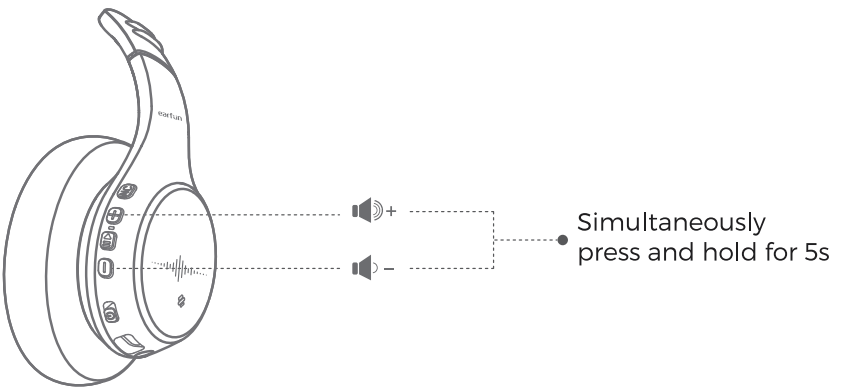
With your headphones powered on, press and hold the “+” and “” buttons simultaneously for 5s, until the red and blue lights flash 3 times, and the headphones have entered pairing mode again.
Charging Indications
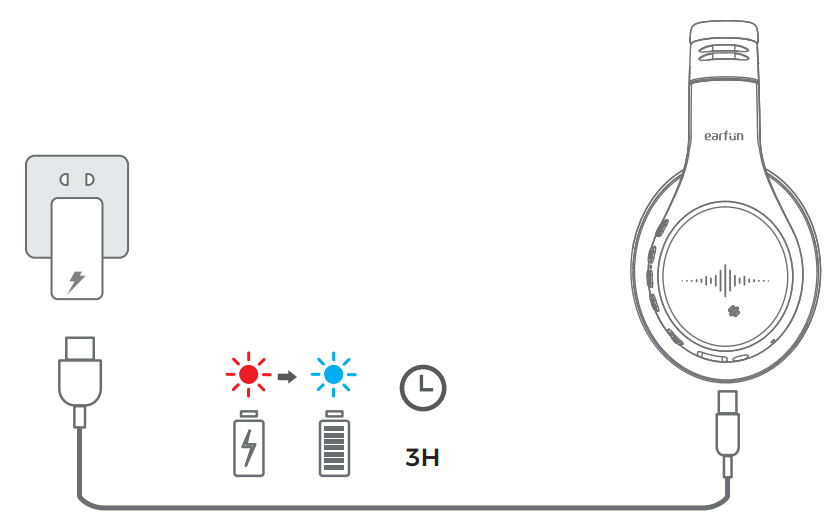
- In charging
- Red light stays on
- Full Charge
- Blue light stays on ( charging for 3 hours)
Toggle volume limit operation
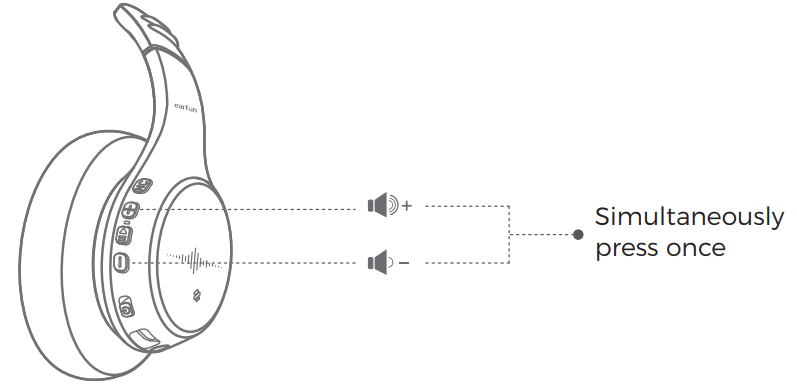
- Simultaneously press “+” and “-” buttons once to switch
- Volume-limited modes:
- Normal Mode (74dB),
- Learning Mode (85dB)
- Travel Mode (94dB)
Indicator Light & Voice Indication
| State | Indicator Light | Voice Indication |
| Power on | Blue light stays on for 1.5s | Power On |
| Power off | Red light stays on for 1.5s and turns off | Power Off |
| Pairing Mode | Red and Blue light flashes alternatively | Pairing |
| Device connected | None | Connected |
| Device disconnected | None | Disconnected |
| ANC ON | None | Noise Cancelling On |
| ANC OFF | None | Normal |
| Battery lower than 20% | Red light flashes 3 times rapidly every 10 seconds. | Battery Low |
| In Charging | Red light stays on in charging, blue light stays on in full charge | None |
AUX-IN Mode
- When the headphones’ battery runs out, you can connect the headphones to a music device using a 3.5mm audio cable to continue playback.
- When using an AUX cable, the headphones automatically power off.
- To adjust the volume, please use the volume controls on your connected device.
FCC Statement
This device complies with Part 15 of the FCC Rules. Operation is subject to the following two conditions. This device may not cause harmful interference. This device must accept any interference received, including interference that may cause undesired operation.
Changes or modifications not expressly approved by the party responsible for compliance could void the user’s authority to operate the equipment. This equipment generates uses and can radiate radio frequency energy and, if not installed and used in accordance with the instructions, may cause harmful interference to radio communications. However, there’s no guarantee that interference will not occur in a particular installation.
- Consult the dealer or an experienced radio/TV technician for help.
- Increase the separation between the equipment and the receiver
- Reorient or relocate the receiving antenna.
Radiation Exposure Statement
This equipment complies with FCC radiation exposure requirements. The device can be used in portable exposure conditions without RF restriction. This device complies with Industry Canada licence-exempt RSS standard(s). Operation is subject to the following two conditions
- This device may not cause interference, and
- This device must accept any interference, including interference that may cause undesired operation of the device.”
EU Declaration of Conformity
Earfun Technology (HK) Limited hereby declares that this equipment complies with the essential requirements and other relevant provisions of Directive 2014/53/EU and RoHS 2011/65/EU Directive.
UK Declaration of Conformity
Hereby, [Earfun Technology (HK) Limited] declares that the radio equipment type [K2] complies with UK Radio Equipment Regulations (SI 2017/1206).
ISED Compliance Statements
This device contains licence-exempt transmitters/receivers (s) that comply with Innovation, Science and Economic Development Canada’s licence-exempt RSS(s). Operation is subject to the following two conditions:
- This device may not cause interference.
- This device must accept any interference, including interference that may cause undesired operation of the device.
This equipment complies with IC RSS-102 radiation exposure limits set forth for an uncontrolled environment.
Customer Service
- Website: www.myearfun.com
- Email: service@myearfun.com
- Ph: +91-99997-92449
FAQs
What are EarFun K4 headphones and who are they designed for?
The EarFun K4 over-ear wireless headphones strive to strike a compromise between a long battery life, a cosy fit, and safe listening features (including volume limiting). They can be used by adults or teenagers looking for a straightforward, reasonably priced headset, as well as for travel, studying, commuting, and casual music listening.
Do the K4 headphones really offer noise cancelling?
No, the K4’s “noise control” is passive noise reduction, which means that instead of using active electronics (ANC) to block outside sound, they rely on the earcups and over-ear seal.
How long does the battery last on a full charge?
The K4 promises up to 90 hours of playback on a full charge (with LED lights off), which is quite long for wireless headphones.
What devices are compatible with the K4?
They should connect consistently with the majority of contemporary smartphones, tablets, laptops, and PCs because they use Bluetooth 5.4.
Is there volume regulation or hearing protection?
Indeed, the K4 has adjustable volume-limit settings (e.g., 74 dBA, 85 dBA, and 94 dBA) to assist prevent excessive loud levels, which can be helpful for long-term hearing safety or younger listeners in particular.
Are these headphones comfortable for long listening sessions?
Yes, they are appropriate for prolonged listening, travelling, or commuting because of their plush ear cushions and adjustable headband. Compared to in-ear buds, the over-ear style lessens strain on the ear canal.
Can I take calls with them?
Yes, they have a built-in microphone for making calls without using your hands. The multifunction buttons support basic call controls (answer/end calls, refuse calls).
What if the battery dies — can I still listen?
Indeed. You can connect to a device and listen in wired mode using the 3.5 mm audio cord that comes with the package. The headphones continue to function in that mode without the need for Bluetooth or a battery.