



Harman Kardon AURA STUDIO 3 Bluetooth Speakers
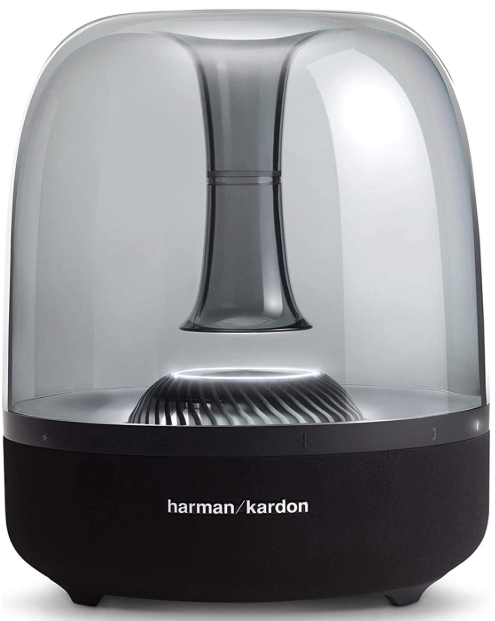
The Harman Kardon AURA STUDIO 3 Bluetooth Speakers deliver premium 360° sound with a powerful subwoofer and elegant design, perfect for any home audio setup.
Content Packaging
- Power cord quantity
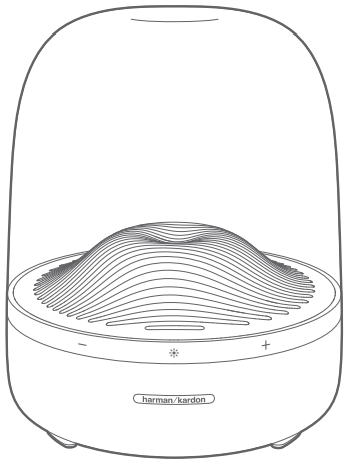
- Plug
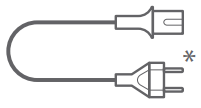
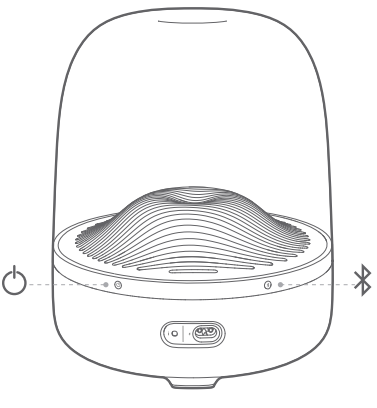
Buttons
- Front
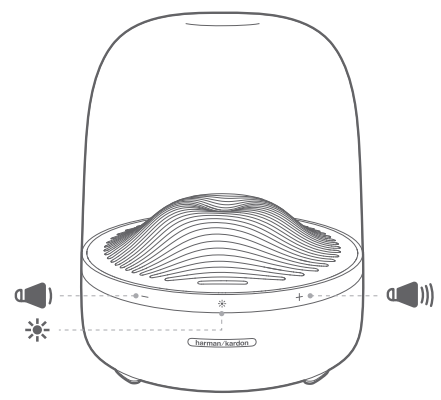
- Back
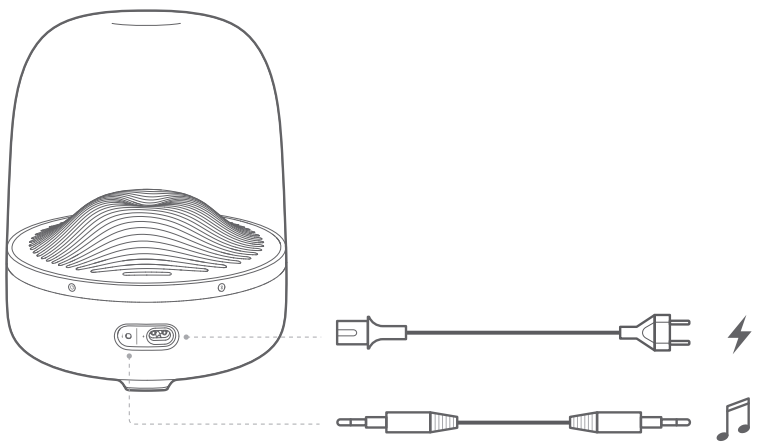
Connections
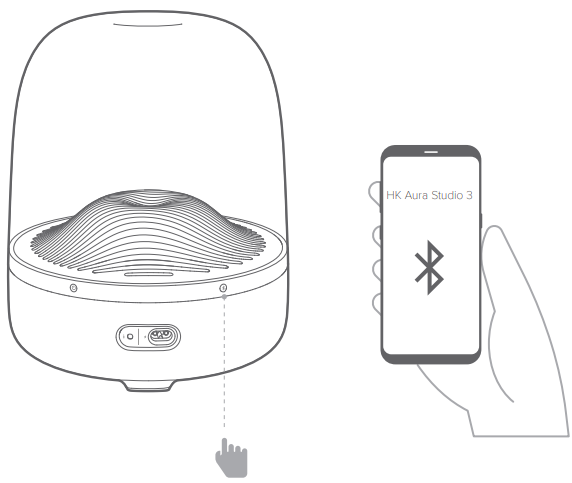
Bluetooth Pairing
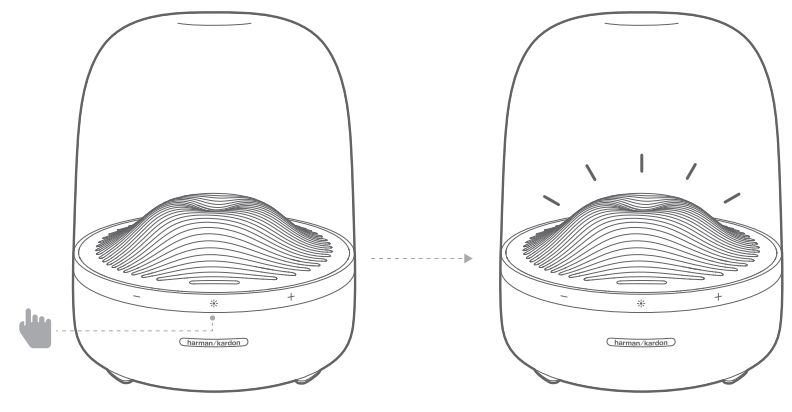
 Lightning ON/OFF
Specification
The Harman Kardon AURA STUDIO 3 Bluetooth Speakers have Bluetooth 4.2, six mid-high speakers, a 130 mm subwoofer, and 130 W RMS power. They deliver clear 360° sound for your home.
- Bluetooth version: 4.2
- Support: A2DP 1.3, AVRCP 1.6
- Transducers: 40 mm x 6 pcs (Mid-high range); 130 mm x 1 pc (Subwoofer)
- Rated power: 2 x 15 W RMS + 1 x 100 W RMS
- Frequency response: 45 Hz – 20 kHz (-6 dB)
- Signal to noise ratio: 80 dB at 15 W (Mid-high range); 80 dB at 100 W (Subwoofer)
- Power supply: 100 – 240 V ~ 50/60 Hz
- Bluetooth transmitter power: 0 – 9 dBm
- Bluetooth transmitter frequency range: 2.402 – 2.480 GHz
- Bluetooth transmitter modulation: GFSK, π/4 DQPSK, 8DPSK
- Dimension (H x W x D): 283.6 x 232 x 232 mm / 11.2” x 9.1” x 9.1”
- Weight: 3.6 kg (7.9 lb)
One App
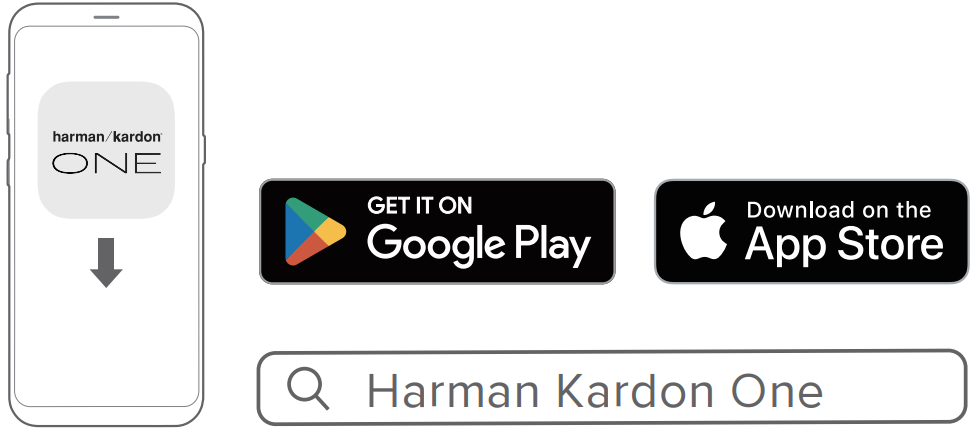
With the Harman Kardon One app on your Android™ or iOS device, you can set up a multi-channel sound system by wirelessly pairing your Enchant Sub with:
- Enchant 900 / 1100 (soundbar, sold separately): to enhance the bass performance.

- For more information, see “5 SETUP”.
You can also check out the Harman Kardon Onyx Studio 4 Bluetooth Speakers User Manual for setup and compatibility details for other popular Harman Kardon speakers.
Customer Service
- Address: Open Source, Gregor Krapf-Gunther, Parking 3, 85748 Garching bei Munchen, Germany.
- Website: www.harmankardon.com.
- Tel: (800) 422-8027
- Timings: Mon – Fri – 9:00 am 11:00 pm (ET) Sat – Sun – 9:00 am 5:00 pm
© 2013 HARMAN International Industries, Incorporated. All rights reserved.
FAQs
Q: Can I connect multiple devices to the Aura Studio 3 at the same time?
The speaker can play music from only one device at a time, but it can remember up to two attached devices. Pause the current device’s playback and begin playing from a different linked device to swap.
Q: What is the power output of the Aura Studio 3?
With a 130 mm subwoofer for deep, potent bass and 6 × 40 mm speakers for rich mids and highs, the Aura Studio 3 has a 130 watt RMS total output.
Q: Is the Aura Studio 3 waterproof or dustproof?
No. The Aura Studio 3 cannot withstand dust or water. Avoid placing it near water, dampness, or places with a lot of humidity, such as restrooms or the rain.
Q: Can I use the Aura Studio 3 without Bluetooth?
Indeed. The speaker has a 3.5 mm AUX input on the back for connecting auxiliary devices.
Q: How far can I use the speaker from my Bluetooth device?
In an open area, the Aura Studio 3’s Bluetooth range is up to 10 meters (33 ft). The range may be shortened by obstructions like walls and other electronic gadgets.
Q: How do I reset the speaker to factory settings?
To reset, press and hold the Bluetooth and Volume + buttons simultaneously for around 5 seconds. The speaker will power down and clear all associated devices. After restarting, it will enter pairing mode automatically.
Q: How do I control the ambient lighting effects?
The 360° ambient lighting of the Aura Studio 3 subtly changes in time with your music. Press the Light button on the back panel to switch on or off the illumination.
1 Comment
Pingback: Harman Kardon LUNA Portable Bluetooth Speakers User Manual