

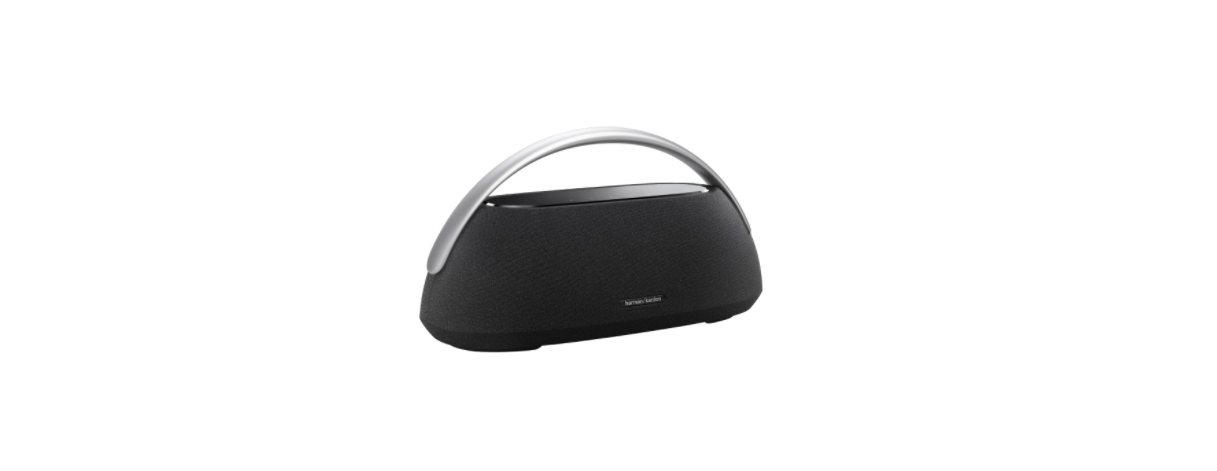

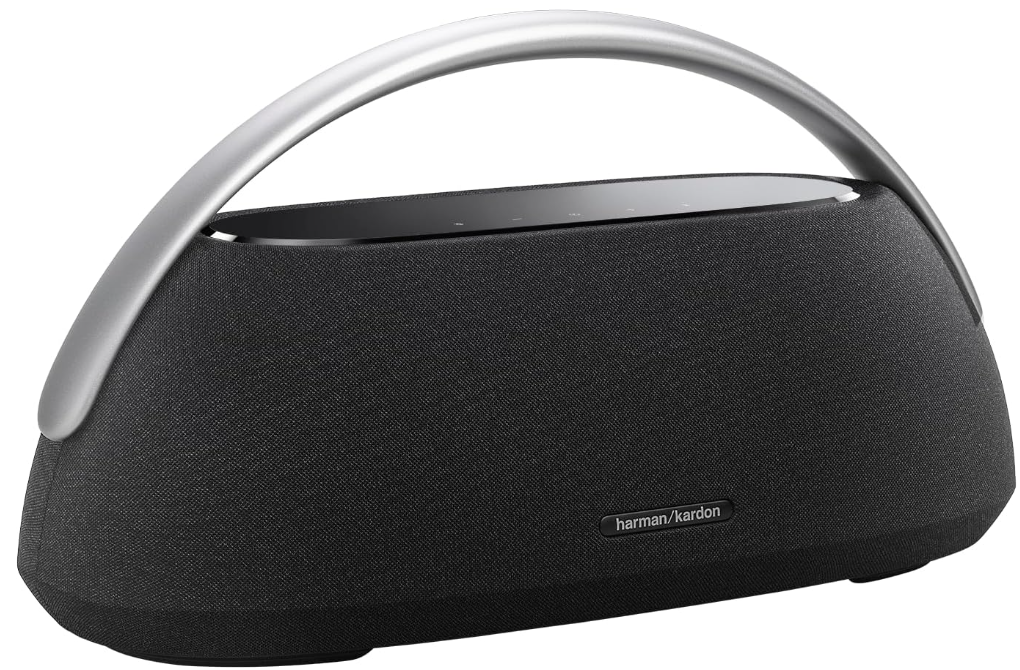
Harman Kardon GO + PLAY 3 Bluetooth Speaker
What’s in the Box
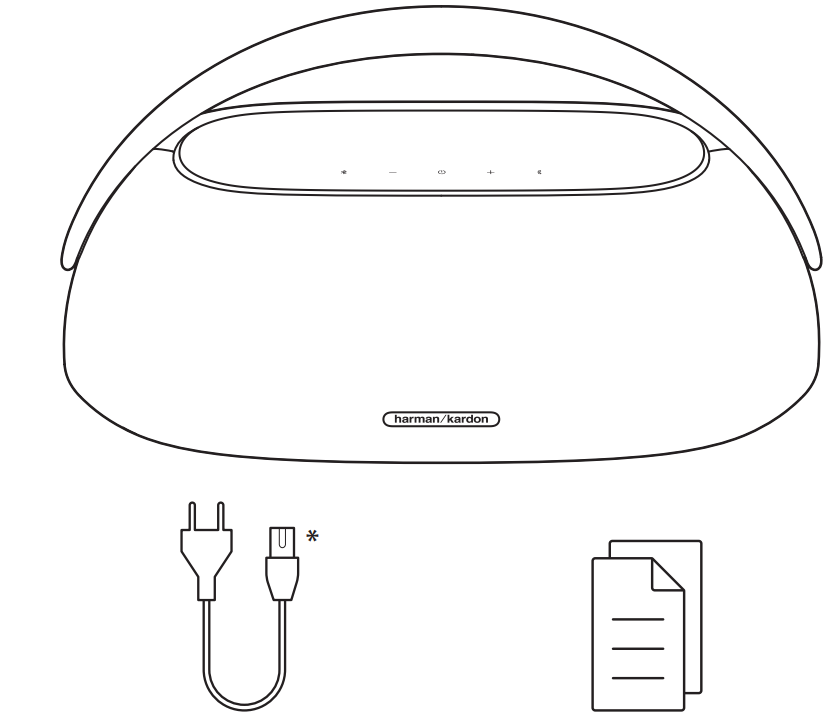
- Power cord quantity and plug type vary by region.
Bluetooth Pairing

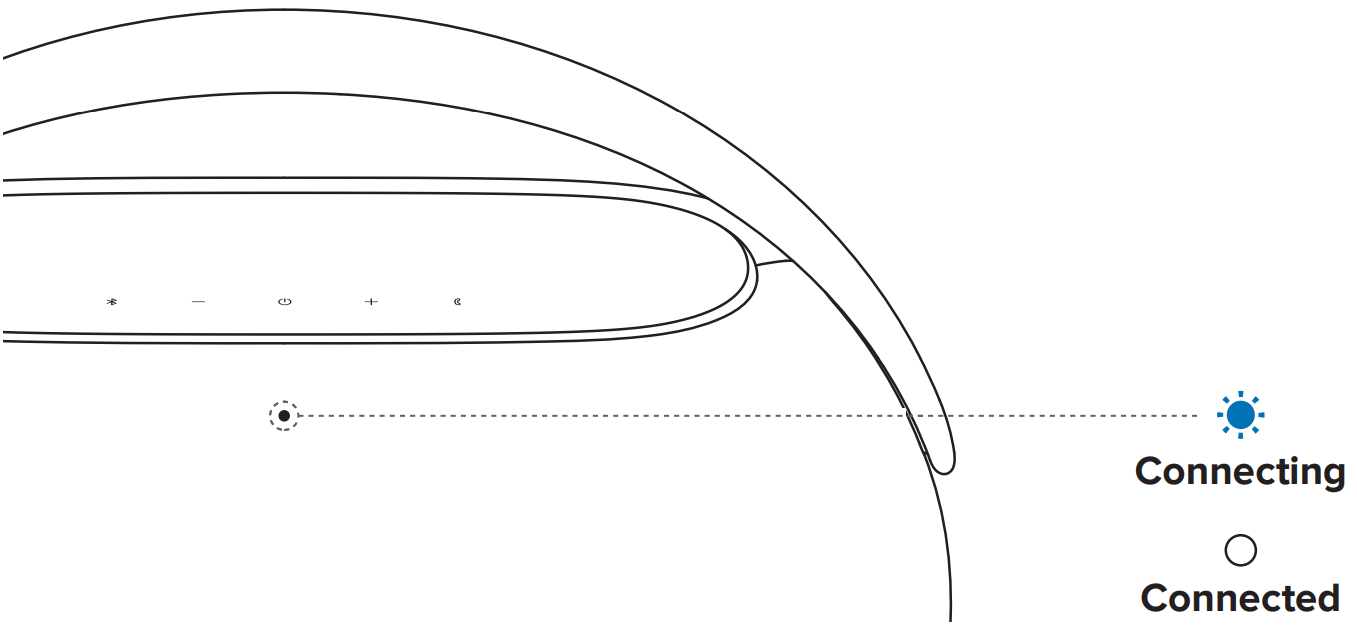
Music Streaming
To stream music via Bluetooth with the Harman Kardon GO + PLAY 3 Bluetooth Speaker, you can connect any smartphone or tablet. If you prefer a smaller, portable option, check out the Harman Kardon Enchant Compact Wireless Speaker.
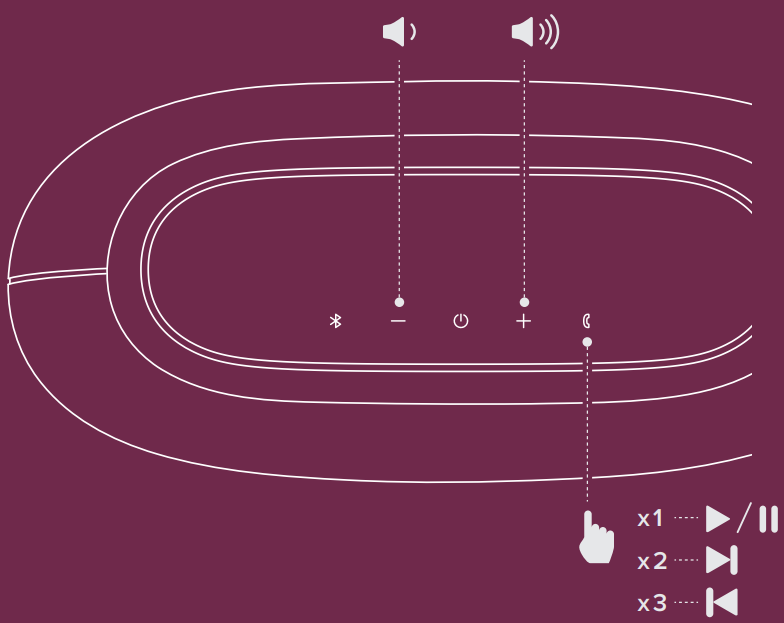
To reboot, hold for more than 10 seconds.
Multi-Point Connections
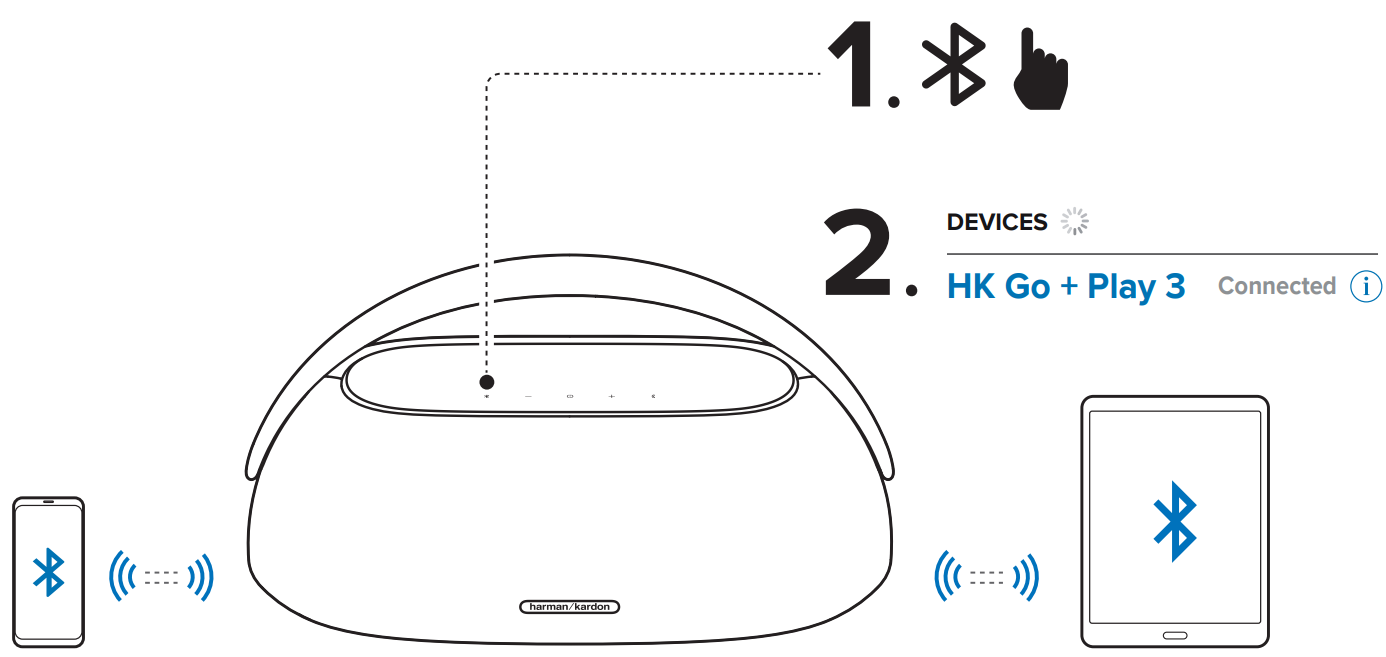
* Maximum 2 devices
Stereo Boost Pairing
You can pair two GO + PLAY 3 speakers for a stereo experience. For another high-quality stereo setup, see the Harman Kardon Onyx Studio 9 Bluetooth Speaker.
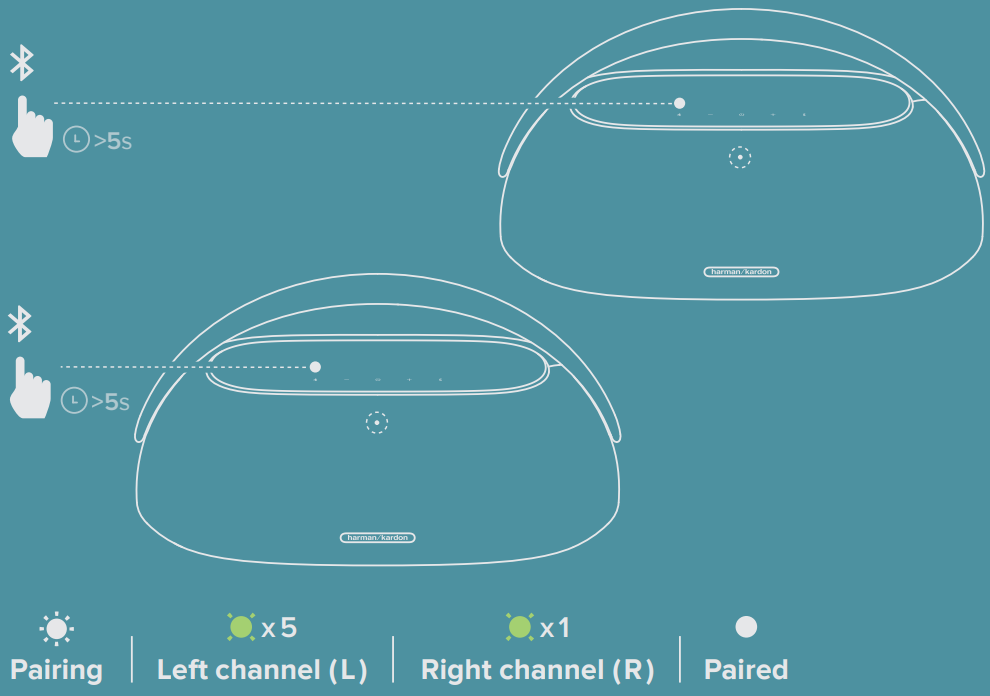
Stereo Boost Control
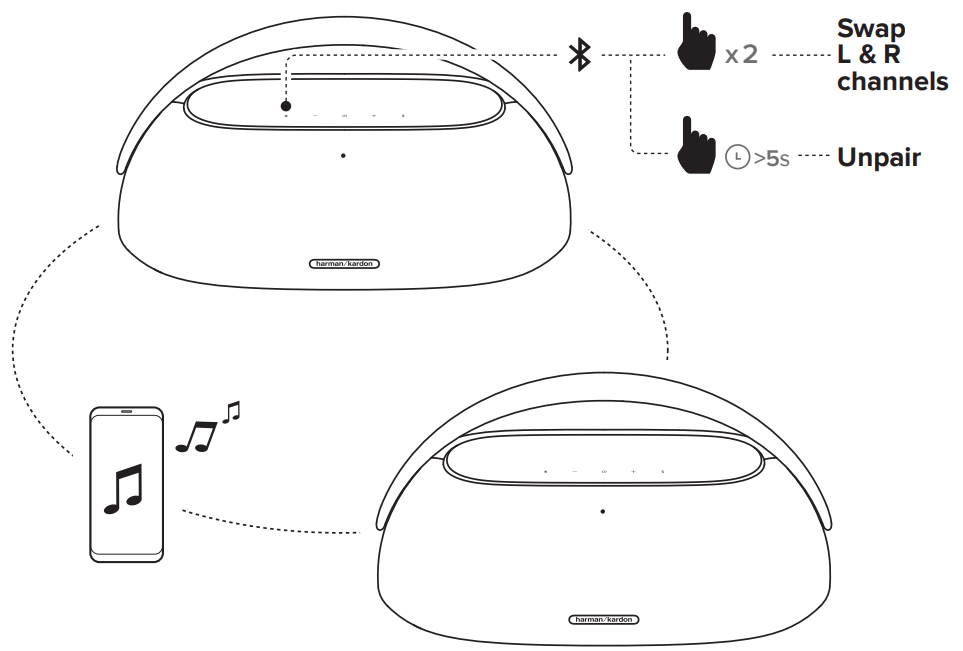
Conferencing
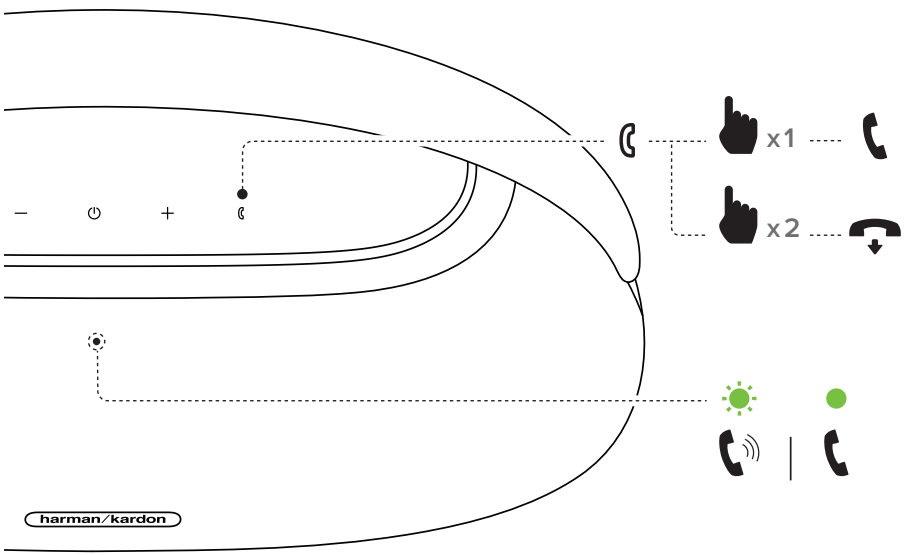
When there is an incoming call, music playback pauses. Pick up the phone and talk through the microphone.
Music Playback
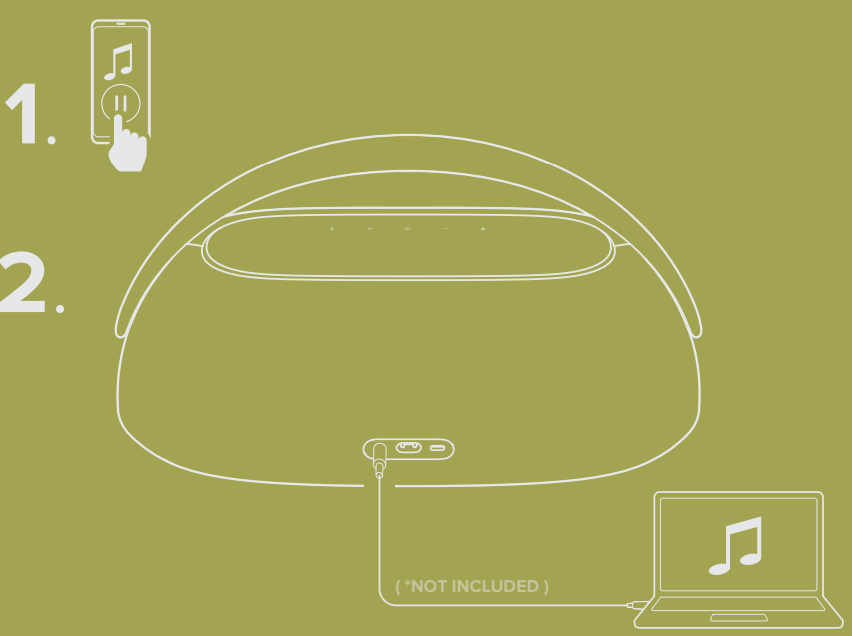
To play music through the audio cable, disconnect Bluetooth.
Charging
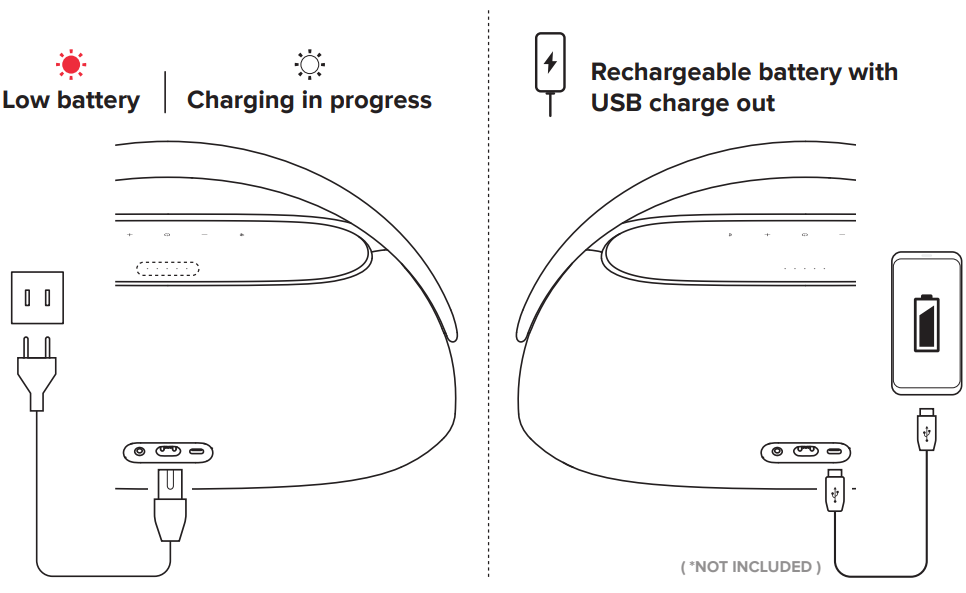
If the Harman Kardon GO + PLAY 3 Bluetooth Speaker will not be used for a long period of time, please recharge the battery at least once every 3 months. Battery life will vary due to usage patterns and environmental conditions.
Technical Specifications
- Bluetooth version: 5.2
- Support: A2DP V1.3, AVRCP V1.6
- Transducers: 70 mm x 2 pcs (Mid range), 20 mm x 2 pcs (Tweeter), 130 mm x 1 pc (Subwoofer)
- Output power: 160 W RMS
- Frequency response: 43 Hz – 20 kHz (-6 dB)
- Signal-to-noise ratio: 80 dB A-weighted
- Battery type: 25.92Wh rechargeable battery
- Battery charge time: 3 hours
- Music play time: up to 8 hours (dependent on volume level and audio content)
- Power supply: 100 – 240 V ~ 50/60 Hz
- Bluetooth transmitter power: ≤10 dBm
- Bluetooth transmitter frequency range: 2.400 – 2.4835 GHz
- Bluetooth transmitter modulation: GFSK, π/4 DQPSK, 8DPSK
- USB specification: Audio playback is for the US version only.
- USB port: Type C
- USB rating: 5V/2A (maximum)
- Supporting file formats: mp3
- Dimension (W x H x D): 439 x 240 x 192 mm / 17.3″ x 9.5″ x 7.6″
- Weight: 4.7 kg (10.4 lbs)
Customer Service
- Address: Open Source, Gregor Krapf-Gunther, Parking 3, 85748 Garching bei Munchen, Germany.
- Website: www.harmankardon.com.
- Tel: (800) 422-8027
- Timings: Mon – Fri – 9:00 am 11:00 pm (ET) Sat – Sun – 9:00 am 5:00 pm
© 2013 HARMAN International Industries, Incorporated. All rights reserved.
FAQs
Q: What devices can I connect to the GO + PLAY 3 speaker?
Wireless connectivity between the Harman Kardon GO + PLAY 3 and any Bluetooth-enabled device, including laptops, tablets, and smartphones, is possible. The 3.5mm AUX input can also be used for wired connections.
Q: Can I connect more than one device at the same time?
Indeed! With the help of a multi-host Bluetooth connection, two devices can connect at once to the GO + PLAY 3. You may quickly switch between them by pausing the music on one device and beginning to play on the other.
Q: What is the Bluetooth range of the speaker?
In open areas, the GO + PLAY 3’s Bluetooth range is up to 10 meters (33 feet). The range may be decreased by physical barriers like metal items or walls.
Q: How long does the battery last?
Depending on the song selection and volume setting, the GO + PLAY 3 may play for up to eight hours straight on a full charge.
Q: Can I use the speaker while it’s charging?
Indeed. The battery’s performance won’t be impacted if you listen to music while the speaker charges.
Q: Is the GO + PLAY 3 waterproof or splash-resistant?
It is not possible to waterproof the GO + PLAY 3. Keep it away from moisture, rain, and water. Keep it away from direct splashes and use it in dry areas.
Q: Why does my speaker turn off automatically?
When no device is connected or after 15 minutes of inactivity, the speaker automatically shuts off to conserve energy. This function prolongs battery life.