

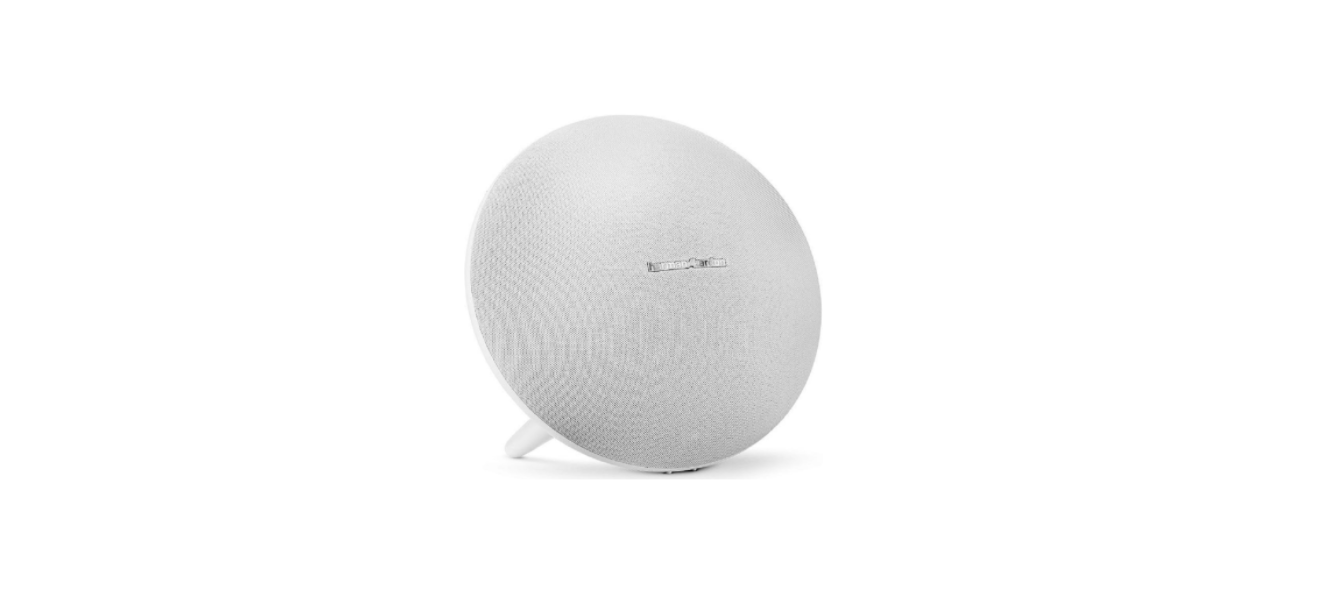

Harman Kardon ONYX STUDIO 4 Bluetooth Speakers
Introduction
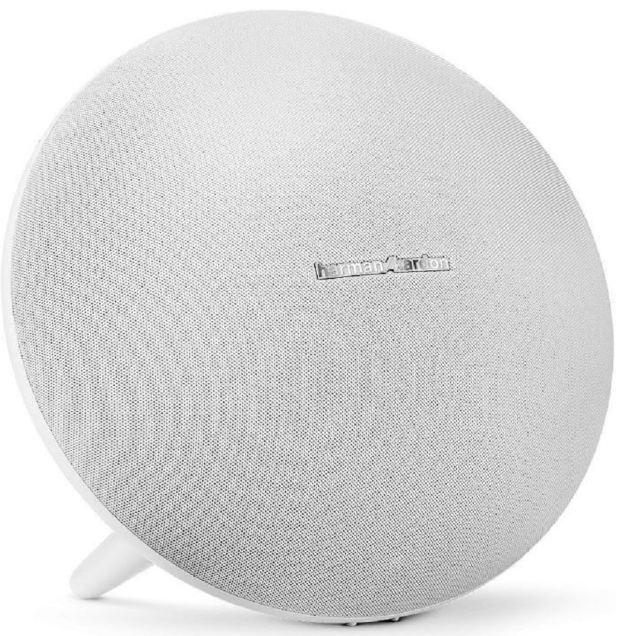
The Harman Kardon Onyx Studio 4 Bluetooth is a premium wireless speaker. Thank you for purchasing the Harman Kardon Onyx Studio. HK Onyx Studio is a premium wireless speaker with an iconic design and comes with a rechargeable built-in battery that allows you to stream music from any smartphone, tablet, or other wireless devices through Bluetooth®.
HK Onyx Studio is a 4-speaker, advanced acoustic platform, and its dual passive radiators deliver a truly fantastic sound experience with a balanced soundstage and powerful bass response.
Description and Features
Design and Performance
- Dual passive radiators provide deep bass.
- The built-in rechargeable battery offers up to 5 continuous hours of playtime.
Wireless Connection
The Harman Kardon Onyx Studio 4 Bluetooth wireless connectivity allows you to place the speaker in any part of the room without having to worry about friends and family tripping over cables. The HK Onyx Studio supports almost every popular wireless device via Bluetooth. For users looking for a newer model with enhanced features, you can also check out the Harman Kardon Onyx Studio 7 Wireless Speakers to compare specifications and setup instructions.
Included Items
The HK Onyx Studio speaker system’s complete accessories consist of:
- HK Onyx Studio speaker

- One AC power adaptor
- Regional power cable
- Quick Start Guide
- Safety sheet
- Warranty Card (for some specific countries)

Controls and Connections
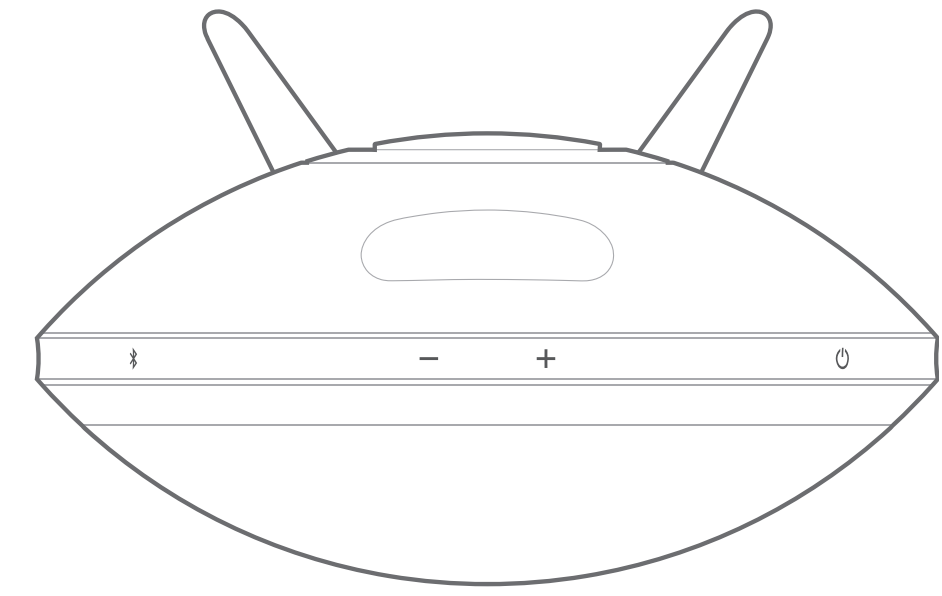
This section will help you identify the controls that are provided on the Harman Kardon Onyx Studio 4 Bluetooth top and rear panels.
Top Panel Controls
The following control buttons are available on the top panel:
- Power button
- Volume Controls
- Bluetooth
Power Button
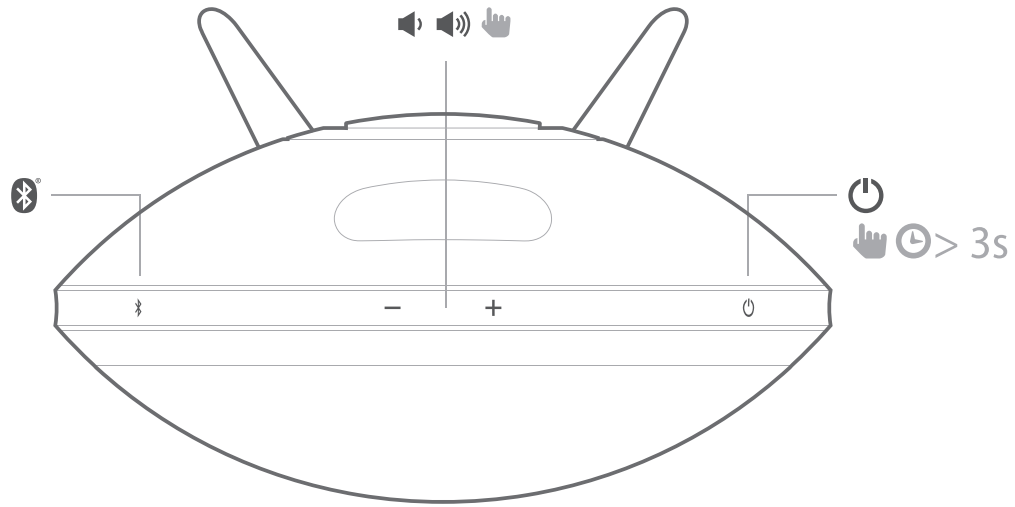
This button, when pressed, turns the Harman Kardon Onyx Studio 4 Bluetooth ON or OFF and has an LED to indicate the power mode. The two power modes are:
- Operational mode
- OFF mode
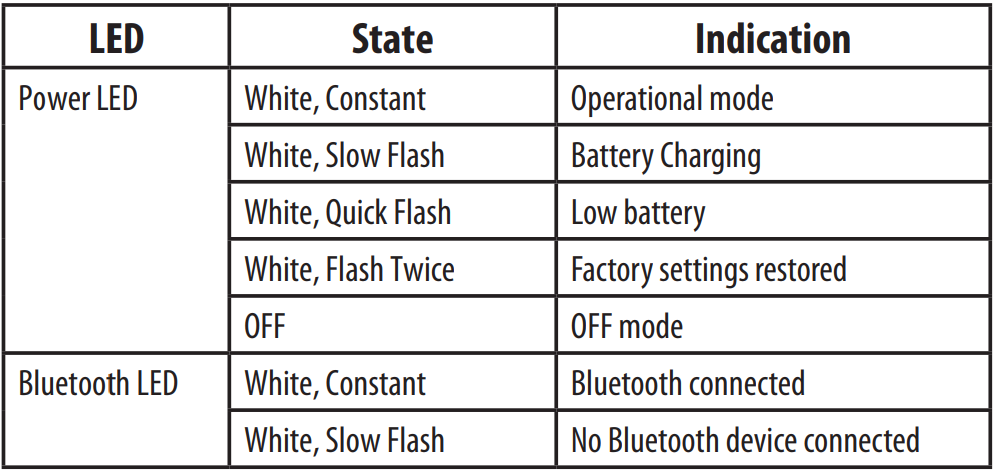
When the system is in OFF mode (Power LED is not lit), press the power button for more than 3 seconds to switch on the system. The power LED turns white when the system is turned on. To turn the speaker off, press the Power button for more than 3 seconds.
When powered by the battery, the speaker will go into off mode automatically after 30 minutes if no music stream is detected. The power LED will be turned off. To turn the speaker on, press the power button for more than 3 seconds.
Volume Controls
- Press the (-) button to decrease the volume
- Press the (+) button to increase the volume
Bluetooth
This button helps you pair your system with other devices. The system enters Bluetooth pairing mode automatically when it is turned on.
Rear Panel Connections
The connections on the rear panel are:
- USB Port (For service use)
- Power DC input
USB Port
- The USB port is used to upgrade software for service purposes.
Power DC Input
- Connect the AC power adapter to this port to charge the built-in battery.
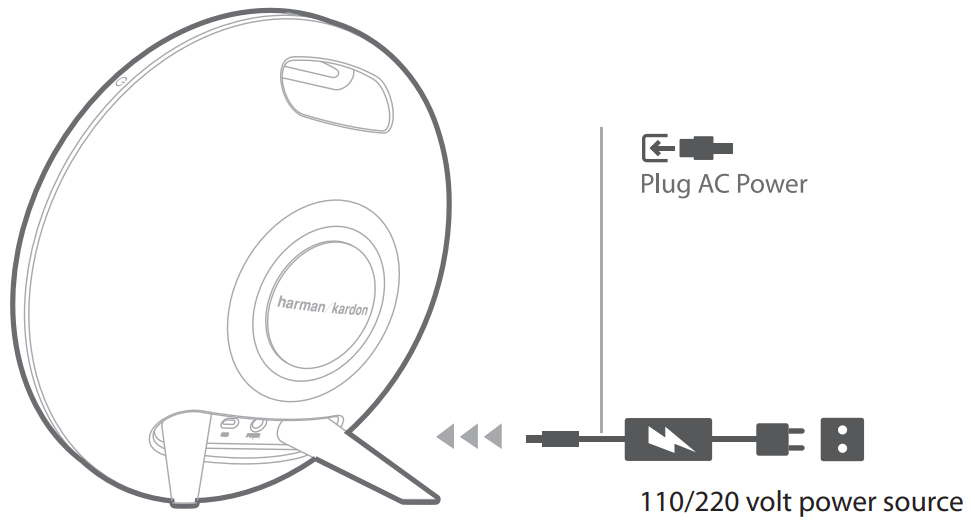
LED Indications
The LEDs present on the top panel indicate the status of the speaker unit. Refer to the table below to get a fair idea of the speaker LED indications.
Operation
Switching ON and OFF
The power button on the top panel of the speaker allows you to set your speaker to any of the following power modes:
- Operational mode – White constant LED illumination
- Off mode – No illumination
To change the power mode
- Long press: Off mode – to enter operational mode
- Long press: Operational mode – to enter off mode
Adjusting Volume
The volume buttons on the top panel allow you to increase or decrease volume. Adjust volume using the Volume Up (“+”) and Volume Down (“–”) buttons located on top of the unit.
- Short press – Increase/decrease volume by 1 step
- Press and hold – Increase/ decrease volume continuously (1 step per 0.2 second)
Connecting Bluetooth & Playing Music through Bluetooth
- Press the Power button. The LED will illuminate white.
The speaker enters pairing mode when it is switched on. - If the speaker has been paired with any source before, press and hold the Bluetooth button for at least 2.5 seconds.
- Perform a new device search on your Bluetooth-capable device.
- Select HK Onyx Studio on the device’s pairing list and enter the password as 0000.
- The device will be paired to HK Onyx Studio automatically.
- If pairing is successful, the Bluetooth LED will change to white.
- Control playback from your Bluetooth-capable device.
Specifications
This section lists the Harman Kardon Onyx Studio 4 Bluetooth specifications, including transducers, power, battery, and connectivity details:
- No of channels 4
- Transducers 2 X 3″ woofers, 2 X ¾” tweeters, 2 x passive radiators
- Bi-amplification 4 X 15W
- Maximum SPL 95dB @ 1m
- Power requirement 100 – 240 V AC, 50/60 Hz
- Power adaptor 19V, 2.0A
- Built-in battery 3.7V, 2600mAh, Cylindrical Lithium Ion Rechargeable Battery
- Power consumption 38W Maximum <1W stand by
- Speaker impedance 4 ohms per speaker
- Frequency Response 60Hz – 20kHz
- Frequency range 2402MHz ~ 2480MHz
- Transmitter power <4dBm
- Modulation GFSK/ /4-DQPSK/8-DPSK
- Wireless Bluetooth 3.0 A2DP v1.3 AVRCP v1.5
- Dimensions (Dia x W x H) 280mm X 161mm X 260mm
Troubleshooting
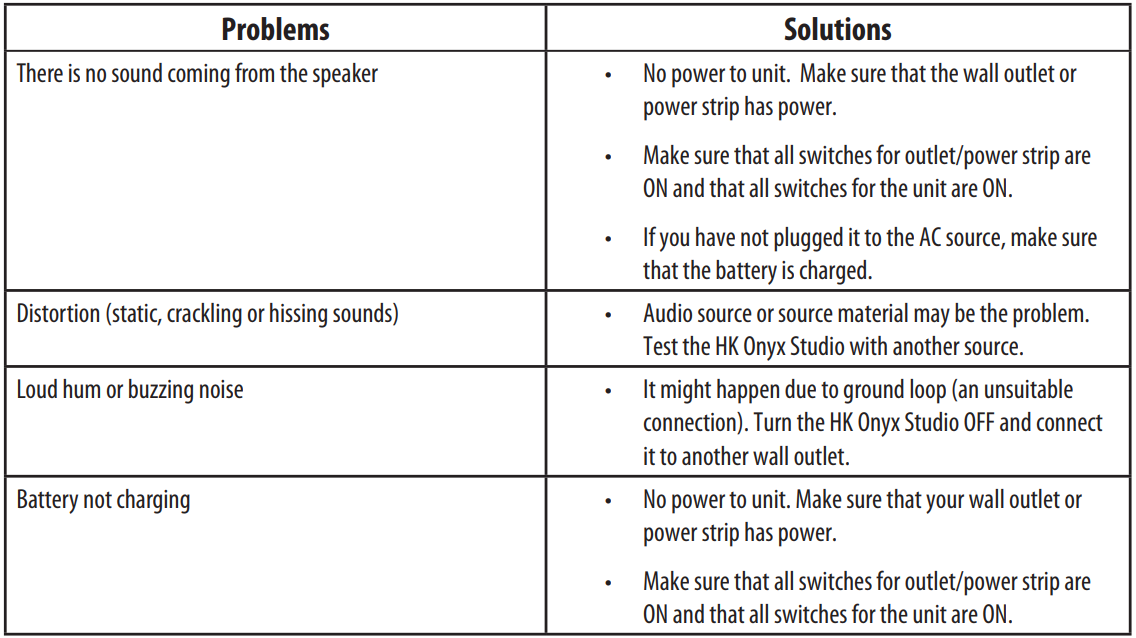
If your Harman Kardon Onyx Studio is not performing the way you think it should, check if the problem is covered in this section before calling your dealer or contacting a Harman Kardon representative.
Customer Service
- Address: Open Source, Gregor Krapf-Gunther, Parking 3, 85748 Garching bei Munchen, Germany.
- Website: www.harmankardon.com.
- Tel: (800) 422-8027
- Timings: Mon – Fri – 9:00 am 11:00 pm (ET) Sat – Sun – 9:00 am 5:00 pm
© 2013 HARMAN International Industries, Incorporated. All rights reserved.
FAQs
Q: How do I pair my Harman Kardon Onyx Studio 4 with a Bluetooth device?
Press the Bluetooth button until the indicator light flashes after turning on your speaker to pair it. Turn on Bluetooth on your computer, iPad, or phone, then choose “Harman Kardon Onyx Studio 4” from the menu.
Q: What is the “HK Connect+” feature, and how do I use it?
With HK Connect+, you can wirelessly connect over 100 Harman Kardon speakers for a louder sound. The speakers will synchronise on their own.
Q: How long does the battery last on a full charge?
Up to eight hours of playback is possible with a completely charged battery, depending on the audio content and volume level. Using the included power adaptor, charging takes about five hours.
Q: Can I use the Onyx Studio 4 while it’s charging?
Indeed. You can use the speaker while it is charging and plugged in.
Q: Is the Onyx Studio 4 waterproof?
No, the Onyx Studio 4 cannot withstand splashes or water. Do not use it in restrooms, near water, or outside in the rain.
Q: Can I make and receive phone calls through the speaker?
Indeed. An integrated microphone with noise and echo cancellation is a feature of the Onyx Studio 4.
Q: How do I check the battery level?
A red LED light will turn on, and you can hear a tone when the battery is low. Examine your linked device’s Bluetooth menu to get the precise battery level.
1 Comment
Pingback: Harman Kardon AURA STUDIO 3 Bluetooth Speakers | Full Guide