


 Harman Kardon ONYX STUDIO 9 Bluetooth Speaker

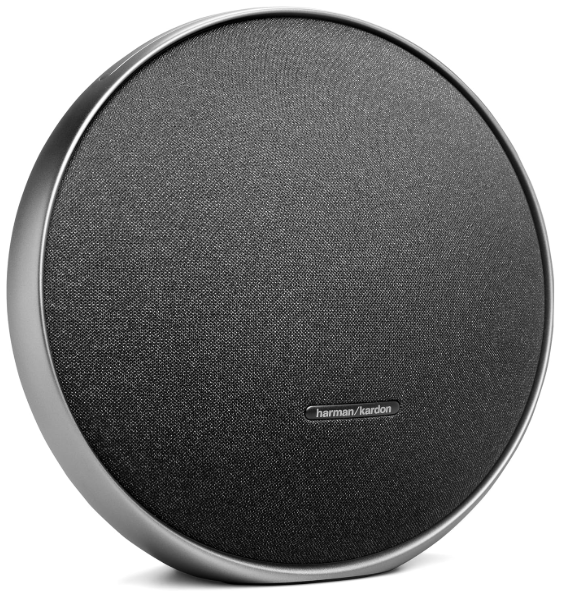
The Harman Kardon ONYX STUDIO 9 Bluetooth Speaker is easy to use. This guide shows how to pair it, play music, charge it, and use all the key features. Follow each step to get the best sound.
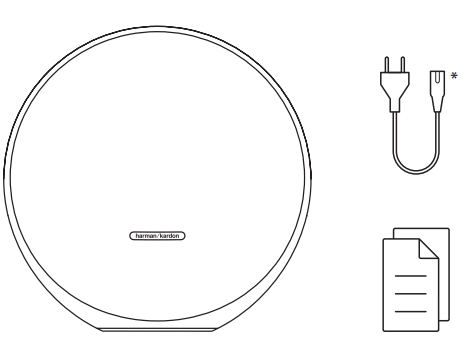
What’s in the Box
- Power cord quantity
- Plug
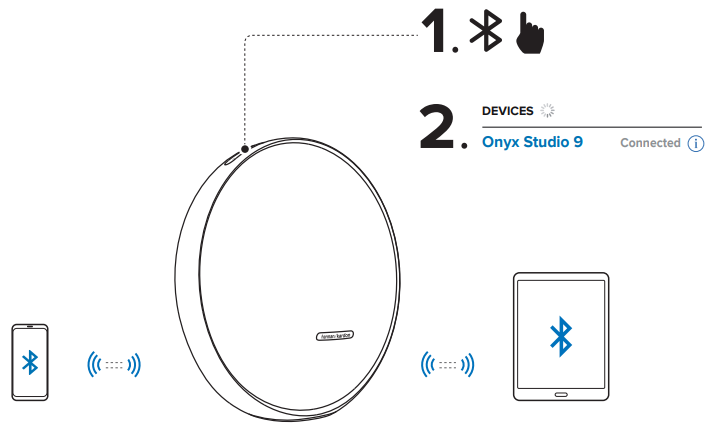
Bluetooth Pairing
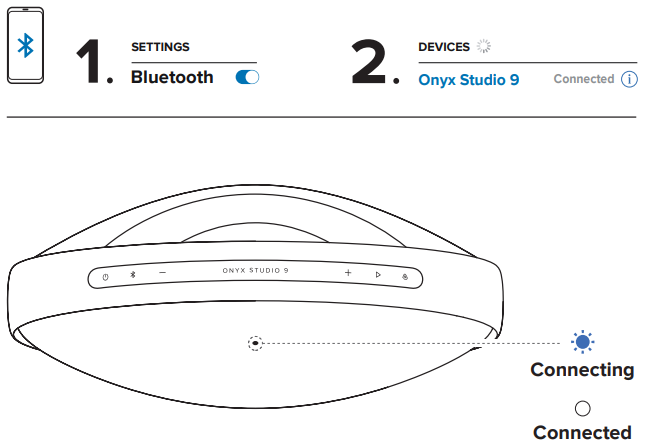
Music Streaming
To reboot, hold for more than 10 seconds.
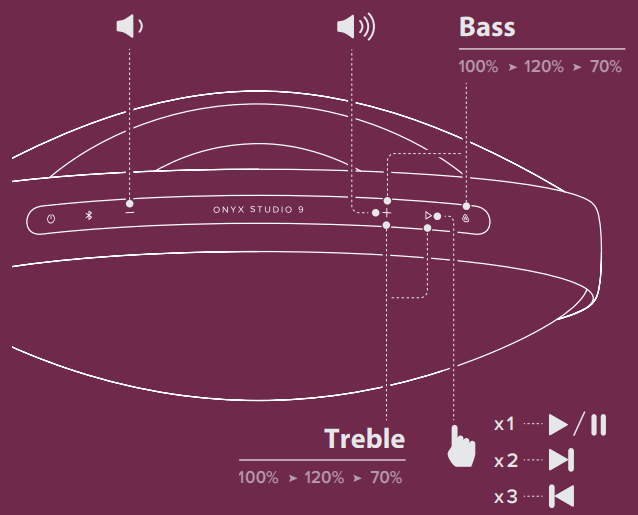
Multi-Point Connection
Maximum 2 devices
Stereo Boost Pairing
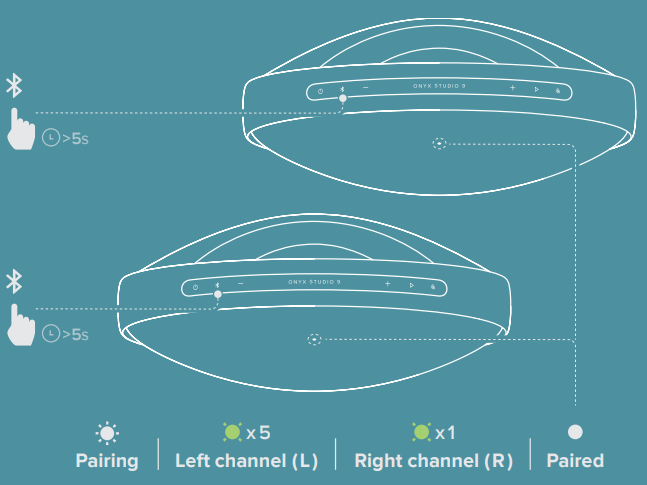
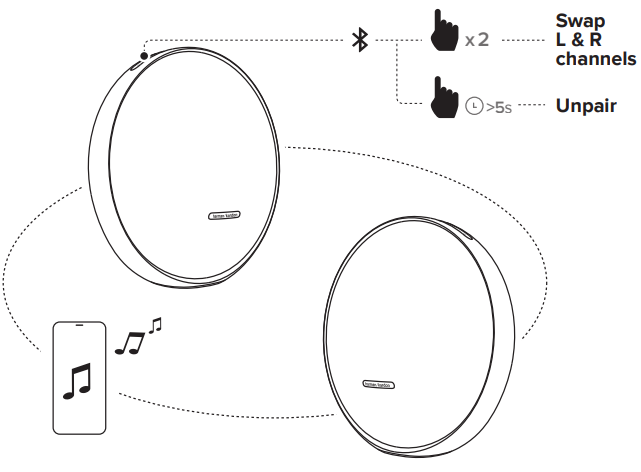
Stereo Boost Control
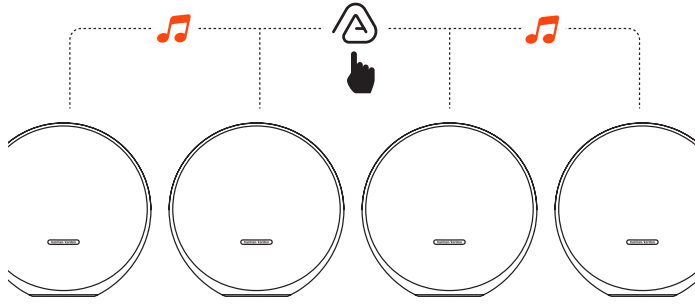
The stereo group will be interrupted when entering a multi-speaker connection.
Multi-Speaker Connection
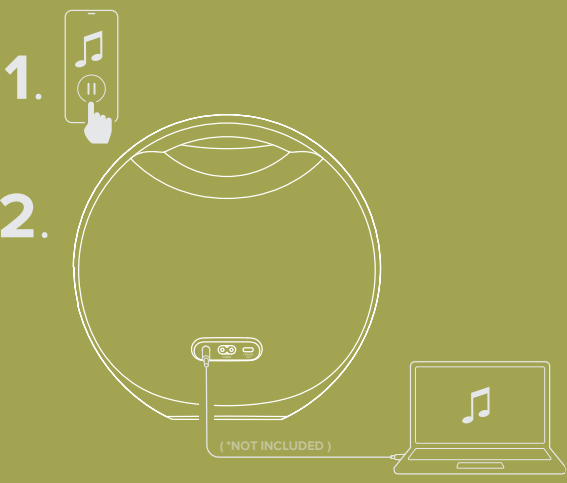
Music Playback
To play music through the audio cable, disconnect Bluetooth.
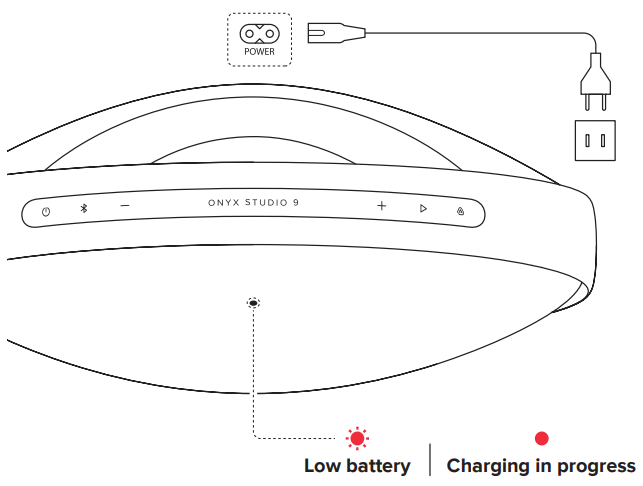
Charging
If the speaker will not be used for a long period of time, please recharge the battery at least once every 3 months. Battery life will vary due to usage patterns and environmental conditions.
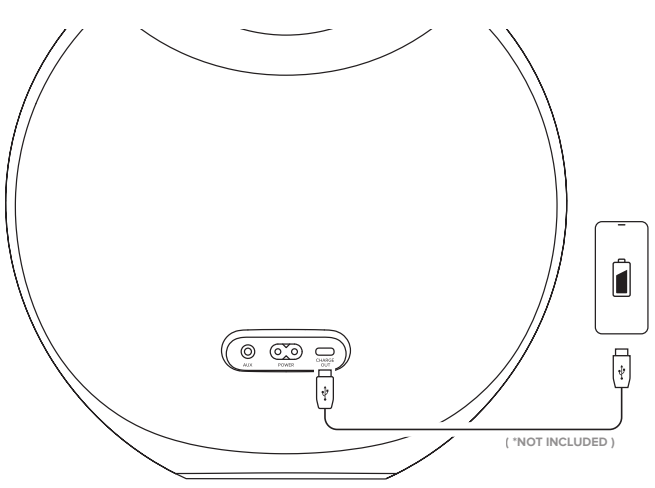
Powerbank
Technical Specification
- Transducers: Woofer 1 x 120 mm, Tweeter 3 x 20 mm
- Rated output power: 50 W RMS
- Power supply: 100 – 240 Vac, 50 Hz / 60 Hz
- Frequency response: 50 Hz – 20 kHz (-6 dB)
- Signal-to-noise ratio: > 80 dB
- Battery type: Li-ion 17.15 Wh (equivalent to 3.63 V / 4722 mAh)
- Battery charge time: 4 hours
- Music play time: Up to 8 hours (dependent on volume level and audio content)
- Bluetooth® version: 5.3
- Bluetooth® profile: A2DP 1.4, AVRCP 1.6
- Bluetooth® transmitter frequency range: 2400 MHz – 2483.5 MHz
- Bluetooth® transmitter power: ≤ 16 dBm (EIRP)
- Bluetooth® transmitter modulation: GFSK, π/4 DQPSK, 8DPSK
- USB specification: Audio playback is for the US version only.
For other versions, USB is for Service only.
- USB port: Type C
- USB rating: 5V/2.1A (maximum)
- Supporting file formats: mp3
- Dimensions (W x H x D): 289.2 x 287.5 x 130 mm / 11.39″ x 11.32″ x 5.12″
- Weight: 3.36 kg / 7.42 lbs
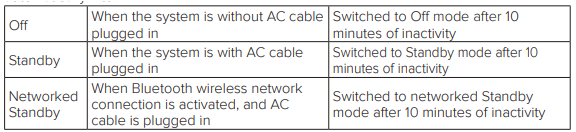
Information on Power Consumption
This equipment complies with European Commission Regulation (EU) 2023/826.
- Off: N/A
- Standby: < 0.5 W
- Networked standby for the speaker: < 2.0 W
The period of time after which the power management function switches the equipment automatically into
During self-tuning, environmental sound will be recorded. Press and together for 5 seconds, then press to play the recorded audio (for US version only).
FCC
The SAR limit of FCC and lSED is 1g 1.6 W/kg. The device has also been tested against this SAR limit according to this standard. The SAR limit of CE and UKCA is 10g 2.0 W/kg. The device has also been tested against this SAR limit according to this standard. The highest SAR value reported during product certification for body use is 10g 0.02 W/kg. The device was tested for typical bodily operations where the product was kept with 0mm distance away from the body.
One App
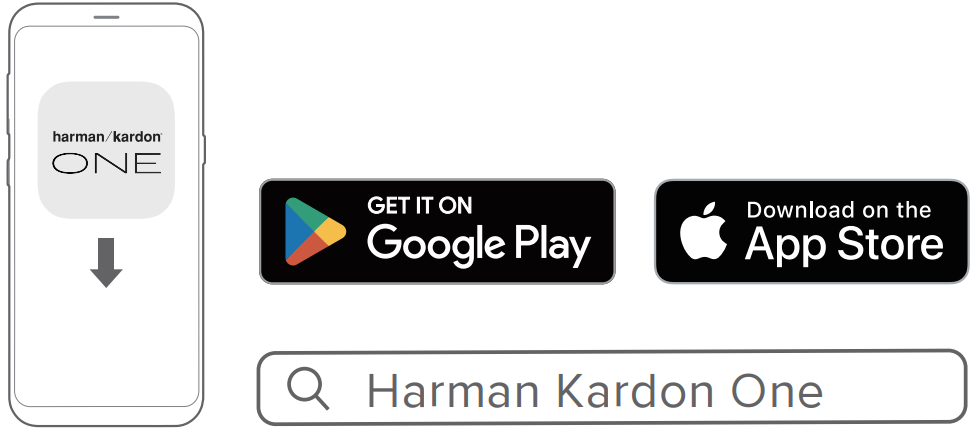
With the Harman Kardon One app on your Android™ or iOS device, you can set up a multi-channel sound system by wirelessly pairing your Enchant Sub with: Enchant 900 / 1100 (soundbar, sold separately): to enhance the bass performance. You can also check the Harman Kardon ONYX Wireless Speaker System manual for more setup tips and features.
- Enchant 900 / 1100 (soundbar, sold separately): to enhance the bass performance.
- For more information, see “5 SETUP”.
Customer Service
- Address: Open Source, Gregor Krapf-Gunther, Parking 3, 85748 Garching bei Munchen, Germany.
- Website: www.harmankardon.com.
- Tel: (800) 422-8027
- Timings: Mon – Fri – 9:00 am 11:00 pm (ET) Sat – Sun – 9:00 am 5:00 pm
© 2013 HARMAN International Industries, Incorporated. All rights reserved.
FAQs
Q: What makes the Harman Kardon Onyx Studio 9 different from previous models?
Greater Bluetooth connectivity for faster, more reliable streaming, a redesigned luxury style, and greater acoustic performance are all hallmarks of the Onyx Studio 9. Additionally, it uses eco-friendly materials in its construction and has twin speaker pairing for better stereo sound.
Q: Can I connect two devices at once?
Indeed. By halting playing on one device and beginning it on the other, you can quickly swap between Botswitch: How far is the Bluetooth range?
In an open area, the Bluetooth connection range is roughly 10 meters (33 ft).
Q: How long does the battery last?
The speaker gives up to 8 hours of playtime on a full charge, depending on your volume level and song kind.
Q: How long does it take to fully charge the speaker?
Using the provided power adapter, the Onyx Studio 9 usually takes around five hours to fully charge.
Q: How do I check the battery level?
The LED light at the speaker’s base or surrounding the Power button will show the battery level when the device is turned on. For an estimated battery reading, you can also look at your device’s Bluetooth settings.
Q: Is the Onyx Studio 9 waterproof?
No, the Onyx Studio 9 cannot withstand splashes or water. Please keep it away from liquids, high humidity, and the elements.
2 Comments
Pingback: Harman Kardon ONYX Wireless Speaker System | Setup Guide
Pingback: Harman Kardon Aura Wireless Speaker System – Setup & Guide