

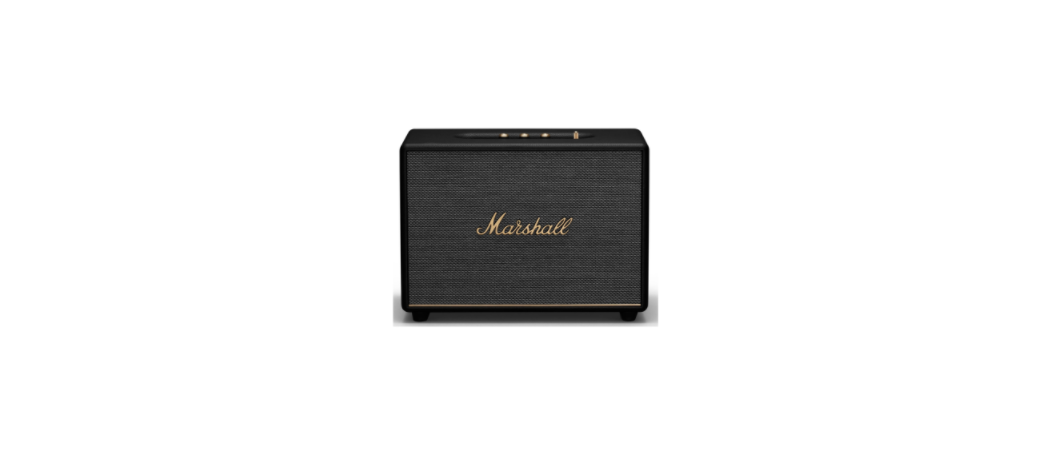

Marshall WOBURN Active Stereo Loudspeaker
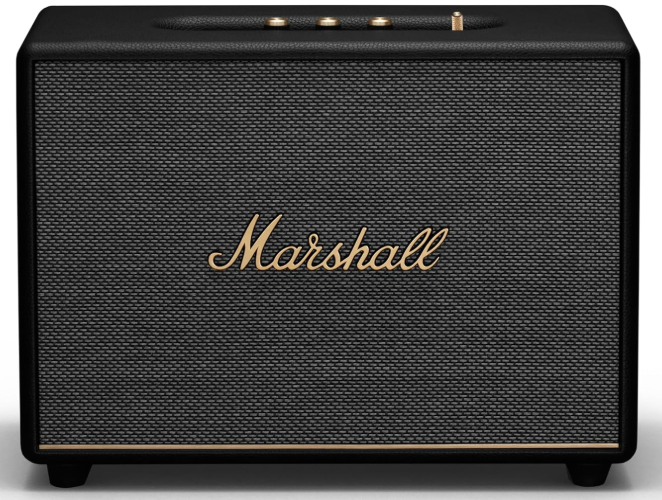
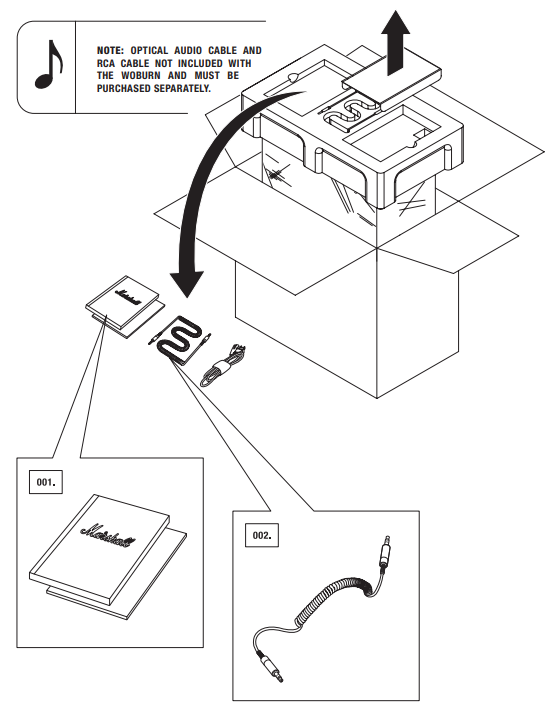
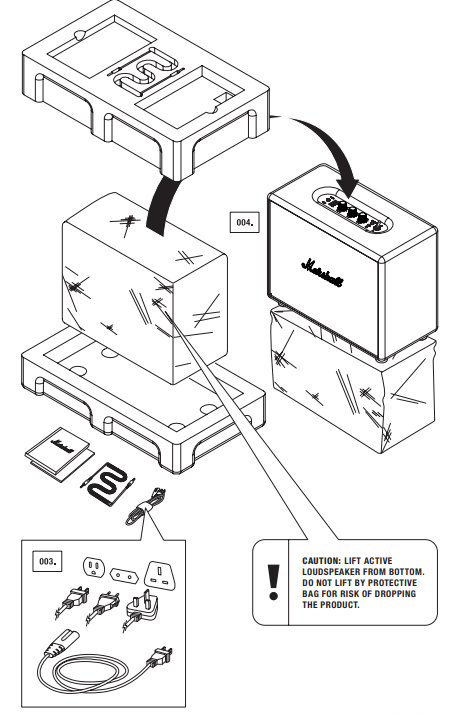
Box Content
- User manual & warranty information
- Double-ended coil cord with 3.5mm stereo plugs toconnect to your music player
- Power cord
- Marshall Woburn active stereo loudspeaker
Description
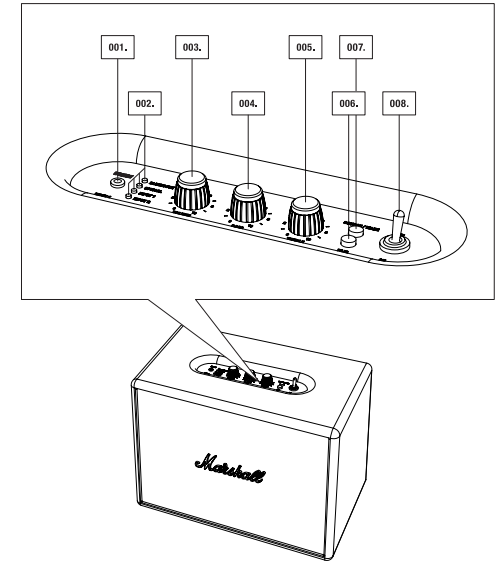
- Input for 3.5mm stereo plug
- led light source indicator
- volume
- bass
- treble
- pair button
- source/wake button
- power switch
- standby mode switch (powersaver mode and standard mode)
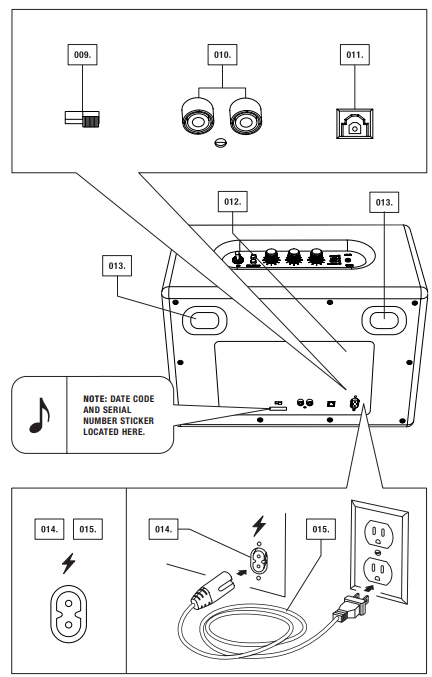
- RCA input (left & right)
- optical input
- back plate
- bass port
- power jack
- power cord
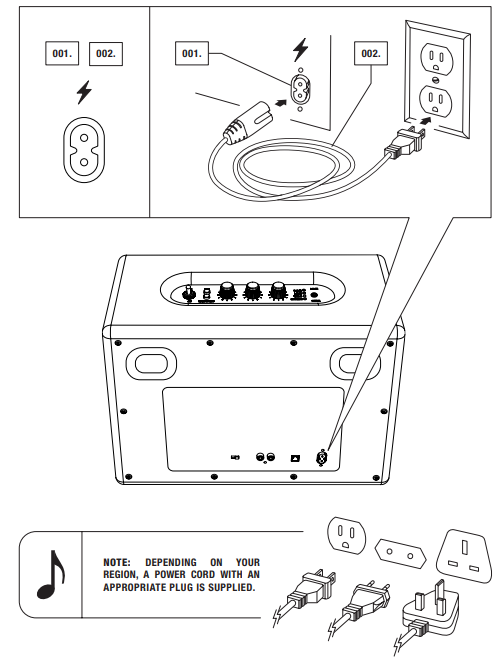
Power On/Off
- Insert the power cord into the power jack.
- Connect the correct power cord to the wall socket.
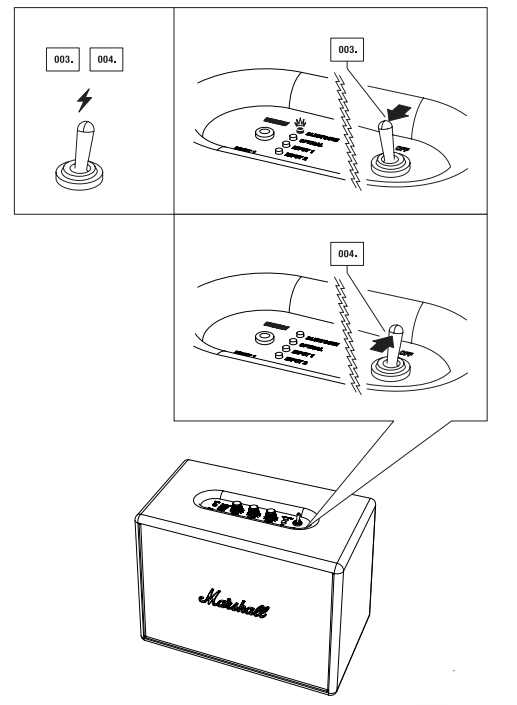
- To turn the active loudspeaker on, switch the on/off switch. The LED light indicator will flash red on the source marked as Bluetooth.
- To turn the active loudspeaker off, switch the on/off switch. The LED indicator will turn off.
USING THE WOBURN WITH YOUR DEVICES
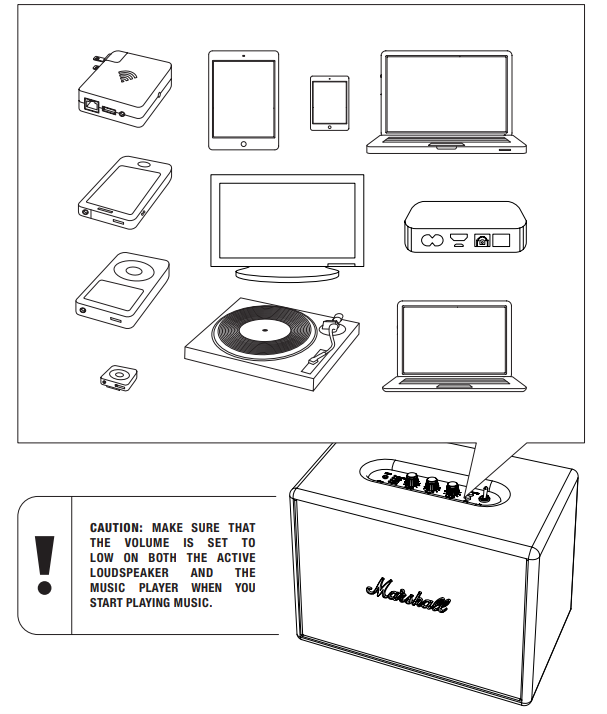
The Woburn Is a Loudspeaker Created for Today’s World. With Multiple Connection Sources, There Are Loads of Ways to Connect to Your Speaker, Whether Via Your Phone, Turntables, TV, or Wirelessly Via the Latest Version of Bluetooth®, Featuring Aptx® Technology. The advantage of Aptx® Technology Is That the Sound Quality Via Bluetooth Is Significantly Better Than A2dp Bluetooth. Below, You Will Find More Details About the Connection Sources, in Two Categories
- Wireless connection via Bluetooth
- CONNECTION VIA THE 3.5MM, RCA, or Optical Audio cable
CHOOSING YOUR SOURCE
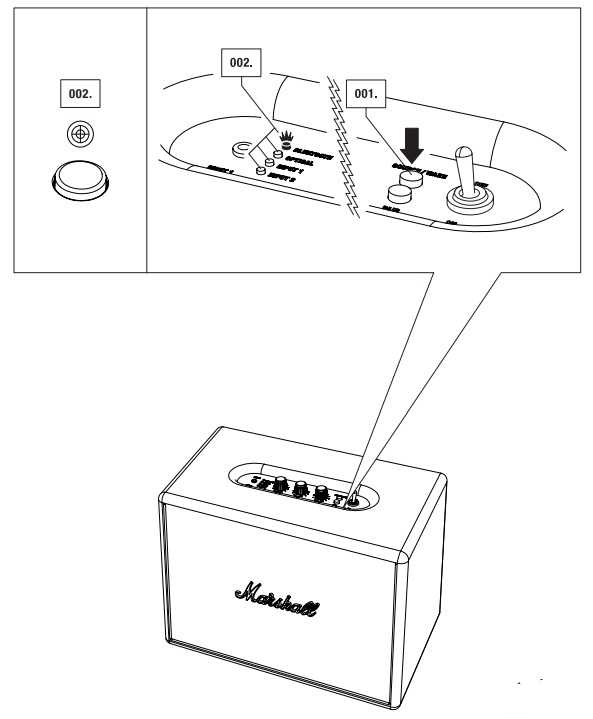
- Push the source/wake button to choose your source and/or to switch between connected sources.
- A lit LED light indicates which source you have selected. Order of connections (from top to bottom):
- Bluetooth
- Optical
- Input 1 – 3.5mm Stero Plug
- Input 2 – Rca Ports
CONNECTING VIA BLUETOOTH
With the help of Bluetooth technology, Bluetooth-compatible devices can easily be connected over a short wireless connection. Use your Bluetooth-enabled smartphone, tablet, or computer to stream music directly to your Woburn with no wires attached. Use your newly found freedom to move around with all your music at your fingertips. Follow these steps to connect your Woburn wirelessly to your Bluetooth device.
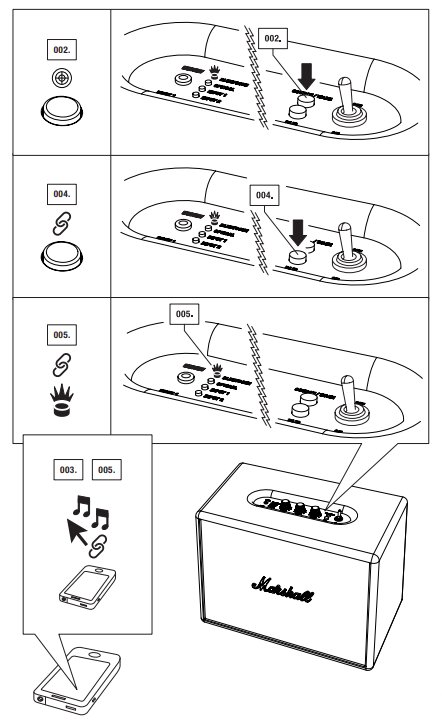
- Turn the Woburn Active Stero Loudspeaker on (See Page 010).
- Select Bluetooth as the source by pushing the Source/wake Button Until the Bluetooth LED Is Lit.
- Activate the Bluetooth Functionality on Your Device (Smartphone, Tablet, Computer).
- Press the Pair Button. Thee Led Light on the Woburn Will Start to Flash Rapidly in Red.
- On Your Device, select the Woburn Speaker from Your List. The Led Light on the Speaker Will Turn to a Steady Red.
- You Are Now Ready to Play Your Music Wirelessly Via Thewoburn Speaker
Connecting Bluetooth
Locating Devices
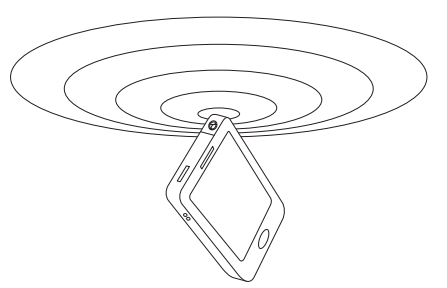
Select Bluetooth as the input source by pressing source/wake on the speaker. Bluetooth is now activated, with a flashing red light if no device is connected, and a solid red light if a device is connected. Woburn speaker will now automatically search for paired devices for 3 minutes, and the LED will rapidly flash red during the search. The Woburn speaker will locate devices within range that have previously been connected and will connect them automatically.
If no devices are located within three minutes, the Woburn speaker will revert to standby status (either powersaver mode or standard mode, depending on which option you choose. There is more information on modes in the standby modes section on page 022. If the pair button is pressed while Bluetooth is selected as the audio source, the Woburn loudspeaker will perform a new search for three minutes afterwards, during which time the LED light will rapidly flash red.
Auto Connection
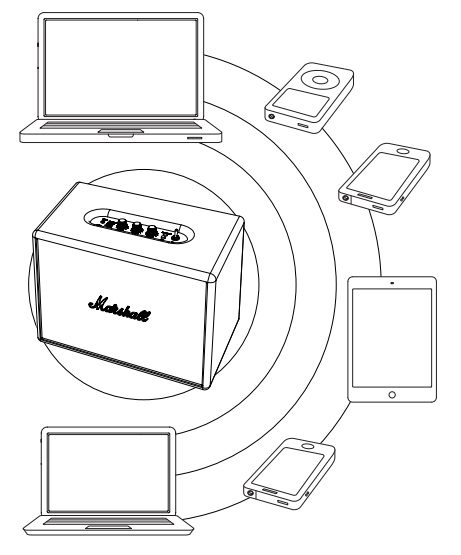
If a device is moved outside the range of the burn speaker (approximately 10 metres without obstacles), that device is disconnected. The device is automatically connected again when it is moved back within range. The Woburn speaker can memorise up to six devices and always starts searching for the last device that has been connected. If the woburn speaker has been connected to devices a–b–c–d–e–f in that order, device f is given priority, while device a is given last priority. Every time the Woburn starts up, it will perform an auto connection of devices within its range.
Connecting Sources
There are several ways to connect to your Woburn, the old-fashioned way, using a cable. Use one of the three audio inputs available: input 1 – 3.5mm stereo plug, input 2 – rca analogue input or the optical audio digital input.
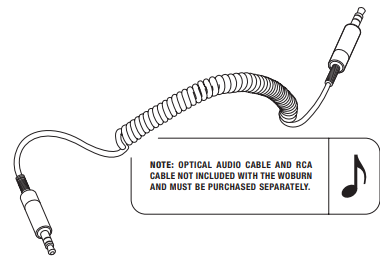
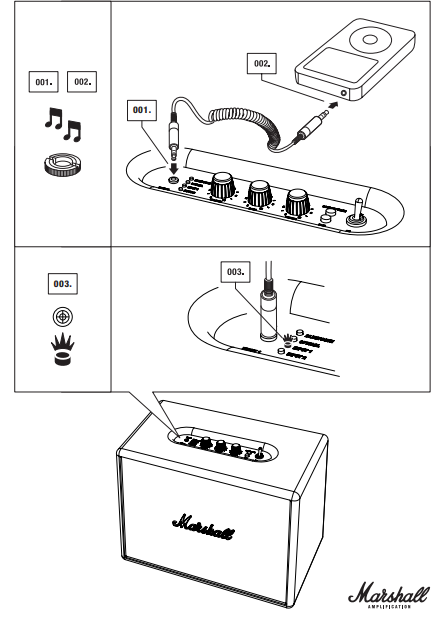
- Input 1 – 3.5mm stereo plug uses the double-ended coil cord with a 3.5mm plug to connect to audio sources that have audio output, such as a mobile telephone, iPhone/iPad/iPod, MP3 player, or Airport Express.
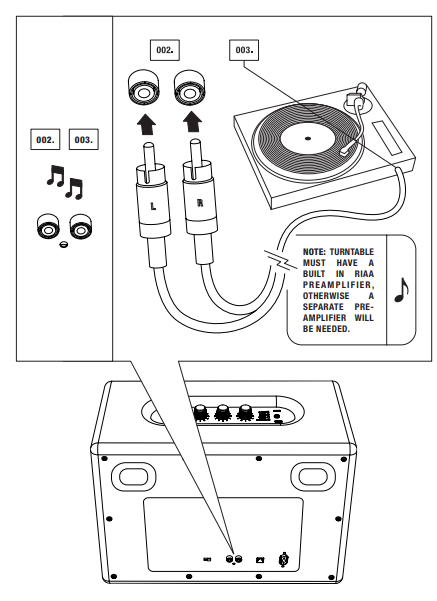
- Input 2 – RCA analogue input: Use the RCA analogue input to connect to your CD player, turntable (with RIAA) or Sonos unit.
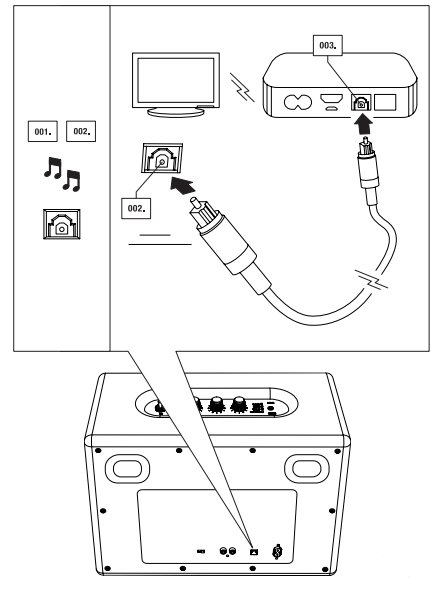
- Optical audio digital input uses the optical input to connect to your TV, Apple TV, Airport Express, hard disk player, streamplayer and satellite or cable receiver. Optical input works with pcm stereo only.
- If a connected device sends 5.1 audio (or similar surround sound), the woburn will not function. Set the audio out to stereo only on your tv, even if the show is broadcast in 5.1 audio.
Stereo Plug
- Connect the cord with the 3.5mm stereo plug to the input labelled input 1 on the loudspeaker.
- Connect the cord with the 3.5 mm stereo plug to the music player.
- Select input 1 as the source by pushing the source/wake button until the input 1 led is lit.
RCA Ports
- Select input 2 as the source by pushing the source/wake button until the input 2 led is lit.
- Connect the cord with the rca plugs to the matching sockets (left and right) on the loudspeaker.
- Connect the RCA cord to the RCA port on your source.e
Optical Audio
- Select optical as the source by pushing the source/wakebutton until the optical LED is lit (see page 013..
- Connect the optical audio cable’s connector points to the output port located on the back of the loudspeaker, labelled optical in.
- Connect the optical audio cable to the optical audioinput on your home theatre, Apple TV or other receiver.
Standby Mode
On the back of your Woburn, you will find a switch that allows you to choose between two different standby modes: PowerSaver or Standard.
European Union regulation states that electronic devices may only have 0.5w power consumption in standby mode (the European Directive on Energy Related Products, or erp). This is why thewoburns factory default setting is the powersaver mode, because the powersaver mode saves more energy than the standard mode.
As the name implies, using this setting saves power. When you stop playing music, the woburn will go into a low-power state after 20 minutes. Powersaver mode can be disabled if you want Woburn to start automatically and stay visible on your list of Bluetooth devices after 20 minutes. To disable Powersaver, simply change the switch to standard mode.
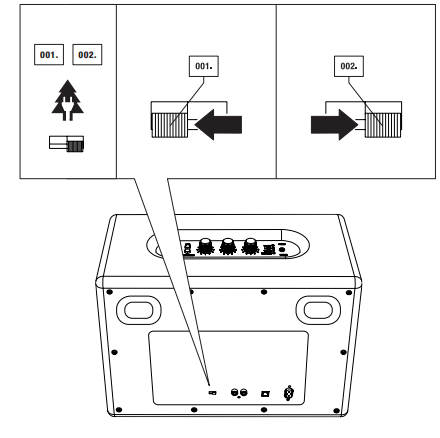
Powersaver & Standard
PowerSaver standby mode: the woburn will go to power saving standby mode after 20 minutes of not receiving a sound signal. If you have chosen to use the PowerSaver standby mode, the woburn will not wake up automatically when you begin playing music and will not show up as an available device in your Bluetooth list after it has gone into this low-power state. To activate Woburn and play music from any source after the unit has gone to standby mode, press the wake button once. This will bring the Woburn back to life and ready to play again.
If you want to play another Bluetooth device instead of the last one used, press the wake button once to play music again.
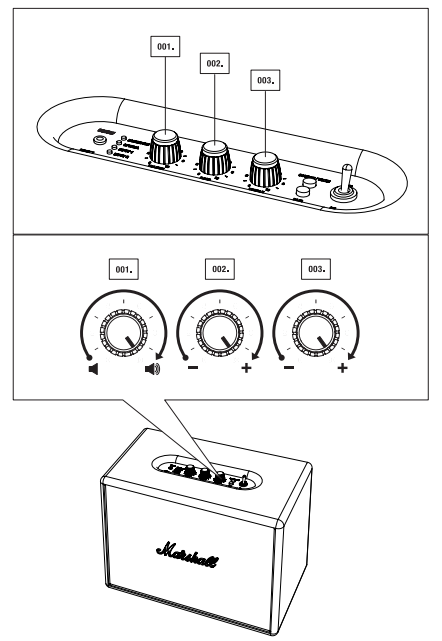
Adjusting the Volume/Bass/Treble
- Volume
- Bass
- Treble
Specifications
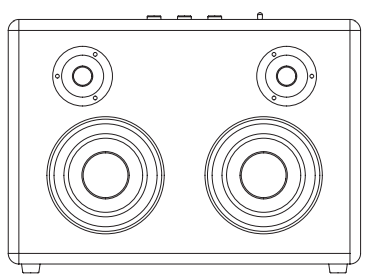
- Active stereo loudspeaker with bass reflex system
- ClasD d amplifiers: 2x20w+1x50w
- 1” dome tweeters: 2x (ferrofluid cooled)
- 5 ¼” woofers: 2x
- Max spl: 110db @ 1m (ground plane 300hz 3%thd)
- Bass and treble tone controls
- Frequency range: 35- 22.000hz
- Crossover frequency: 2800hz
Connectivity
- BLUETOOTH: STANDARD V4.0 + EDR aptX® CODEC
- INPUT 1 – 3.5MM: 1X
- INPUT 2 – RCA: 2X
- OPTICAL INPUT: 1X
Technical Information
- Mains input voltage: 100-240v~ /200w
- Absolute min/max: 90-264v~
- Mains frequency: 50-60hz
- Max peak power consumption: 200w
- Two standby modes: powersaver mode (0,43w) and standard mode (8,7w)
- Max power output: 80W RMS
- Weight: 7.90kg / 17.42 lbs
- Size: 400 x 308 x 200MM / 15.75 x 11.40 x 7.87IN
Troubleshooting
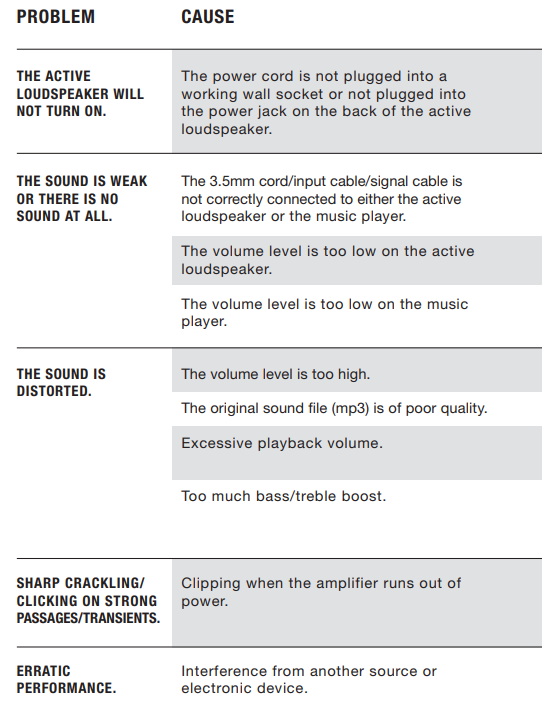
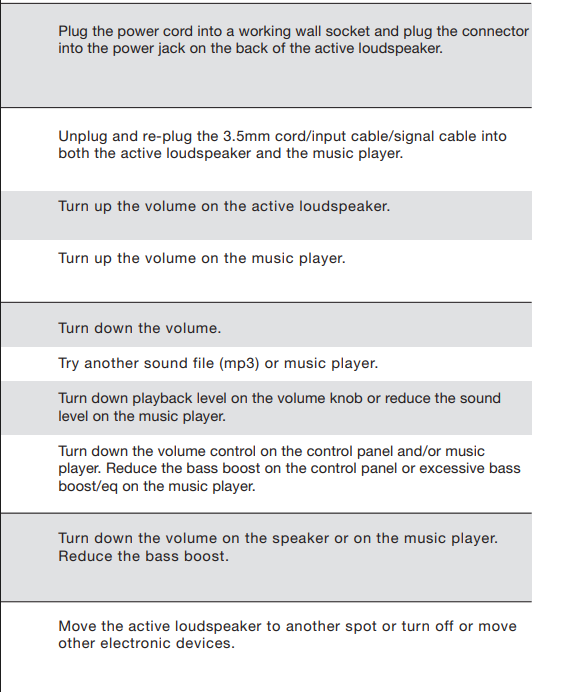
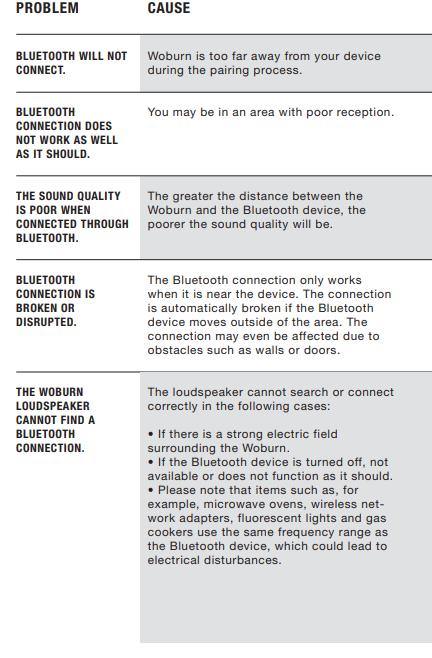
Bluetooth
Customer Service
- Website: https://www.marshall.com/
- Ph: Sweden: +46 8 592 005 00
FAQs
Q: What kind of speaker is the Marshall WOBURN?
A high-end active stereo loudspeaker with a bass-reflex mechanism, the WOBURN provides powerful sound for movies, music, and other media.
Q: How do I pair my phone or tablet via Bluetooth?
Press the couple button after turning on the speaker, choosing Bluetooth as the source, and turning on Bluetooth on your device. When pairing, the LED will blink; once linked, it will light solid.
Q: Can I adjust bass and treble on the WOBURN?
Yes, you may adjust the volume, bass, and treble using the analogue knobs on top of the speaker.
Q: Is the WOBURN suitable for large rooms?
It produces loud, room-filling music with clarity throughout the frequency spectrum thanks to its strong Class D amplification and high-quality woofers and tweeters.
Q: What is the frequency range and power output?
With a total output of about 80 W RMS and high sound pressure levels appropriate for dynamic listening, the speaker has a frequency range of about 35 Hz to 22 kHz.
Q: Do I need an amplifier or receiver to use it?
No, the WOBURN has integrated amplification because it is an active speaker. Without an additional amplifier, sources can be connected directly.
Q: Is there any special mode to save energy?
Yes, it has two standby modes to lower consumption when not in use: a conventional standby and a low-power “powersaver” mode.