

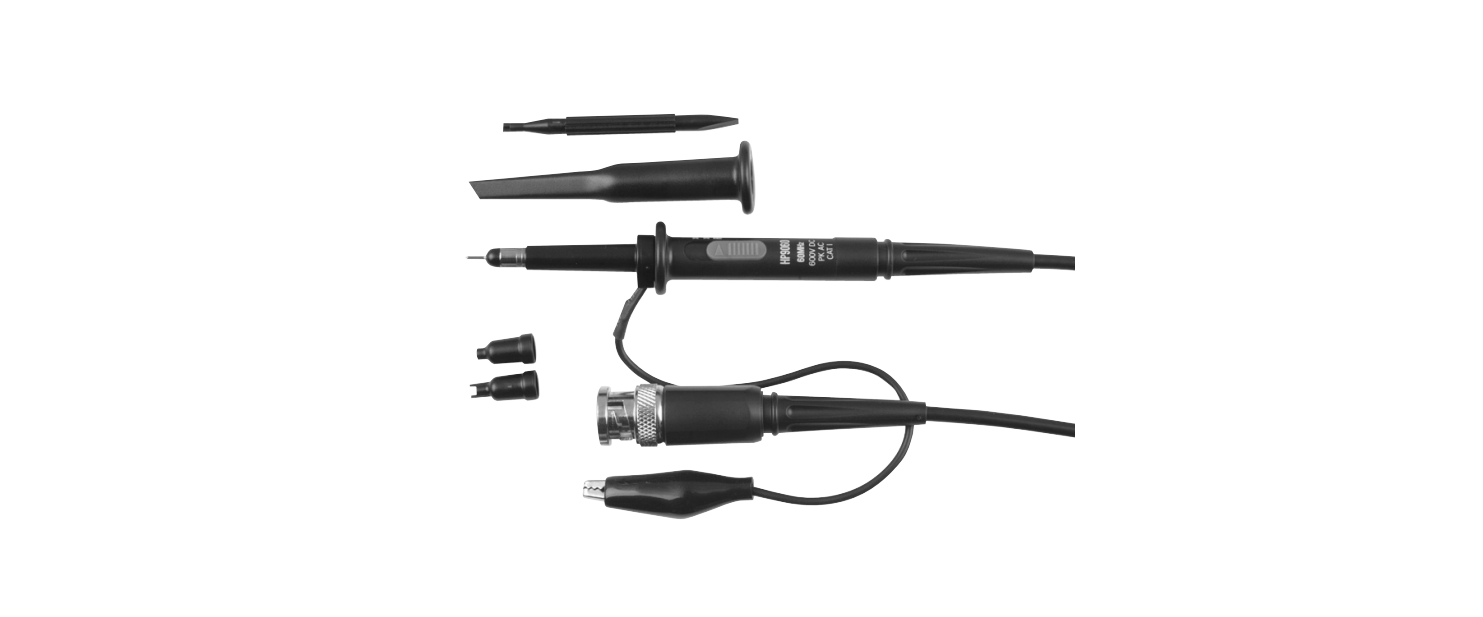

PROTECH QC1902 CRO Probe Cable
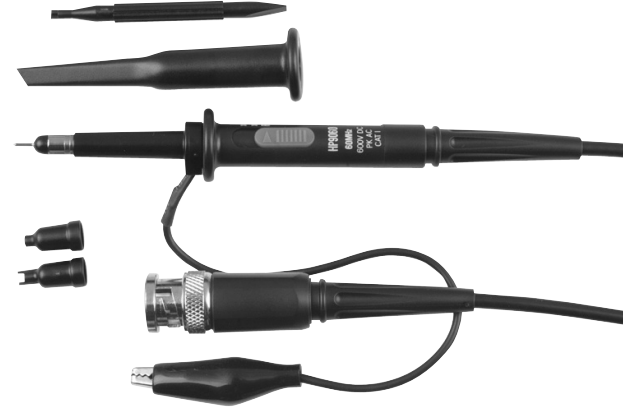
Introduction
The PROTECH QC1902 CRO Probe Cable is a passive, low-impedance attenuation probe. It features a two-position (1X, 10X) slide switch in the compensating network and comes with a 1.2-meter cable, making it ideal for accurate signal measurement on oscilloscopes. For users assembling or repairing electronic circuits, this probe works perfectly alongside tools like the PROTECH TS1470 40W LEDs Soldering Iron to ensure precise connections and measurements.
Electrical Characteristics
| Characteristic: | Performance Requirements: | |
| Operating Temperature: | -15ºC – 70ºC | |
| Attenuation: | X1 | X10 |
| Input Capacity: | X1: 85pF~115pF | X10: 18.5pF~22.5pF |
| Oscilloscope Input capacity: | 15pF~40pF | |
| Input Resistance | X1: 1MΩ±2% | X10: 10MΩ±2% |
| Bandwidth: | X1: DC-6MHz | X10: DC-80MHz |
| Max Input Voltage: | Conformed IEC-61010 CAT II | |
| X1: 200V DC+Peak AC | X10: 600V DC+Peak A | |
Physical Characteristics
| Characteristic: | Performance Requirements: |
| Probe Body: | 95mm |
| Coaxial Cable: | 1200mm |
| Weight: | 55g(max) |
Standard Accessories
- Probe Tip 1pcs
- Ground Lead 1pcs
- Marker Ring 2pcs
- Tip Locating Sleeve 1pcs
- Adjustment Tool 1pcs
One-Year Limited Warranty
Should your PROTECH product prove defective within one year from the date of purchase, contact PROTECH’s Customer Support Team with the serial number and proof of purchase to make a warranty claim.
Under this warranty, PROTECH will repair or replace any parts found defective with new or remanufactured parts or exchange the defective product with a new, refurbished, or remanufactured product at our discretion.
This warranty is not transferable. After the expiration of the warranty, the cost of labor and parts will be the responsibility PROTECH CDM-600BW Freestanding Refrigerator of the original owner.
Please package the product carefully in its original packaging to avoid damage in transit. PROTECH is not responsible for damage resulting from shipper mishandling or improper packaging. Please retain the original box and packaging materials.
Warranty Does Not Cover
- Acts of God, such as fire, flood, hurricanes, earthquakes, and tornadoes.
- Improper power supply, such as a power surge, low voltage, defective household wiring, or inadequate fuses.
- Damage, accidental or otherwise, to the product while in the possession of a consumer, not caused by a defect in material or workmanship.
- Damage caused by consumer misuse, PROTECH CDM-600BW Freestanding Refrigerator tampering, lack of maintenance, or failure to follow the care and special handling provisions in the instructions.
- Damage to the finish of the case or other appearance parts caused by wear.
- Damage caused by repairs or alterations to the product by anyone other than authorized by the
manufacturer. - Removal, Replacement, Packaging, Freight, and Insurance costs for the warranty service.
- Products sold AS IS or from an unauthorized reseller.
- Products that have had their serial numbers removed or defaced.
Customer Support
- Email: support@whynter.com
- Website: WWW.WHYNTER.COM
- Tel: 800-443-6153
Product contents and specifications may change without notice. Copyright © 2024
FAQs
Q: What is the PROTECH QC1902 CRO Probe Cable used for?
This cable is intended to link signals from a circuit to a Cathode Ray Oscilloscope (CRO). It makes it possible to measure and observe voltage waveforms, frequency, and signal behaviour in electronic circuits with accuracy.
Q: Which devices are compatible with this probe cable?
Depending on the probe’s termination type, the QC1902 can be used with the majority of oscilloscopes and CROs that take standard BNC or banana plug inputs.
Q: What is the purpose of the ground clip?
By ensuring a consistent reference point between the oscilloscope and the circuit, the ground clip lowers noise and produces an accurate waveform display.
Q: Can I use it for high-frequency signals?
The QC1902 probe is appropriate for ordinary lab frequencies; however, specialised high-frequency probes might be needed for precise measurement of very high-frequency signals.
Q: Is the probe safe for measuring live circuits?
Yes, within the designated voltage and frequency limits, but to prevent electric shock or equipment damage, always take safety precautions when dealing with live circuits.
1 Comment
Pingback: PROTECH QC8716 Video Inspection Camera | Setup Guide