

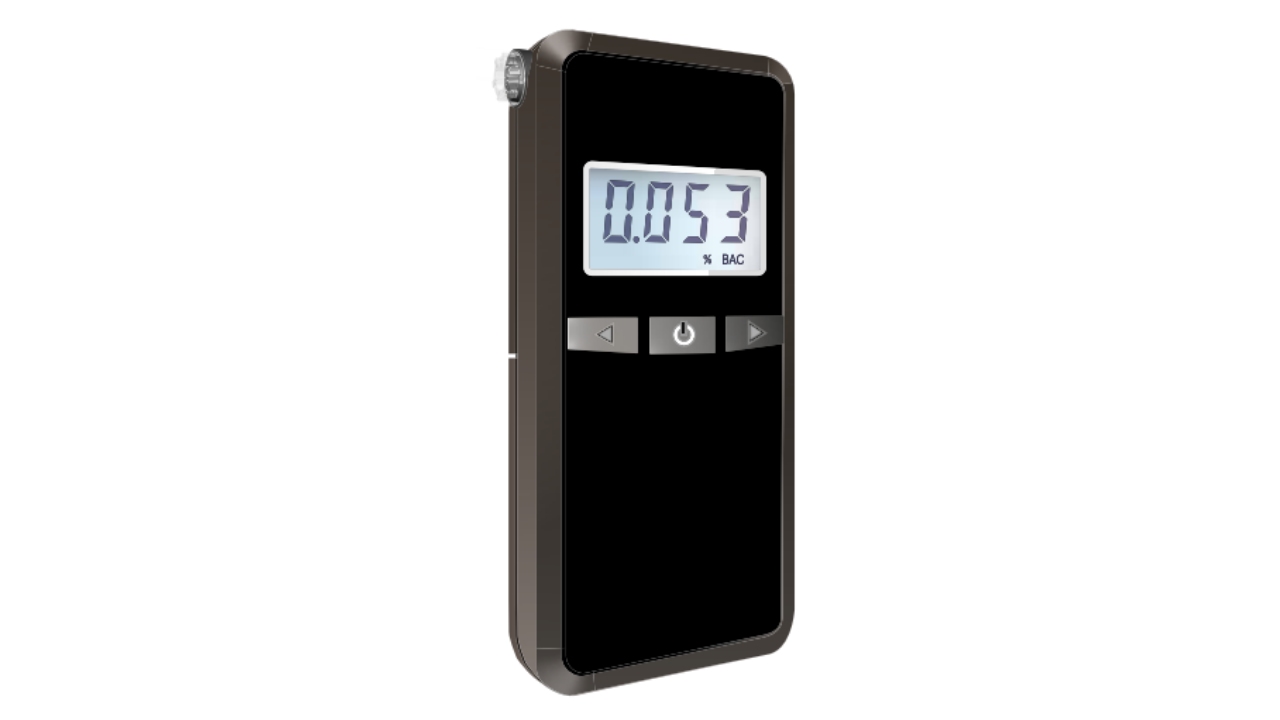

PROTECH QM7320 Fuel Cell Breathalyser
Safety Instructions
- Use ALKALINE batteries only
- DO NOT DRINK AND DRIVE!
- Allow at least 15-20 mins after drinking, smoking before testing.
- Rinse your mouth with water before testing.
- For more accurate results, it is recommended to have the unit recalibrated every 12 months or 300 tests.
- The unit is designed to be used in a temperature range of 10-40 °C (Celsius), with optimal accuracy for tests conducted at room temperature (i.e, around 226 °C -26 °C Celsius).
- It is normal to see test results below 0.10% OR 0.010% BAC, OR 0.050mg/L when you did not drink any alcohol before.
- This is because it is possible to measure other substances in your breath other than alcohol on some occasions.
- Do not use the unit as a tool to determine whether you should operate a vehicle.
- The BAC result displayed is for reference only.
- The manufacturer and dealer disclaim any legal responsibility for the measured test value.
Box Content
- 1x Breathalyser
- 1x AA Battery
Overview
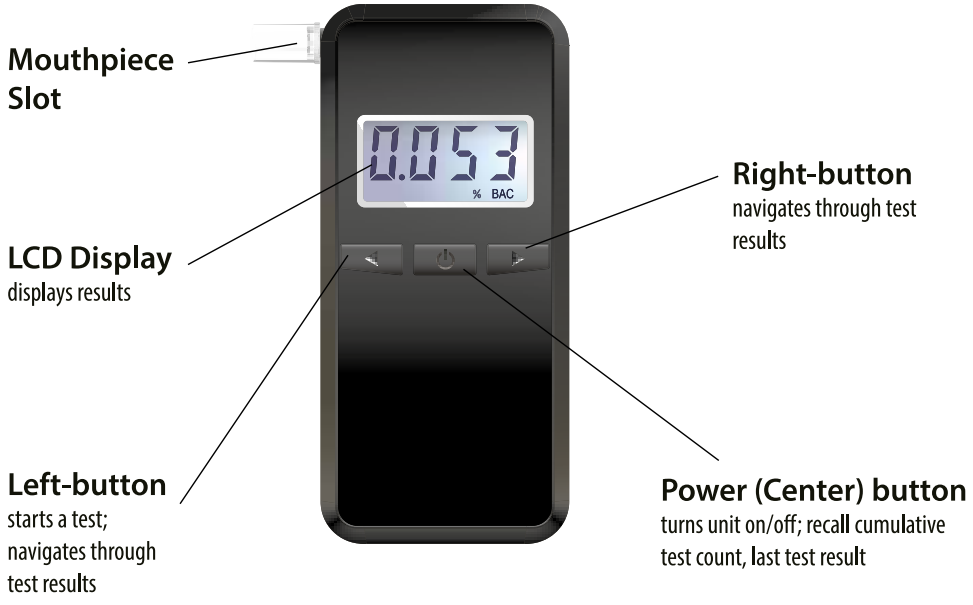
Before using your PROTECH QM7320 Fuel Cell Breathalyser, make sure to review all safety instructions and preparation steps
Before First Use
Prior to using your product, please read all the safety and operating instructions thoroughly. Please ensure you follow the steps below before using the product. We recommend you keep the original packaging for storing the product when not in use. Please pay close attention to the section entitled Important Safety and General Instructions. Find a safe and convenient place to keep this instruction manual for future reference.
Unpack the product, but keep all packaging materials until you have made sure your new product is undamaged and in good working order.
Getting Started
In the PROTECH QM7320 Fuel Cell Breathalyser Manual, the first step is preparing the device by installing the correct battery.
Battery
The tester requires one (1) AA Alkaline battery to operate. Press down with little pressure and slide away the battery cover from the back of the unit. Install the battery and close the battery cover. (** It is recommended to use NEW alkaline batteries)
15 Minute Observation Period
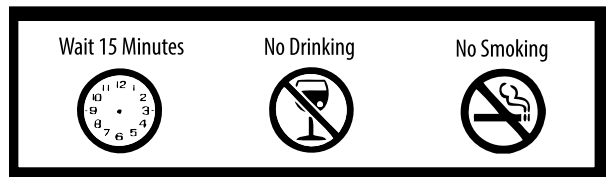
Ensure you leave a gap of at least fifteen minutes since the last time you drank alcohol or smoked before using the unit. Rinse your mouth with water before using the unit. Tests performed within fifteen minutes of drinking alcohol or smoking will produce inaccurate results and may damage the sensor. It is suggested to wait 15 minutes after smoking and drinking, and rinse your mouth with water before using the unit.
If you do not wait enough time and perform a test just after drinking, the reading will fluctuate very high and then drop gradually. It is due to the strong alcohol residue inside your mouth that enhances the measured values. In addition, if the alcohol residue inside the mouth (without enough wait time) is of too high a concentration, it might have the potential to damage the sensor.
Optimal Accuracy at Room Temperature
It is recommended to conduct breath tests at room temperature for optimal accuracy. It is also recommended to store the unit in a room temperature environment (when not using the unit for a long time) to maintain the healthy state of the sensor. Do not use or store the unit under extreme temperature settings. (eg, store inside the car under extreme summer or winter temperatures)
Taking A Breath Test
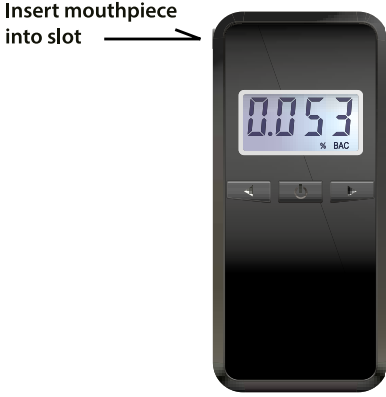
Insert a mouthpiece
- Insert the mouthpiece firmly into the slot. Additional mouthpieces could be purchased from your distributor.
Breath Testing Modes (Automatic/Manual)
- The breathalyser is capable of conducting Automatic and Manual tests.
Automatic Test
- The easiest way to collect a deep lung sample.
- The flow system monitors the subject’s breath and automatically takes a sample near the end of the breath flow.
Manual Test
- Normally used only when the subject is unable to conduct an automatic test.
Conducting a breath test
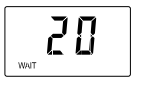 Press the Power button for 2 seconds to power on the unit. The unit initiates the sensor warm-up process. The timer starts to count down.
Taking an Automatic Test
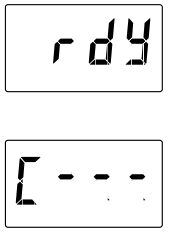
- When you see “rdy” (Ready) with a beep sound, take a deep breath and blow into the mouthpiece moderately, and at a constant speed and pressure.
- It displays “[—” and emits a continuous beep, indicating a proper breath flow is detected. At the end of breath flow (~5 sec), the tester would automatically take the breath sample.
Blow until you hear the 2 ‘click’ sound (click, click) is complete to signal sampling process is successful.
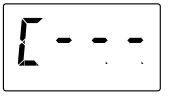 Tester starts analysing the collected breath sample and shows “[. —” (Calculating). Wait for a short while, and the BAC result will be displayed. According to the PROTECH QM7320 Fuel Cell Breathalyser Manual, the automatic test mode ensures the most accurate deep-lung breath sample.
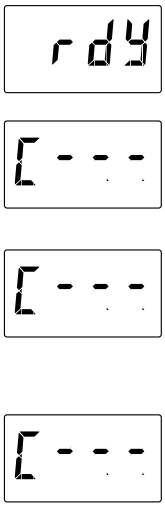
- When you see “rdy” (Ready) with a beep sound, apart from letting the tester start collecting breath samples automatically, you could also manually start the breath sample collection process by pressing the Left button (Manual test mode).
- The manual test mode starts, and it displays “L. —” and alerts with a continuous beep sound.
- Take a deep breath and blow into the mouthpiece moderately, at a constant speed and pressure.
- Blow until you hear the 2 ‘click’ sound (click, click) is complete to signal sampling process is successful.
- Tester starts analysing the collected breath sample and shows “[. —” (Calculating). Wait for a short while, and the BAC result will be displayed.
Read the results
BAC result would be displayed in either format of (%o, %, mg/I) according to your country-specific BAC display format. In case you would like to change the display format, simply press the LEFT button to change between display formats. *On some occasions, the unit may auto long beep before you blow into the unit and display a result of 0.00. This happens because there is a possibility of measuring a very low presence of other substances on the sensor after long storage without usage.
In this case, simply restart another test. *On some occasions, the unit may display a result as ”Out”. This happens because the test has been conducted in either too cold or too hot a temperature environment. Please bring the tester back to a normal room temperature environment. You might need to wait a few minutes for the sensor inside the tester to stabilise at room temperature before conducting a re-test.
The BAC result will be displayed for 30 seconds. The unit will turn off automatically afterwards. You can also turn off the unit at any time by pressing and holding down the ‘POWER’ button for 3 seconds.
Suggested wait time between tests
After you have completed the first test and would like to take a second test and so on, it is recommended to WAIT AT LEAST A FEW MINUTES (PREFERABLY 5-10 minutes) between tests to prevent the sensor from being saturated and to keep the healthy state of the sensor.
Test Record Memory Mode
The PROTECH QM7320 Fuel Cell Breathalyser Manual explains how to recall cumulative and previous test records for accurate tracking.
Recall cumulative test count.
During the countdown, press the ‘POWER’ button to display the cumulative test count – the number of tests it has performed. In case you would like to reset this counter, you could long-press the LEFT button until you see the counter reset to zero.
Recall previous test results (up to 16 records)
And then press the ‘POWER’ button again to display the latest test record (indicated by the serial number l’ on screen, followed by the corresponding result). Press the LEFT button to display the next test records sequentially up to the 16th test record history.
Press the RIGHT button to see the records in backward order. To exit the test record memory mode, press the ‘POWER’ button again to return to the countdown.
System Message
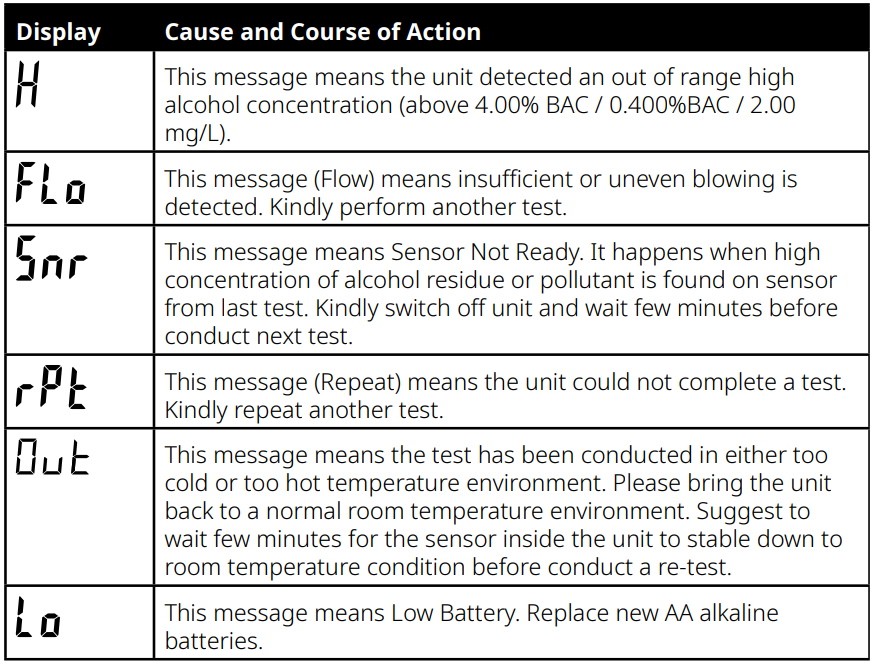
Maintainance
The PROTECH QM7320 Fuel Cell Breathalyser Manual explains how to maintain your device for accurate and consistent BAC readings.
To keep the unit in a healthy condition, it is suggested to use the unit at least once a month. The breathalyser is calibrated during manufacture using advanced alcohol simulation equipment. Known alcohol concentrations are passed through the sensor to set baseline values for testing. During testing, the unit compares users’ breath samples to these baseline values.
The accuracy of breath alcohol testers can fluctuate after six to twelve months of normal use, depending on the number of tests performed and operating conditions. If this product is providing inconsistent test results, is not providing any test results, or provides unusually high or low test results, the product should be recalibrated.
For those who also need precise electrical measurements, the PROTECH QM1549 RMS IP67 Digital Multimeter is another reliable device. You can find its full setup and usage guide in the PROTECH QM1549 Digital Multimeter User Manual.
Specifications
| Display Cause and Course of Action | |
| This message means the unit detected an out-of-range high alcohol concentration (above 4.00% BAC / 0.400%BAC / 2.00 mg/L). | |
| This message (Flow) means insufficient or uneven blowing is detected. Kindly perform another test. | |
| This message means Sensor Not Ready. It happens when a high concentration of alcohol residue or pollutant is found on the sensor from the last test. Kindly switch off the unit and wait a few minutes before conducting the next test. | |
| This message (Repeat) means the unit could not complete a test. Kindly repeat another test. | |
| This message means the test has been conducted in either too cold or too hot a temperature environment. Please bring the unit back to a normal room temperature environment. Suggest waiting a few minutes for the sensor inside the unit to stabilise to room temperature conditions before conducting a re-test. | |
| This message means Low Battery. Replace new AA alkaline batteries. | |
Warranty
This product is protected by a lifetime warranty (from the date of purchase) covering all product manufacturing defects/faults that may occur within this timeframe.
This warranty does not cover damage caused by neglect, misuse, contamination, alteration, accident, or abnormal conditions of operation or handling, including failures caused by use outside of the product’s specifications, or the normal wear and tear of mechanical components. If you suspect your product is defective/faulty, cease using the product when the suspected defect/fault arises and return the product along with proof of purchase to the place of purchase or distributor for assessment.
Distributor contact details are available on the last page of this manualIfff the assessment concludes that the product is indeed defective/faulty, the product will either be repaired or replaced at no cost to you. Our goods come with guarantees that cannot be excluded under the Australian Consumer Law.
You are entitled to a replacement or refund for a major failure and compensation for any other reasonably foreseeable loss or damage. You are also entitled to have the goods repaired or replaced if the goods fail to be of acceptable quality and the failure does not amount to a major failure.
Customer Support
- Email: support@whynter.com
- Website: WWW.WHYNTER.COM
- Tel: 800-443-6153
Product contents and specifications may change without notice. Copyright © 2024
FAQs
Q: What is the PROTECH QM7320 Breathalyser used for?
A fuel cell-based breathalyser called the QM7320 is used to evaluate a person’s blood alcohol content (BAC). For both personal and commercial use, it offers fast, accurate, and dependable readings.
Q: How does the fuel cell sensor work?
By oxidising alcohol in the breath, the fuel cell sensor produces a tiny electrical current that is proportionate to the amount of alcohol present. The BAC is the result of measuring and displaying this current.
Q: Can it detect alcohol from sources other than beverages?
If examined right away after intake, the sensor may detect alcohol from food, cough syrup, or mouthwash. To prevent false positives, always wait 15 to 20 minutes following exposure.
Q: What is the expected accuracy of the QM7320?
The accuracy of fuel cell breathalysers is usually within ±0.01% BAC. For the most dependable outcomes, carefully follow the instructions.
Q: How is the QM7320 powered?
Depending on the model, AA/AAA batteries or a rechargeable battery pack are usually used to power it. For the proper battery type and installation, always refer to the handbook.
Q: Can the device detect other substances besides alcohol?
No, other medicines or compounds cannot be detected by the fuel cell sensor because it is specialised to ethanol.
Q: How long does it take to display a result?
After blowing into the gadget, the majority of readings appear five to ten seconds later.
Q: Is the QM7320 suitable for professional law enforcement use?
Fuel cell technology is employed extensively in professional settings, but it must constantly adhere to legal compliance and calibration criteria.