

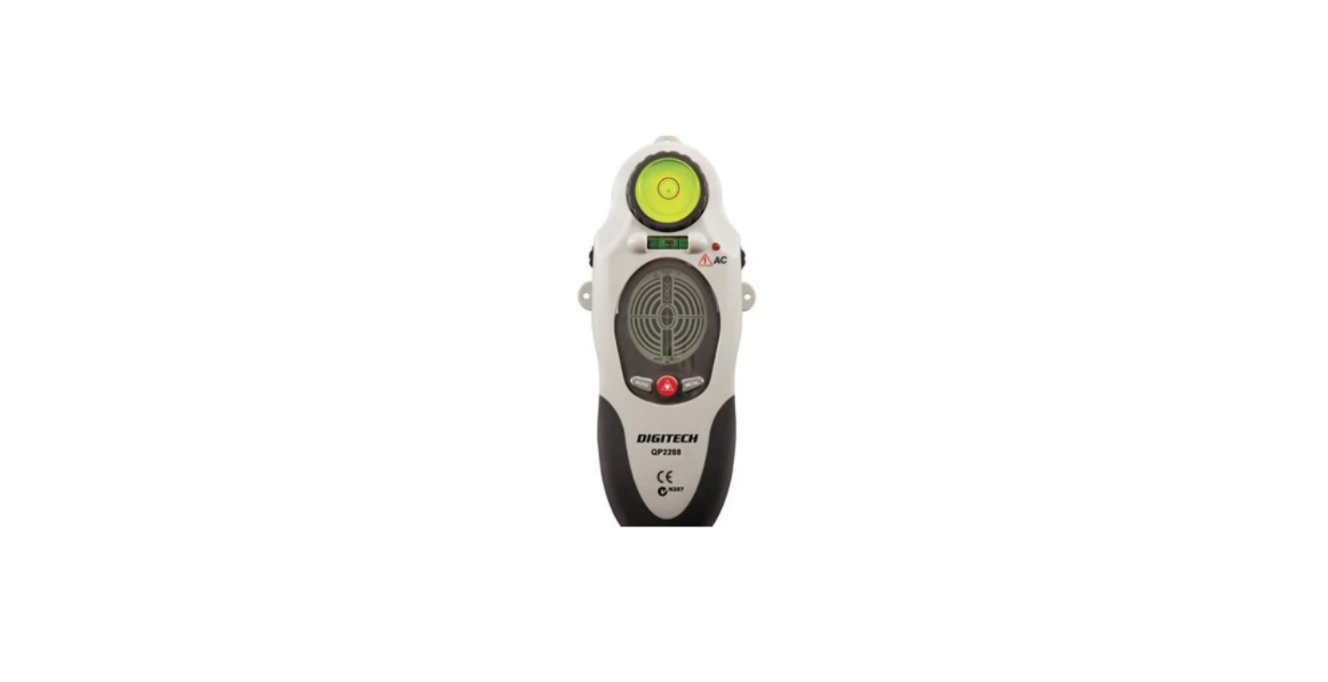

PROTECH QP2288 Stud Detector with Laser Level
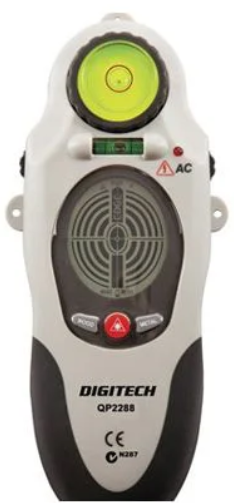
Safety Instructions
Failure to follow warnings may result in bodily injury. The following warnings must be followed to avoid injury:
- DO NOT remove warning labels.
- DO NOT use optical tools to view the laser beam. Serious eye injury could result.
- DO NOT project the laser beam directly into the eyes of others.
- DO NOT stare directly at the laser beam.
- DO NOT project a laser beam onto a reflective surface.
- DO NOT operate around children, or allow children to operate.
- DO NOT disassemble the laser.
- Always turn off the laser when the tool is not in use.
Features and Benefits
- Stud/Metal/AC wire detection
- Wood, metal, and live wire detection detects wood up to 3/4” depth
- Locate with audio LCD indication
- Normal scan 3/4” & deep scan 1-1/2” selection
- 180” pivoting laser plane with level and plumb vials
- LCD sensing and mode display with new target graphics
- LED display with continuous live wire detection
- 20-foot laser line projection
- Thumb dial adjustable feet for leveling the laser
- Vertical and horizontal mounting holes
- Easy keypad operation
- Ergonomically designed for comfort and grip
- Auto power off
- Low battery indication
Introduction
- The unit uses electronic signals to locate the position of studs, joists, or live AC wires through drywall and other common wall materials.
- A pencil line allows you to quickly note the location of the stud edges.
- Generates a laser plane vertically and pivots 90 degrees clockwise or counterclockwise to generate a laser straight line.
- Allows the user to locate wood and metal studs up to 3/4 inch for metal and wood studs.
- The unit provides automatic calibration for metal and wood stud modes, auto shut off, and heavy-duty ABS construction.
- The default mode is wood stud detection
Operating Instructions
- Battery Replacement
Open the battery door on the back of the unit and connect a 9-volt battery to the clip. Place the battery back into the case and snap the battery door on. Recommended to replace with a new 9-volt battery when the low battery indicator is on.
- Calibration
Calibrate the unit on the wall before scanning for wood or metal studs.
- Hold the unit flat against the surface, making firm contact. Press and hold the “On” button.
- All indicators on the LCD are displayed while the unit goes through its 1 to 3 second calibration cycle.
- When calibrated, a beep will sound and the LCD will indicate, as shown in illustration 1.
- Press the laser key and hold the “On” button; then the laser line will always be on.
- Keep holding the “On” button during the stud detection.
Using the device
Detecting Wood Studs
Wood Stud detection is set by default when the unit is on.
- Slide the unit across the surface in a straight line. The closer the unit is to the stud, the more bars will be shown, illustrated in 2. When the stud edge is detected, the Wood indicator and the edge bar will be shown, illustrated in 3, and the unit will sound a repeating beep.
- Use the indicator line to mark the stud edge.
- Continue sliding past the stud. When the indicator turns off and the unit stops beeping, the other edge has been detected.
- Double-check check stud location by coming back PROTECH QP2288 Stud Detector with Laser Level from the other direction. Make additional markings.
- The midpoint of the marks indicates the stud center
Detecting Metal Studs
- Press “the Metal” button once, and the LCD will be as shown. Press & keep holding the “On” button all the time during the stud detection.
- Repeat the procedures 1-5 as described in” Detecting Wood Stud”
Detecting Live Wires
Static electricity charges that can develop on drywall and other surfaces will spread the voltage detection area many inches to each side of the actual electrical wire. To aid in locating the wire position, scan holding the unit 1/2 inch away from the wall surface, or place your other hand on the surface approximately 12 inches from the sensor.
- Adjustment Feet
The adjustment feet allow the leveling of the Laser line on the horizontal or vertical surfaces. - Cautions on Operating
You should always use caution when nailing, cutting, or drilling in walls, ceilings, and floors that may contain wiring or pipes near the surface. - Shielded, dead, or non-powered wiring will not be detected as live wires.
Always remember that studs or joists are normally spaced 16 inches or 24 inches apart and are 1-1/2 inches in width. To avoid surprises, be aware that PROTECH QP2288 Stud Detector with Laser Level that anything closer together or of a different width may be an additional stud, joist, or firebreak.
Conventional Construction
Doors and windows are commonly constructed with additional studs and headers for added stability. The unit detects the edge of these double studs and solid headers and emits and holds an audio signal as it crosses over them.
Surface Differences
Plaster and Lath — unless the plaster and lath are exceptionally thick or have metal mesh with it, there will be no problem with the unit functioning properly. Ceiling or Textured Surfaces—When dealing with a rough surface, such as a sprayed ceiling, use a piece of cardboard when scanning the surface. Run through the calibration technique described earlier with the piece of cardboard between the stud sensor and the surface. Also, it is particularly important in this application to remember to keep your free hand away from the unit.
Specifications
Utilising the procedure of scanning and marking from two sides, the unit will find the stud center with 1/8” accuracy for wood and 1/4” accuracy for metal.
- Battery: 9 volt
- Operating Temperature: +20º to +120ºF (-7ºC to +49ºC)
- Storage Temperature: -20ºF to +150ºF (-29ºC to +66ºC)
- Laser diode: 650nm class IIIA
- Laser accuracy: 1/2” at 20 feet
- Length of projected Laser Line: up to 20 feet
Customer Support
- Email: support@whynter.com
- Website: WWW.WHYNTER.COM
- Tel: 800-443-6153
Product contents and specifications may change without notice. Copyright © 2024
FAQs
Q: What is the PROTECH QP2288?
The PROTECH QP2288 is a multipurpose instrument that combines a laser level for accurate alignment in construction, carpentry, and home projects with a stud detector to find wall studs, metal, and live wires.
Q: How does the stud detector work?
The gadget detects changes in density behind walls using sensors. It can find pipes made of metal or studs as well as wooden studs. Live electrical cables (for security)
Q: Can the QP2288 detect live wires?
Indeed. In order to avoid unintentional drilling or cutting, it warns users of active AC wiring behind walls. If in doubt, always confirm with another voltage tester.
Q: What safety precautions should I take?
Steer clear of aiming the laser straight into your eyes.
Q: How do I interpret the display and alerts?
As the sensor gets closer to a stud or item, the frequency of audio beeps increases.
Q: Can I mount the device on a tripod?
A typical tripod socket for laser levelling is included in certain versions. Using a tripod guarantees steady, hands-free line marking.
Q: Does the laser level have adjustable brightness?
Basic brightness adjustment is possible with the majority of QP2288 units. Use laser enhancement glasses to improve visibility in bright areas.