



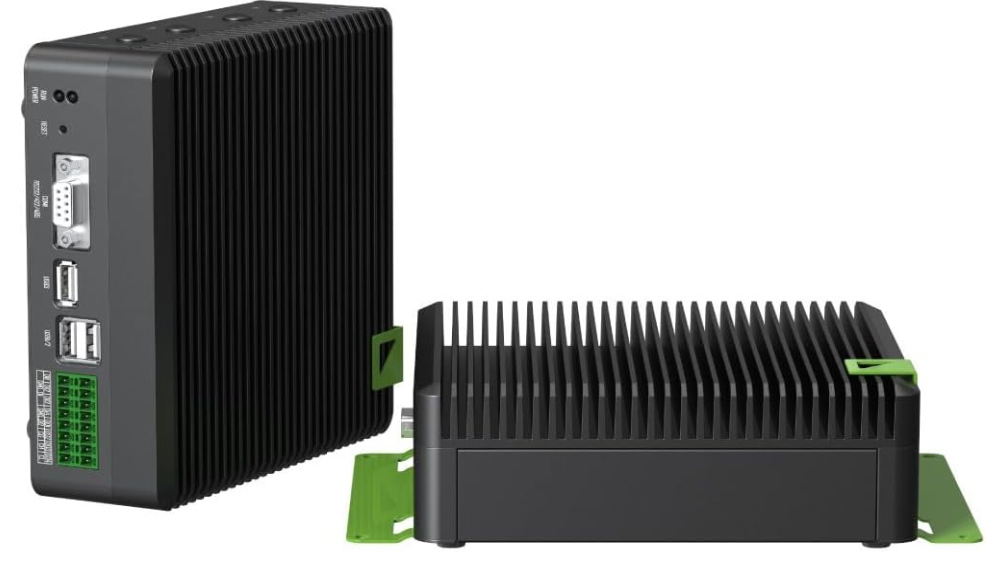
Seeed Studio J4012 ReComputer Industrial
Safety instructions
Read this document and the accompanying operating instructions carefully for the Seeed Studio J4012 reComputer Industrial, and especially observe the safety information. If you do not follow the safety instructions and proper handling guidance, we assume no liability for any resulting personal injury or damage to property. Such cases will invalidate the warranty/guarantee.
- The product is not a toy. Keep it out of the reach of children and pets.
- Do not leave packaging material lying around carelessly. This may become dangerous playing material for children.
- If you have questions that remain unanswered by this information product, contact our technical support service or other technical personnel.
- Maintenance, modifications, and repairs must only be completed by a technician or an authorised repair centre.
- Handle the product carefully. Jolts, impacts, acts, or a fall, even from a low height, can damage the product.
- Do not place the product under any mechanical stress.
- Protect the appliance from extreme temperatures, strong jolts, flammable gases, steam, and solvents.
- Protect the product from high humidity and moisture.
- Protect the product from direct sunlight.
Intended Use
Improper use of the Seeed Studio J4012 reComputer Industrial can result in short circuits, fires, or other hazards. The product complies with the statutory national and European requirements.
For safety and approval purposes, you must not rebuild and/or modify the Seeed Studio J4012 reComputer Industrial. Read the safety instructions and any accompanying instructions carefully and store them in a safe place. Make this product available to third parties only together with the safety instructions and any accompanying instructions.
Operation
- Consult an expert when in doubt about the operation, safety, or connection of the
product. - If it is no longer possible to operate the product safely, take it out of operation and protect it from any accidental use. DO NOT attempt to repair the product yourself.
Connected devices
- Also, observe the safety and operating instructions of any other devices that are connected to the product.
Disposal
This symbol must appear on any electrical and electronic equipment placed on the EU market. This symbol indicates that this device should not be disposed of as unsorted municipal waste at the end of its service life. Owners of WEEE (Waste from Electrical and Electronic Equipment) shall dispose of it separately from unsorted municipal waste.
- inInur Conrad offices
- at the Conrad collection points
Technical data
Power supply
- Input V/DC, 3 A via USB-C®
Environment
- Usage environment Indoor
- Operating temperature 0 to +60 °C
- Operating humidity max. 95 % RH (non-condensing) (at 40 °C)
- Storage temperature -40 to +85 °C
- Storage humidity<80 % RH (non-condensing)
Others
- Dimensions (W x H x D) (approx. . 130 x 120 x 50 mm
- Weight (approx.) 0.4 kg
Customer Support
- Website: www.seeedstudio.com
- Ph: +86-0755-86095676
2008-2025 Seeed Technology Co., Ltd. All rights reserved.
FAQs
Q: What is the Seeed Studio J4012 reComputer Industrial?
The NVIDIA Jetson Orin NX module powers the Seeed Studio J4012, an advanced AI computer of industrial quality. It is intended for use in robotics, computer vision, and high-performance AI inference applications in edge computing, smart city, and factory automation settings.
Which operating systems are supported?
Ubuntu 20.04 or later-based NVIDIA JetPack SDK is compatible with the J4012. Additionally, you can install customised Linux distributions that work with the Jetson platform.
Q: What industrial certifications or protections does the J4012 have?
Fanless and dust-resistant, the J4012 enclosure is made for round-the-clock industrial use. It can be mounted on a wall or DIN rail for dependable deployment, and it works in a broad temperature range (usually -20°C to 60°C).
Q: Is the J4012 suitable for 24/7 continuous operation?
It is, indeed. With its solid-state storage, broad temperature tolerance, and passive cooling, the J4012 is designed for industrial dependability. It is perfect for automation systems that operate continuously, smart surveillance, and continuous edge inference.
What’s the difference between the J4012 and J4011?
Compared to the J4011 (which usually uses the Jetson Xavier NX), the J4012 offers more CUDA cores and better AI performance thanks to its use of the NVIDIA Jetson Orin NX module. Because of this, the J4012 is more appropriate for challenging computer vision and AI inference tasks. For those interested in other edge AI solutions, you can also check our guide on the Seeed Studio J3011 reComputer Edge AI Device for a different model suitable for similar industrial AI applications.
Can I use the J4012 in a fanless environment?
Indeed. The J4012 has an aluminium enclosure with optimal heat dissipation for fanless thermal management. To prevent thermal throttling, make sure enclosed cabinets have adequate airflow.
Does the J4012 support 4G/5G connectivity?
Yes, using a USB cellular modem or an M.2 Key B slot. The guide contains configuration instructions for setting up the network manager on Ubuntu, and Seeed Studio offers compatible 4G/5G modules.