

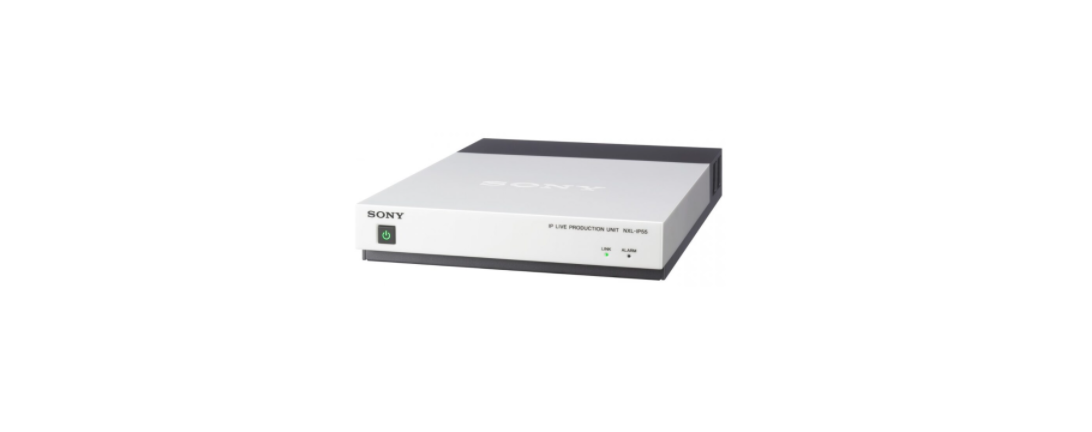

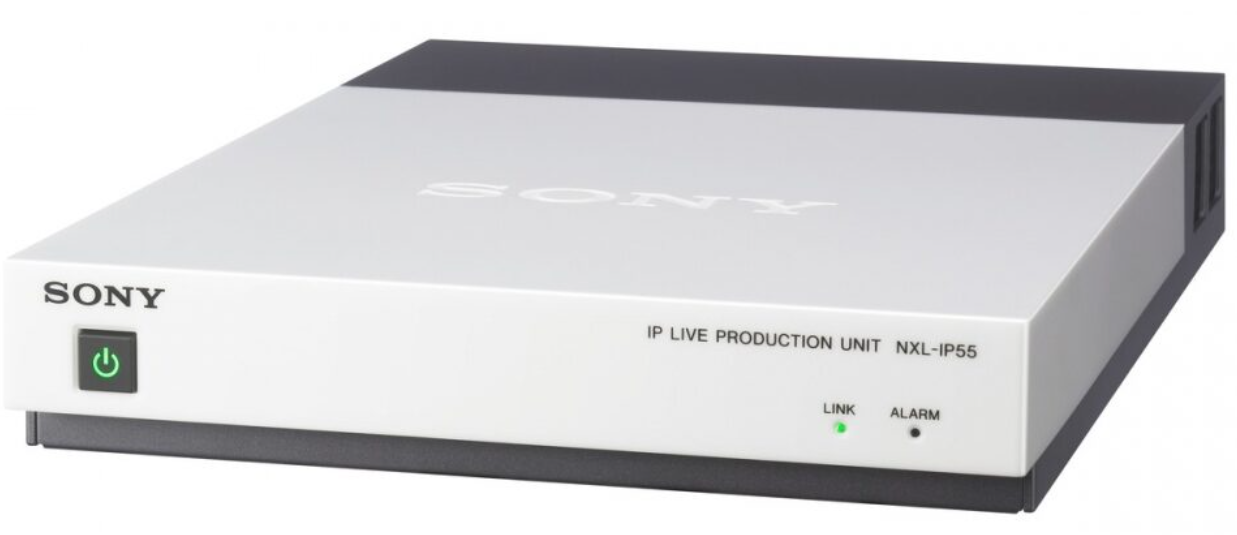
Sony NXL-IP55 IP Live Production Unit
Safety Introduction
When installing the unit, incorporate a readily accessible disconnect device in the fixed wiring, or connect the power plug to an easily accessible socket-outlet near the unit. If a fault should occur during operation of the unit, operate the disconnect device to switch the power supply off, or disconnect the power plug. When installing, the installation space must be secured in consideration of the ventilation and service operation.
- Do not block the ventilation slots at the left side and right side panels, anthe d vents of the fans.
- Leave a space around the unit for ventilation.
- Leave more than 40 cm of space in the rear of the unit to secure the operation area.
- The unit is installed on the desk or the like, leave at least 4 cm of space on the left and right sides.
- Leaving 40 cm or more of space above the unit is recommended for service operation.
Operation
OS: Microsoft Windows 7, Windows 8 Web browser: Firefox 21, Internet Explorer 1.0. A portion of the web menu layout may be disarranged if you use an operating system or Web browser other than the above. The unit’s factory default IP address is 192.168.0.3. You can verify a changed IP address in the characters embedded in the monitor output. Although the characters can be disabled via a setting, they will always appear during startup regardless of the setting.
Adobe Reader must be installed on your computer to view the operation manual. Adobe Reader can be downloaded for free from the Adobe website.
- Connect the CONTROL connector on the rear of the unit to a computer using a LAN cable (either straight or cross).
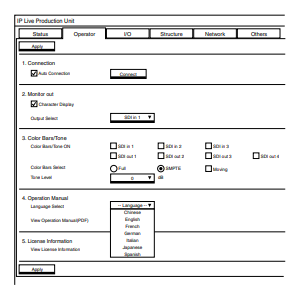
- Open a web browser on the computer, and enter “http://192.168.0.3” (or an amended IP address) in the address field. The web menu appears.
- Select a language in [Language Select] under [4. Operation Manual] in the [Operator] page.
- Click the [View] button in [View Operation Manual (PDF)]. The Operation Manual appears in PDF format.
Specifications
- Power supply: DC 19.5 V
- Current consumption 2.2 A Inrush current
- Operating temperature: 5 °C to 40 °C (41 °F to 104 °F)
- Storage temperature: 20 °C to +60 °C (–4 °F to +140 °F)
- Mass: 2.5 kg (5 lb. 8.2 oz.)
- Dimensions: 214 × 42.2 × 314.2 mm (8 1 /2 × 1 11/16 × 12 3 /8 in.) (W × H × D)
- Input: connectors
- REF; BNC type (1) HD: SMPTE 274M, 3-value sync 0.6 Vp-p, 75 Ω SD: Sync (NTSC: 0.286 Vp-p, 75 Ω /
- PAL: 0.3 Vp-p, 75 Ω)
- HD SDI I: BNC type (3) SMPTE 292M/327M, 1.485 Gbps/1.4835 Gbps
- DC IN: 19.5 V
Disposal
For the Customers in Europe
The recycling of materials will help to conserve natural resources. For more detailed information about the recycling of this product, please contact your local Civic Office, your household waste disposal service, or the shop where you purchased the product.
Notice for the customers in the countries applying EU Directives > Manufacturer: Sony Corporation, 1-7-1 Konan Minato-ku, Tokyo, 108-0075 Japan. For EU product compliance: Sony Belgium, bijkantoor van Sony Europe Limited, Da Vincilaan 7-D1, 1935
For the Customers ithe n the Republic of India
Reduction in the Use of Hazardous Substances in Electrical & Electronic Equipment. This product and its components, consumables, parts, or spares comply with the hazardous substances restriction of India’s E-Waste (Management) Rules. The maximum allowable concentrations of the restricted substances are 0.1% by weight in homogenous materials for Lead, Mercury, Hexavalent Chromium, Polybrominated Biphenyls (PBB) and Polybrominated Diphenyl Ethers (PBDE), and 0.01% by weight in homogenous materials for Cadmium, except for the exemptions specified in Schedule II of the aforesaid Rules.
Customer Service
- Website: https://www.sony.com/
- Ph: 800-326-9551
FAQs
Q: What is the NXL‑IP55?
The NXL IP55 is an IP Live Production Unit that replaces conventional coax/SDI cable with a network-based workflow by transmitting various video, audio, and control signals over a standard IP Local Area Network (LAN).
Q: Why use an IP-based unit instead of conventional SDI cabling?
One network cable may carry video, audio, tally, intercom, genlock, and GPIO with NXL IP55. This reduces cable clutter, streamlines logistics, and permits flexible or distant deployments (e.g., stadiums, broadcast trucks, stage events).
Q: Is video quality compromised when transmitting over IP?
No, NXL IP55 retains full HD video broadcast quality via the IP network that is on par with specialised HD SDI cameras.
Q: What about latency — is there a delay in live transmission?
Because of its incredibly low transmission latency, less than one field, or half a frame, under ideal network conditions, the device is appropriate for broadcast, live production, and multi-camera synchronisation.
Q: Can cameras and video sources be genlock‑synchronized over the network?
In order to ensure correct synchronisation across cameras for multi-camera live productions, the NXL-IP55 has a genlock function that synchronises numerous video sources over the IP LAN.
Q: Is the power supply specific — can I power it directly from the mains?
DC 19.5 V and 2.2 A are needed for the unit. Although an AC adapter is provided, stable operation requires the use of an appropriate, approved power source.
6 Comments
Thanks for sharing. I read many of your blog posts, cool, your blog is very good.
Can you be more specific about the content of your article? After reading it, I still have some doubts. Hope you can help me. https://www.binance.info/bn/register-person?ref=WTOZ531Y
Thank you for your sharing. I am worried that I lack creative ideas. It is your article that makes me full of hope. Thank you. But, I have a question, can you help me? https://accounts.binance.info/uk-UA/register?ref=XZNNWTW7
Thank you for your sharing. I am worried that I lack creative ideas. It is your article that makes me full of hope. Thank you. But, I have a question, can you help me?
Your point of view caught my eye and was very interesting. Thanks. I have a question for you. https://accounts.binance.com/da-DK/register-person?ref=V3MG69RO
Thank you for your sharing. I am worried that I lack creative ideas. It is your article that makes me full of hope. Thank you. But, I have a question, can you help me?