

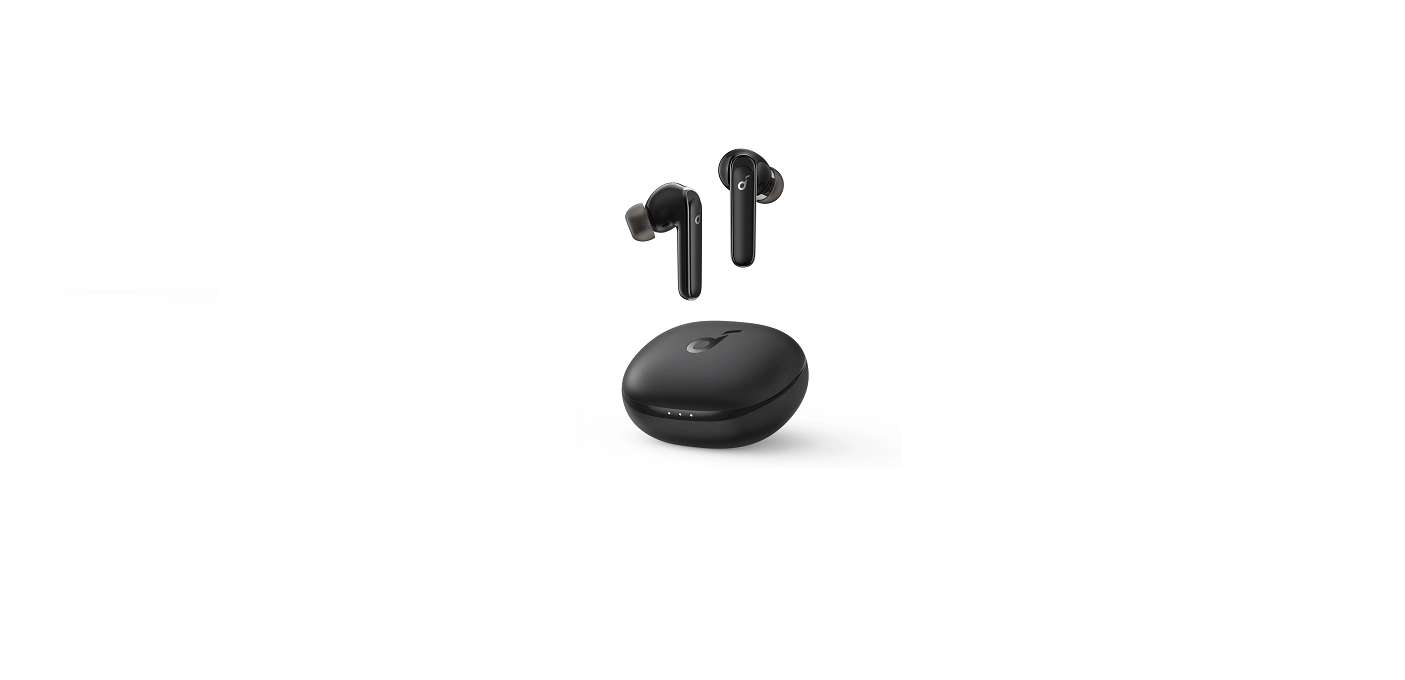

Soundcore Life P3 Noise-Cancelling Earbuds
introduction
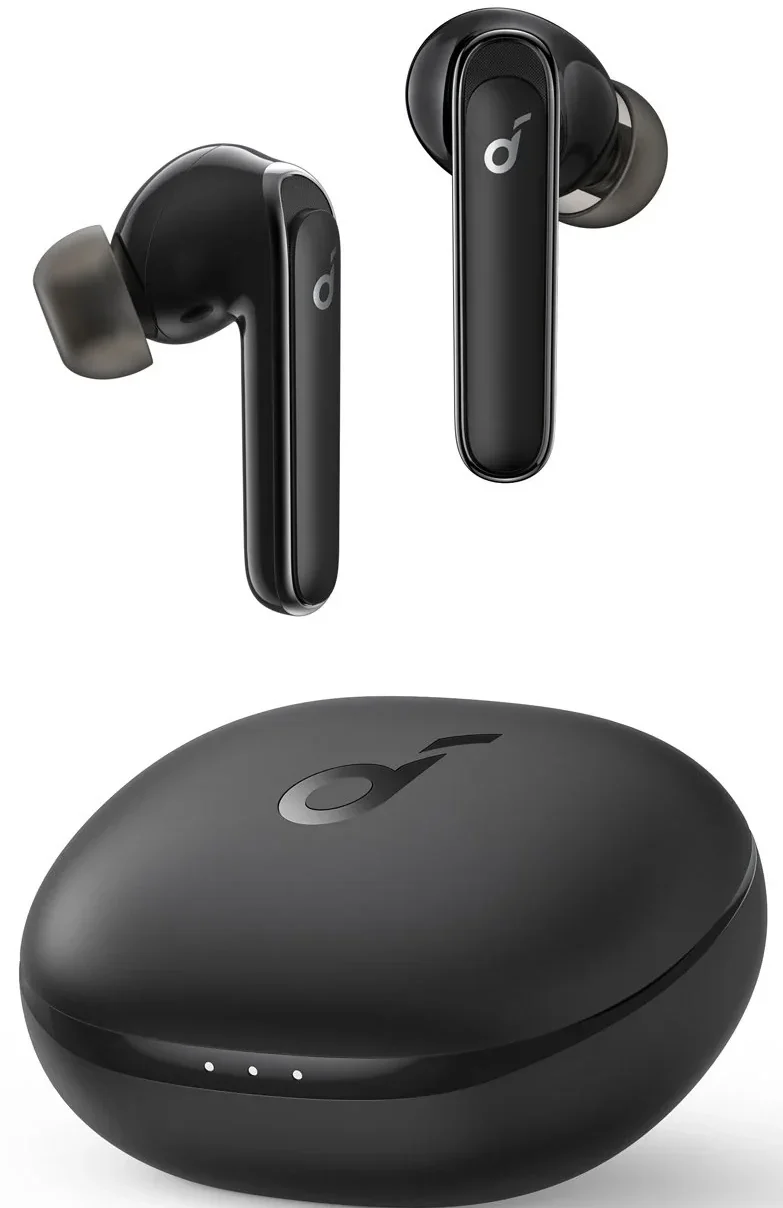
Soundcore Life P3 Earbuds are designed for music, calls, and hands-free convenience. The Soundcore Life P3 are true wireless earbuds with customisable sound profiles, active noise cancellation (ANC), and a long battery life.
Charging
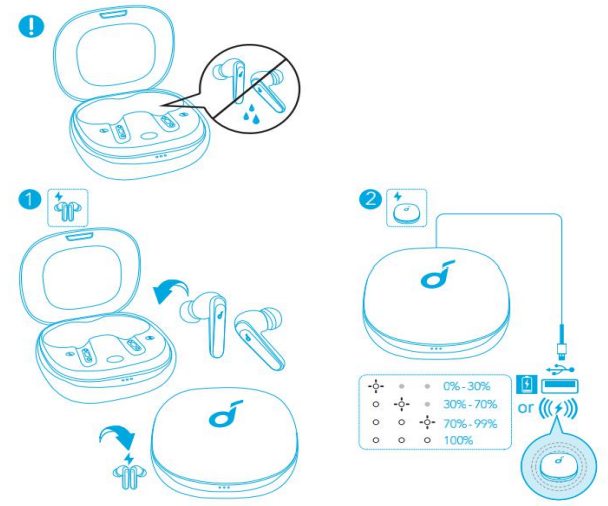
- Fully dry off the earbuds and the USB port before charging.
- Use a certified USB-C charging cable and
- charger to prevent any damage.
- Fully charge both the earbuds and the charging case before first use.
- Place the earbuds in the charging case and close it.
- Connect the charging case to the power supply by using a USB-C charging cable.
- Alternatively, position the charging case at the centre of your wireless charger for wireless charging.
- The LED indicators on the charging case indicate the charging status.
Wearing
- Choose the EarTips that fit your ears best.
- Insert the earbuds into the inner canal of your ears and turn gently until you find the most comfortable and secure position.
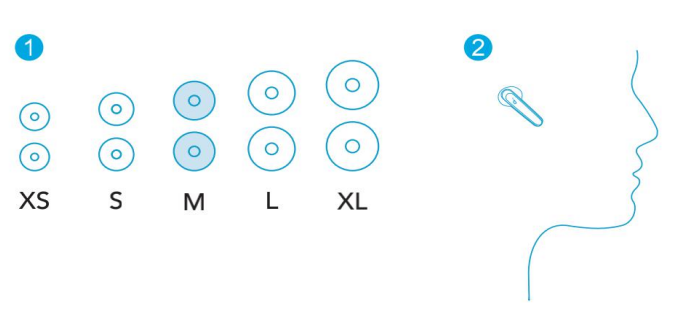
- Your earbuds come with multiple pairs of EarTips, among which the Medium-sized are pre-installed.
Powering On/Off
Open the charging case, and the earbuds will automatically power on. To power off, place the earbuds in the charging case and close it.
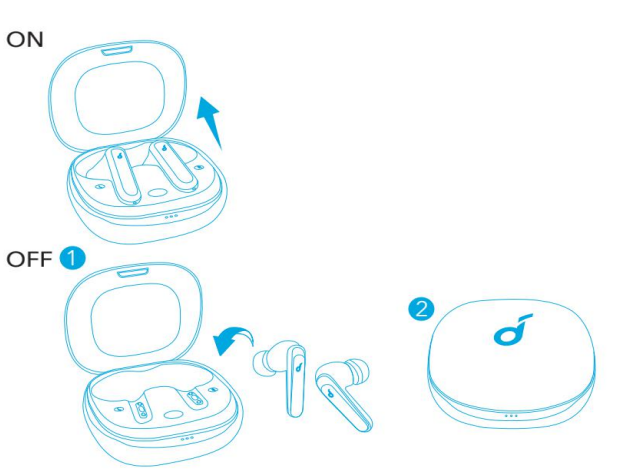
- The earbuds will automatically power off after 30 minutes if no device is connected.
Bluetooth Pairing
- Open the charging case, and the earbuds will automatically enter the Bluetooth pairing mode. • The 3 LED indicators on the charging case will flash white in sequence continuously.
- Select “Soundcore Life P3” on your device’s Bluetooth list to connect. When successfully connected, the LED indicators on the charging case will turn white for 3 seconds.
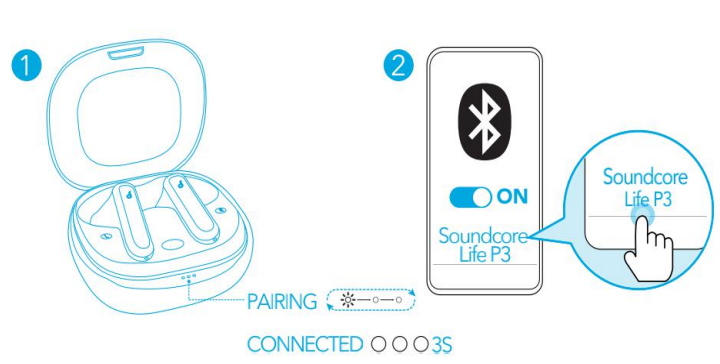
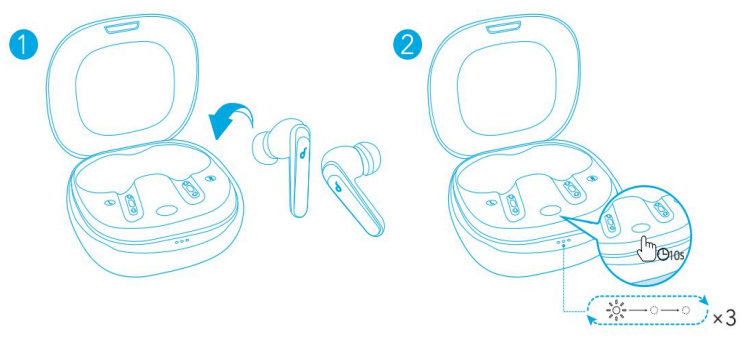
- Pairing with another device: Place the earbuds in the charging case and leave the case open. To enter pairing mode, press and hold the button on the case for 3 seconds until the 3 LED indicators flash white in sequence continuously.
- Each time you power on your Soundcore earbuds, they will automatically connect to your last successfully connected device if available within the Bluetooth range.
- Mono mode: When Bluetooth is connected, you can use either one of the earbuds by placing the other one into the charging case.
- When powered on and connected, if either one of the earbuds is out of battery and powered off, you can keep using the other one.
- When you are on a call, place either one of the earbuds into the charging case, and the microphone in the other earbud will be activated.
Controls
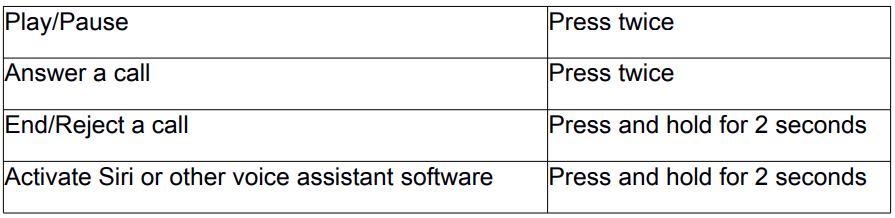
Music
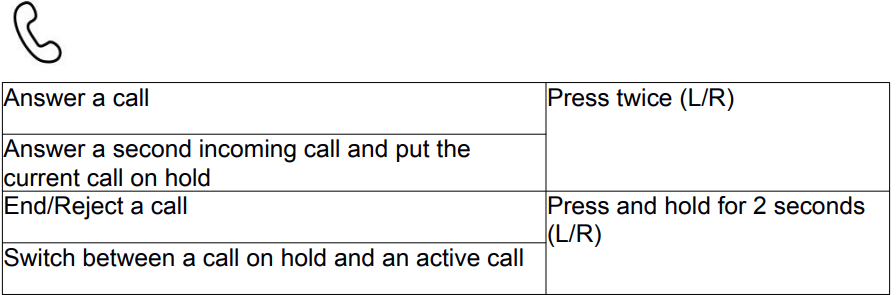
Calls
Mono Mode
Soundcore App
Download the Soundcore app to enhance your experience.
- EQ settings: The app offers more than 20 EQ settings to optimise your experience while enjoying various music genres.
- Noise cancellation: Choose an active noise cancellation mode to reduce ambient noise according to your surroundings.
- Transport: Targets low-end frequencies like engine and road noise for peaceful journeys and commutes.
- Outdoor: Reduces ambient sounds in cities, fewer distractions.
- Indoor: Reduces voices and mid-frequency noise from coffee shops and other indoor spaces.
Earbuds Firmware Upgrade
You will be informed once the new version of firmware is detected when you connect the Soundcore Life P3 Noise-Cancelling Earbuds to the app. Ensure the earbuds are placed in the charging case, and the case remains open until the firmware upgrade is completed. During the upgrade, ensure the earbuds are being charged and avoid any operation.
Reset
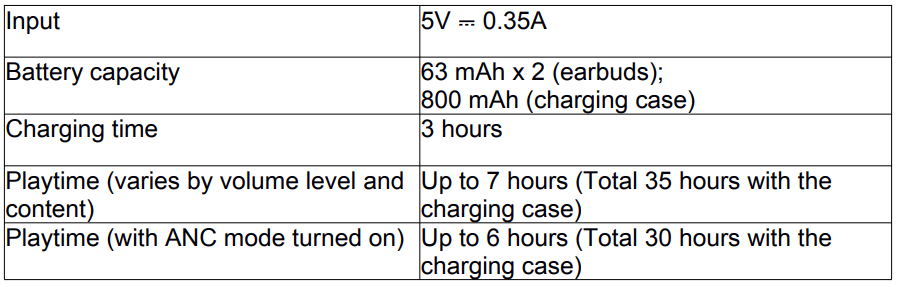
Specifications
Specifications are subject to change without notice.
- Driver size:11 mm x 2
- Frequency response:20 Hz – 20 kHz
- Impedance:16 Ω
- Waterproof level: IPX5
- Bluetooth version n: V 5.0
- Bluetooth range:15 m / 49 ft
Customer Support
- Website: https://www.soundcore.com/
- Tel: +1 (800) 988-7973
FAQs
Q: Can I use the earbuds with multiple devices?
Indeed. Although the Life P3 can connect to multiple locations, only one device can play music at once. To smoothly transition between devices, disconnect from one.
Q: What is Transparency Mode?
You can hear traffic, announcements, and conversations without taking the earbuds out thanks to Transparency Mode.
Q: Can I use the earbuds for gaming?
Indeed, the Soundcore software, which lowers latency for a smoother audio experience while playing games, allows the Life P3 to support Gaming Mode.
Q: Who should I contact for support or replacement?
For problems, warranty claims, and replacement parts, visit www.soundcore.com or use the Soundcore app to contact Soundcore Customer Support.
Q: Are replacement ear tips available?
Indeed. For the best fit and comfort, Soundcore offers silicone ear tips in three separate sizes: small, medium, and large. To ensure a secure fit and effective noise suppression, always use the appropriate size.
Q: Can I update the firmware without the Soundcore app?
No, the Soundcore app is the only way to get firmware upgrades. ANC performance, connectivity, and sound quality are all enhanced by frequent upgrades.