

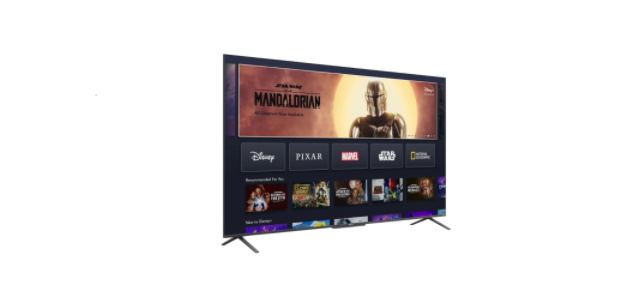
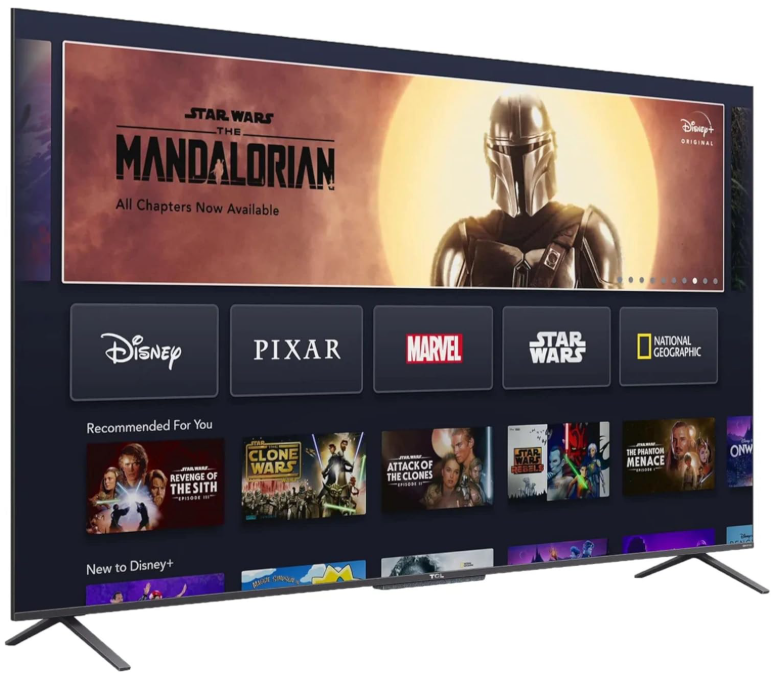
 TCL 50C725 50” QLED 4K Android TV

Safety Information
- Check that the wall can support the weight of the TV set and wall mount assembly.
- The TV set must be installed on a vertical wall.
- Make sure to use only screws suitable for the material of the wall.
- Make sure that the TV set cables are placed so that there is no danger of tripping over them.
- Always use cabinets or mounting methods recommended by the manufacturer of the television set.
- Always use furniture that can safely support the television set.
- Always ensure the television set is not overhanging the edge of the supporting furniture.
- Always educate children about the dangers of climbing on furniture to reach the television set.
- Never place a television set in an unstable location.
- Always route cords and cables connected to your television so they cannot be tripped over, pulled or grabbed.
Accessories
- Remote Control: RC901V
- Remote Control Battery: 2 x AAA (included)
- Quick Start Guide: Yes
- Warranty Card: Yes
- User Manual: Yes
Basic Information
- Operating System: Android R
- Storage: 16GB
- Languages: English, Vietnamese, Thai, Chinese, Russian, Arabic, Traditional Chinese, Indonesian, French, Spanish (Latin America), Farsi, Mongol, Uzbek, Hebrew, Malay, Portuguese, Burmese.
- AV System: PAL, NTSC
- HDMI & HDCP Version eARC: HDMI1.4b, HDMI2.1, HDCP1.4 & HDCP2.2
- HDR: HDR10+ Decoding, Dolby Vision
- Power Supply: AC 100V-240V 50/60Hz
- Power Consumption (Standby): <0.5W
- Star Rating: 4.5 Stars
- CEC: 300 Kwh
- ECO Energy Efficiency: Yes
- LED Indicator: Standby indicator (white), Mic indicator (coloured)
Function
- Google Assistant/Voice Search: Voice input via voice remote control (RC901V).
- Instant Power On: Special mode for quick boot up
- CEC: Yes
- Teletext: Yes
- EPG: Yes (only for DTV Programme)
- Subtitle: Yes (only for DTV Programme)
- Parental Control: Yes (for DTV programme only)
- USB PVR/Pause Live TV: Yes/Yes
Picture
- Picture Preset: Low Power/Smart HDR/Sport/ Movie/Dynamic
- Backlight: 0~100
- Screen Mode: 16:9/4:3/Cinerama/14:9 zoom/16:9 zoom/16:9 zoom up
- Overscan: On/Off
- Sports Mode: Yes
- Dynamic Brightness: Off/Eco/Brightness+/Auto
- Dynamic Contrast: Off/Low/High
- Motion Clarity: On/Off
- Micro Dimming: 1296 Zones
- Wide Colour Gamut: Yes
- Quantum Dot Technology: Yes
- AiPQ Engine: Yes
- Variable Refresh Rate (VRR): Yes
- Auto Low Latency Mode (ALLM): Yes
Connectivity
- Internet Connectivity: 2.4GHz+5GHz dual-band WiFi 802.11 b/g/n 2T2R
- Bluetooth: Yes, Bluetooth 5.0
- HDMI Inputs: 3 x HDMI Inputs (1.4b & 2.1) & HDCP2.2
- USB Inputs: 1 x USB 2.0, 1 x USB 3.0
- Headphone Output: Yes
- AV IN: Yes
- Optical SPDIF Output/HDMI eARC: Yes
- eARC: Yes
USB Media Format
- Music: MP3/WMA/AC4
- Picture: JPEG/PNG/BMP
- Multimedia Video/Audio Decoder: H.265/H.264, MPEG2/4, VC1, VP9
- Video Format up to: 4K@60Hz-12bit 4:2:2, 4K@60Hz-8bit 4:4:4
- USB Mouse/Keyboard Support: Yes
Sound
- Audio Power Output: 2 x 9.5W
- Sound Mode: Standard/Movie/Music/Voice/ Game/Stadium/Dynamic
- Dolby Atmos: Yes
- Onkyo Audio System: Yes
- DTS-HD: Yes
- Bass Enhancer: On/Low/Middle/High
Specifications
- Backlight Unit: DLED
- Aspect Ratio: 16:9
- Display Resolution: Ultra HD (3840×2160)
- Brightness: (cd/m2) 270 Nits
- Contrast Ratio: 5000:1
- Response Time (G to G): 8ms
- Viewing Angle (H/V): 178°/178°
- Clear Motion Rate (CMR): 100 CMR
Features
- Google Assistant: Works With Alexa
- Hands Free Voice Control 2.0: Media Centre
- Google Play Store: Amazon Prime
- YouTube: Freeview Plus
- Google Play Games: Stan
- Google Play Movies/TV: Netflix
- Chromecast Built-in: Kayo/Binge/Disney+*
Dimension & Weight
- Dimensions With Stand (mm): 1112.24 (W) x 699.22 (H) x 300.4 (D)
- Dimensions Without Stand (mm): 1112.24 (W) x 637.02 (H) x 79.5 (D)
- Carton Dimensions (LxWxH mm): 1265 x 130 x 775
- Net Weight With Stand (Kg): 11.06
- Net Weight Without Stand (Kg): 10.76
- Gross Weight With Packaging (Kg): 13.32
Wall Mount
- VESA Hole Pattern: 300×300
- Screw Size: M6
- Screw Quantity (pcs): 4
Legal Statement
- Due to the various capabilities of products featuring the SmartTV – Services, as well as limitations in the available content, certain features, applications, and services may not be available on all devices or in all territories.
- The services and availability of content through SmartTV are subject to change from time to time without prior notice. Such content and services are provided solely for your personal, noncommercial use.
- Without limiting the foregoing, unless expressly authorised by the applicable content owner or service provider, you may not modify, copy, republish, upload, post, transmit, translate, sell, create derivative works, exploit, or distribute in any manner or medium any content or services displayed through this device.
Customer Support
- Website: www.tcl.com/au
- Ph: 1300 738 149