


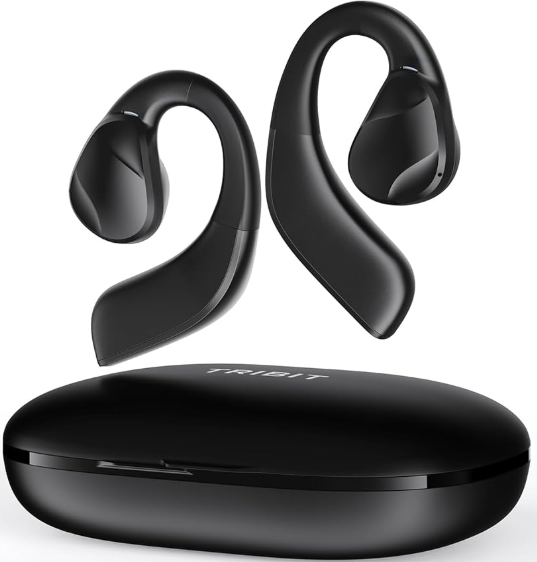
 Tribit BTH99 True Wireless Earbuds

Safety Instructions
- Do not dismantle or modify the earbuds for any reason; any malfunction of the earbuds is not covered by the warranty.
- Do not deliberately contact the earbuds with liquids, as this may damage the earbuds may be damaged and void the warranty.
- Do not place the earbuds in an environment where the temperature is too high or too low.
- This product includes a built-in lithium battery.
- It is forbidden to disassemble, bump, squeeze or throw the product into fire.
- Please keep the earbuds away from children to avoid accidental swallowing and other injuries.
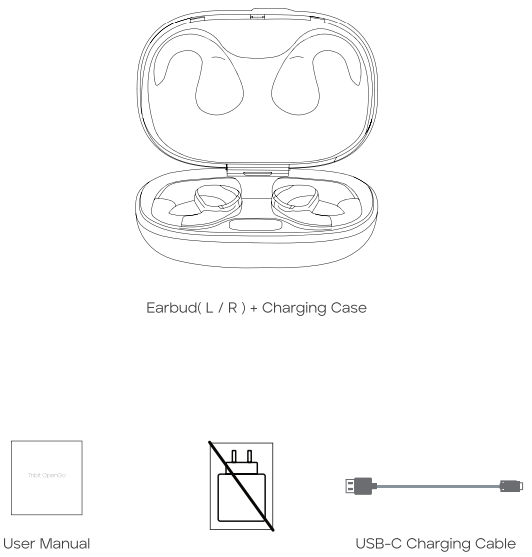
Package Content
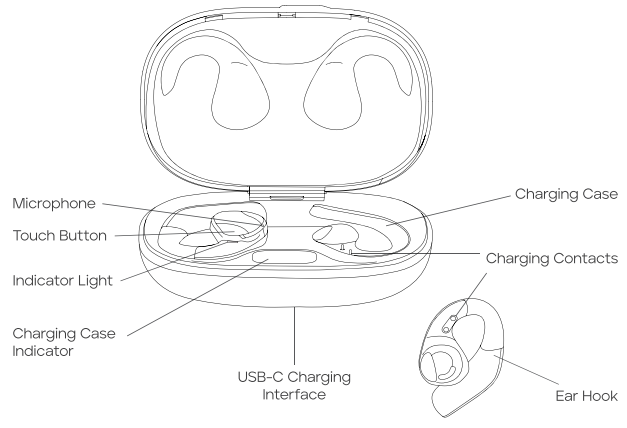
Overview
How to Wear
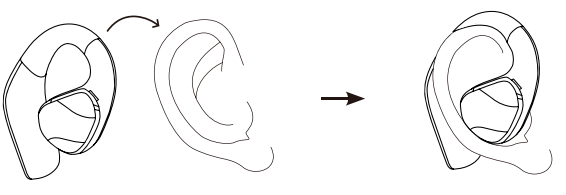
- Take out the earbuds.
- Place it above the ear.
- Rotate itbackwardsd along the auricle to the proper position.
On / Off
The first time you use the earbuds, please tear off the insulation sticker. Then place them in the charging case and close it.
To turn off
- Open the charging case.
- Please tear off the insulation sticker.


To turn on
- Close the charging case.
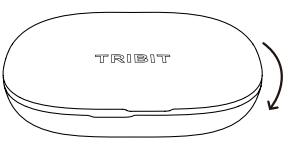
Bluetooth Connection

- Connect the earbuds with a Bluetooth device.
- Open the top cover of the charging case, and the earbuds will automatically enter Bluetooth pairing mode.
- Open the Bluetooth function in the Bluetooth device, refresh the Bluetooth device search, and click the audio device named “OpenGo” to connect. After successfully connecting, the earbuds indicator will go off.
- The two ways to connect with other devices are as follows
- Please disconnect the earbuds from the currently connected Bluetooth device, and the earbuds will automatically enter Bluetooth pairing mode.
- Touch four times on any earbuds, then long-press for 3 seconds. The earbuds’ white indicator light flashes rapidly twice to indicate a successful reset.
Button Functionality
Left

One tap: Volume down
Double-tap: Play/Pause/Answer call/Hang up call
Triple-tap: Previous track
Long press: Wake up voice assistant/Reject call
Right

One tap: Volume up
Double click: Play/Pause/Answer call/Hang up call
Triple-tap: Next track
Long press: Wake up voice assistant/Reject call
Charging Case Indicator Display
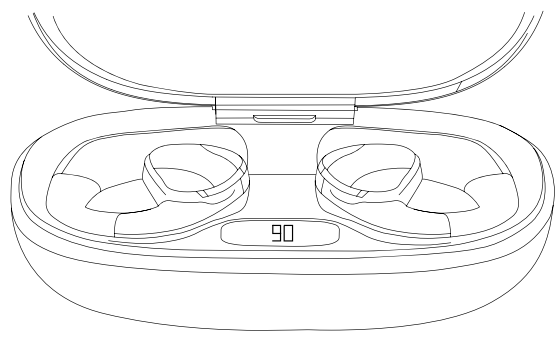
- When the cover is opened, the display inside the charging case indicates the current charge level of the charging case.
Charging
- Charging of the earbuds: Put the earbuds into the charging case.
- Then close the cover, and charging will begin.
- Charging time of earbuds: about 90 minutes
- Charging of the charging case: Insert one end of the USB cable into a power supply that supports 5V output, and the other end into the charging port of the charging case.
- Charging time of the charging case: about 200 minutes.
Specification
- Frequency band: 2402~2480MHz
- Maximum transmission power: -6 ~+4dBm
- Weight: 1.78g0.5g
- Capacity: 70mAh 3.7V 0.259Wh
- Chemical Components: Li-ion Polymer Battery
- Key Raw Materials: Lithium Cobalt Oxide, Graphite, Aluminium (Al), Copper (Cu)
FCC Statement
Changes or modifications not expressly approved by the party responsible for compliance could void the user’s authority to operate the equipment. This equipment has been tested and found to comply with the limits for a Class B digital device, pursuant to Part 15 of the FCC Rules. These limits are designed to provide reasonable protection against harmful interference in a residential installation.
This equipment generates uses and can radiate radio frequency energy and, if not installed and used in accordance with the instructions, may cause harmful interference to radio communications. However, there is no guarantee that interference will not occur in a particular installation. If this equipment does cause harmful interference to radio or television reception, which can be determined by turning the equipment off and on, the user is encouraged to try to correct the interference by one or more of the following measures.
- Reorient or relocate the receiving antenna.
- Increase the separation between the equipment and receiver.
- Connect the equipment into an outlet on a circuit different from that to which the receiver is connected.
- Consult the dealer or an experienced radio/TV technician for help.
This device complies with part 15 of the FCC rules. Operation is subject to the following two conditions. This device may not cause harmful interference. This device must accept interference received, including interference that may cause undesired operation.
IC Caution
This device complies with Industry Canada licence-exempt RSS standard(s). Operation is subject to the following two conditions
- This device may not cause interference, and
- This device must accept any interference, including interference that may cause undesired operation of the device.
EU Declaration of Conformity
Hereby, Thousandshores Deutschland GmbH declares that the radio equipment type Portable Wireless Speaker TS-BTS20 complies with Directive 2014/53/EU. To get the full text of the EU declaration of conformity, http://files.
Disposal
Valuable raw materials can be reused by recycling.
- Unplug the appliance from the mains.
- Cut through the power cord.
- Close the main gas tap.
- Dispose of the appliance in an environmentally friendly manner.
Information about current disposal methods is available from your specialist dealer or local authority. This appliance is labelled in accordance with European Directive 2012/19/EU concerning used electrical and electronic appliances (waste electrical and electronic equipment – WEEE). The guideline determines the framework for the return and recycling of used appliances as applicable throughout the EU.
Customer Service
- Website: https://tribit.com/
- Ph: +91 9810348155
FAQs
Q: What devices are compatible with the BTH99 earbuds?
Because the BTH99 earbuds use Bluetooth (often version 5.x), they can be used with almost any Bluetooth-enabled device, including computers, tablets, Android or iOS smartphones, and other Bluetooth audio sources.
Q: Are the earbuds water‑ or sweat‑resistant? Can I use them for workouts or in the rain?
Yes, the BTH99 are IPX5 rated, meaning they are resistant to splashes and perspiration.
Q: How is the sound quality? Are they good for music and calls?
The 16.2 mm dynamic drivers used in the BTH99 earbuds typically produce a rich, balanced sound with respectable bass and clarity for their size.
Q: Do they support call‑taking or voice assistants? Is the mic quality usable?
Indeed, when coupled with a phone or other suitable device, the BTH99’s built-in microphone enables hands-free calls and voice assistant use.
Q: Can I use a single earbud alone (mono mode)?
Yes. You can use just one earbud independently if you want to — perfect for calls, commuting, or when you need awareness of your surroundings while still listening.
Q: What’s the Bluetooth range, and how stable is the connection?
The Bluetooth range is around 30 meters (approximately 100 feet) in line of sight under normal circumstances.
Q: Are the earbuds comfortable for long listening sessions?
Yes, the design is lightweight and small, and if you choose the right ear tip, you can have a comfortable fit that is appropriate for long listening sessions, making calls, or travelling.
Q: Can I use only one earbud while the other charges?
Yes, the BTH99 has mono mode, which lets you use the left or right earpiece separately while the other is charging in the case. This is perfect for making calls, paying attention to your surroundings, or prolonging your listening time.