

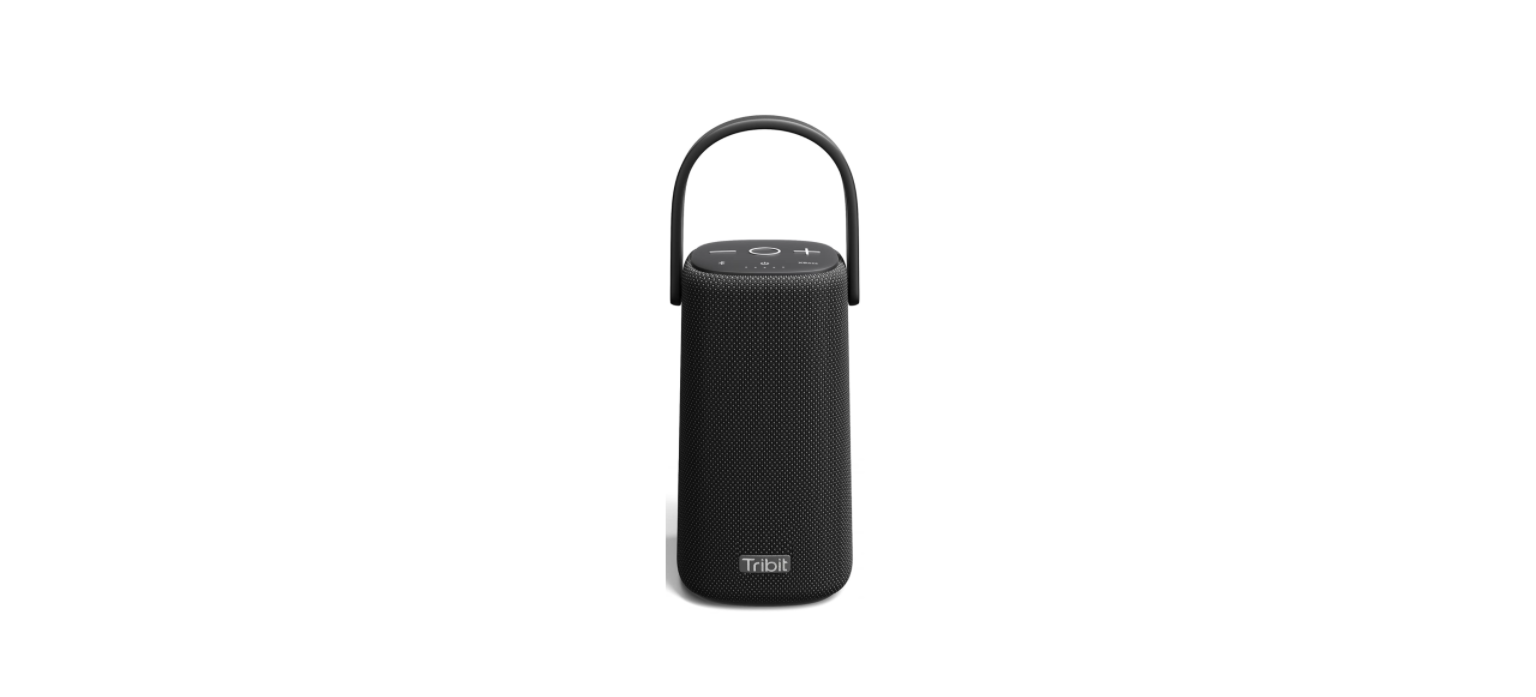

Tribit BTS31 Portable Wireless Speaker
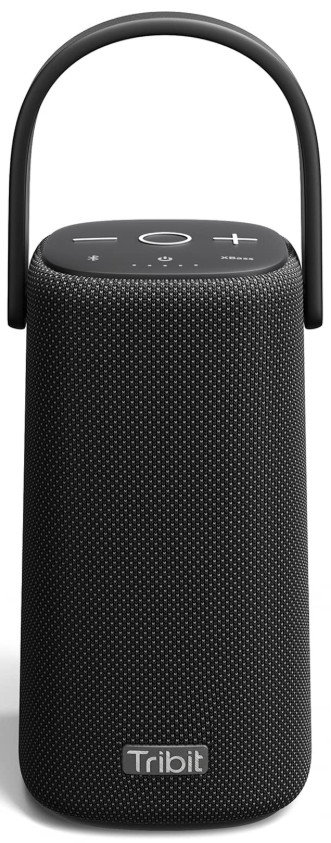
Packing List

Overview

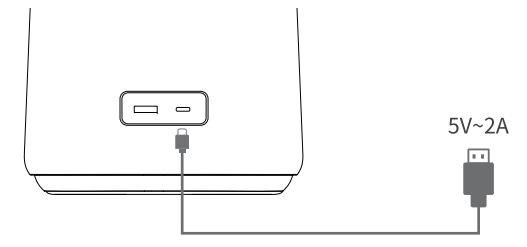
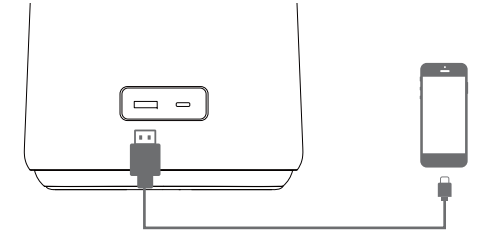
Charging
- To Charge the Speaker
Connect this speaker to a 5V power outlet via the provided USB-C charging cable. - To Charge Other Devices
Connect the speaker with your USB-enabled device via a USB-A charging cable(not included).
Charging Indicator
Battery Indication
Button Controls
Power on/off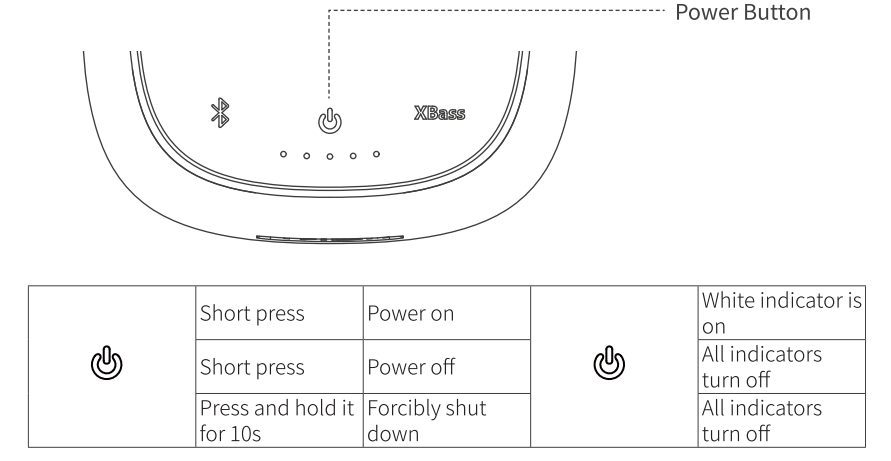
Bluetooth Connection
- The StormBox Pro Speaker will automatically connect to the last 2 paired devices again if available.
- If it fails, the speaker will enter tairing mode.
- You can connect this speaker to multiple devices and control the connection via the Bluetooth button.
- The speaker can remember up to 8 paired Bluetooth devices.
- Better still, it can connect to 2 devices simultaneously at a time.
Conversion between 2 Connected Devices
- Pause the playback of the current device
- Play the audio file on the other device
Volume Adjustment

Multifunctional Button (MFB)
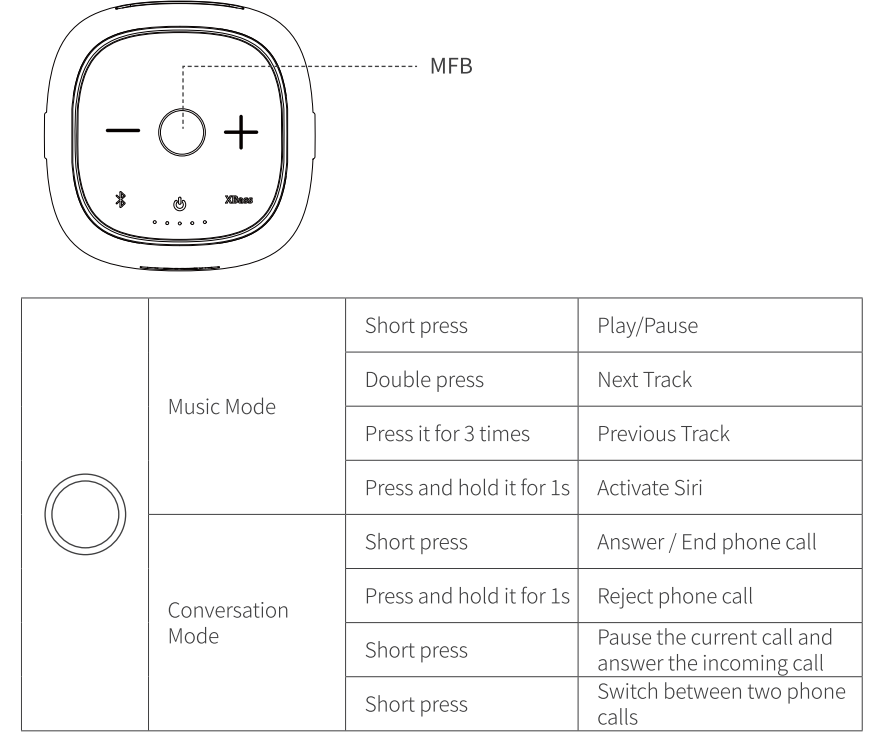
XBass Function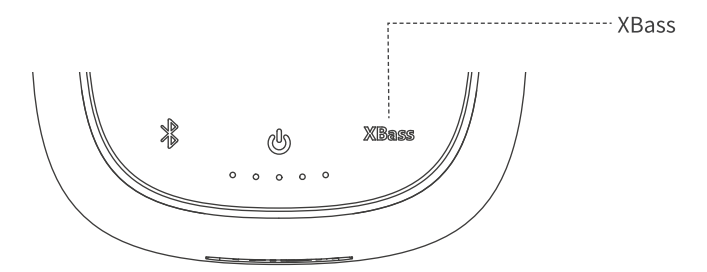
Press the XBass button to activate the XBass function, then the XBass indicator will glow white. “nt Press this button again to turn off the XBass function, and the XBass indicator will
Party Mode
- Make sure both speakers are turned on.
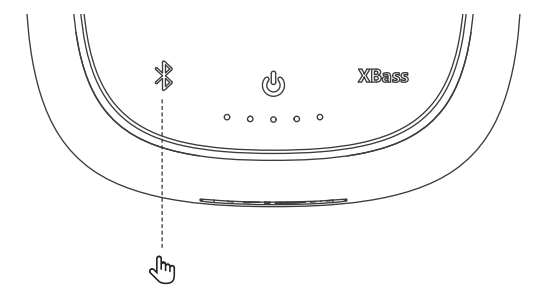
- Press and hold the $ button of one speaker for 2s to enter pairing status, then press and hold the & button of the other speaker for 5s to search for Bluetooth devices. At this time, you’ll hear a “Party mode” sound, nd the speakers enter party mode.
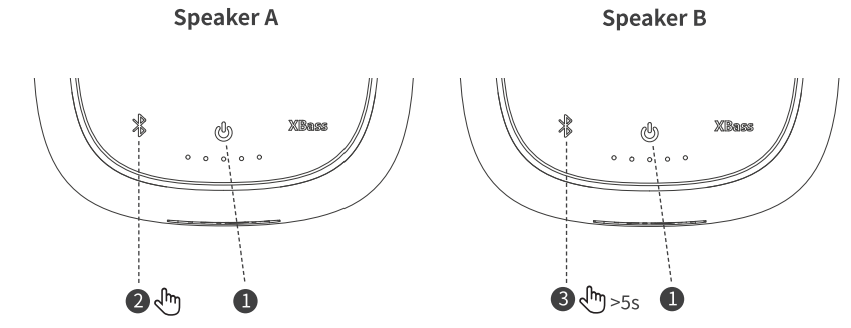
Stereo Mode
- Make sure both tpeakers have entered party mode.
- Short-press the & button on either of the two speakers.
- When you hear the voice of “Stereo Mode”, one speaker sounds “Left Channel” and the other sounds “Right Channel”, the stereo mode is activated.
Conversion between Party Mode and Stereo Mode
- Short-press the & button on either of the two speakers.
Disable the Party Mode or Stereo Mode
- Press and hold the $ button for 5s on any of the two speakers, then both will re-enter Bluetooth pairing mode.
Factory Reset
- Press and hold the Volume – and + button for 5s simultaneously to clear the pairing list and all settings, and the speaker will restore factory state.
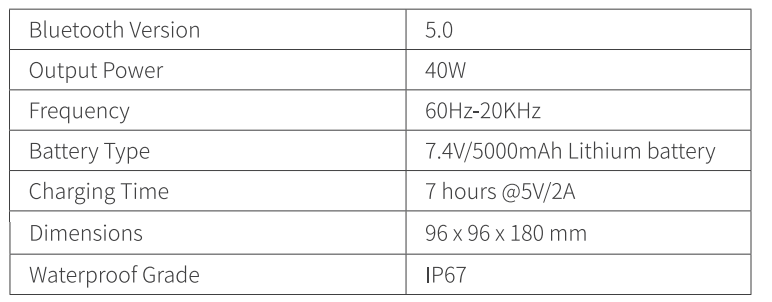
Soecifications
FCC Statement
Changes or modifications not expressly approved by the party responsible for compliance could void the user’s authority to operate the equipment. This equipment has been tested and found to comply with the limits for a Class B digital device, pursuant to Part 15 of the FCC Rules. These limits are designed to provide reasonable protection against harmful interference in a residential installation.
This equipment generates uses and can radiate radio frequency energy and, if not installed and used in accordance with the instructions, may cause harmful interference to radio communications. However, there is no guarantee that interference will not occur in a particular installation.
- Reorient or relocate the receiving antenna.
- Increase the separation between the equipment and receiver.
- Consult the dealer or an experienced radio/TV technician for help.
This device complies with part 15 of the FCC rules. Operation is subject to the following two conditions. This device may not cause harmful interference. This device must accept interference received, including interference that may cause undesired operation.
IC Caution
This device complies with Industry Canada licence-exempt RSS standard(s). Operation is subject to the following two conditions
- This device may not cause interference, and
- This device must accept any interference, including interference that may cause undesired operation of the device.
EU Declaration of Conformity
Hereby, Thousandshores Deutschland GmbH declares that the radio equipment type Portable Wireless Speaker TS-BTS20 complies with Directive 2014/53/EU. To get the full text of the EU declaration of conformity, http://files.
Disposal
Valuable raw materials can be reused by recycling.
- Unplug the appliance from the mains.
- Cut through the power cord.
- Close the main gas tap.
- Dispose of the appliance in an environmentally friendly manner.
Information about current disposal methods is available from your specialist dealer or local authority. This appliance is labelled in accordance with European Directive 2012/19/EU concerning used electrical and electronic appliances (waste electrical and electronic equipment – WEEE). The guideline determines the framework for the return and recycling of used appliances as applicable throughout the EU.
Customer Service
- Website: https://tribit.com/
- Ph: +91 9810348155
FAQs
Q: Is the Tribit BTS31 speaker truly portable?
Indeed. The Tribit BTS31 is perfect for outdoor sports, vacation, or daily use because it is small, light, and made to be easily carried.
Q: How long does the battery last on a full charge?
The BTS31 can play continuously for many hours on average, which is sufficient for a full outdoor session or daily listening. The actual battery life may differ based on usage habits and volume.
Q: Does the BTS31 support Bluetooth 5.0 or higher?
Indeed. The speaker has a contemporary Bluetooth chipset that provides increased range, quicker pairing, and reliable wireless connectivity.
Q: Can I use the Tribit BTS31 for hands-free phone calls?
Absolutely. You can answer calls straight via the speaker without reaching for your phone, thanks to the integrated microphone.
Q: Is the speaker water-resistant?
Because of its water-resistant design, the BTS31 can withstand light splashes and rain. Avoid immersing it in water, though, as it isn’t completely waterproof.
Q: Can I pair two BTS31 speakers for stereo sound?
Indeed. With the speaker’s dual-pairing (TWS mode) capability, you can connect two units for a more expansive and engaging stereo music experience.
Q: What devices are compatible with the speaker?
It is simple to connect to any Bluetooth-capable device, including laptops, tablets, smartphones, and certain smart TVs. If supported, it can also function with devices that use an auxiliary connection.
Q: How long does it take to fully charge the speaker?
Depending on the power source, charging typically takes two to three hours. It is advised to use a regular USB charging cable.