

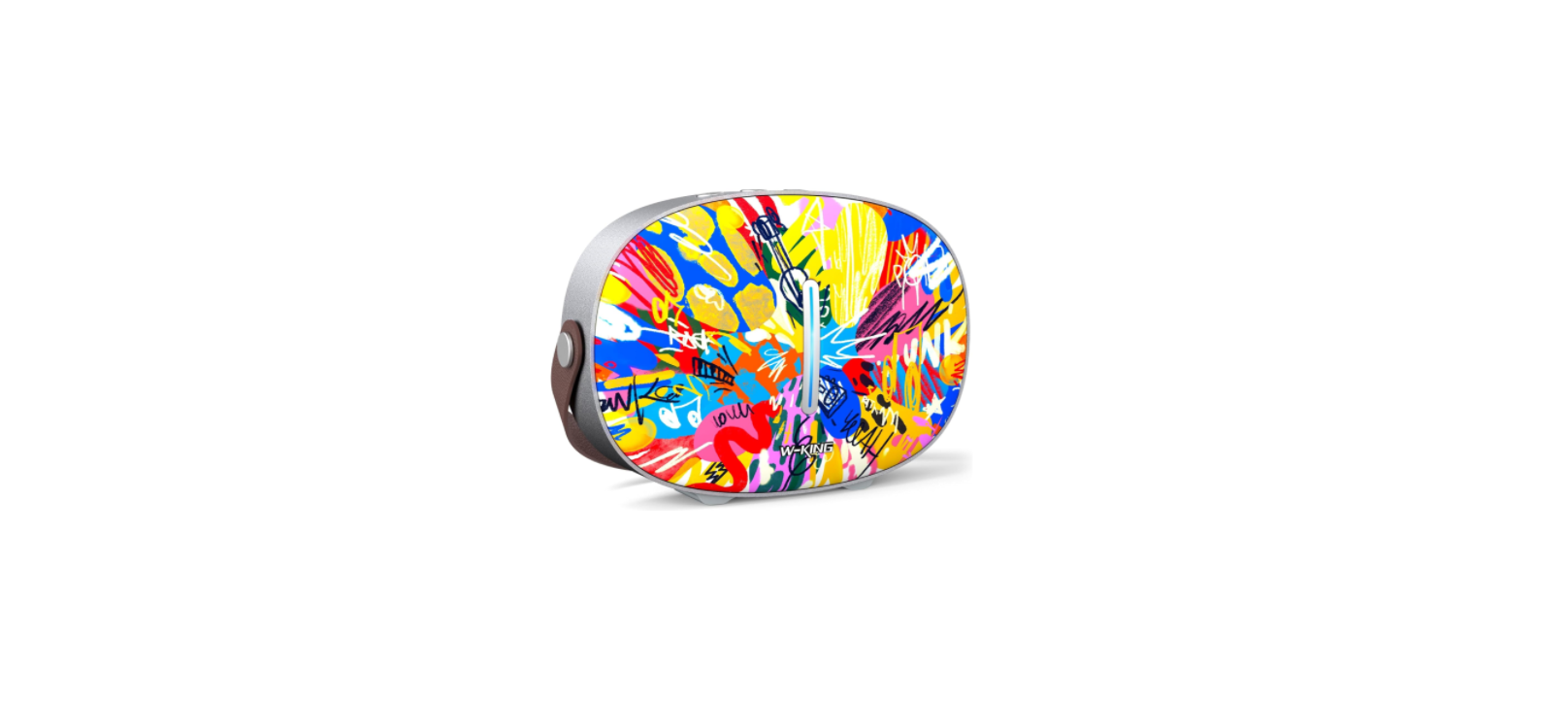

W-KING T8 Portable Loud Bluetooth Speaker
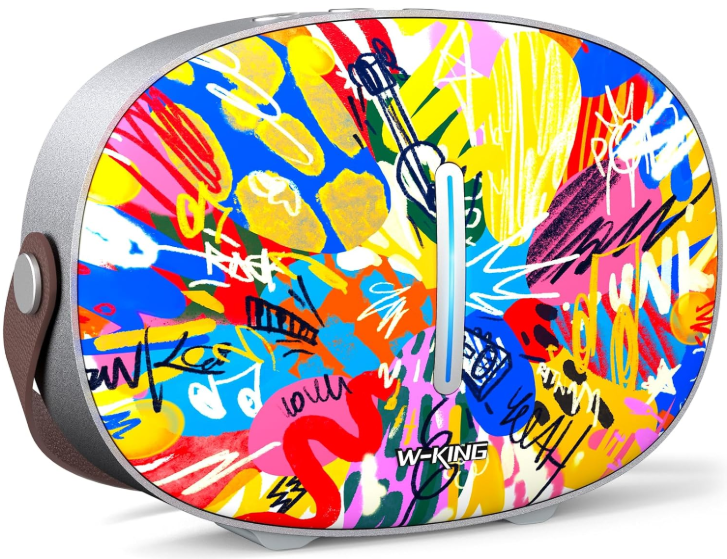
Introduction
Thank you and congratulations on your choice of W-KING T8 Bluetooth Speaker. Before using this speaker, please take a few minutes to read this manual, which includes detailed messages concerning the proper operation of the unit.
Safety Instructions
- Please read and keep this manual for reference.
- Do not open (or modify in any way) the unit or its AC adaptor.
- Do not attempt to repair the unit or replace parts within it.
- Refer all servicing to your retailer or an authorized W-KING distributor.
- Never use or store the unit in an extreme temperature, humid, or dusty environment;
- Do not expose the unit to chemical materials, and it’s dangerous to put it in vibration-prone places.
- Please make sure it’s placed stably before using. Please avoid a strong impact.
- When used by children, please make sure an adult provides supervision until they are familiar
with the operation methods and the safe operation notice.
What’s in the Box
- Main unit x1
- User Manual x1
- DC charging adapter x1
- 3.5 mm audio cable x1
Overview
Front Panel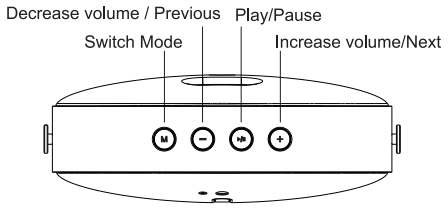
Back Panel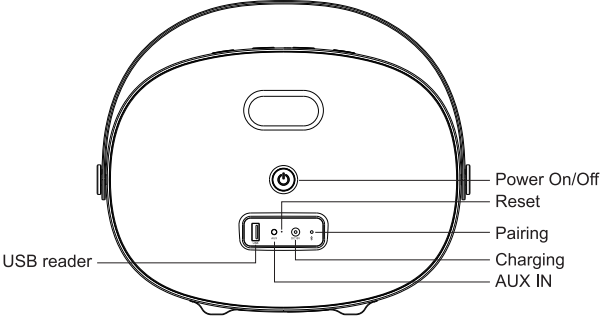
- Mode: Short press: toggle between Bluetooth, USB, and AUX mode. Press and hold: switch the prompt tone to Chinese or English
- “—”: Short press: decrease volume. Press and hold: the previous song
- Play/Pause: Press to control music play or pause
- “+”: Short press: increase volume. Press and hold: the next song,
- Power: Press and hold to power on/off
- USB storage device reader: Connect to a USB storage device.
- AUX IN: Connect to an external audio device through a 3.5mm audio cable.
- Reset: Insert a pin to reset.
- DC charging: Connect to the charging adapter.
- Pairing: Press to disconnect the Bluetooth connection, and the speaker enters pairing mode.
Using the Device
Bluetooth Connection
Connect your W-KING T8 with Bluetooth-enabled devices.
- Power on T8, it enters Bluetooth pairing mode automatically.
- Choose “W-KING T8” to connect.
- Once successfully connected, music will stream to this speaker. Disconnect the Bluetooth connection.
- T8 can remember a maximum of 8 paired devices.
- In Bluetooth mode, press the pairing button, and disconnect the Bluetooth connection.
Charging the Speaker
Please use the included adapter to charge the speaker.
- Low battery prompt tone: when battery capacity is less than 10%.
- Low battery turn off: when battery capacity is less than 3%.
USB device reading
Insert a USB device into the USB reader slot. The speaker will automatically switch to USB mode, and after 2 seconds, it will automatically play music stored in the USB device. Support format: mp3, WMA, APE, FLAC, WAV
AUX IN
Connect the music source device with T8 via the included 3.5mm audio cable. The speaker will automatically switch to AUX IN mode, then when you play music, it will stream to the T8 speaker.
LED Indicator
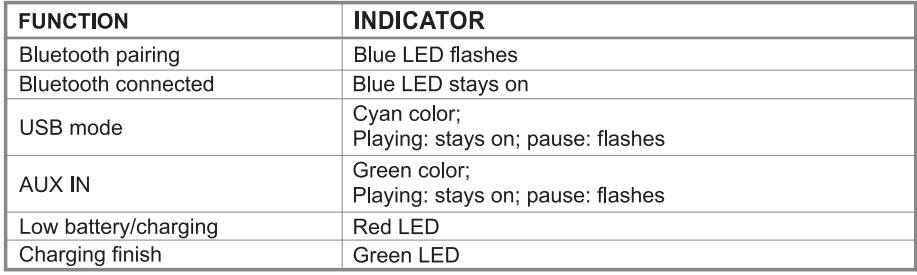
Specifications
- Bluetooth version: 4.2
- Product size: 265*100*195mm
- Bluetooth transmission distance: 10 meters
- Speaker drivers: wooferx2pcs, 80mm, 15W each; tweeterx2pcs, 31mm, 8W each;
- Speaker output: 30W S/N:≥75dB
- Charging: DC 150.5V/1.2A
- Battery: built-in lithium battery, 3pcs battery cells
- Total cells capacity: 6000mAh
- Playtime: 5-8 hours
Guarantee
Undamaged products may be returned within 30 days of purchase for any reason, excluding Corporate purchases/bulk orders, which may not be refundable. (Note: Ordering more than 10 units of a product will be considered a bulk order.)Once the returned item arrives back in W-KING’s warehouse for inspection, the refund process will begin.
- Returns must include all accessories.
- Items must include original packaging.
- For non-quality-related warranty claims, the buyer is responsible for shipping costs.s
- For non-quality-related warranty claims, W-KING refunds the cost of the product itself.lf
- Returns may be rejected if items do not meet the above requirements.nts
Return requests under the 30-day return guarantee expire 30 days after a warranty claim is filed. It is not possible to process a request for a refund for non-quality issues for items that have expired within the 30-day window. For purchases not made directly through W-KING’s online stores, please contact retailers for refunds. For quality-related issues, please see below.
Customer Service
- Website: https://w-kingaudio.com/