


Yaber K2s PRO WiFi 6 Bluetooth Projector
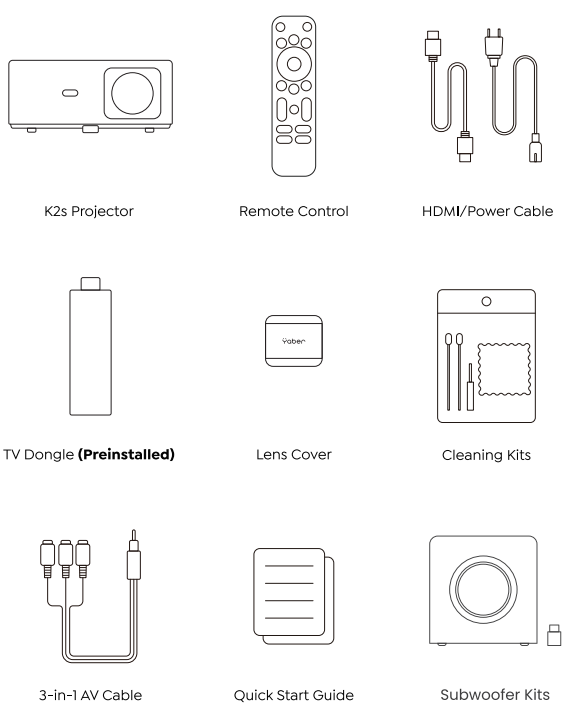
Package Contents
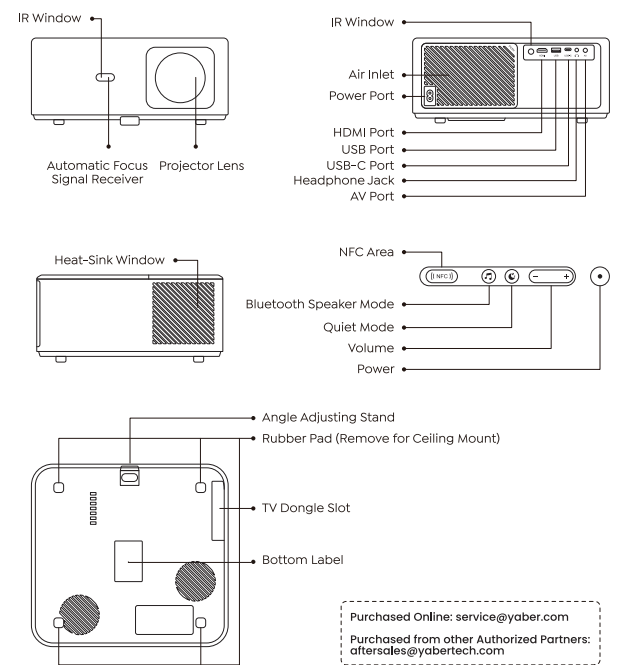
Product Overview
Install the TV Dongle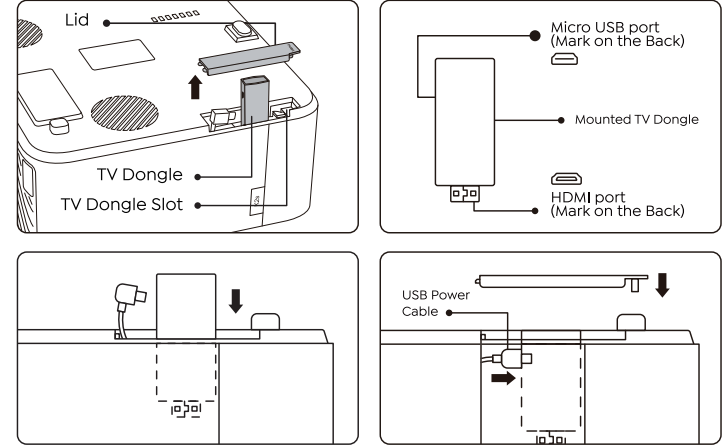
- Push once to open the lid and take out the dongle.
- Insert the TV Dongle. (Note the front and back)
- Press the “Push” to close the lid.
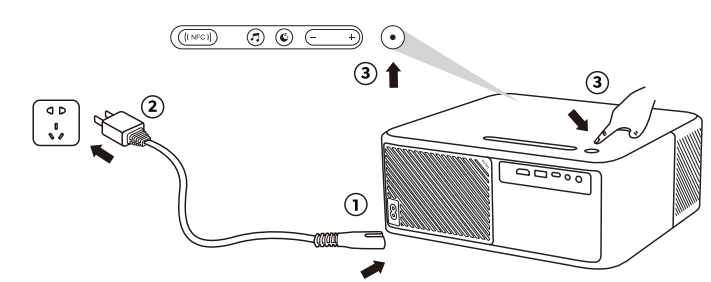
Turn on the Yaber Projector
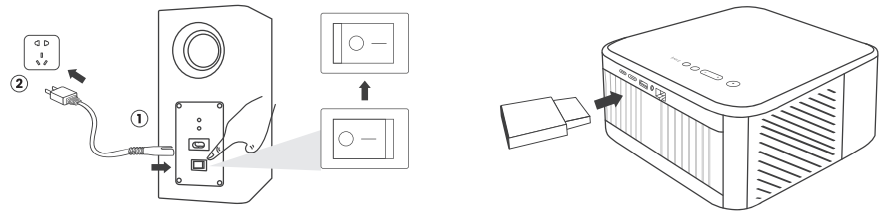
- Connect the projector and subwoofer to the power supply and turn on the switch.
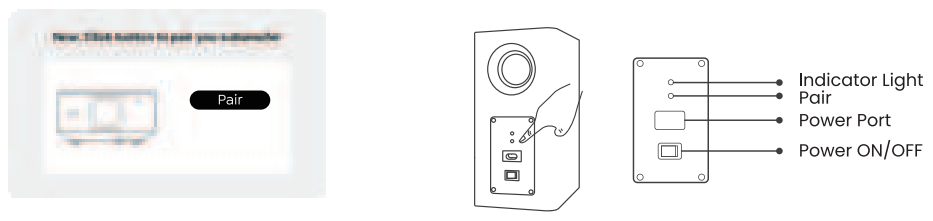
- Click the pairing button that shows on the projector screen.
- Click the pairing button on the subwoofer.
- Click the pairing button on the subwoofer
- When the subwoofer indicator light is always on, it means the pairing is successful.
Smart Voice Control Setup
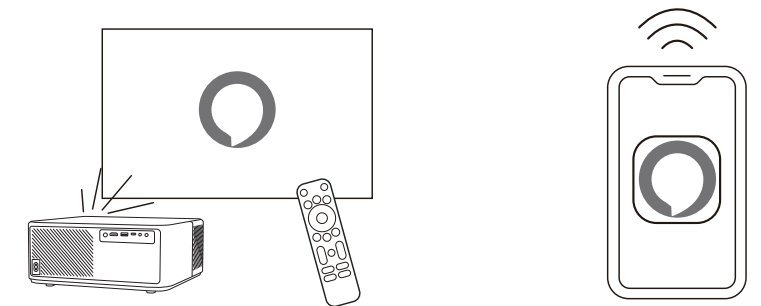
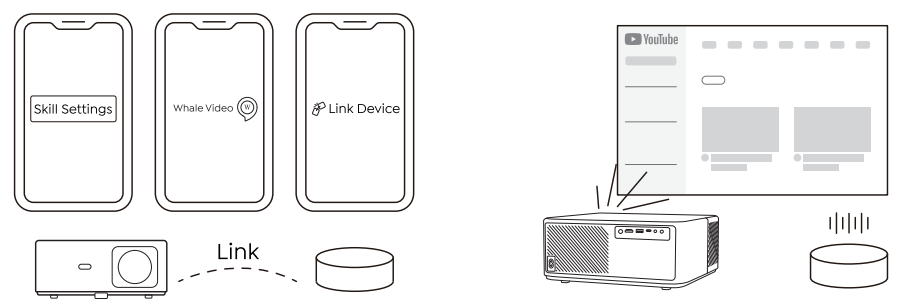
- Connect K2s to the Wi-Fi network and start Alexa Setup from the projector home screen and log in.
- Log in and open the Alexa app on your phone.
- Advanced Settings page, pair your projector with your smart speakers to complete your setup.
- Now try this: “Alexa, open YouTube on the projector.”
NFC Settings
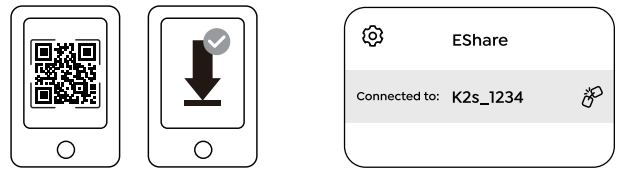
- Download and installthe E-share App by scanning the QR code or visit http:/h.eshare.app
- Make sure your phone and projector are connected to the same network, and connect.
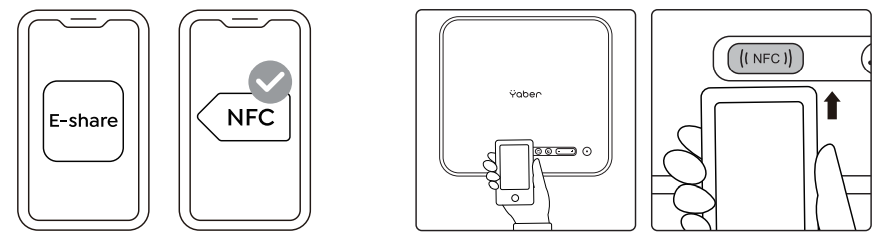
- Please enable the NFC function on your phone and lightly tap the top of your phone on the NFC sensor area marked on the proiector
- Now you can tap your phone closely on the NFC area to Screencast while the projector is powered on and on the same Wi-Fi network as your phone.
Bluetooth Speaker Mode

- Click the Bluetooth Speaker Mode button on the projector.
- Pair the mobile device with the projector to play music. Quiet Mode
Click the Quiet Mode button on the projector to enter the Quiet Mode, and click again to exit.
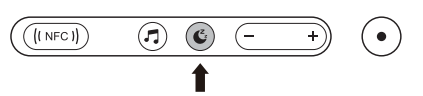
Image Adjustment
When you turn on the projector, please wait patiently for 2-3 seconds. The projector will auto focus and auto keystone correct.
Focus Adjustment
If the image is not clear, you can use the manual focus function and press the focus buttons “F+” and “F-” on the remote control to adjust the focus of the lens until the image is clear.
YABER Lifetime Professional Support
Dear valued customer!
Thank you for choosing the Aber K2s projector. This manual will help you navigate through all the features. We understand that there may be many questions and concerns that arise during the use of the projector. We are also eager to hear your feedback. However, leaving a review on the product page does not get the fastest solution. Many common problems, such as inability to l. auto focus or keystone, sound issues, WiFi or Bluetooth connection issues, can usually be resolved with appropriate settings adjustments.
Rest assured, our service team will offer the solution to youwithinh 24 hours. Your satisfaction is our top priority. If you encounter any issues, we sincerely hope you will allow us to make things right. We also encourage you to thoroughly explore the contents of this manual first. We wish you an outstanding experience with the K2s projector. Yaber Consumer Service Team
FCC Warning
This device complies with Part 15 of the FCC Rules. Operation is subject to the following two conditions: This device may not cause harmful interference, and (2) this device must accept any interference
received, including interference that may cause undesired operation.
- Reorient or relocate the receiving antenna.
- Increase the separation between the equipment and receiver.
- Connect the equipment to an outlet on a circuit different from that to which the receiver is connected.
- Consult the dealer or an experienced radio/TV technician for help.
IC Warning
This device complies with Industry Canada’s license-exempt RSSs. The operation is subject to the following two conditions: This device may not cause interference, and this device must accept any interference, including interference that may cause undesired operation of the device.”
Customer Service
- Website: https://www.yaber.com/
- Timings: 9:00 am to 7:00