

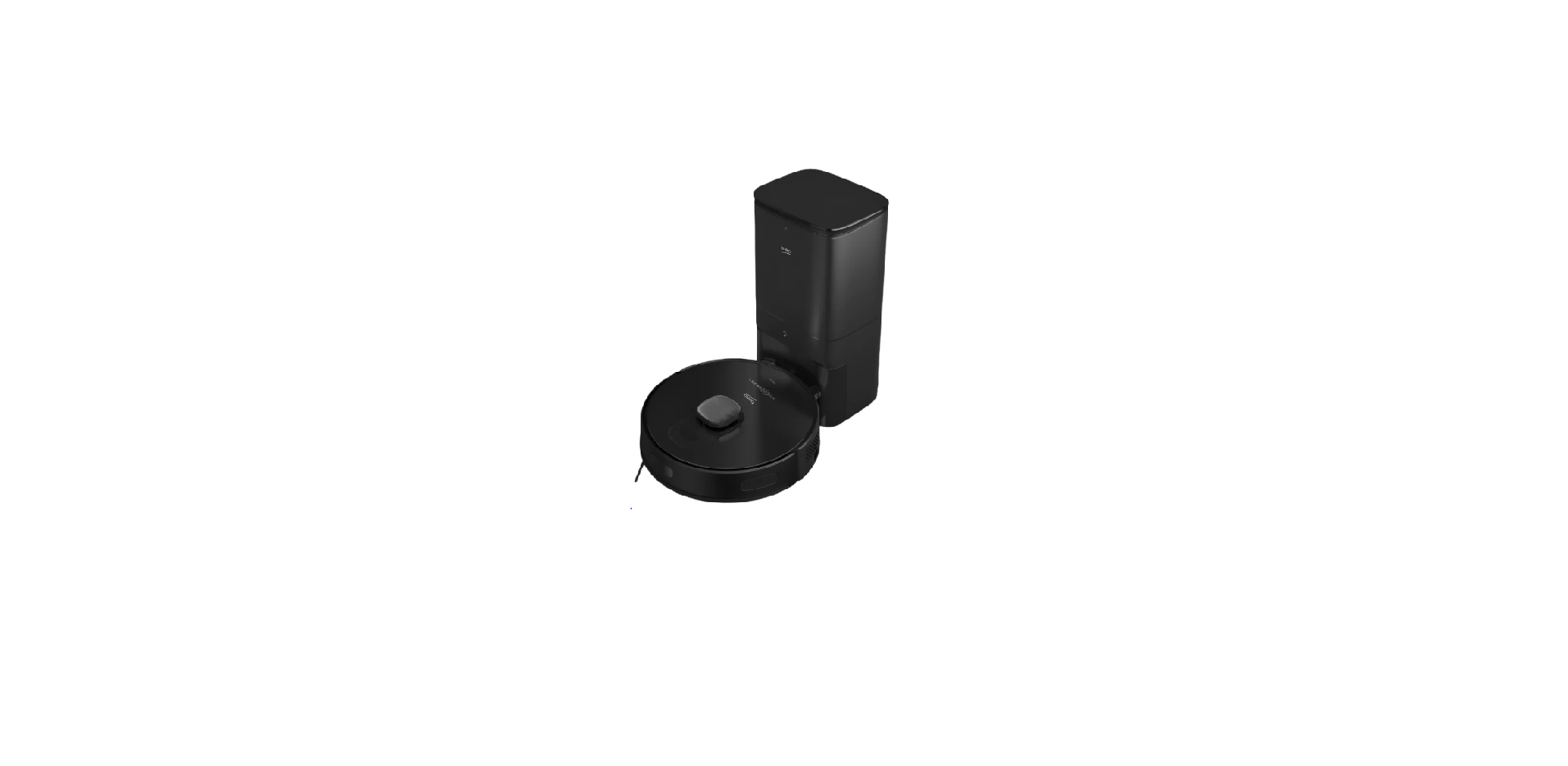

Beko VRR 94314 VB Robot Vacuum Cleaner

Safety Instructions
- Use original spare parts and accessories only.
- Do not perform any modifications on the Beko BLSA16040SN Range Refrigerator.
- Exposing the product to rain, snow, sunlight, and wind may cause a risk of fire.
- Children and pets must not play with, climb on, or get inside the product.
- Keep the packaging materials away from children. Risk of injury and suffocation.
- If there is a lock available on the product’s door, keep the key out of children’s reach.
- Do not tuck the power cable under the product or to the rear of the product.
- Use an original cable only. Do not use cut or damaged cables.
- Do not use an extension cord, multi-plug, or adaptor to operate your product.
- Portable multi-plugs or portable power supplies may overheat and cause a fire.
- Thus, do not have a multi-plug, portable power source behind or in the vicinity of the product.
- The user should not be able to reach the electrical parts after installation.
- Make sure to unplug the appliance before carrying the product.
- This product is heavy; do not handle it by yourself. Injuries may occur if the product falls on you.
- Do not bump into places or drop the product while transporting it.
- Always close the doors and do not hold the product by its doors while transporting it.
- Be careful not to damage the cooling system and the pipes while handling the product.
Overview

- Lidar
- Upper body
- Central body
- Start Cleaning-Pause Button /Sending to Charging Stand button
- Bumper sensor
- Front bumper
- Front bumper hitting sensor
- Charging pins
- Fall prevention sensor
- Charging pins
- Front rotating wheel
- Rotating brush
- Rotating brush cover
- Rear wheel
- Side brush
- Charging stand upper lid
- Charging stand dust container
- Charging stand light
- Charging and robot vacuum discharge parkland
- Charging stand charging communication pins
- Robot vacuum dust container suction nozzle
- On/Off button
- Robot vacuum container EPA filter opening lid
- Robot vacuum container charging communication pins
- Robot vacuum dust container ejection button
- Charging stand dust discharge outlet
- Mop water container
- Mop water container filling lid
- Dust container
- EPA filter
- Cleaning brush
- Floor protection pad from wetness
Plug Wiring
The moulded plug on this appliance incorporates a 13 A fuse. Do not forget to refit the fuse cover. In the event of losing the fuse cover, the plug must not be used until a replacement fuse cover has been fitted. The colour of the replacement fuse cover must be the same as that visible on the pin face of the plug. Fuse covers are available from any good electrical store.
Fitting a different plug
- As the colours of the wires in the mains lead of this appliance may not correspond with thecoloured markings identifying the terminals on your plug, proceed as follows:
- Brown cable = L (Live)
- Blue cable = N (Neutral)
- If in doubt, contact a qualified electrician.

Box Content

Spare Accessories Supplied

Technical Data

Installation
Remove the protective sponges.

Install the dust collection and charging station.n
To ensure a smooth operation of the robot, it is advised that no obstacles are present within 1.5 m on the front and within 0.5 m on the left and right sides.
Install the dust collection and charging station on a hard and level ground so that its back faces the wall, and then plug it.

Always keep the dust collection and charging station plugged; the robot vacuum cleaner cannot return to the charging station automatically. For a smooth charging operation, do not move the dust collection station. When the location is changed, it may delete the available map and create a new map due to the positioning error.
Operation
Intended use
This appliance is intended for household use, and it is not suitable for industrial use.
Charging the appliance
- Bring the on-off button on the side to the on position for the initial power up.

- Place the applianin to the dust collection station so that it is aligned with the charging communication pins.

This operation lasts 15 seconds approximately.
Starting the Cleaning
Press the button to start the automatic cleaning mode.
Pausing
Press the button on the body to stop the robot vacuum cleaner while it is operating. The robot vacuum cleaner switches to pause mode.
Automatic charging:
The robot vacuum cleaner returns automatically to recharge after the cleaning
is completed.
Manual Charging
The Beko VRR 94314 VB Robot Vacuum Cleaner returns automatically to the charging station when you press the “ ” button on the upper body while it is in the pause position.
Point cleaning

Bring the robot vacuum cleaner to the area to be cleaned and press the “ ” button twice. When the mode is activated, the robot vacuum cleaner shall clean a square area of 1.5 x 1.5 m by considering itself as the center.
It cannot start the point cleaning operation from the charging dock or the dust collection station. Bring it to the charging stand or move it to the charging stand by pressing the “ ” button on the upper body.
Vacuum Power Selection
(Supported with the relevant mobile application only) You may select the desired cleaning power from the application
- Quiet
- Standard
- Powerful
- Maximum
Remote-Controlled Cleaning
(Supported with the relevant mobile application only) You may direct the robot vacuum cleaner to the area to be cleaned by using the manual remote control mode through the application.
Sleep
The robot vacuum cleaner switches to sleep mode automatically if it remains stationary for 10 minutes. The robot vacuum cleaner switches to sleep mode automatically 10 minutes after it is completely recharged. The sleep mode deactivates the current task.
Resetting the System
For APP account deletion, the customer can press the “remove the product and clear the account” button on the APP to delete all the data on the APP and cloud, like maps, clean histories, shared machine, WIFI account password, etc. Press the “ ” button for 15 seconds in the standby position to reset the system.
Download the Application
To download the application, search for the “HomeDirect-SDA” application in the mobile app store. Review the mobile application manual for detailed information.
Reset Wi-Fi
Press the buttons simultaneously until you hear the aural warning and see the light blinking.
Add a device
- Open the app, create a new account and follow the instructions in the application.
- Before setting up the Wi-Fi, ensure that the robot vacuum cleaner and the Wi-Fi network meet the\ following requirements.
Wi-Fi network
- Make sure the password of your wireless network (modem) is correct.
- Do not use any VPN (Virtual Private Network).
- Wi-Fi router shall support, 802.11b/g/n and IPv4 protocols.
- The router shall be in the 2.4GHz frequency band, or a dual-band router that supports the 2.4GHz band shall be used. The robot vacuum cleaner does not support the 5GHz frequency band.
- If the robot vacuum cleaner cannot connectto the 2.4/5GHz dual-band Wi-Fi network, please select
2.4GHz network for Wi-Fi settings. You may switch back to the other frequency band when the setting
is completed. - If you are using a wireless network extender, please ensure that the network name (SSID) and the password are the same as the main network.
Wi-Fi Connection Error

Network security requirements
Use TKIP, PSK and AES/CCMP encrypted WPA and WPA2 networks.
Map Management
Real-time creation of a house map may help you understand the cleaning route and the cleaning
environment easily. A map of the house is created after cleaning. The map is updated in real time during each vacuuming operation to ensure normal navigation. To create a complete house map;
- Open the doors of your rooms for the robot vacuum cleaner to map each room.
- Remove any objects that may cause obstruction or blockage of the robot vacuum cleaner.
Operation of the Mop

Installation of the wet mopping unit

Wet Mopping Setting
You may start the cleaning operation by selecting the cleaning mode and setting the level of wetness during
mopping as desired in the application.
Cleaning and Maintenance
Remove the dust container by pulling it in the direction of the arrow.

Open the dust container as it is seen below and empty it as it is shown.

Remove the high-performance filter and clean the filter using the cleaning brush provided with the appliance.

Wash the water tank, dust container and filter assembly periodically with cold water as required, as per the frequency of operation.

Brush
Open the upper cover of the main brush of the Beko VRR 94314 VB Robot Vacuum Cleaner by pressing on the tabs. Pull and remove the main roll upwards. Cut the hair lapped on the roller brush with the cutting and sharp side of the cleaning brush. Then clean the dust on the roller brush with the bristles of the cleaning brush.

Replace the brush after cleaning it and close the cover in the direction of the arrow.

Troubleshooting
General Error Conditions


Failure List
When the robot vacuum cleaner switches to the error position, the illuminated home button on the upper
body starts to blink red and gives an audible warning. Follow the audible warning to resolve the fault.


Disclaimer
However, only the service agent (authorized professional repairers) that you can reach through the phone number given in the user manual/warranty card or through your authorized dealer may provide service under the guarantee terms.
Warranty
The standard guarantee starts from the date of original purchase of the product and lasts for a period of twelve (12) months unless Beko plc (the “Manufacturer”) agrees to extend the guarantee for the product in writing.
If you have any questions about the guarantee Beko BM5D510745UW 7Kg Capacity Washer Dryer on your product (including how long it is valid), please contact your retailer or our Customer Service Team on 0333 207 9710 (UK and Northern Ireland) or 01 862 3411 (Republic of Ireland) This guarantee does not in any way diminish or affect your statutory rights in connection with the product. This guarantee is in addition to your statutory rights as a consumer.
If you have any questions about these rights, please contact the retailer from which you purchased the product. In certain circumstances, your statutory rights may offer additional or higher levels of protection than those offered under the terms of this guarantee.
What is covered by this guarantee?
- The costs of a Beko plc Authorized Service Beko BM5D510745UW 7Kg Capacity Washer Dryer Representative or Approved Engineer (together the “Service Representatives”) to repair.
What is not covered?
- Transit and delivery damage.
- Cabinet or appearance parts, including but not limited to control knobs, flaps and handles.
- Accessories and/or consumable items, including but not limited to ice trays, scrapers, cutlery baskets, filters and light bulbs.
- Repairs necessary as a direct or indirect result of:
- Time taken off work.
- Damaged food, clothing or other items.
- Meals taken at restaurants or from takeaways.
- General compensation for inconvenience.
Does Beko offer replacements?
This is a repair-only guarantee. On occasion, the Manufacturer may, at its sole discretion, replace your product with a new product instead of repairing it. Subject to agreement, the Manufacturer will cover the costs and arrange for the delivery of the new product and for the return of the old product. Any costs related to disconnecting the faulty product and installing the replacement product will not be borne by the Manufacturer unless previously agreed to in writing. The original guarantee will continue to apply to the replacement product; the new product will not come with a new guarantee.
When will the repair take place?
Our Service Representatives work Monday to Friday, 9.00 am to 5.00 pm. For missed appointments. Payment of these costs is due immediately upon the Service Representative providing you with an invoice. The Manufacturer reserves the right to terminate the guarantee if you fail to pay the costs for the service call promptly.
How to Obtain Service for Your Appliance
Please keep your purchase receipt or other proof Beko BM5D510745UW 7Kg Capacity Washer Dryer of purchase details in a safe place; you will need to have this documentation available should the product require attention under guarantee.
Contact us through our website.
Send us a secure message through our online contact us form. Please visit our website, click Contact Us and choose a product support topic from the list of options. Complete the required details and click send message.
Product registrations
For UK registrations, please visit beko.co.uk/register and for the Republic of Ireland, visit beko.ie/register.r
Customer Service
- Website: www.beko.com.
- Tel: 0333 207 9710