

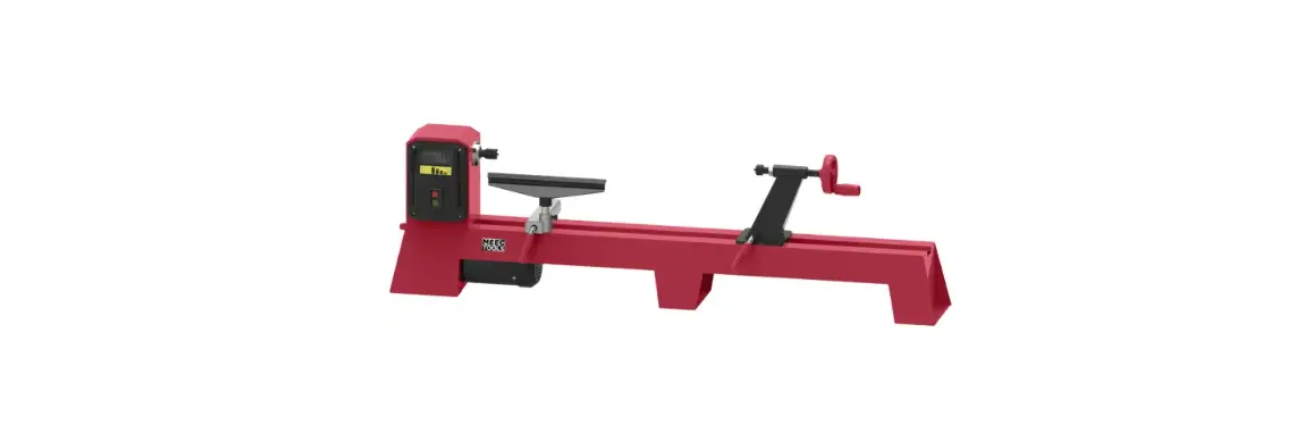

Meec Tools 022532 Router Table Operating

Safety Instructions
- The product can be used to make shaped edges (profiles), bevelling, joints, mortice, and dovetails.
- Do not use the product for peg routing or working on end grain. Do not attempt plunge routing, routing of curved slots, or routing with synchronised feeding. Do not interrupt and then resume a cut.
- The product is intended to be used by one person. The user is responsible for any accidents or risks to other persons or property.
- In addition to these instructions, you should always comply with local regulations and laws concerning health, safety, and the environment.
- Only use accessories and parts recommended by the manufacturer. The use of other accessories and parts can result in a risk of personal injury.
- Always maintain a firm footing and good balance. Do not overreach. Avoid unbalanced and awkward positions when working.
- Stay alert. Be careful at all times, and use your common sense when working with the product.
- Check that the mains voltage corresponds to the rated voltage on the type plate.
- Always use a feeder to hold down the workpiece and prevent kickback.
- Router bits are very sharp – risk of cut injuries. Handle them with care.
- Always check before use that bits are not cracked or otherwise damaged. Replace cracked or damaged bits immediately.
Technical Data
- Voltage 230 V 50 Hz Protection rating IP20
- The maximum weight for the installed router is 3.5 kg
- Max output for installed router: 1800 W
- Max size of workpiece: Width 100 mm
- Length 2000 mm
- Height 55 mm
- Weight 7.5 kg
- Size Approx. 460 x 334 mm (Approx. 870 x 334 mm with side table)
Description
Suitable for routers with up to Ø 155 mm guide plate and “lock-on” holder. The table has two steel side tables and a power switch and socket for the router. The router is installed from underneath and is sold separately.
Parts
- Fence
- Safety switch unit
- Table inserts, 5x
- Mitre fence
- Side table, 2x
- Leg, 4x
- Worktop
- Dust extraction adapter

Bag 1-6
- Spring fence, 3x

- Carriage bolt, 4x
- Washer, 6x
- Wing nut, 4x
- Thumb screw, 2x

- Screw, 18x
- Washer, 18x
- Nut, 18

- Thumb screw, 2x
- Washer, 2x
- Nut, 2x

- 20. Clamp, 4x
- Carriage bolt, 4x
- Washer, 4x
- Nut, 4x

- C-clamp

Assembly
- Unpack the product.
- Check that no parts are missing (see list of supplied parts).
- Check that none of the parts are damaged.
- Do not use the product if any parts are missing or damaged. Contact the retailer.
Parts
- Worktop (7), 4 legs (6), 2 side tables (5), bag 2 with 16 screws (14), 16 washers (15), 16 nuts (16).
Tools
- Place the worktop (7) upside down on a stable surface and arrange the side tables (5) and legs (6) as shown in the figure below.

- Screw the leg and side table onto the worktop with the spanner and screwdriver, with the supplied screws (14), washers (15), and nuts (16).
- Repeat for the other legs and the side table. Check that the legs and side tables are firmly fitted before the next step.

- It is easier to install the required bit, adjust the bit depth, and lock the router power switch in the on mode before the router is installed on the product.
- An arrow for the direction of rotation on the table.

- Arrow for direction of rotation on router
Direction of feed
- Move the router in the opposite direction of the rotation of the bit, as shown in the figure.

- Do not move the router in the same direction of rotation as the bit – this can result in you losing control of the router

Fitting the clamps
Parts
Bag 4 with 4 clamps (20), 4 carriage bolts (21), 4 washers (22), 4 nuts (23).
Tools
8 mm spanner.. The product has 4 clamps that hold the router firmly on the underside of the product.
- Put the carriage bolts (21) through the holes in the worktop.

- Put the clamps (20) on the carriage bolts on the underside of the worktop with the hooks on the sides of the clamps turned to the underside of the worktop.
- Fix the clamps in place with the supplied washers (22) and nuts (23).

- If so required, the router can now be installed on the worktop before the rest of the installation.
Installation of the router
Pull out the plugs on the router and the product before installation. Read all the instructions and safety instructions for the router. Familiarise yourself with the controls on the router and how to use them, including the following.
- Fitting and adjustment of the bit.
- Adjusting the bit depth.
- Starting and switching off the router and using the power switch lock.
- Where appropriate, remove dust extraction adapter, template guide,s, and other accessories from the router before it is installed on the product.
The product can be used with routers of well-known brands with a 155 mm base plate. The use of unsuitable routers can damage the product and/or the router. The product is mainly intended to be used with routers that have a power switch lock.
- Turn the product upside down.
- Put the router in the recess on the underside of the worktop and fit the clamps (20) around it as shown in the figure.
- Lock the router in place by tightening the nuts (22) with the 8 mm spanner.
- Check that the router is firmly in place.

Fitting and removing bits
- Place the product on its side.
- Fit or remove a bit on the router according to the instructions for the router.
- Stand the product upright again. Fitting the dust extraction adapter
- It prevents unintentional starting in that the red emergency switch must be lifted for the green power switch to become accessible.
- In an emergency, the router can quickly be switched off with the emergency stop button.
- In the event of a power failure, the magnetic mechanism in the safety switch ensures that the router does not start again when the power returns.
Parts
Safety switch (2), bag 2 with 2 screws (14), 2 washers (15), 2 nuts (16).
- Place the safety switch (2) on the front of the worktop as shown in the figure.

- Fit in place with the supplied screws (14), washers (15), and nuts (16).

Fitting the fence
Parts
- Place the fence (1) on the worktop (7) and insert the thumb screws (17) through the slots in the fence and holes in the worktop as shown in the figure.
- Fix the fence in place with the supplied washers (18) and nuts (19).
- Always check that the safety devices are working properly after fitting the fence.

Fitting the spring fences
- Place the middle spring fence with the springs turned to the fence.

- Place the left and right spring fences with the springs turned to the worktop.

- Always fit the middle spring fence on the worktop first, before the rest.
Fitting the middle spring fence
- Place the middle spring fence (9) on the worktop.
- Align the slots in the spring fence to the holes in the worktop as shown in the figure.
- Put the thumb screws (13) through the slots in the spring fence and into the threaded holes in the worktop.

- Place the left and right spring fence (9) beside the holes for fitting the fence (1).
- Put the carriage bolts (10) through the slots in the spring fence and into the holes in the fence.
- Fix the spring fence firmly in place with the supplied washers (11) and wing nuts (12).
 Where appropriate, remove the dust extraction adapter from the router before it is installed on the product. The product has a dust extraction port and a dust extraction adapter. Follow the instructions below to fit the dust extraction adapter.
 - Put the dust extraction adapter (8) in the dust extraction port (A) behind the fence (1).
- Connect the product to the dust extraction device by connecting a hose to the dust extraction adapter.

Mounting on the workbench
The product must be mounted on a suitable workbench before use. There are 8 holes in the product legs for attachment to a level surface. The product should be positioned so that the worktop (7) is at about elbow height.
- Anchor the product to the surface with suitable retaining parts.
Mains connection
The safety switch unit for the product should be connected to an earthed power point, one-phase 230–240 VAC, 50 Hz.
- Check that the mains voltage corresponds to the rated voltage on the type plate.
- An extension cord must have a minimum cross-sectional wire area of 1.5mm²2.
Do not use a longer-than-necessary extension cord.
Fitting of table inserts
Never use damaged table inserts; they can come loose and cause serious personal injury. 5 table inserts with different inner diameters are included: 1/2”, 3/4”, 1”, 1 1/4”,, and 1 1/2”.
1. Select a suitable table insert for the bit to be used and press it in place in the hole in the worktop (7).
USE
Adjusting the bit pin
- Set the required bit depth on the router. Follow the instructions for the router in use.

- Fit the required bit and adjust the bit depth according to the instructions for the router.
- Check that the outer edge of the ball bearing is in line with the edge of the fence (1).

- Undo the two thumb screws (17) behind the fence and place a ruler against the outer edge of the ball bearing.
- The fence forward so that it rests against the edge of the ruler and tighten the thumb screws to lock the fence in place.

- Fit the required bit on the router.
- Undo the lock screws on the fence (1) and move the fence to the required bit width as shown in the figure.

- Tighten the fence screws to lock the fence in place.
- Undo the lock knob (B) for the trimmer fence.

- Turn the bit by hand so that the cutting edge is at an angle of 90° to the fence, as shown in the figure.
- Place a ruler on the worktop and align the trimmer fence in line with the outer edge of the bit.
- Tighten the lock knob (B) for the trimmer fence.

Spring Fence
The product has spring fences. The spring fences are intended to hold the workpiece firmly in place when working, so that the hands of the user do not come too close to the rotating bit.
Middle spring fence
The middle spring fence presses the workpiece against the rotating bit and the fence while the workpiece moves past the bit.
- When the bit width has been adjusted according to the instructions above, place the workpiece on the table near the bit.
- Adjust the middle spring fence (9) by undoing the two thumb screws (13) and moving the middle spring fence against the workpiece.

- Check that the springs rest against the workpiece when the workpiece moves past the bit.
- Lock the middle spring fence in place by tightening the two thumb screws.

Left and right spring fence
- Place the workpiece on the worktop (7), to the right of the bit.

- Adjust the right spring fence (9) by undoing the two wing nuts (12) behind the fence and moving the spring fence down against the workpiece.
- Check that the springs rest against the workpiece when the workpiece moves past the bit.
- Lock the right spring fence in place by tightening the two wing nuts.
- Repeat this procedure for the left spring fence.

Mitre Fence
- Fit the required bit on the router.
- Set the required bit width by adjusting the fence Meec Tools 022532 Router Table Operating according to the above instructions. Set the required bit depth according to the instructions for the router.
- Undo the knob on the mitre fence (4) and align the triangular marking on the mitre fence to the required angle on the mitre angle scale. Hold the mitre fence in place and firmly tighten the knob.
- Put the mitre fence in the slot in the worktop.

- Plug in the plug, start the router, and feed the workpiece slowly and smoothly past the bit along the mitre fence.
Router to Product
For the router to be controlled with the safety switch for the product, the power switch lock on the router must be pressed in, or its switch is locked in switch-on mode.
- Plug the router into the socket on the safety Meec Tools 022532 Router Table Operating switch (2).
- Plug the safety switch into a suitable power point.

Switching on & off
Dust is produced when working, which can be highly flammable or explosive.
- Do not smoke.
- Keep naked flames and other sources of heat away from the workplace.
- Wear a dust filter mask.
Switching on
- Lift the emergency stop button (C).
- Press the green button (D).

- Press the emergency stop button (C) or press the red button (E) on the main power switch.
- Always keep your hands and other parts of the body at a safe distance from rotating parts.
- Check that the router is connected to the power Meec Tools 022532 Router Table Operating supply via the safety switch.
- Always feed the workpiece to the bit in the opposite Meec Tools 022532 Router Table Operating direction to the direction of rotation of the bit.
- Fit the required bit on the router.
- Set the bit depth, bit width, spring fence (9), and fence (1) according to the instructions.
- Start the router with the safety switch (2) and wait until it reaches maximum speed.
- Feed the workpiece slowly and smoothly past the rotating bit with a feeder.
- Switch off the product and wait until all moving parts have completely stopped before removing the workpiece from the product.
Maintainance
Cleaning
The product requires very little maintenance. Clean the product at regular intervals. Do not use abrasive detergents, as they can damage the plastic parts on the product. Clean the product with compressed air after use, if possible. Store the product in a dry place.
Check the power cord and plug for damage at regular intervals. A damaged cord or plug must be replaced by an authorised service centre or other qualified personnel to ensure safe use.
Storage
Store the product protected from dust, preferably in the packaging. Store the product out of the reach of children. A suitable storage temperature is 10 to 30°C.
- Switch off the product.
- Clean the product in accordance with the instructions.
- Store the product and all the accessories in a dark, dry and frost-free, well-ventilated place.
Customer Support
- Website: https://www.jula.se/varumarken/meec-tools/
- Tel: +39-0645652462
FAQs
What type of routers are compatible with the Meec Tools 022532 Router Table?
Always use the accompanying universal adapter plate (if available) or check the mounting plate hole pattern.
What materials can I work with using this router table?
It’s perfect for routing soft materials like plywood, MDF, and wood.
What is the maximum bit size I can use with this table?
Usually, the table can hold bits with a diameter of up to 50 mm (2 inches). Make sure the bit doesn’t exceed the router’s capacity and always check for clearance underneath the table.
Is the table suitable for heavy-duty professional use?
The 022532 router table is ideal for light-duty professional and do-it-yourself projects. It is small, lightweight, and perfect for occasional use or hobbyists. Consider switching to a heavy-duty model for continuous use.
Can I adjust the router height from above the table?
Only if your router allows you to change the height above the table. The mounting plate of certain routers allows access to a height-adjustable crank.
Does the table include a fence and featherboards?
Indeed, for safer and cleaner operation, the router table has featherboards, an adjustable fence, and a dust port. To guarantee accuracy and control, always install and utilise these accessories.
Can I use a router lift with this table?
The compatibility of the router lift with the mounting plate size determines this.
Is the table compatible with a vacuum or dust extractor?
Indeed, the included fence features a dust port that works with the majority of common shop vacuums and dust-collecting devices, preserving visibility and a tidy workspace.