

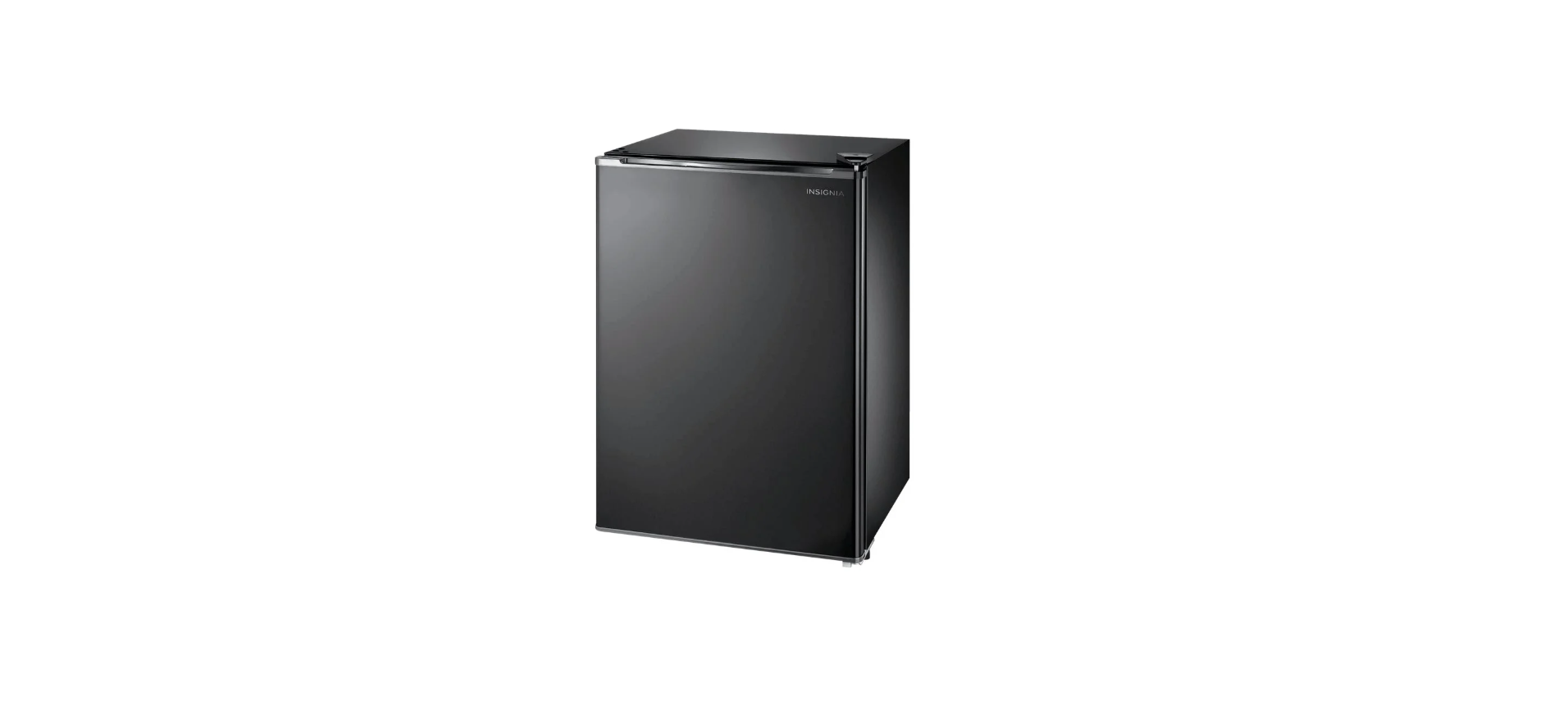

Insignia NS-CF26PK7 2.6 Cubic Refrigerator

Introduction
Congratulations on your purchase of a high-quality Insignia product. This model features a dry-erase front door panel, allowing you to mark notes and other information with the provided erasable markers.
Safety Instructions
- Do not use this appliance near water.
- Clean only with a damp cloth.
- Do not block any ventilation openings. Install according to the manufacturer’s instructions.
- Do not install near any heat sources such as radiators, heat registers, stoves, or other apparatus (including amplifiers) that produce heat.
- Do not defeat the safety purpose of the polarized or grounding-type plug.
- A polarized plug has two blades with one wider than the other.
- A grounding type plug has two blades and a third grounding prong.
- The wide blade or the third prong is provided for your safety.
- Do not attempt to modify or extend the power cord of this appliance.
- Make sure that the available AC power matches the voltage requirements of this appliance.
- Do not handle the plug with wet hands. This could result in an electric shock.
- Unplug the power cord by holding the plug, never by pulling the cord.
Electric Shock Hazard
- Keep ventilation openings in the appliance enclosure or built-in structure clear of obstruction.
- Do not touch the interior of the chiller compartment with wet hands. This could result in frostbite.
- Do not use mechanical devices or other means to accelerate the defrosting process, other than those recommended by the manufacturer.
- Do not damage the refrigerant circuit when handling, moving, or using the refrigerator.
- Do not use electrical appliances inside the food storage compartment of the refrigerator, unless they are of the type recommended by the manufacturer.
Grounding requirement
- This refrigerator must be grounded.
- This refrigerator is equipped with a cord having a grounding wire with a grounding plug.
- The plug must be inserted into an outlet that is properly installed and grounded.
- Improper use of the grounding plug can result in a risk of electric shock.
Features
Product features
- Dry-Erase Front-Panel Surface
- Includes 2 Dry-Erase Markers
- Adjustable Thermostat
- Reversible Smooth-Finish Door
- Flat (Flush) Back
- Can Storage
Package contents
- 2.6 cubic foot compact refrigerator
- Ice cube tray
- Drip tray
- Dry-erase marker
- User Guide
Exterior

Interior

Setting
Before using your refrigerator
- Remove the exterior and interior packing.
- Let the refrigerator stand upright for approximately four hours before connecting it to power.
- This reduces the possibility of a malfunction in the cooling system from improper handling during transportation.
- Clean the interior surface with lukewarm water using a soft cloth.
Finding a suitable location
- Allow five inches of space between the back and sides of the refrigerator and any surrounding walls.
- This allows proper air ventilation. Adjust the feet to keep the refrigerator level.
- Ambient temperature below 50°F (10°C) or above 85°F (29.4°C) will hinder the performance of this refrigerator.
- Avoid locating the refrigerator in moist areas.
- Allow five inches of space between the back and sides of the refrigerator and any surrounding walls.
- This allows proper air ventilation. Adjust the feet to keep the refrigerator level.
- Ambient temperature below 50°F (10°C) or above 85°F (29.4°C) will hinder the performance of this refrigerator.
- Avoid locating the refrigerator in moist areas.
Leveling your refrigerator
- The refrigerator needs to be level to function properly.
- To level your refrigerator, you may either turn the leveling foot clockwise to raise that side of the refrigerator or turn it counter-clockwise to lower that side.
Providing proper ventilation
- Place the refrigerator at least five inches from the wall to ensure proper airflow to the compressor. Do not place the refrigerator near any heat sources, such as a heater or stove, as this may put a strain on the compressor.
Providing a proper power supply
- Check your local power source. This refrigerator requires a 110V-120V, 60Hz power supply. Use a receptacle that accepts the grounding prong. The power cord is equipped with a 3-prong (grounding) plug, which mates with a standard 3-prong (grounding) wall outlet to minimize the possibility of electric shock hazard from this refrigerator.
Using a 3-prong plug and outlet
Using a grounding adapter
Setting the thermostat
The temperature range of the chiller compartment is 30°F (-1°C) to 48°F (8.9°C) at a room temperature of 77°F (25°C).
Temp Control
- The first time you turn the refrigerator on, adjust the thermostat to “7” and run it for at least two hours before putting food in.
- The “4” setting should be appropriate for home or office refrigerator use.
Reversing the door position
- Remove the screw holding the top hinge cover to the top of your refrigerator, then remove the top hinge cover.
- Remove the screws holding the top hinge to your refrigerator, then remove the hinge.
- Remove the screw hole covers from the top left side of your refrigerator.

- Pull the door upwards and remove it from the refrigerator.
- Unscrew the left leveling foot, then remove it.
- Remove the screws holding the bottom hinge and door stopper to the refrigerator, then remove the hinge and the stopper.

- Install the leveling foot you removed from the left side into the right bottom of your refrigerator.
- Install the bottom hinge and the door stopper on the left bottom of your refrigerator using the screws previously removed. Tighten the screws.

- Align the hole in the bottom left of the refrigerator door with the bottom hinge pin, then install the door on the hinge pin.
- Place the top hinge pin into the top of the refrigerator door, then install the top hinge on the top left of the refrigerator with the screws you previously removed.
- Check the fit and alignment (vertical and horizontal) of the door and make sure that it freely opens and closes, then tighten the screws holding the top hinge.
- Install the screw covers previously removed into the holes in the top right of the refrigerator.

- Adjust the leveling feet to level the refrigerator.
Maintaining your refrigerator
When you first receive it, wipe the case with a mild detergent and warm water, then wipe dry with a dry cloth. Do this periodically to keep your refrigerator looking new.
Cleaning the interior of your refrigerator
- Turn off the refrigerator and unplug it from the Insignia NS-CF26PK7 2.6 Cubic Refrigerator the wall outlet.
- Remove all food.
- Wash the inside with a damp, warm cloth soaked in a solution of one quart of lukewarm water to two tablespoons of baking soda solution.
- Be sure to keep the door gasket (seal) clean to keep the unit running efficiently.
- Dry the interior and exterior with a soft cloth.
Defrosting the chiller compartment
Temp Control
- Turn the thermostat “OFF” and leave the refrigerator door open.
- Remove all food from the chiller and refrigerator Insignia NS-CF26PK7 2.6 Cubic Refrigerator compartments.
- Clean out the melted frost with a cloth. If there is excessive frost or ice, place a towel under your refrigerator or move the refrigerator outdoors to prevent water damage.
- After defrosting, turn the thermostat to the original position.
Shutting down your refrigerator for extended periods
- Turn off the refrigerator and unplug it from the wall outlet.
- Remove all food.
- Clean the refrigerator.
- Leave the door open slightly to avoid the Insignia NS-CF26PK7 2.6 Cubic Refrigerator possible formation of condensation, mold, or odor.
Moving Your Refrigerator
- Turn off the refrigerator and unplug it from the wall outlet.
- Remove all food.
- Securely tape down all loose items inside your refrigerator.
- Tape the doors shut.
Specifications
- Dimensions (WxDxH): 19.1 x 17.7 x 27.6 in. (48.5 x 45.0 x 70.0 cm)
- Weight: 44.1 lbs (20 kg)
- Power requirements: 115V~60Hz – 90W
- Current: 1.5 A
- Power consumption (annual): 215 kWh
Troubleshooting
| Problem | Possible cause | Possible solution |
| The refrigerator does not operate | The refrigerator is unplugged. | Turn the thermostat knob to “4.” |
| Food in the refrigerator compartment is freezing | The thermostat is set too cold. | Adjust the thermostat to a warmer setting. |
| Food in the refrigerator compartment is not cold | The door has been opened too often or was not closed properly. | Make sure that the door is closed properly. |
| You have just added a large amount of food to the refrigerator or chiller compartments. | Allow time for the new food to cool, then check again. | |
| The refrigerator makes unusual noises. | The refrigerator may not be level on the floor. | Level the refrigerator with the leveling feet. |
| The body of the refrigerator is touching a wall. | Move the refrigerator out from the wall. | |
| Moisture is building up in the interior of the refrigerator | The door has been opened too often or was not closed properly. | Make sure that the door is closed properly. |
| The refrigerator is in a location that is very humid. | Move the refrigerator to a dryer location. | |
| The refrigerator door does not close completely | Food packages are interfering with the door. | Move the food packages or remove some food. |
| The shelves are out of position. | Adjust the shelves properly. | |
| The door gaskets are dirty. | Clean the door gaskets. | |
| Food in the chiller melts or does not stay cold. | The chiller compartment is 30® F to 48® at room temperature. | Do not store these types of items in the chiller compartment. |
One Year Warranty
Definitions
The Distributor* of Insignia-branded products warrants to you, the original purchaser of this new Insignia-branded product (“Product”), that the Product shall be free of defects in the original manufacturer of the material or workmanship for one (1) year from the date of your purchase of the Product (“Warranty Period”).
How to obtain warranty service?
If you purchased the Product at a Best Buy retail store location or from a Best Buy online website, please take your original receipt and the Product to any Best Buy store. Make sure that you place the Product in its original packaging or packaging that provides the same amount of protection as the original packaging. To obtain warranty service, in the United States and Canada, call 1-877-467-4289. Call agents may diagnose and correct the issue over the phone.
Where is the warranty valid?
This warranty is valid only in the United States and Canada at Best Buy branded retail stores or websites to the original purchaser of the product in the country where the original purchase was made.
Customer Service
- Tel: 1-877-467-4289
- Visit: http://www.insigniaproducts.com
INSIGNIA is a trademark of Best Buy and its affiliated companies. Registered in some countries. Distributed by Best Buy Purchasing, LLC 7601 Penn Ave South, Richfield, MN 55423 U.S.A.