

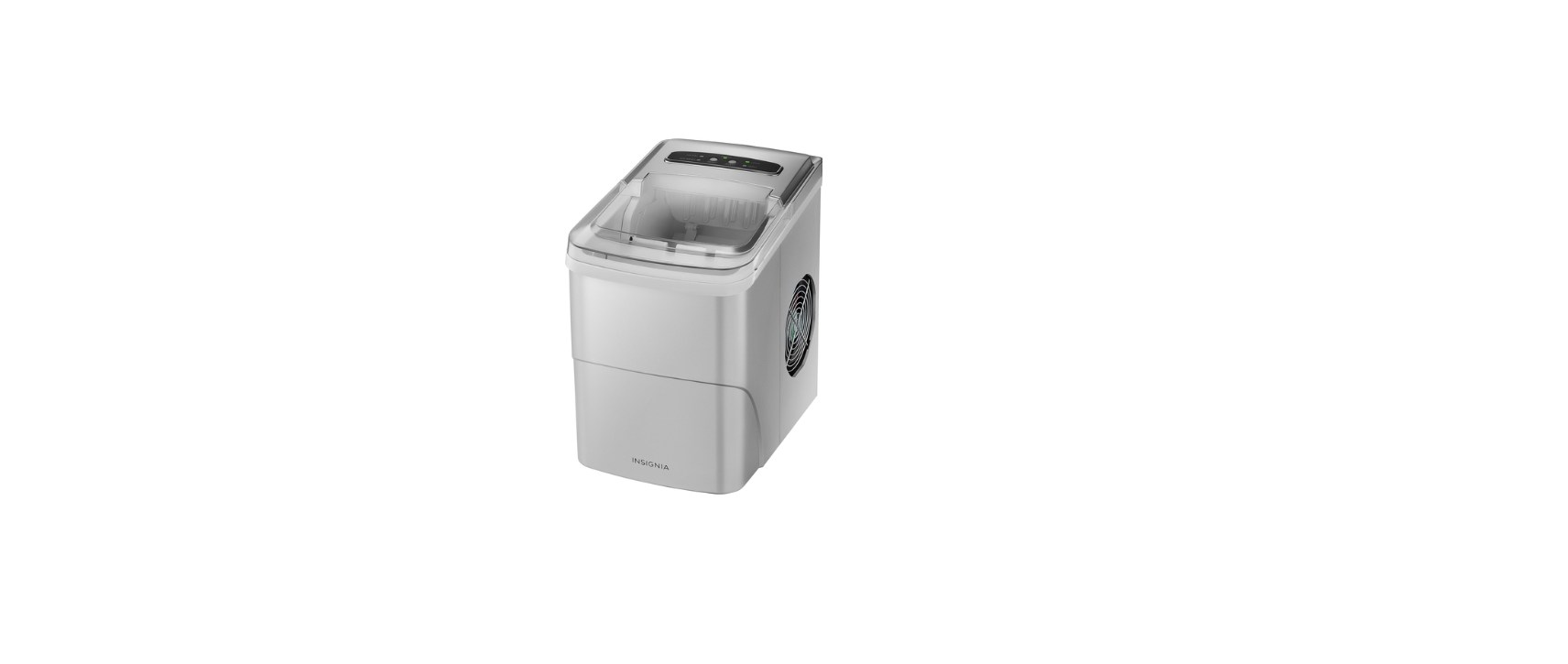

Insignia NS-IMP26BK7 26 lb Portable Ice Maker

Introduction
Congratulations on your purchase of a high-quality Insignia product. This model features a dry-erase front door panel, allowing you to mark notes and other information with the provided erasable markers.
Safety Instructions
- Do not use this appliance near water.
- Clean only with a damp cloth.
- Do not block any ventilation openings. Install according to the manufacturer’s instructions.
- Do not install near any heat sources such as radiators, heat registers, stoves, or other apparatus (including amplifiers) that produce heat.
- Do not defeat the safety purpose of the polarized or grounding-type plug.
- A polarized plug has two blades with one wider than the other.
- A grounding type plug has two blades and a third grounding prong.
- The wide blade or the third prong is provided for your safety.
- Do not attempt to modify or extend the power cord of this appliance.
- Make sure that the available AC power matches the voltage requirements of this appliance.
- Do not handle the plug with wet hands. This could result in an electric shock.
- Unplug the power cord by holding the plug, never by pulling the cord.
Electric Shock Hazard
- Keep ventilation openings in the appliance enclosure or built-in structure clear of obstruction.
- Do not touch the interior of the chiller compartment with wet hands. This could result in frostbite.
- Do not use mechanical devices or other means to accelerate the defrosting process, other than those recommended by the manufacturer.
- Do not damage the refrigerant circuit when handling, moving, or using the refrigerator.
- Do not use electrical appliances inside the food storage compartment of the refrigerator, unless they are of the type recommended by the manufacturer.
Grounding requirement
- This refrigerator must be grounded.
- This refrigerator is equipped with a cord having a grounding wire with a grounding plug.
- The plug must be inserted into an outlet that is properly installed and grounded.
- Improper use of the grounding plug can result in a risk of electric shock.
Features
- Produces up to 26 lbs. of ice a day
- Stores up to 1.1 lbs of ice at a time
- Water recycling system with a 2.11-quart reservoir
- Control panel with LED display
- Removable ice basket
- Low power consumption
Package contents
- Portable ice maker
- Ice scoop
- Ice basket
- Quick Setup Guide
Components

Control and display panel

Using your Maker
Preparing your ice maker
- Remove the exterior and interior packaging.
- Make sure that the ice basket and ice scoop are inside. If any parts are missing, please contact customer service.
- Remove the tape holding the ice scoop and ice basket.
- Clean the tank and ice basket with diluted detergent, warm water, and a soft cloth.
- Put the ice maker on a flat and level surface, out of direct sunlight and other sources of heat (such as a stove, furnace, or radiator).
- Make sure that the ice maker is positioned so that the plug is accessible and there is at least four inches (10 cm) of gap on all sides of the ice maker.
- Allow one hour for the refrigerant fluid to settle, then plug the ice maker into a grounded wall outlet.
Making ice
- Open the cover and remove the ice basket.
- Pour tap water into the tank up to the maximum water level mark.
- Press the ON/OFF button to turn on your ice maker. The indicator above the button turns on to show that the ice maker is running.
- Press the SELECT button to choose the size of ice produced.
- The ice-making cycle takes from 6 to 13 minutes to complete, depending on the ice cube size selected and the room temperature.
- The ice maker stops when the ice basket is full (the ICE FULL indicator turns on).
- Discard the first few batches of ice the first time you use the ice maker, or the first time you use it after an extended period of time.
Maintaining your Maker
Your ice maker is designed for year-round use with only minimal cleaning and maintenance. When you first receive it, wipe the outside with a mild detergent and warm water, then wipe dry with a dry cloth. Do this periodically to keep your ice maker looking new.
Cleaning the interior
- Unplug the ice maker.
- Take out the ice basket.
- Clean the interior with diluted detergent, warm water, and a soft cloth.
- Use clean water to rinse the inside parts, then drain the water by unplugging the drain cap on the front bottom side.
- Dry the interior with a clean soft cloth.
- When the machine is not to be used for a long time, drain the water completely and dry the interior.
Specifications

Troubleshooting

One Year Warranty
Definitions
The Distributor* of Insignia-branded products warrants to you, the original purchaser of this new Insignia-branded product (“Product”), that the Product shall be free of defects in the original manufacturer of the material or workmanship for one (1) year from the date of your purchase of the Product (“Warranty Period”).
How to obtain warranty service?
If you purchased the Product at a Best Buy retail store location or from a Best Buy online website, please take your original receipt and the Product to any Best Buy store. Make sure that you place the Product in its original packaging or packaging that provides the same amount of protection as the original packaging. To obtain warranty service, in the United States and Canada, call 1-877-467-4289. Call agents may diagnose and correct the issue over the phone.
Where is the warranty valid?
This warranty is valid only in the United States and Canada at Best Buy branded retail stores or websites to the original purchaser of the product in the country where the original purchase was made.
Customer Service
- Tel: 1-877-467-4289
- Visit: http://www.insigniaproducts.com
INSIGNIA is a trademark of Best Buy and its affiliated companies. Registered in some countries. Distributed by Best Buy Purchasing, LLC 7601 Penn Ave South, Richfield, MN 55423 U.S.A.
©2021 Best Buy. All rights reserved.
What does this warranty cover?
This warranty lasts as long as you own your Insignia Product during the Warranty Period. Warranty coverage terminates if you sell or otherwise transfer the Product.