

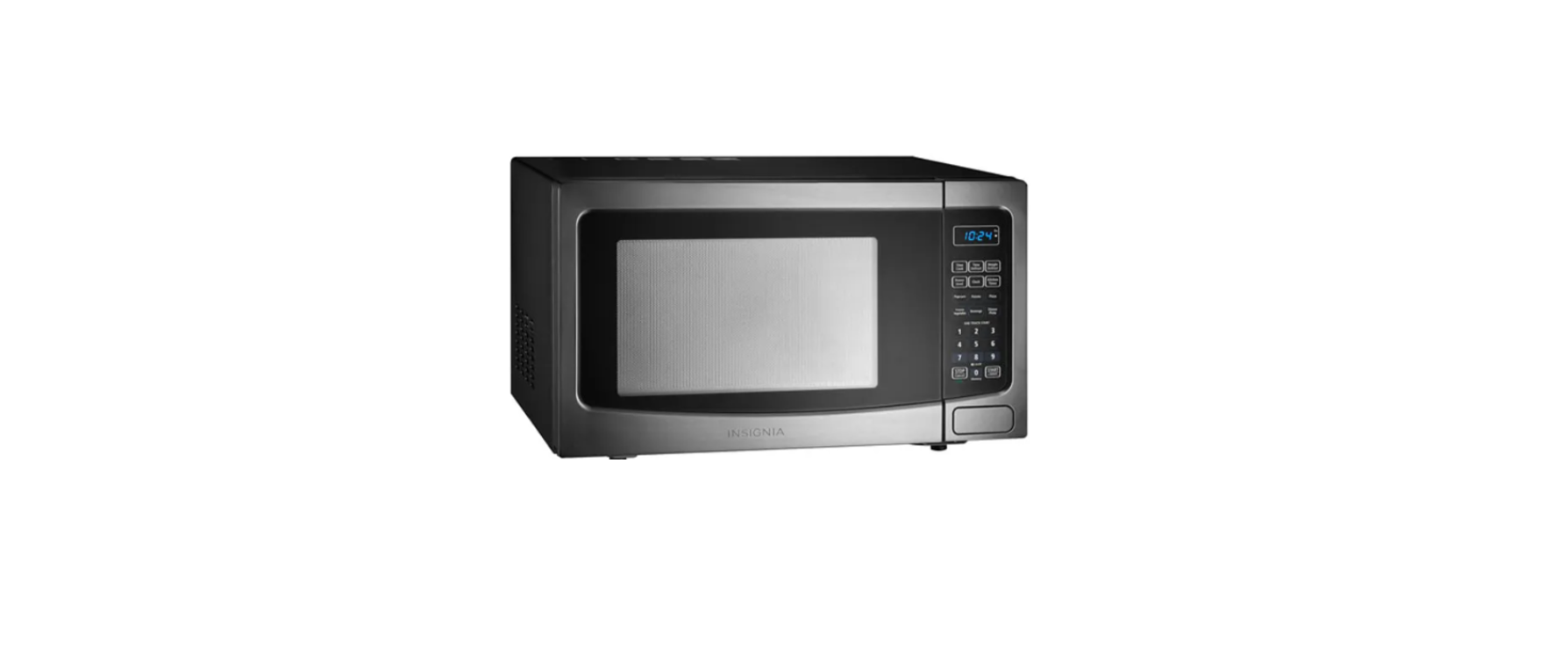
Insignia NS-MW11BS9 1.1 Cu. Ft. Microwave Oven

Introduction
Congratulations on your purchase of a high-quality Insignia product. This model features a dry-erase front door panel, allowing you to mark notes and other information with the provided erasable markers.
Safety Instructions
- Do not use this appliance near water.
- Clean only with a damp cloth.
- Do not block any ventilation openings.
- Do not defeat the safety purpose of the polarized or grounding-type plug.
- A grounding type plug has two blades and a third grounding prong.
- The wide blade or the third prong is provided for your safety.
- Do not attempt to modify or extend the power cord of this appliance.
- Make sure that the available AC power matches the voltage requirements of this appliance.
- Do not handle the plug with wet hands. This could result in an electric shock.
- Unplug the power cord by holding the plug, never by pulling the cord.
Electric Shock Hazard
- Keep ventilation openings in the appliance enclosure or built-in structure clear of obstruction.
- Do not touch the interior of the chiller compartment with wet hands. This could result in frostbite.
Grounding requirement
- This refrigerator must be grounded.
- This refrigerator is equipped with a cord having a grounding wire with a grounding plug.
- Improper use of the grounding plug can result in a risk of electric shock.
Features
- 1000W of power quickly heats food
- Six presets easily cook your favorite foods
- 12.4-inch (31.5 cm) turntable helps evenly heat food
- Internal LED light shows your food
- Eleven power levels heat food to perfection
- Black stainless steel finish looks great with any décor
- Stylish blue LED display provides easy control
Package contents
- Countertop Microwave
- Turntable (with ring)
- User Guide
Microwave oven


Control panel


Radio Interference
- Operation of the microwave oven may cause interference to your radio, TV, or similar equipment.
- When there is interference, it may be reduced or eliminated by taking the following measures:
- Clean the door and sealing surface of the oven.
- Reorient the receiving antenna of the radio or television.
- Move the microwave oven away from the receiver.
- Plug the microwave oven into a different outlet so that the microwave and receiver are on different branch circuits.
- Relocate the microwave oven with respect to the receiver.
Precautions to avoid possible exposure to excessive microwave energy
- Do not attempt to operate this oven with the door open since operation can result in harmful exposure to microwave
energy. It is important not to defeat or tamper with the safety interlocks. - Do not place any object between the oven front face and the door, or allow soil or cleaner residue to accumulate on
sealing surfaces. - Do not operate the oven if it is damaged. It is particularly important that the oven door closes properly and that there is
no damage to the:- Door (bent)
- Hinges and latches (broken or loosened)
- Door seals and sealing surface
- The oven should not be adjusted or repaired by anyone except properly qualified service personnel.
Cookware and Cooking Materials
Cookware and other materials must fit on the turntable. Always use oven mitts or pot holders because cookware may become hot.
- Fill a microwave-safe container with 1 cup (250 ml) of cold water, along with the cookware or materials in question.
- Cook on maximum power for one minute. Do not exceed one minute cooking time.
- Carefully feel the cookware or material. If the empty cookware or material is warm, do not use it for microwave cooking.g
Materials you can use

Materials to be avoided

Setting up your microwave oven
- Remove all packing material, protective film, and accessories. Do not remove the light brown Mica cover that is attached to the oven cavity to protect the magnetron.
- Check for any damage, such as dents or a broken door. Do not use the microwave if it is damaged.
- Select a level surface that provides enough open space for the vents:

- Plug your microwave into a power outlet.
Installing the turntable

Setting the clock and the timer
Setting the clock
- Press Clock. Your display shows “00:00”.
- Use the number pad to enter the current time (1:00–12:59), then press Clock to save the setting. The colon (:) flashes to count the seconds, and the clock is set.
Using the kitchen timer
- Press Kitchen Timer. The display shows “00:00” and the first digit flashes.
- Use the number pad to enter the time (up to 99 minutes and 99 seconds), then press START/+30SEC. When the time reaches 0, the buzzer rings.
Cooking with your microwave
Microwave cooking
- Press Time Cook, then use the number pad to enter the cooking time that you want.
- Press Power, then enter the power level that you want (0-10). The default power level is 100% (PL10).

- Press START/+30SEC to begin heating. The buzzer rings when the microwave is finished. OR For multi-stage cooking, repeat steps 1-2 to program the second stage, then press START/+30SEC. The buzzer will ring between stages and automatically move on to the second stage.
Cooking quickly
- Press START/+30SEC to instantly cook something at 100% power for 30 seconds. OR Press 1-6 on the number pad to instantly cook something at 100% power for 1-6 minutes.
- To increase the time in 30-second increments, press START/+30SEC repeatedly. The maximum cooking time is 99 minutes and 99 seconds.
Cooking with the auto menu
Popcorn
- Press Popcorn repeatedly until the weight of your popcorn bag (1.75, 3.0, or 3.5 ounces) is shown on the display.
- Press START/+30SEC to start. The buzzer sounds once, then cooks your popcorn.
Potato
- Press Potato repeatedly until the number of potatoes you’re cooking (1-3) is shown on the display. Note: Each potato is assumed to be 8 oz. (227 g). If your potato is large, select the amount based on the potato’s weight.

- Press START/+30SEC to start. The buzzer sounds once, then cooks your potato.
Frozen vegetables
- Press Frozen Vegetable repeatedly until the weight of your vegetables (4.0, 8.0, or 16.0 ounces) is shown on the display.
- Press START/+30SEC to start. The buzzer sounds once, then cooks your vegetables.
Beverages
- Press the Beverage repeatedly until the number of cups (1-3) is shown on the display.
- Press START/+30SEC to start. The buzzer sounds once, then heats your drink.
Dinner plate
- Press Dinner Plate repeatedly until the weight of your food (9.0, 12.0, or 18.0 ounces) is shown on the display.
- Press START/+30SEC to start. The buzzer sounds once, then heats your food.
Pizza
- Press Pizza repeatedly until the weight of your food (4.0, 8.0, or 14.0 ounces) is shown on the display.
- Press START/+30SEC to start. The buzzer sounds once, then heats your pizza.
Using a memorized procedure
Memorized procedures let you save heating operations (cook time and power level) that you use often. You must save a memorized procedure before using this feature. See “Saving a memory procedure ” on page 10 for instructions.
- Press 0/MEMORY repeatedly to choose the memorized procedure that you want (1-3), then press START/ ADD 30SEC.
Defrosting in Your Microwave
- Press Weight Defrost. The display shows “dEF1”.
- Use the number pad to enter the weight of the item to be defrosted (in ounces). The input weight must be between 4 to 100 ounces.
- Press START/+30SEC to start defrosting. The remaining cooking time is displayed.
- Press Time Defrost. The display shows “dEF2”.
- Use the number pad to enter the defrosting time you want. The time range must be between 00:01 and 99:99.
- Press START/+30SEC to start defrosting. The remaining cooking time is displayed.
Changing other microwave settings
Using the child lock
- To lock the microwave, press and hold STOP/Cancel for three seconds while in standby mode. The microwave beeps, and a box appears on the display.
- To unlock the microwave, press and hold STOP/Cancel for three seconds until the microwave beeps, then the display goes back to standby mode.
Muting your microwave
- To mute or unmute your microwave, press and hold the 8 button for three seconds while in standby mode. The microwave beeps and mutes or unmutes.
Using power saving mode
- While in standby mode, press STOP/Cancel briefly to turn off the display.
Checking the time or power level
- To check the time while cooking a meal, press Clock. The display shows the current time for three seconds, then returns to the cooking time remaining.
- To check the power level while cooking a meal, press Power.
Note: If you need to change the power level, cancel the cooking operation, then restart it.
Saving a memory procedure
Memorized procedures let you save heating operations (cook time and power level) that you use often. You can save up to three procedures. See “Using a memorized procedure ” on page 10 to use a memorized procedure.
- Press 0/Memory repeatedly to choose the memorized number (1-3) that you want to use.
- The default power level is 100% (PL10).

- You can only add two stages to a memorized procedure.
- Press START/+30SEC. The buzzer beeps, and the display shows the memorized procedure number.
- Press START/+30SEC again to run the procedure.
Cleaning and maintaining your microwave
Cleaning the outside of your microwave
Exterior
- The outside surface is precoated steel and plastic.
- Do not use any type of household or abrasive cleaner.
Door
- Wipe the window on both sides with a damp cloth to remove any spills or spatters.
- Avoid the use of spray and other harsh cleaners as they may stain, streak, or dull the door surface.
Control panel
- Wipe the panel with a cloth dampened slightly with water only.
- Dry with a soft cloth. Do not scrub or use any sort of chemical cleaners.
- Close the door and press STOP/Cancel to clear any buttons you may have pressed.
Cleaning the inside of your microwave
Interior
- Wipe with a soft cloth and warm water. Do not use abrasive or harsh cleaners or scouring pads.
Waveguide cover
- The waveguide cover is located on the side wall inside the microwave cavity.
- Keep the waveguide cover clean to assure good microwave performance.
- Carefully wipe with a damp cloth any food spatters from the surface of the cover immediately after they occur.
- Built-up splashes may overheat and cause smoke or possibly catch fire.
Removing odors
- To remove, combine one cup (.25 L) of water, grated peel, and juice of one lemon, and several whole cloves in a two-cup (.5 L) glass measuring cup.
- Wipe the interior with a soft cloth.
Turntable
- Remove the turntable and wash it in mild, sudsy water.
- For stubborn stains, use a mild cleanser and a non-abrasive scouring sponge.
Troubleshooting

One Year Warranty
Definitions
The Distributor* of Insignia-branded products warrants to you, the original purchaser of this new Insignia-branded product (“Product”), that the Product shall be free of defects in the original manufacturer of the material or workmanship for one (1) year from the date of your purchase of the Product (“Warranty Period”).
How to obtain warranty service?
Make sure that you place the Product in its original packaging or packaging that provides the same amount of protection as the original packaging. To obtain warranty service, in the United States and Canada, call 1-877-467-4289. Call agents may diagnose and correct the issue over the phone.
Where is the warranty valid?
This warranty is valid only in the United States and Canada at Best Buy branded retail stores or websites to the original purchaser of the product in the country where the original purchase was made.
Customer Service
- Tel: 1-877-467-4289
- Visit: http://www.insigniaproducts.com
INSIGNIA is a trademark of Best Buy and its affiliated companies. Registered in some countries. Distributed by Best Buy Purchasing, LLC 7601 Penn Ave South, Richfield, MN 55423 U.S.A.