Close Menu
onyxguides.comonyxguides.com

    Subscribe to Updates

    Get the latest creative news from FooBar about art, design and business.

    What's Hot

    How To Connect Hp Deskjet Printer To Wi-Fi

    March 27, 2026

    GENEINNO GTP-EXCAM1 T1 Pro External Camera User Manual

    March 27, 2026

    How Does A Projector Work

    March 26, 2026
    Facebook X (Twitter) Instagram
    onyxguides.comonyxguides.com
    Facebook X (Twitter) Instagram Pinterest
    • Home
    • About us
    • Terms & Conditions
    • Privacy Policy
    • FAQs
    • Contact us
    onyxguides.comonyxguides.com
    Home » INSIGNIA NS-G3DSVC101 3DS XL Vault Case Instruction Manual
    Insignia

    INSIGNIA NS-G3DSVC101 3DS XL Vault Case Instruction Manual

    By Gabriel SmithSeptember 30, 2025No Comments2 Mins Read
    Facebook Twitter Pinterest LinkedIn Tumblr WhatsApp Telegram Email
    insignia-ns-g3dsvc101-3ds-xl-vault-case-featured
    Share
    Facebook Twitter LinkedIn Pinterest Email

    INSIGNIA-logo

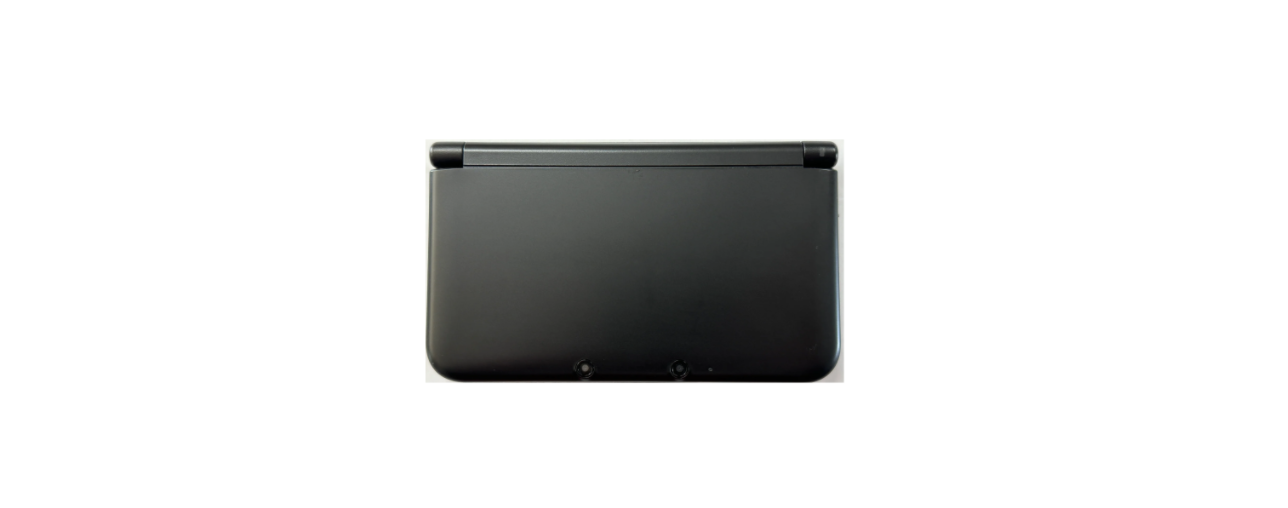
    INSIGNIA NS-G3DSVC101 3DS XL Vault Caseinsignia-ns-g3dsvc101-3ds-xl-vault-case-product

    Pakage Contents

    • Vault case
    • Quick Setup Guide

    Features

    • Protects your 3DS or 3DS XL from damage
    • Holds your games, SD cards, and stylus
    • Easy to install and remove

    Inserting

    1. Slide the latch, then lift the cover to open the case.insignia-ns-g3dsvc101-3ds-xl-vault-case-figure

    If you have a 3DS XL, insert it into the case as shown belowinsignia-ns-g3dsvc101-3ds-xl-vault-case-figur-2

    If you have a 3DS, move the padding in the lid to the bottom of the case, then insert your 3DS as shown below.insignia-ns-g3dsvc101-3ds-xl-vault-case-figur-3

    1. Close the lid until you hear a click.

    Storing Your Games and Accessories

    • Gently push your games, SD cards, and INSIGNIA NS-G3DSVC101 3DS XL Vault Case stylus into the slots until you hear a click.k

    insignia-ns-g3dsvc101-3ds-xl-vault-case-figur-4

    One-Year Limited Warranty

    • Visit www.insigniaproducts.com for details.

    Cuatomer service

    • Call: 1-877-467-4289 (U.S. and Canada)
    • Visit: www.insigniaproducts.com

    FAQs

    Q: What devices is this vault case compatible with?

    Ans: It is made especially for the New 3DS XL and Nintendo 3DS XL models. It is incompatible with both the conventional 2DS and 3DS systems.

    Q: Is this case suitable for travel or carry-on use?

    Ans: Yes. The hard shell offers impact resistance, making it ideal for travel in backpacks, luggage, or carry-on bags.

    Q: Does the case protect against drops and scratches?

    Ans: Of course. While the soft-lined interior guards against scratches, the stiff outer shell shields against drops.

    Q: Can I store game cartridges inside the case?

    Ans: Indeed. Multiple game cards can be safely stored in the case’s specialised cartridge slots.

    Q: Is there room for accessories like chargers or earbuds?

    Ans: Although there is a mesh pocket for tiny accessories like charging cables or earbuds, it is too small to hold a full AC adaptor.

    Q: Does the case use zippers or a magnetic closure?

    Ans: Your 3DS XL and its accessories will remain securely contained thanks to the vault case’s zipper closing.

    Q: How do I clean the case?

    Ans: Use a moist cloth to clean the outside. Avoid washing in a machine or submerging. Use a dry microfiber towel on the inside.

    Q: How heavy is the case?

    Ans: Use a moist cloth to clean the outside. Avoid washing in a machine or submerging. Use a dry microfiber towel on the inside.

    Buy INSIGNIA NS-G3DSVC101 3DS XL Case Online INSIGNIA 3DS XL Protective Case NS-G3DSVC101 INSIGNIA 3DS XL Travel Case NS-G3DSVC101 INSIGNIA NS-G3DSVC101 3DS XL Vault Case INSIGNIA NS-G3DSVC101 Hard Shell 3DS XL Case
    Share. Facebook Twitter Pinterest LinkedIn Tumblr Email
    Gabriel Smith

      Related Posts

      Insignia NS-AF5DSS2 Digital Control Air Fryer User Manual

      October 27, 2025

      INSIGNIA NS-S6CCBK2 6-Sheet Cross Cut Shredder User Manual

      October 23, 2025

      INSIGNIA NS-DWH2BS8 Top Control Dishwasher User Manual

      October 23, 2025

      INSIGNIA NS-DWR3SS1 Top Control Dishwasher User Manual

      October 23, 2025

      INSIGNIA NS-MW12SS6 1.2 Cu. Ft. Microwave Oven User Manaul

      October 23, 2025

      INSIGNIA NS-CF43SS6 4.3 Cubic Refrigerator User Manual

      October 23, 2025
      Add A Comment

      Comments are closed.

      Don't Miss
      Other

      How To Connect Hp Deskjet Printer To Wi-Fi

      March 27, 2026

      Introduction The printer is a very useful device. The people in offices or at home…

      GENEINNO GTP-EXCAM1 T1 Pro External Camera User Manual

      March 27, 2026

      How Does A Projector Work

      March 26, 2026

      Swellpro GC3-S Waterproof 4K 3 Axis Gimbal Camera User Guide

      March 26, 2026
      Stay In Touch
      • Facebook
      • Twitter
      • Pinterest
      • Instagram
      • YouTube
      • Vimeo

      Subscribe to Updates

      Subscribe to Updates

      Follow us

      Facebook X-twitter Instagram Pinterest

      © 2025 All rights reserved Onyx Guide.