Close Menu
onyxguides.comonyxguides.com

    Subscribe to Updates

    Get the latest creative news from FooBar about art, design and business.

    What's Hot

    DJI Neo 4K UHD Camera QuickShots Mini Drone User Manual

    February 10, 2026

    Marshall CV506-H12 Miniature High-Speed Camera User Guide

    February 9, 2026

    Marshall V-702W-12G-V2 Rack Mount Monitor User Guide

    February 9, 2026
    Facebook X (Twitter) Instagram
    onyxguides.comonyxguides.com
    Facebook X (Twitter) Instagram Pinterest
    • Home
    • About us
    • Terms & Conditions
    • Privacy Policy
    • FAQs
    • Contact us
    onyxguides.comonyxguides.com
    Home » Insignia NS-GSC101 Slim Fit Nintendo Case User Manual
    Insignia

    Insignia NS-GSC101 Slim Fit Nintendo Case User Manual

    By Gabriel SmithSeptember 30, 2025No Comments3 Mins Read
    Facebook Twitter Pinterest LinkedIn Tumblr WhatsApp Telegram Email
    Insignia-NS-GSC101-Slim-Fit-Nintendo-Case-featured
    Share
    Facebook Twitter LinkedIn Pinterest Email

    INSIGNIA-logo

    Insignia NS-GSC101 Slim Fit Nintendo Case

    Insignia-NS-GSC101-Slim-Fit-Nintendo-Case-PRODUCT

    Attaching the Slim Fit Case

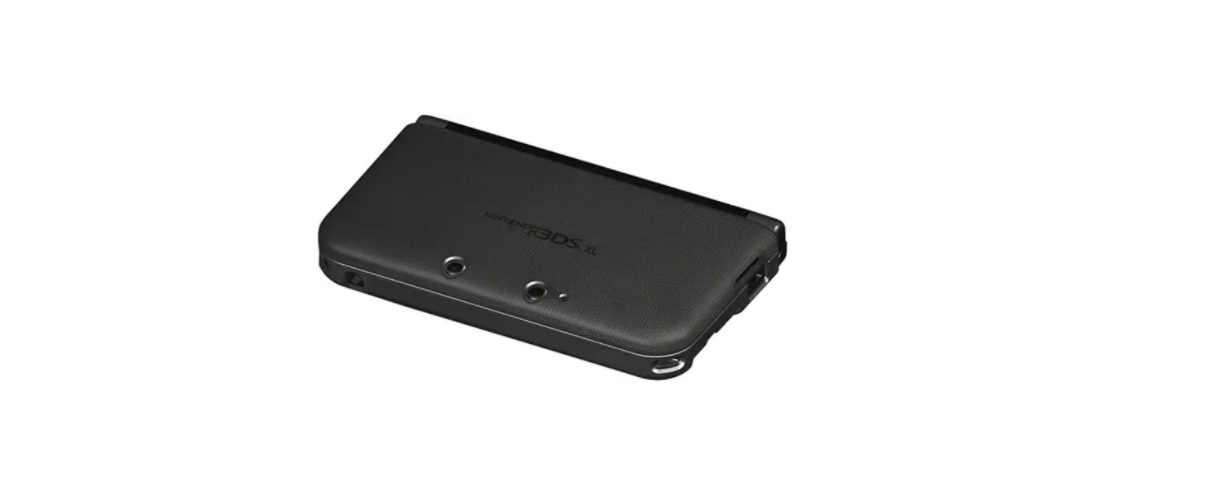
    1. Slide the 3DS XL® system bottom first into the BOTTOM piece of the Slim Fit Case and then snap the case onto the 3DS® XL system.Insignia-NS-GSC101-Slim-Fit-Nintendo-Case-FIGURE-1
    2. Slide the front of the TOP piece of the Slim Fit Case onto the top of the 3DS XL® system and then snap the case onto the 3DS XL® system.
    3. The charging cradle cannot be used to charge the Nintendo 3DS XL with the product attached. Please charge by plugging the DC plug of the AC adapter to the AC adapter connector of the Nintendo 3DS XL. Also, when charging the Nintendo 3DS XL with the DC plug of the AC adapter plugged into the AC adapter connector, please do not open the Nintendo 3DS XL to a full 180° as it may damage the system.
    Removing the Slim Fit Case
    1. Firmly hold the 3DS XL system and pull the tab locks off.
    2. Slide the case off the system as shown.
    3. Continue to firmly hold the 3DS XL® system and locate the tab locks on the TOP piece of the Slim Fit Case. Release the Tab Locks and remove the TOP piece of the Slim Fit Case as shown.

    FAQs

    Q: Which Nintendo devices are compatible with this Slim Fit Case?

    Ans: The Nintendo Switch (standard model) is compatible with the NS-GSC101. The Switch Lite and Switch OLED do not fit it tightly.

    Q: Is this case suitable for travel or daily carry?

    Ans: Indeed. Its lightweight design and small profile make it perfect for handbags, backpacks, and short journeys without adding bulk.

    Q: Does the case protect my Switch from damage?

    Ans: Of course. It has an inside flap to prevent Insignia NS-GSC101 Slim Fit Nintendo Case scratches on the screen and a semi-rigid casing to defend against bumps and light drops.

    Q: Can I store game cartridges inside the case?

    Ans: Indeed. Up to ten game cards can fit inside the case’s integrated cartridge flap, which keeps them safe and neat.

    Q: Is there room for cables or accessories?

    Ans: Very little. The small form of the case allows it to fit both the game cards and the console. Chargers and other bulky goods won’t fit inside.

    Q: What kind of closure does the case use?

    Ans: For convenient access and safe storage, it has a zippered closing with smooth, double zippers.

    Q: How should I clean the case?

    Ans: Use a moist, soft cloth to clean the outside. Steer clear of solvents. A dry microfiber towel can be used to dust the interior.

    Buy Insignia NS-GSC101 Nintendo Case Online Insignia NS-GSC101 Hard Shell Nintendo Case Insignia NS-GSC101 Protective Nintendo Case Insignia NS-GSC101 Slim Fit Nintendo Case Insignia NS-GSC101 Travel Case for Nintendo
    Share. Facebook Twitter Pinterest LinkedIn Tumblr Email
    Gabriel Smith

      Related Posts

      Insignia NS-AF5DSS2 Digital Control Air Fryer User Manual

      October 27, 2025

      INSIGNIA NS-S6CCBK2 6-Sheet Cross Cut Shredder User Manual

      October 23, 2025

      INSIGNIA NS-DWH2BS8 Top Control Dishwasher User Manual

      October 23, 2025

      INSIGNIA NS-DWR3SS1 Top Control Dishwasher User Manual

      October 23, 2025

      INSIGNIA NS-MW12SS6 1.2 Cu. Ft. Microwave Oven User Manaul

      October 23, 2025

      INSIGNIA NS-CF43SS6 4.3 Cubic Refrigerator User Manual

      October 23, 2025
      Add A Comment

      Comments are closed.

      Don't Miss
      DJI

      DJI Neo 4K UHD Camera QuickShots Mini Drone User Manual

      February 10, 2026

      DJI Neo 4K UHD Camera QuickShots Mini Drone Overview Forward-Facing LiDAR [1] Omnidirectional Vision…

      Marshall CV506-H12 Miniature High-Speed Camera User Guide

      February 9, 2026

      Marshall V-702W-12G-V2 Rack Mount Monitor User Guide

      February 9, 2026

      Makita VC2211M Wet & Dry Vacuum Cleaner Instruction Manual

      February 8, 2026
      Stay In Touch
      • Facebook
      • Twitter
      • Pinterest
      • Instagram
      • YouTube
      • Vimeo

      Subscribe to Updates

      Subscribe to Updates

      Follow us

      Facebook X-twitter Instagram Pinterest

      © 2025 All rights reserved Onyx Guide.