

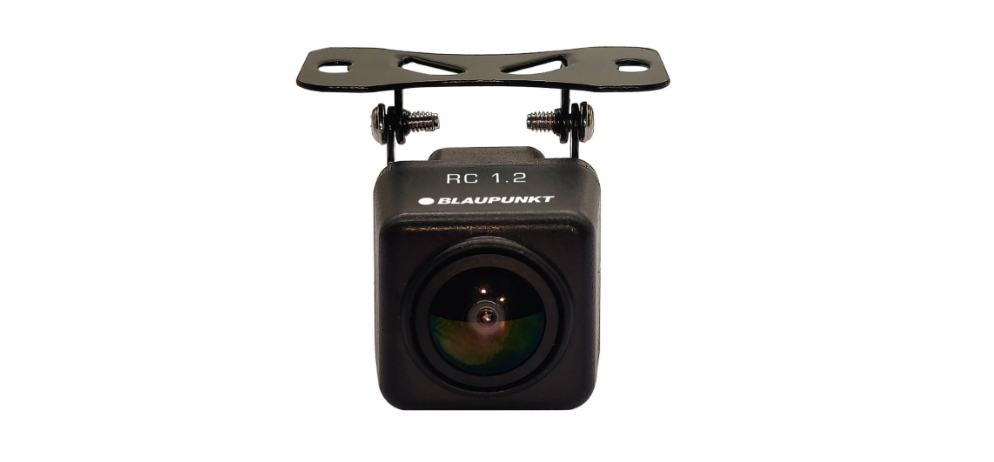

BLAUPUNKT RC 1.2 Reverse Parking Camera
Safety Instructions
- This vehicle security system has been manufactured according to established safety guidelines.
- However, dangers may still occur if the safety notes BLAUPUNKT RC 1.2 Reverse Parking Camera in this manual are not observed.
- Assign a mounting location that will not obstruct the driver in any circumstances.
- Or cause injuries to drivers and passengers in case of an emergency brake or accidents.
- Ensure all wires are connected properly and that the unit is functioning well before fitting the unit to the mount.
- Always use only the parts that are included with the units.
- Do not damage vehicle components when drilling holes for the mount.
- This unit is applicable for front and reverse AHD camera use.
- Consult an authorized Blaupunkt dealer during installation.
- The unit does not record video.
Installation Diagram
Rear Camera
Front Camera
Installation Location

Tail Light
- Remove one side of the reverse light socket from its housing, then remove the bulb from its socket.
- Connect the reverse light power cable to the BLAUPUNKT RC 1.2 Reverse Parking Camera camera, screwn the housing & camera back into position with a screwdriver.
Hatch Handle
- Use a screwdriver to remove the original hatch handle
- Mount the camera where the original hatch handle used to be
Car Plate
- Remove the rotating mount before installation. Drill an access hole for the camera cable.s
- Mount the camera onto the access hole & secure it in position with 3M tape/ screw.s
Adjust Viewing Angle
Front/Reverse Camera
Reverse Camera Wiring (Remove Parking Line)
- Reverse Camera: Do not cut the wires when using as a reverse camera.
- Reverse Camera: Cut the blue wire when using G as a reverse camera to remove the parking line.
Front Camera Wiring (Flip Viewing Display & Remove Parking Line) 
- Reverse Camera: Do not cut the wire when using it as a reverse camera.
- Front Camera: Cut white & blue wires when using as a front camera to display & remove parking line.
Specifications
| Features | RC1.2 |
| CMOS Image Sensor | ü |
| NTSC TV System | ü |
| Effective Pixels | 652 (H) x 492 (V) |
| 750TVL Image Resolution | ü |
| 25 Frame Per Second | ü |
| Exposure & Gain Control | ü |
| 1/60~1/100000sec Electronic Shutter | ü |
| Auto White Balance | ü |
| Illumination Min. | 0.1 Lux/F |
| Horizontal View | 140°H |
| Vertical View | 105°V |
| Diagonal View | 170°D |
| DC12V Voltage | ü |
| Current | 160mA-180mA |
| DC9-16V Operating Voltage Range | ü |
| Operating Temperature | -20-60°C |
| Storage Temperature | -20-60°C |
| Protection Grade | IP68 |
| RCA/4 PIN DIN | ü |
| Lens | 4-Layer Lens |
Troubleshooting
If any of the following problems occur, please resort to troubleshooting for the possible solutions. Consult a Blaupunkt authorized dealer if the problem persists.
| Problem | Solution |
| The display monitor/car radio does not show the reverse view when reversing. | Restart the display monitor/car radio. |
| The reverse view does not show even after restarting the display monitor/ car radio. | Examine if the power supplies of the reverse light or the rear car plate light are properly connected. |
| The reverse view does not show, even though the power supplies of the reverse light or the rear car plate light are properly connected. | Examine if the power supply cables of the reverse light or the rear car plate lights are damaged. Repair/replace if the cables are damaged. |
Customer Service
- Tel: 1800 252 878 658
- Visit: http://www.blaupunkt.com
- Scan:

FAQs
Q: What vehicles is the BLAUPUNKT RC 1.2 compatible with?
Ans: With the majority of vehicles, trucks, and SUVs that have a common video input for rearview cameras, the RC 1.2 is made to work with them all.
Q: How is the camera installed on my vehicle?
Ans: The camera is simple to install on the rear bumper or license plate area, and it uses a wired video connection to link to your car’s display system. The handbook offers detailed installation instructions.
Q: Does the RC 1.2 camera work in low-light or nighttime conditions?
Ans: In order to improve safety when reversing in poor light or at night, the camera does indeed have infrared LED lights.
Q: Can the camera image be displayed on any screen in my car?
Ans: Most in-car monitors, head units, or aftermarket displays that use a composite video input can use the standard video signal that the camera produces.
Q: Does the camera have parking guide lines?
Ans: In order to assist you measure distances and properly position your car when reversing, the RC 1.2 does indeed have dynamic parking guidance lines.
Q: Is the camera waterproof and weather-resistant?
Ans: Because of its IP67-rated waterproof construction, the RC 1.2 is dependable and long-lasting in any weather.
Q: How is the camera powered?
Ans: When the car is in reverse gear, the camera automatically turns on since it usually gets its power from the reverse light circuit.
Q: Can I adjust the camera angle?
Ans: Yes, depending on the setup of your car, the angle of the camera’s mounting bracket can be changed to provide the best rearward views.