Close Menu
onyxguides.comonyxguides.com

    Subscribe to Updates

    Get the latest creative news from FooBar about art, design and business.

    What's Hot

    DJI Neo 4K UHD Camera QuickShots Mini Drone User Manual

    February 10, 2026

    Marshall CV506-H12 Miniature High-Speed Camera User Guide

    February 9, 2026

    Marshall V-702W-12G-V2 Rack Mount Monitor User Guide

    February 9, 2026
    Facebook X (Twitter) Instagram
    onyxguides.comonyxguides.com
    Facebook X (Twitter) Instagram Pinterest
    • Home
    • About us
    • Terms & Conditions
    • Privacy Policy
    • FAQs
    • Contact us
    onyxguides.comonyxguides.com
    Home » LEZYNE HB STVZO 500-R0B2 LED Front Light User Manual
    LEZYNE

    LEZYNE HB STVZO 500-R0B2 LED Front Light User Manual

    By Gabriel SmithOctober 7, 2025Updated:October 7, 2025No Comments6 Mins Read
    Facebook Twitter Pinterest LinkedIn Tumblr WhatsApp Telegram Email
    LEZYNE-HB-STVZO-500-R0B2-LED-Front-Light-featured
    Share
    Facebook Twitter LinkedIn Pinterest Email

    lezyne-logo

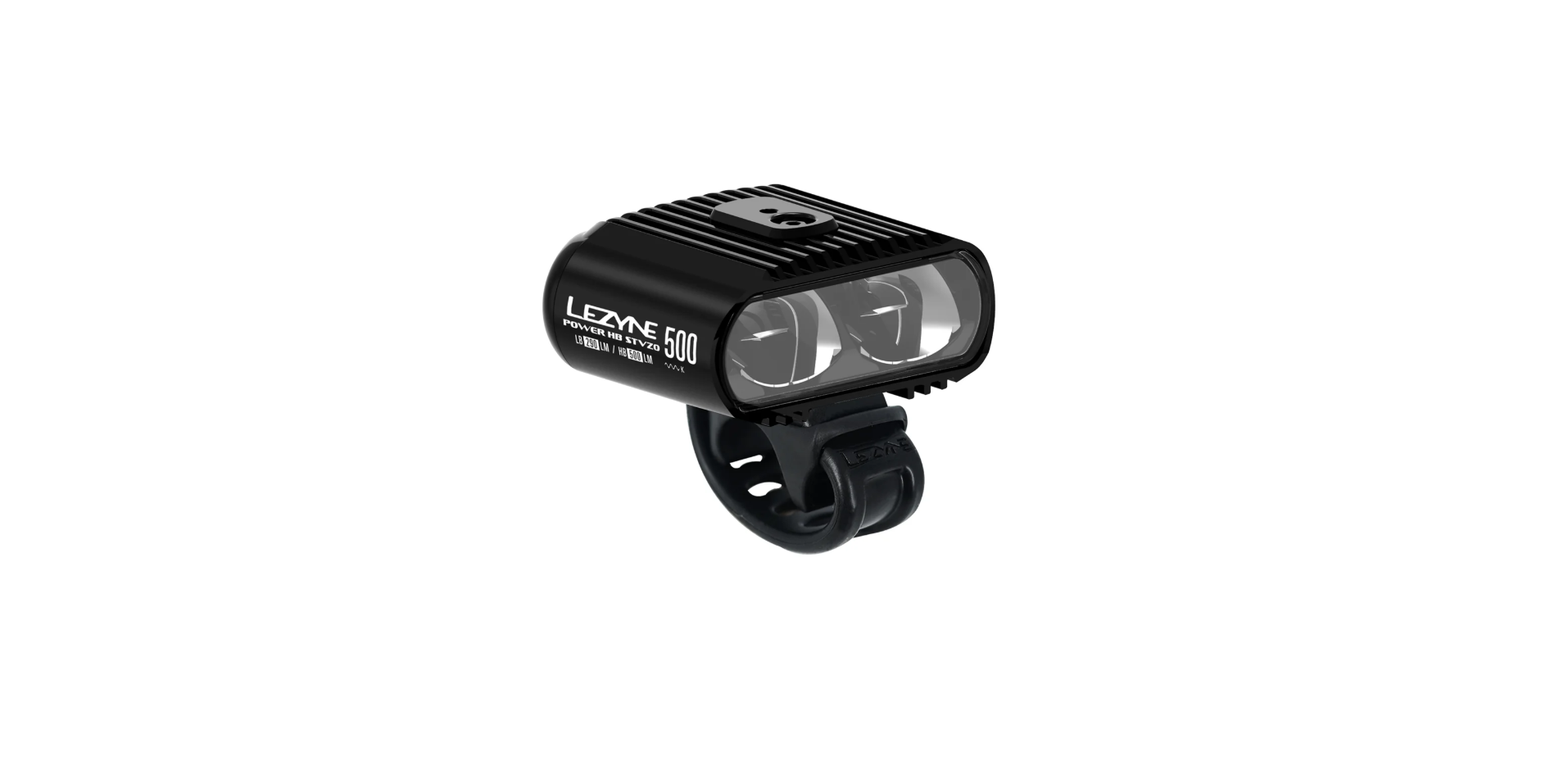
    LEZYNE HB STVZO 500-R0B2 LED Front Light

    LEZYNE-HB-STVZO-500-R0B2-LED-Front-Light-product

    Installation

    Mounting

    LEZYNE-HB-STVZO-500-R0B2-LED-Front-Light-figure-1

    LEZYNE-HB-STVZO-500-R0B2-LED-Front-Light-figure-2

    The headlamp must be fixed in such a way that the headlamp can not adjust itself or be easily adjusted. The required torque for adjustment must be at least 5 Nm a�er fixing. If, at the mounting position�, these requirements can not be met, the adhesion at the point of attachment must be increased by external means (e, use an adhesive spray or roughen the surface).

    Direct X-lock Stem Mount (Loaded only)

    LEZYNE-HB-STVZO-500-R0B2-LED-Front-Light-figure-3

    • Use a torque wrench with a 4mm hex and tighten to 2.5–3N·m (25-30 kgf*cm)

    LEZYNE-HB-STVZO-500-R0B2-LED-Front-Light-figure-4

    LEZYNE-HB-STVZO-500-R0B2-LED-Front-Light-figure-5

    • Use a torque wrench with a 4mm hex and �tighten to 1.7–2 N·m (18-20 kgf*cm)
    LEZYNE-HB-STVZO-500-R0B2-LED-Front-Light-figure-6Waterproof Secure
    • 5.2×10 Nylon Washer
    • Cap Screw M5X11mmLEZYNE-HB-STVZO-500-R0B2-LED-Front-Light-figure-7
    • Supplied in a zip bag inside packaging

    LEZYNE-HB-STVZO-500-R0B2-LED-Front-Light-figure-8

    Use a torque wrench with a 4mm hex and �tighten to 1.7–2 N·m (18-20 kgf*cm)

    Apply friction paste (Loaded only)

    Use the supplied fric�on paste and apply a thin layer on both sides of the adapter surface where it contacts the mount, for improved stability.

    LEZYNE-HB-STVZO-500-R0B2-LED-Front-Light-figure-9

    Remote Switch

    Use the supplied O-ring to attach the Remote Switch to the handlebars. The rubber pad must be in contact with the surface of the bar.

    Plug the Remote Switch cable into the rear Micro-USB port. The Remote Switch bu�on will now operate the light the same way as the bu�on on the light. High beam mode: Remote Switch bu�on Illuminates solid blue.

    The light must be mounted at a height between 400 mm and 1200 mm from the ground. Important: Ensure that the light is not obstructed or covered by any other parts or accessories on the bike.

    Operation

    1. On/Off: Hold the button down for two (2) seconds.
    2. Toggle modes: Click the button

    MODE MEMORY

    • The light remains in the output se�ng it is switched off.

    NOTE: Use the Remote Switch to control the light in any situation while riding.

    Run Times and Modes

    Battery Indicator

    An LED, located in the button�on the display the current battery status while the light is ON. When light is OFF, click bn once to momentarily display battery status.

    If the battery indicator turns red, please charge the battery immediately.

    Charging

    Before using your Lezyne LED Light for the first time, fully charge the battery. To charge your light:

    1. Switch tch light OFF
    2. Remove the B protective cover
    3. Insert the USB plug into a powered USB port
    4. Once charging, the battery will flash green. If the USB-C does not flash when plugged in, he selected USB port may not be powered—try another USB port. Charging may take up to 5 or 6 hours, depending on battery level. Light is fully charged when the button turns solid green or blue.
    5. Remove light from charger and reinstall USB protective cover—ensure protective cover is fully
      sealed for best water resistance.

    More Information

    For more information on Lezyne products, visit: www.lezyne.com

    Warranty

    In order to claim our warranty, you must have the original proof of purchasing documentation for the product, including but not limited to Order Number and QR Code, and present it when requested. This guarantee is valid for the original retail purchaser from the date of initial retail purchase and is not transferable.

    Upon receipt of your claim, Gevi will seek to resolve your difficulties. Should your product develop any defect within 12 months of purchase because of LEZYNE HB STVZO 500-R0B2 LED Front Light faulty materials or workmanship, we will repair or replace this product or any component of the product, at our discretion.

    Our replacement or repair warranty only applies where a defect arises as a result of faulty material or workmanship during the warranty period. Your warranty does not cover misuse or negligent handling (including damage caused by failing to use the product by this instruction booklet), accidental damage, normal wear and tear, or lack of maintenance. Do not attempt to repair or adjust any electrical or mechanical functions on this product. Doing so will void this guarantee.

    • power surges, power dips, voltage supply GEVI GECMD008-U 4-Cup Drip Coffee Machine problems, or use of the product on incorrect voltage;
    • servicing or modification of the product other than by Gevi or an authorized Gevi service center;
    • use of the product with other accessories, attachments, product supplies, parts, or devices that do not conform to Gevi specifications; or

    Customer Support

    For any questions relating to Gevi-branded products(coffee machines, grinders, milk frothers, toasters, air fryers, and related accessories), please contact us through the information below.

    • Web: https://www.gevilife.com
    • E-mail: gevi-home@gevi-home.com
    • Phone: 855-9922-888
    • FB: https://bit.ly/3pqt61v
    • YT: https://bit.ly/3fxrFqq

    FAQs

    Q: What does “STVZO” mean in the context of this front light?

    Ans: The German Road Traffic Licensing Regulations, or STVZO for short, are known as the Straßenverkehrs-Zulassungs-Ordnung. These standards are met by the LEZYNE HB STVZO 500-R0B2, which is road-legal in Germany and a large portion of the EU and features a specially created beam pattern that prevents glare.

    Q: What type of bike is the HB STVZO 500-R0B2 best suited for?

    Ans: For road riders, touring cyclists and urban commuters who need a forward-facing beam with a cutoff line to avoid blinding other drivers in low light, this light is perfect.

    Q: Does the light remember the last mode used?

    Ans: Yes, the light has mode memory, which allows it to conveniently switch back to the last mode it was in.


    Q: Is the light waterproof or weather-resistant?

    Ans: The light can withstand splashes and severe rain because it has an IPX7 rating.

    Q: Is this light compatible with helmet mounting?

    Ans: No, this variant is made especially to mount on a handlebar. Because of its weight, form, and beam orientation, which are all optimised for horizontal mounting, helmet compatibility is not offered.

    Q: Can I use this light during the day for visibility?

    Ans: Of course. Even while the eco or normal setting is most suited for riding at night and in low light, it can improve your visibility to other drivers during the day, particularly in inclement weather.

    Q: Can I replace the battery?

    Ans: For service alternatives, get in touch with Lezyne support if the battery deteriorates over time.

    Q: Where can I find firmware updates or a digital manual?

    Ans: To download the most recent user manual, firmware information (if applicable), and troubleshooting hints, go to www.lezyne.com and search for HB STVZO 500-R0B2.

    LED Bike Headlight Mounting LED Front Light User Guide LEZYNE Front Light Manual LEZYNE Headlamp User Instructions STVZO 500-R0B2 Instructions
    Share. Facebook Twitter Pinterest LinkedIn Tumblr Email
    Gabriel Smith

      Related Posts

      LEZYNE 72644 Aluminum Go PRO LED Adapter User Manual

      November 5, 2025

      LEZYNE 74399 Wahoo GPS Forward Mount Instructions Manual

      November 5, 2025

      LEZYNE 74602 Presta PRO Floor Pump User Manual

      November 2, 2025

      LEZYNE 74568 LED FEMTO USB C Series Light User Manual

      October 17, 2025

      LEZYNE MICRO STVZO 300+ LED Flashlight Installation

      October 7, 2025

      LEZYNE CLASSIC DRIVE 500+ Front Bike Light Installation

      October 7, 2025
      Add A Comment

      Comments are closed.

      Don't Miss
      DJI

      DJI Neo 4K UHD Camera QuickShots Mini Drone User Manual

      February 10, 2026

      DJI Neo 4K UHD Camera QuickShots Mini Drone Overview Forward-Facing LiDAR [1] Omnidirectional Vision…

      Marshall CV506-H12 Miniature High-Speed Camera User Guide

      February 9, 2026

      Marshall V-702W-12G-V2 Rack Mount Monitor User Guide

      February 9, 2026

      Makita VC2211M Wet & Dry Vacuum Cleaner Instruction Manual

      February 8, 2026
      Stay In Touch
      • Facebook
      • Twitter
      • Pinterest
      • Instagram
      • YouTube
      • Vimeo

      Subscribe to Updates

      Subscribe to Updates

      Follow us

      Facebook X-twitter Instagram Pinterest

      © 2025 All rights reserved Onyx Guide.