

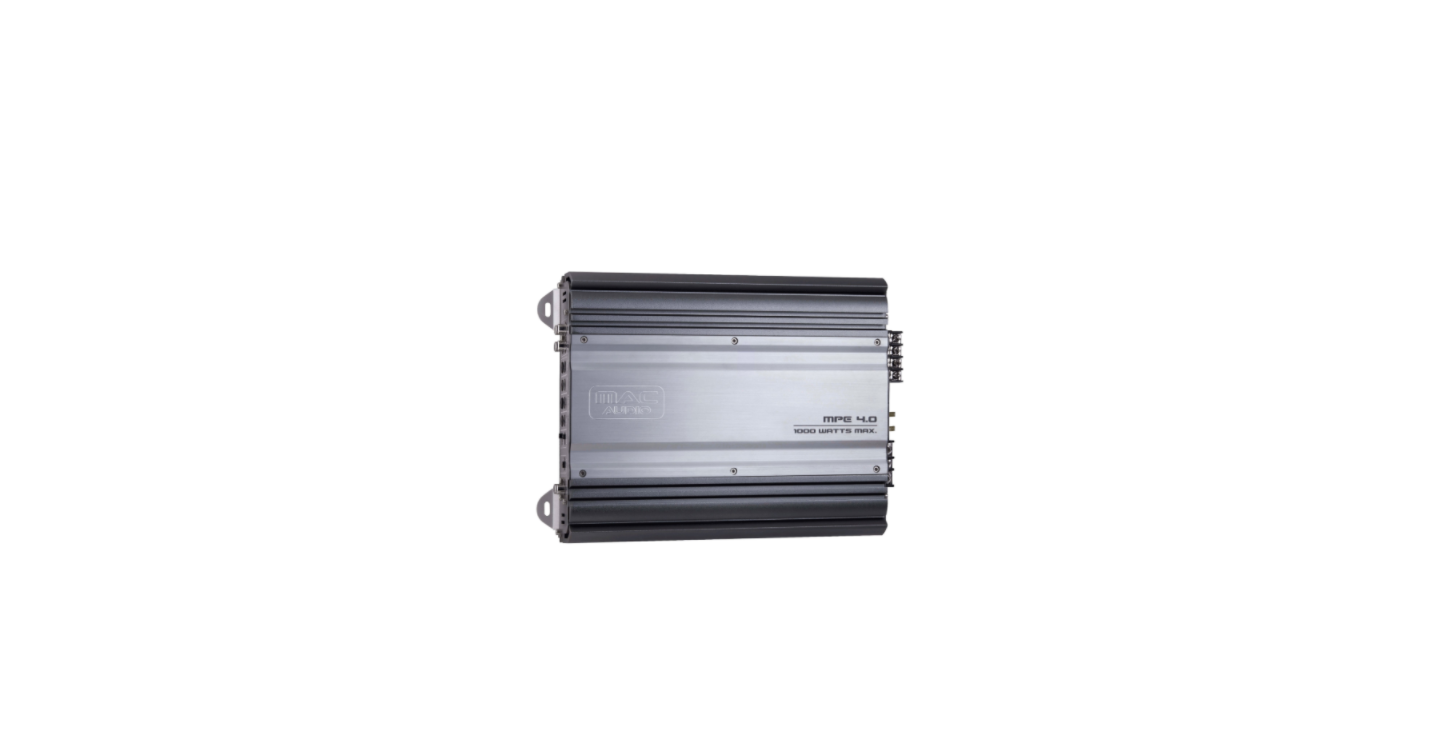

Mac Audio MPExclusive 1.0 XL HiFi Amplifier
Installation
- This appliance may only be connected to a 12-volt system with a negative ground.
- The heat radiated when the amplifier is used means that sufficient air circulation is required at the place of installation.
- Install the amplifier in such a way that it is protected as far as possible against vibrations and dust, and dirt.
- Make sure that the input/output cables are sufficiently distant from the power supply cables, as otherwise, interference may occur.
- Make sure that the fuse and operating elements are accessible after installation.
- The appliance’s reliability and performance depend on the quality of installation. Preferably, get an expert to install the system, particularly if you want to install several loudspeakers or a complex multi-way system.
Features
- Complementary push-pull final stage
- Stable at 2 ohms
- Low-pass (subwoofer) and subsonic filter with infinitely adjustable separating frequencies
- Infinitely variable bass equalisation
- Adjustable input sensitivity
- Electronic protective circuit against short circuiting, DC offset, and excess temperature
- Mute switch for suppressing switch-on crackle interference
- Low-level outputs (cinch jacks) for connecting additional amplifiers
- Capsulated loudspeaker and power-supply screw terminals
- Status indicator (green LED) and overload indicator (red LED)
- Remote control for volume control
Technical Data
- Max. output power (1 kHz sinus burst 2:8, B+=14.4V) 900 W on 4 Ohm
- Nominal output power (DIN 45 324, B+=14.4V) 275 W on 4 Ohm
- Max. output power (1 kHz sinus burst 2:8, B+=14.4V) 1500 W on 2 Ohm
- Nominal output power (DIN 45 324, B+=14.4V) 400 W on 2 Ohm
- Loudspeaker impedance 2 – 8 Ohm
- Frequency response 5 – 300 Hz (-3 dB)
- Total harmonic content (DIN 45 403) < 0.05 % (1 kHz)
- Weighted noise distance (IEC A) > 100 dB
- Input sensitivity: LOW LEVEL INPUT 0.4 – 4 V
- Input impedance LOW LEVEL INPUT 20 kOhm
- Low-pass filter 40 – 300 Hz, 12 dB per octave
- Subsonic filter 10 – 40 Hz, 12 dB per octave
- Bass boost 0…12 dB at 45 Hz
- Supply +12 V (10 – 15 V), minus to ground
- Fuse 2 x 30 A
- Sizes (W x H x D) 400 x 55 x 226 mm
- Weight 3.55 kg
Connections
- The power cabling usually installed in on-board car networks is not sufficient for a power amplifier’s demands. Make sure that the power lines to GND and to the +12 V terminal have been sufficiently specified.
- First, connect the amplifier’s GND terminal to the battery’s minus pole. It is very important that the connection is good.
- A loose connection may cause malfunctions or interference, noise, or distortion.
- The fuse must be located close to the battery; the length of cable from the battery’s positive pole to the fuse must be less than 60 centimetres for safety reasons.
- Now connect the car hi-fi receiver’s remote control connection to the amplifier’s REM control jack.
- A cable with a cross-section of 0.75 mm² is sufficient for connecting the amplifier’s REMOTE connection and the control device.
Audio Cables
We recommend an isolated installation, e.g, routing the power cable through the cable duct on the left-hand side and the audio cable through the cable duct on the right-hand side, or vice versa.
This reduces interference due to crosstalk in the audio cables. This also applies to the connecting cable for the remote control for regulating the volume.
Loudspeaker Connection
- The lowest terminal resistance is 2 ohms
- Never connect the loudspeakers’ minus terminals to the vehicle chassis.
- Never connect the +12 V supply voltage to a loudspeaker output, as this would destroy the amplifier’s final stage.
- If the amplifier is operated with lower terminal resistances or incorrectly used as described above, both the amplifier and the loudspeakers may be damaged. The warranty becomes void in such cases.
Operation
The input sensitivity may be adapted to any car radio or tape deck. Turn the volume control of your radio to its central position and then adjust the input-level control (2) to produce an average medium volume. This setting usually provides sufficient power reserves at the optimum weighted noise voltage.
Low-Pass Filter
Set the desired cross-over frequency with the control (4). This makes the filter adaptable to the installed woofer’s sound requirements. The filter’s high edge steepness is responsible for the precision reduction of medium and high frequency ranges.
Subsonic Filter
The subsonic function reduces the lowest bass frequencies. The reduction rate may be infinitely adjusted with the regulator (5). This allows distortions produced by excessive loudspeaker membrane movements to be effectively minimized without reducing the utilizable bass levels.
Baas-Boost
The bass-boost function (3) is used to increase or equalize the lower bass frequencies.
Volume Remote Control
The volume may be adjusted by using the supplied remote control. Please observe during installation that the remote control line shouldn’t be routed along the same side of the vehicle as the power supply cables. The remote control unit should be mounted on the Mac Audio MPExclusive 1.0 XL HiFi Amplifier dashboard or at any other easily accessible position. Now, the subwoofer volume may be adjusted independently of the settings on the radio.
Additional Amplifiers
- The OUTPUT connections allow the use of Mac Audio MPExclusive 1.0 XL HiFi Amplifier additional amplifiers without requiring additional T-plugs and cables.
Power Supply
- GND terminal for the ground, to the battery’s minus pole
- REM terminal for remote switch-on
- Terminal for +12 V battery voltage
- Battery
- Cable fuse
- To your car radio’s automatic aerial connection
Car Radio
- To the car radio, left output
- To the car radio, right output
- Subwoofer
Subwoofer Output
- To the car radio, subwoofer output
- Subwoofer
- To the car radio, front left output
- To the car radio, front right output
- To the car radio, rear left output
- To the car radio, rear right output
- Front left loudspeaker
- Front right loudspeaker
- Rear left loudspeaker
- Rear right loudspeaker
- Subwoofer
Elements In/Out
- Connection for volume remote control
- Bass-booster control
- Cross-over frequency control for the subsonic filter
- Transfer frequency control for low-pass
- Input level control
- Outputs for connecting other amplifiers
- Low-level input
- Remote Control
Dear MAC AUDIO Customer
The MPExclusive 1.0 XL/MPExclusive 1.0 car hi-fi power amplifier will enable you to satisfy your high demands on sound reproduction in your car. With its impressive deep-bass power reserves, low harmonic content, and neutral reproduction, the MPExclusive 1.0 XL/ MPExclusive 1.0 takes car hi-fi to new heights.
Experience and enjoy how this high-tech machine perfectly reproduces magnificent sound. Please read all of the owner’s manual before installing and using the amplifier.
Customer Service
- Website: https://www.mac-audio.de/
- Ph: 02234 / 807 – 0