

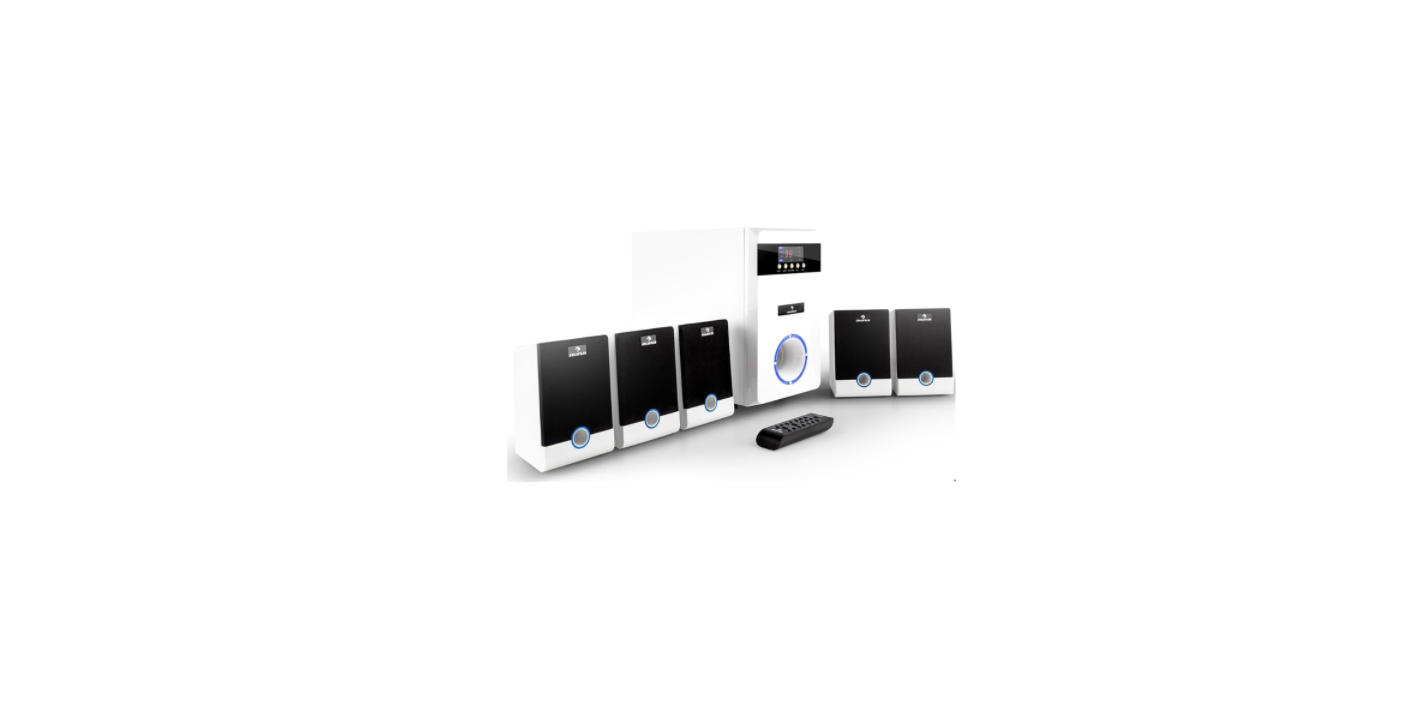

AUNA 10000147 MM-5.1-J 5.1 Sound System
SAFETY INSTRUCTIONS
- Read this Instruction Manual before you attempt to connect or operate the appliance.
- Keep these instructions in good condition. Heed all warnings. Follow all instructions.
- Save this Instruction Manual for future reference.
- Do not plug/unplug the power plug into/from an electrical outlet with wet hands.
- If the power plug does not fit into your outlet, do not force the plug into an electrical socket if it does not fit.
- Use replacement parts, which are specified by the manufacturer.
- Install the unit in accordance with the manufacturer’s instructions.
- Press the buttons of the unit gently. Pressing them too hard can damage the unit.
- Dispose of used batteries in an environmentally responsible manner.
- Always ensure that the product is unplugged from the electrical outlet before moving or cleaning. Clean it with a dry cloth only.
- Unplug the product during lightning, storms, or when it will not be used for long periods of time.
- NEVER let anyone, especially children, push anything into holes, slots, or any other openings in the unit’s casing, as this could result in a fatal electric shock.
- Don’t mount this product on a wall or ceiling.
- Do not place the unit near TVs, speakers, and other objects that generate strong magnetic fields.
- Do not leave the unit unattended when it is in use.
- To disconnect the system completely if it is not to be used for a long time, remove the AC power plug from the wall outlet.
SYSTEM CONNECTION DIAGRAMS
Speaker terminals  To Connect the front speakers, the centre surround speakers to the 5.1 speaker output terminals.
- The front speaker cords to the FRONT SPEAKERS terminals
- The centre speaker cords to the CENTER SPEAKERS terminals
- The surround speaker cords to the SURROUND SPEAKER terminals.
Connecting equipment , Jacks, and plugs of the connecting cord are color-coded as follows:
- Right channel: red jacks and plugs. Left channel: white jacks and plugs
- Insert the plugs fully into the jacks. Loose connections may produce a humming sound or other noise interference.
- Connect the speakers and all other external equipment, and finally connect the AC power cord.
POSITIONING OF THE SPEAKERS
- Sub-woofer: Place the sub-woofer anywhere on the floor. (There is no directional requirement for the Bass effect.)
- Front Speakers
- Surround Speakers Place the surround speakers directly to the side o,f a slightly behi, nd the listening area. Align them horizontally, about 1 meter above ear height.
- Centre Speaker Position in the centre of the two front speakers in addition. Position on or below the TV set. If connecting a TV set to the unit.
CONTROLS
Front panel 
| ST.BY/⏯ | USB/SD Pause/Play function key |
| INPUT | Input function key |
| 5.1/2.1 | 5.1/2.1 channel-switching key |
| VOL-/⏮ | Volume function (keep pressing it for more than 3 seconds). Previous song during USB/SD input. |
| VOL+/⏭ | Volume+ function (keep pressing it for more than 3 seconds) Next song during USB/SD input. |
| SD/MMC CARD | SD card socket |
When using the SD card function, it is required to choose an SD card whose memory is larger than 12 MB and is also a compatible edition.
Remote Control
| Power switch button(standby) switch. | |
| SD | SD Input |
| 5.1 /2.1 | 5.1/2.1 channel switch |
| USB | USB Disk |
| BT | BT mode |
| AUX | AUX Input |
| DVD | DVD Input |
| ⏯ | Play & pause |
| ⏮ | Previous song when USB/SD Input; |
| ⏭ | Next song when USB/SD Input; |
| SLEEP-/+ | to Time on/off the speaker |
| FL-/+ | FL volume setting |
| FR-/+ | FR volume setting |
| SW-/+ | SW volume setting |
| CEN-/+ | CEN volume setting |
| VOL +/- | Master volume |
| SL-/+ | SL volume setting |
OPERATION
Power supply
- Connect the subwoofer to a 230 V power source.
- Switch on the subwoofer by pressing the “Power” button.
- If you have connected a 5.1 source, press the 5.1 AUX button. You AUNA 10000147 MM-5.1-J 5.1 Sound System can choose between 2.1 and 5.1 sound.
- Use the Menu key to select the different speakers.
- With Vol+ and Vol-, you can adjust the volume of the different speakers.
- Steps 2-5 can also be performed using the supplied remote control.
How to use the BT
- Select the audio input to the BT status.
- Search the BT device with the name “MM51”
- Connect the BT
- If your BT device is below version 2.0, input the password “0000” when connecting.
SPECIFICATIONS
- Item number 10000147 10022256
- Power supply 110-240 V~ 50/60 Hz
- Drive units 1 x 5,25″ 5 x 3″
- RMS power 95 W
- Frequency response 40 Hz–20 kHz
- S/N ratio ≥ 70 dB
- BT specifications
- Frequency band 2402–2480
- Maximum radio-frequency power MHz 2 dBm
Included
- 1 x Subwoofer
- 2 x Speakers
- 1 x 3.5 mm mini-jack to stereo RCA cable
- 1 x English user manual (other language: German)
Customer Service
- Manufacturer: Chal-Tec GmbH, Wallstrasse 16, 10179 Berlin, Germany.
- Importer for Great Britain: Berlin Brands Group UK Limited PO Box 42 272 Kensington High Street London, W8 6ND United Kingdom
- Website: use.berlin/10034620
- Tel: (01) 320-0700
Dear Customer
Congratulations on purchasing this equipment. Please read this manual carefully and take care of the following hints to avoid damage. Scan the QR code to get access to the latest user manual and other information about the product.