

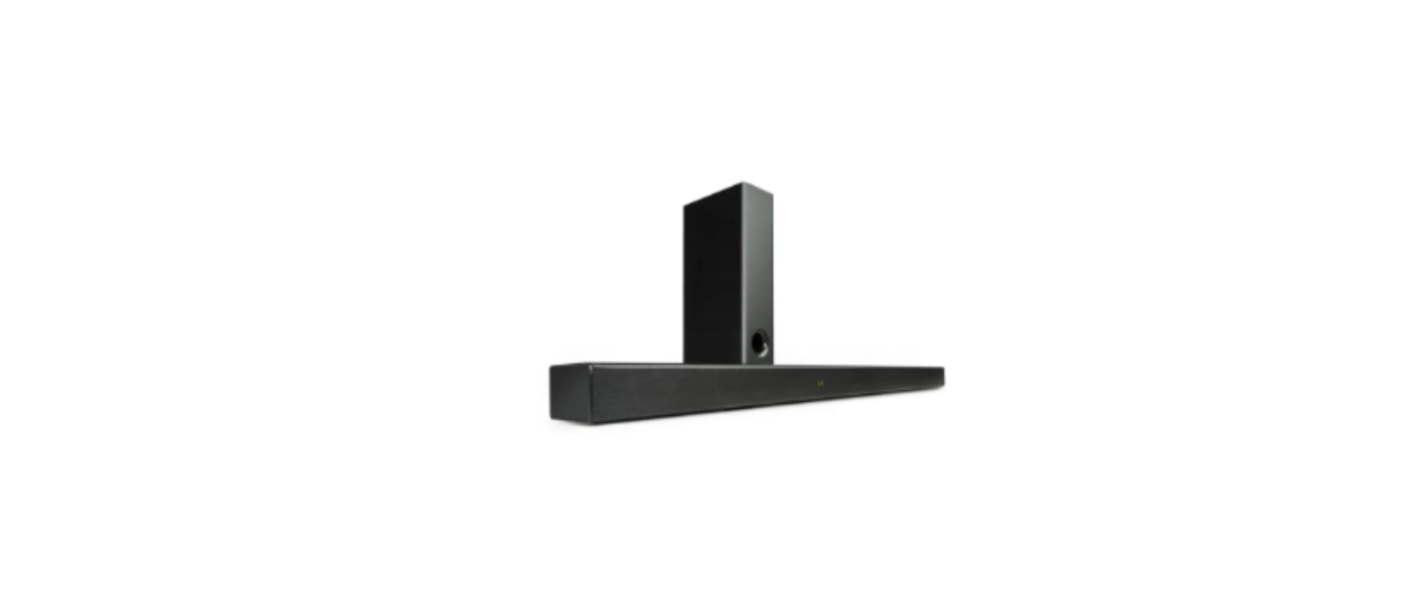

AUNA 10034560 Areal Bar 750 Soundbar

Safety Instructions
- Lightning – If you are not going to use the device for a long time or if there is a storm, disconnect the plug from the electrical outlet and disconnect the device from the antenna connector. This will avoid damage to the product that may be caused by lightning or overvoltage.
- Overload – Do not overload power outlets, extension cords, or built-in power outlets, as this may result in a fire or electric shock.
- Foreign objects and liquid – Never push objects of any kind through openings in the device, as they may touch dangerous voltage points or short out parts, which could result in a fire or electric shock. Never spill liquids of any kind on the device.
- Repairs and maintenance – Do not attempt to service this product yourself, as opening or removing covers will expose you to dangerous voltages or other hazards. Leave all maintenance to qualified service personnel.
- Damage requiring service – Disconnect the power plug from the outlet and consult a qualified specialist if any of the following conditions occur:
- If the power cord or plug is damaged.
- If liquid has been spilled or objects have fallen onto the product.
- If the product has been exposed to rain or water.
- If the product has been dropped or damaged.
- If the product has a markedly reduced performance.
- Replacement parts – When replacement parts are required, make sure that the service professional who replaces the parts only uses replacement parts that have been approved by the manufacturer or that have the same characteristics as the original part. Unauthorized replacement may result in fire, electric shock, or other hazards.
- Heat – Do not place the unit near heat sources such as radiators, heaters, stoves, or other products (including amplifiers).
Overview
Sound Bar

- Indicator and Display
- USB Input
- Optical Input
- COAX Input
- HDMl(ARC)
- AUX Input
- DC In
- Volume Up(+) Press to increase the volume level.
- Mode Button (Cycle through different inputs). Press this button to select different operating modes [BT, USB, OPTICAL, COAXIAL, AUX].
- Power/Standby Button Press to switch the unit between ON and STANDBY mode.
- Volume Down[-] Press to decrease the volume level.
Subwoofer

- Power On/Off Switch
- Wireless Pairing Indicator [Steady Red =Linked, Dim =Unlinked)
- AC Socket
- Pair key
- Subwoofer Speaker
Remote control


Insert/Replace Batteries in the Remote Control
- Open the battery compartment on the underside of the remote control.
- Insert 2pcs AAA/RO3 1. SV type batteries. Pay attention to the correct polarity (see the bottom of the battery compartment)!
- Close the battery compartment.
Precautions Concerning Batteries
- If the battery leaks, wipe away the leakage inside the battery compartment and replace the battery with a new one.
- Do not use any batteries other than those specified.
- Do not heat or disassemble batteries. Never throw them in fire or water.
- Do not carry or store batteries with other metallic objects.
Connections & Placements
Connecting an external device using 3.SMM audio (analog) cable or coaxial/ optical (digital) cable

Not all TVs have the audio outputs shown above. To connect the Sound Bar directly to your other devices (Blu-ray player, game system, etc), see your device’s user manual.
Placing the soundbar on a table

If your TV is placed on a table, you can place the sound bar on the table directly in front of the TV stand, centered with the TV screen.
Wall-mounting the soundbar
- Drill 2 parallel holes(CD6mm each) in the wall, please refer picture below.

- Firmly fix 1 dowel into each hole in the wall if necessary.

- Put the speaker onto the screws in the wall

- If you are unfamiliar with power tools or the layout of electrical wiring in the walls of your home, consult a professional installer.
Operation
- Insert the DC plug of the AC-DC power adaptor into the DC IN jack on the back of the main unit, then connect the AC-DC adapter to a convenient wall outlet.
- Press the O button to switch the sound bar on. The LED display will light up and show the current playback mode.
- Plug the plug of the subwoofer into the main power supply.
- Press the Power On/Off Switch on the back of the subwoofer to the “ON” position to turn it on. The subwoofer will wirelessly connect with the sound bar automatically. The Wireless Pairing Indicator changes to steady red once the connection is established successfully.
- If your device asks for a passkey [depending on the device manufacturer, model, and software version], then enter the digits “OOOO”(four zeros) and press OK. If a pairing has been carried out
Successfully, a prompt sound is heard; meanwhile, the “BT” symbol stops flashing.ng - After the connection is complete, you can listen to music wirelessly through Bluetooth and select music from your Bluetooth device.
- Press the / buttons on the remote control or the”+”/”-” buttons on the main unit to raise/lower the volume level.
- To disconnect the BT function, switch to another function on the unit or disable the function from your BT device.
Pair the Speaker
- If you haven’t paired the speaker with a device, or the paired devices list is empty, pairing mode is activated.
- Activate BT on the compatible device, and set it to search for compatible devices.
- Select the speaker name: “Areal Bar 750” from the list of found devices.
- If your device asks for a passkey [depending on the device manufacturer, model, and software version], then enter the digits “OOOO”(four zeros) and press OK. If pairing has been carried out successfully, a prompt sound is heard; meanwhile, the “BT” symbol stops flashing.
- After the connection is complete, you can listen to music wirelessly through Bluetooth and select music from your Bluetooth device.
- Press the / buttons on the remote control or the”+”/”-” buttons on the main unit to raise/lower the volume level.
- To disconnect the BT function, switch to another function on the unit or disable the function on your BT device.
Optical/coaxial (digital inputs) operation
- Ensure that the unit is well connected to the TV or other audio device via Optical cable [ not included) or Coaxial cable [not included].
- While in Power On mode, press the Mode button on the main unit or press the Mode button on the remote control to select the OPTICAL or COAXIAL mode.
- Operate your audio device directly for playback features.
- Press the / buttons on the remote control or the “+”/ “-” buttons on the main unit to raise/lower the volume level.
3.5 mm aux inputs operation
- Ensure that the unit is well connected to the TV or other audio device via a 3.5mm audio cable ( Included).
- In Power On mode, press the Mode button on the main unit or the Mode button on the remote control to select the ALIX input mode.
- Operate your audio device directly for playback features.
Usb playback
This sound bar has also been developed in line with the latest technical
Advances in the USB field. The wide range of different USB storage devices of all types, which are currently on the market, unfortunately, does not allow us to AUNA 10034560 Areal Bar 750 Soundbar guarantee full compatibility with all USB storage devices. For this reason, in rare cases, there may be problems in playing back files from USB storage devices. This is not a malfunction of the device.
- Connect a USB storage device directly into the port, and after a few seconds, it will start music playback automatically.
- Press the or buttons on the remote control to skip to the previous or next track.
Cleaning & Maintainance
- Do not subject the unit to excessive force, shock, dust, or extreme temperature.
- Do not tamper with the internal components of the unit.
- Clean the unit with a damp [never wet] cloth except metal contact or speaker grille. Solvent or detergent should never be used.
- Avoid leaving your unit in direct sunlight or in hot, humid, or dusty places. Keep your unit away from heating appliances and sources of electrical noise, such as fluorescent lamps or motors.
Cleaning the unit
- To prevent fire or shock hazard, disconnect your unit from the AC power source when cleaning.
- The finish on the unit may be cleaned with a dust cloth and cared for as other furniture. Use caution when cleaning and wiping the plastic parts.
- If the cabinet becomes dusty, wipe it with a soft dry dust cloth. Do not use any wax or polish sprays on the cabinet.
- If the front panel becomes dirty or smudged with fingerprints, it may be cleaned with a soft cloth slightly dampened with a mild soap and water solution. Never use abrasive cloths or polishes, as these will damage the finish of your unit.
Technical Data
| Item number | 10034560 |
| Power Input (Sound Bar) | D C = 18V /2.0A |
| Power of Remote Control | 2 x AAA/R03 Batteries [included) |
| Remote Control Distance | up to 6m (Angle:530′) |
| Protection Class | II |
| Unit Dimension [ Sound Bar] | 100 x 7 x 4.9 cm (L X W X H) |
| Unit Dimension ( Subwoofer) | 20 x 10 x 40 cm (L X W X H) |
| Working Temperature | 0–35 °C |
| Working Humidity | 20–80 % |
| BT | |
| BT support | V 5.0 |
| Operation range | up to 10m |
| Transmission frequency | 2.4 GHz |
| Protocols | A2DP 1.2 |
Troubleshooting
| Problem | Possible Cause | Solution |
| No power | The unit is disconnected from the AC outlet. The AC outlet is not functioning. | Reconnect to the AC outlet.
Change to another outlet. |
| The remote control does not work. | Battery empty
The installed battery wrong polarity Too far from the main unit. |
Replace battery
Reinstall the battery in the correct polarity. Reduce the distance. |
| No sound | Select the wrong source input. | Select the correct source input. |
| Sound is distorted | Volume level is set too high. | Decrease the volume level. |
| The unit gets warm after
extended play at high volume |
This is normal. | Turn the unit off for a period of time or lower the volume. |
| The speaker cannot be connected via BT | BT is switched off at the audio source.
The speaker has already connected with another device via Bluetooth. |
Switch on the BT function in the audio source. Press and hold the BT button on the remote control for 3 seconds to break the current connection and initiate pairing mode. |
| No sound when playing audio via BT | Your BT device has not been paired.
The volume control of your BT device is set too low. The volume control of the main unit is set too low. |
Pair the speaker again with the audio source. Increase the volume of your BT device.
Increase the volume of the main unit. |
| Poor sound quality from a BT device | The BT device is almost out of range of the Sound Bar. | Move your BT device closer to the Sound Bar. |
Disposal
By disposing of it according to the rules, you are AUNA 10034560 Areal Bar 750 Soundbar protecting the environment and the health of your fellow human beings from negative consequences. For information on AUNA 10006791 388-BT HiFi Stereo System about AUNA 10034560 Areal Bar 750 Soundbar the recycling and disposal of this product, please contact your local authority or your household waste disposal service.
This product contains batteries. Find out about local regulations for disposing of batteries. By disposing of them according to the rules, you are protecting the environment and the health of your fellow human beings from negative consequences.
Deceleration of Confirmty
- Manufacturer: Chal-Tec GmbH, Wallstrasse 16, 10179 Berlin, Germany.
- Importer for Great Britain: Berlin Brands AUNA 10034560 Areal Bar 750 Soundbar Group UK AUNA 10006791 388-BT HiFi Stereo System Limited PO Box 42 272 Kensington High Street London, W8 6ND United Kingdom
- Website: use.berlin/10034620
- Tel: (01) 320-0700