

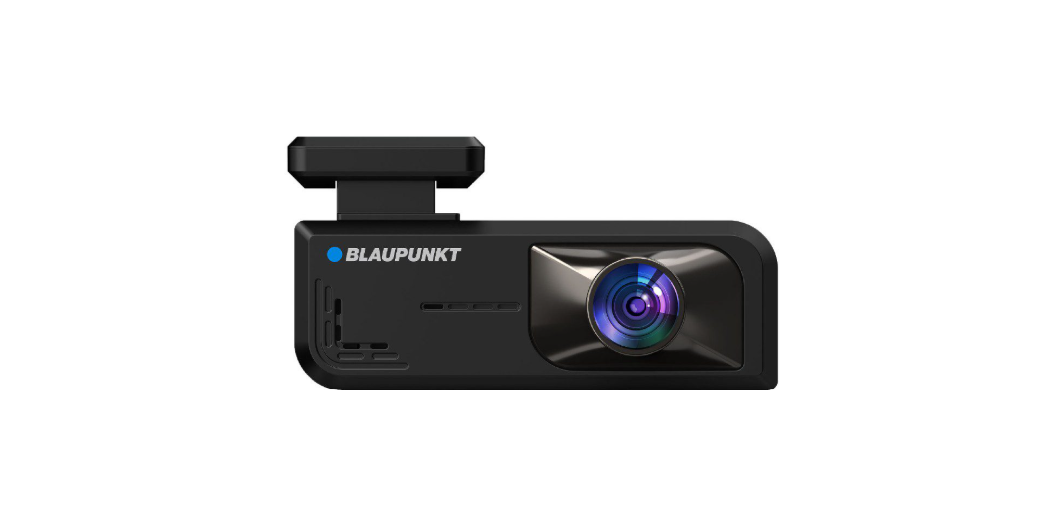

Blaupunkt BP8.2A Digital Video Recorder User Manual

Operating and Installation
- Blaupunkt does not warrant the performance of the device if used with other Micro SD card other than a Blaupunkt Micro SD card.
- Please do not use the product in a wet environment as the device is not waterproof/ water water-resistant.
- Please do not record or take a picture facing the sunlight.
- To obtain a clear image, please clean the windscreen and the device lens regularly.
- Avoid using the device in a dusty environment.
- Handle the device with care and avoid direct impact on the device.
- Avoid using the device in high electromagnetic environments.
- Please operate the product within the temperature range of -10°C to ~ 65°C.
- Continuous exposure to sunlight, especially when locked in a cabin where the temperature exceeds 65 °C, may result in device malfunction, colour change, housing, and image distortion.
Structure
- Holder
- Front Camera Lens

- 2” Inch LCD Screen
- Speaker

- Micro SD Card Slot
- USB Type-C Power Supply
- Rear Camera Input

- Rear Camera Lens

Features
- Resolution : Front 2MP 2K 2560 x 1440 (25fps) Rear 1MP FHD 1920×1080 (25fps)
- Wide viewing angle: Front – 105°, Rear – 120°
- Screen display Front, Rear 2” LCD screen display
- Loop Recording
- Parking Monitoring
- Built-in G-sensor
- Wireless control app
- Built-in microphone & speaker
- Language : English, Chinese Simpli ed, Chinese Traditional, Japanese, Vietnam, Russian & Thailand
- Power supply:D C 12V
- Temperature : -10°C ~ 65°C (Operating), -4°C ~158°C
- (Storage) Support: up to 512GB Micro SD
- Includes: infrared control dongle, wiring harness, rear camera cable & manual.
Functions
Pair the DVR with a Smartphone
- The distance range between the DVR and smartphone is approximately 10 meters (33ft) in an open field environment.
Wireless Connection (Wi-Fi)
- Enable Wi-Fi & Location on the Smartphone before beginning (Refer to the instruction manual of the smartphone on how to operate Wi-Fi & Location). Recording Video or Taking a photo in the App
- Download the “Blaupunkt DVR Dashcam” app from the App Store (iOS) or the Play Store (Android).

- Before making the connection, make sure the DVR BP 8.2A is turned on.
- Connect the wifi of “BP82A” as shown below, then insert the default password “12345678” for the first-time connection. After that, press the centered Blue button to enter the control view.

- Repeat the Wireless Connection steps whenever the smartphone is disconnected.
Recording Video or Taking a photo in the App
- Press the “Record” button to stop the recording/start a new recording.
- Press the “Take Photo” button to capture the photo.
Download Video or Photo
- Go to the app recording screen to select Video or Photo gallery.
- Press and hold the preferred video/photo to select, then press “ ” to download the file.

Emergency Recording
- There will be an audio alert when the emergency recording starts.
Format SD Card
- All data will be deleted. Backup data to prevent unwanted files from being deleted.
Parking Monitoring
- Park Monitoring recording triggered by the G-sensor.
- Go to “Settings and choose Parking Monitor. Next, select the preferred mode (Low / Middle / High). Press” Back to exit the setting menu.
Timelapse
- To record long-duration videos by compiling a series of single pictures over a period of time.
Accessories
- Rear Camera Extension

- Power Supply Wiring Harness

- 3M Sticker

- Manual

Disclaimer
- Blaupunkt is not liable for any loss or damage caused or resulting from unauthorized disassembly or modification to the product.
- USA & CANADA: Products not intended for sale in the United States and Canada. No warranty, expressed or implied, is provided in the U.S. and Canada.
- Some countries prohibit drivers from mounting anything on the windshield or restrict mounting to specific areas of the windshield.
- It is the owner’s responsibility to mount the device in compliance with local laws.
- An error may occur depending on the surrounding environment and the voltage of the car.
- Blaupunkt is not liable/responsible for non-recorded events, missing files, etc.
- If the car battery voltage is less than the setting value of the cut-off voltage, the device will stop recording, even in park recording mode.
Customer Support
- WhatsApp: 9156910994
- Toll Free: 1800 209 6820
- Email: support@blaupunktcar.in
FAQs
What is the Blaupunkt BP8.2A Digital Video Recorder used for?
It records video footage while driving, offering features like loop recording, G-sensor activation, and emergency video lock during incidents.
Does the DVR record continuously?
Indeed. When the memory card is full, the BP8.2A’s loop recording feature will automatically replace the oldest video recordings unless a file is locked or designated as important.
What type and size of memory card is supported?
MicroSD cards up to 64GB are supported by the DVR; for best results, Class 10 or higher cards are advised. Prior to usage, always format new cards in the device.
Can the BP8.2A record at night or in low light?
Using a wide dynamic range (WDR) sensor and infrared-assisted low-light recording, the BP8.2A does indeed have night vision capabilities. For optimal results, make sure the lens is clean.
Can I use the DVR as a rear camera as well?
The BP8.2A is a dash camera that faces forward. Verify whether your model version enables an optional rear camera input if you need dual-camera recording.