

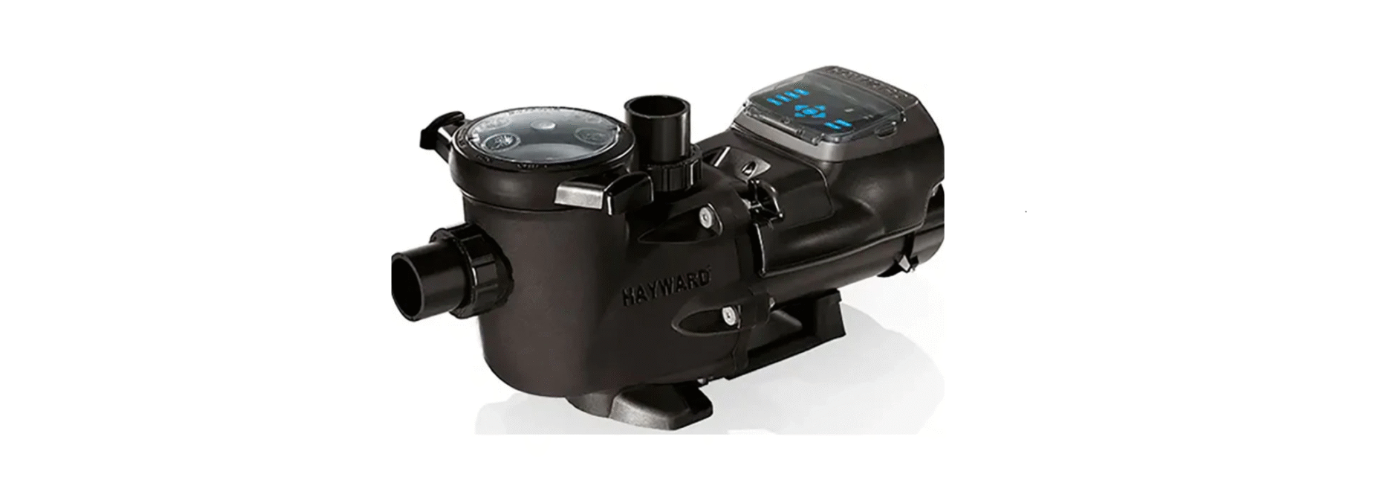

Hayward HCP2500VSP 2.70 THP VS Pump Family User Manual

Introduction
Hayward’s 2.70 THP variable speed pump family is the industry’s most energy-efficient variable speed pump. The totally enclosed, permanent magnet motor, combined with its advanced hydraulic design, provides unparalleled energy savings. This pump is easily installed either as a programmable stand-alone pump or with a Hayward or third-party controller and features an easy-to-use digital control interface that can be mounted in four different positions on the pump or removed and mounted on the wall for total user convenience.
Product Dimensions
Note: All dimensions in millimetres
Installation Instructions
Pump Mounting
Install the pump on a level concrete slab or other rigid base to meet all local and national codes. Secure the pump to the base with screws or bolts to further reduce vibration and stress on pipe joints. The base must be level, rigid, and vibration-free.
Pump mount must:
- Allow the pump inlet height to be as close to the water level as possible.
- Allow use of short, direct suction pipe (to reduce friction losses).
- Allow for valves in suction and discharge piping.
- Be protected from excess moisture and flooding.
- Allow adequate access for servicing the pump and piping.
Plumbing
Only use Teflon tape or an elastomeric thread sealant suitable for plastic to seal threaded connections on moulded plastic components. All plastic fittings must be new or thoroughly cleaned before use.
Electrical – specifications
The Variable Speed Drive is fully electronic. Consisting of an integrated power module (IPM) and controller, hardware and software with a digital signal processor (DSP). The Variable Speed Drive controls a Totally Enclosed, Fan Cooled, Permanent Magnet Motor.
- Voltage: 220 – 240 VAC ± 10% of the mean rated voltage while running, 50Hz Single Phase
- Current: 8.65 amps
- Power (output): 1,990 W
- Speed Range: 600-2850 rpm
- Ambient temperature: 0 to 40°C
- Protection class: IP X5
Overview

The User Interface is equipped with a membrane keyboard and a digital display with five 7-segment digits.\
Preset Speeds
Buttons labeled V1 through V3 can be used to run the pump at a predetermined speed for a certain length of time. Preset Speed settings can be quickly updated using the and arrow buttons to change the speed and then pressing both and arrow buttons simultaneously to save the new speed setting. When a speed is selected, the LED above the button will illuminate to indicate operation.
Start Up
This pump is factory set to start in prime mode for two minutes. When Priming has finished, the pump will then switch to speed V3. The pump will run at this speed (adjustable) for its programmed time (adjustable), then switch to speed V1. The pump will then remain at speed V1 until power is cycled or another speed is selected.
Factory Default Speeds and Run Times
- Prime Mode: 3000 rpm / 2-minute duration
- V1: 1190 rpm
- V2: 2280 rpm / 4-hour duration
- V3: 2850 rpm / 5-minute duration
Menu/navigation buttons
The DISP/FUNC button will scroll through the home screen information when pressed. If the DISP/FUNC button is held, it will enter the controller into configuration mode. The and arrow buttons are used to change parameters within configuration mode.
Configuration Menu Outline
- Prime Mode run time – default 2 minutes / range 0 – 4 minutes in 1 second increments;
- V1 Speed – default 1190 rpm / range 600 – 3000 rpm in 10 rpm increments;
- V2 Speed – default 2280 rpm / range 600 – 3000 rpm in 10 rpm increments;
- V2 Timer – default 4 hours / range 5 minutes – 18 hours in 5 minute increments;
- V3 Speed – default 2850 rpm / range 600 – 3000 rpm in 10 rpm increments;
- V3 Timer – default 5 minutes / range 5 minutes – 18 hours in 5 minute increments;
- RS485 Mode Selection – default ‘no’ / range ‘yes’ or ‘no’:
Initial Start Up
After the plumbing and connection is complete, the VSD must be configured prior to use. When power is applied to the drive, the four informational screens below are displayed in order from left to right.

- This is shown on the screen when the pump is powered up.
- This is the second screen displayed and shows the motor software revision.
- This screen is only displayed if Prime Mode is activated.
- When Prime Mode is active this screen ramps up to 3000 rpm with a rotating circle in block 1
By pressing the DISP/FUNC button during the Priming Cycle, you will be able to scroll through the screens shown below in order from left to right.

- This is the screen that is automatically displayed for Prime Mode and is displaying pump rpm.
- Press DISP/FUNC button once and the Prime Time remaining is displayed with the time decreasing.
- Press DISP/FUNC button again and the power being used is displayed in Watts (±10%).
- Press DISP/FUNC button again and the internal motor temperature in Degrees Celsius is displayed.
- Press DISP/FUNC button again and total motor running hours are displayed.
- Press DISP/FUNC button again and total motor running hours are displayed.
- Press DISP/FUNC button again and total motor running hours are displayed.

- This is the default rpm screen for speeds V1, V2 and V3, displaying real time rpm.
- Press DISP/FUNC button once and the time remaining for that speed is displayed. (For V2 and V3 only)
- Press DISP/FUNC button again and the power being used is displayed in Watts (±10%).
- Press DISP/FUNC button again and the internal motor temperature in Degrees Celsius is displayed
- Press DISP/FUNC button again and total motor running hours are displayed.
- Press DISP/FUNC button again and the display returns to the first screen showing rpm.
Configuration Men
To ensure that the pump speeds and timers are setup according to the site specific individual requirements, access the Configuration Menu as shown below:
- Press and hold the DISP/FUNC button for several seconds until the ConFg screen appears.
Saving Configuration Settings
When in configuration mode, the LED for the speed being configured will be constantly “FLASHING”.
When exiting configuration mode all three of the speed LED’s will “FLASH” to signify that all settings have been saved. If the configuration mode has not been completely exited, after 2 minutes of inactivity the controller will save all of the settings excluding the current screen settings and exit configuration mode.
Quick Speed Change
Use the and arrow buttons to quickly adjust the current speed that the pump is running at. When a quick speed change is performed the LED for the changed speed will be “FLASHING”. The LED will continue to flash until the speed is saved, or until the timer runs out for that speed or the power is cycled to the pump. The new speed is only saved by pressing simultaneously the and arrow buttons and then the LED for that speed will illuminate solid
Establishing Connection with a Hayward Control System (e.g, OmniLogic)
The pump must then be in RS-485 Control Mode and connected to a GPO.

- The screen will alternate between speed and power every 4 seconds
Overview
Typically, the configuration of the VSP would take place during the initial configuration of the OmniLogic. Read this guide and the Installation Manual before attempting to install your VSP.
OmniLogic to VSP – HUA Access Guide (Cont.)
- Press the DISP/FUNC button to save the selection.
- Advance through the Configuration Wizard. When you get to “Filter Pumps”, configure the VSP as described in the OmniLogic Installation Manual.
- Save and exit the Configuration Wizard.
- You can now set a schedule for the VSP (refer to the OmniLogic Operation Manual).
OmniLogic HV Relay-controlled GPO
- Advance through the Configuration Wizard. When you get to “Filter Pumps”, add the VSP but skip over the blank HUA screen.
- Continue through the Configuration Wizard.
- Finish the configuration, save, and exit the Configuration Wizard.
- Use the UP or DOWN arrow button to toggle between “y” & “n” so the display reads “rS485 y”.
- On the OmniLogic, go to System Info and write down your MSP ID. (This is the password when you enter the Configuration Wizard)
- Enter the Configuration Wizard and edit the existing configuration. Go back to the VSP configuration, and there should now be an HUA for the pump.
- Select the VSP’s HUA.
- You can now set a schedule for the VSP (refer to the OmniLogic Operation Manual)’
Start Up & Operation
- Have a professional perform this test.
Priming the pump
Make sure to release all the pressure from the pump and the piping system using the Filter Manual Air Relief Valve (if available). Close the valves in the suction and discharge lines and remove the strainer cover. Fill the strainer housing with water to the suction pipe level.
If water leakage occurs from anywhere on the pump or filter, DO NOT start the pump. If no leakage occurs, reinstall the strainer cover and ensure the Suction, Discharge, and Filter Air Relief Valves are open. Stand at least 2.5 metres from the pump and/or filter and proceed with starting the pump.
Starting the pump
To adjust the speed of the pump, please refer to the “User Interface Overview” on pages six (6) through nine (9). If the pump will not start or prime, please refer to the troubleshooting section on page fifteen (15).
This table shows the approximate flow rate in litres per minute at the factory speed settings.
Recommended minimum speed for filtration
This table shows the minimum speed setting that we recommend to set the VSD to for filtration purposes, and Hayward HCP2500VSP 2.70 THP VS Pump Family is the speed used to achieve the Star Rating and Energy Efficiency as shown on the Energy Rating Label.
EcoStar Variable Speed Pump
- Turbo (V3 High Speed) – Use this speed for backwashing and operation of accessories that may require extra flow for specific functions, such as Spa Jets and Water Features.
Energy Usage Overview
The range of EcoStar Variable Speed Pumps displays, on the motor interface, the power consumption in Watts. Given this information, it is very easy to determine the cost of operating the pump:
Power consumption of pump X, cost of electricity = Cost of Pump Operation per Hour
Example: EcoStar Variable Speed Pump operating at Hayward HCP2500VSP 2.70 THP VS Pump Family 200 W. Cost of electricity = $0.22 per kWh
200W = 0.2 kW
0.2 kW X $0.22/kWh = $0.04 per hour
Benefits of operating at low speeds
- Save electricity and money. A reduction in Pump Hayward HCP2500VSP 2.70 THP VS Pump Family Speed of 50% will reduce power consumption by up to 75%
- Better filtration – the filter can often remove smaller particles when the water moves more slowly
- Quiet operation, so it is very unlikely to be intrusive to your neighbours.
- Reduced Total Dynamic Head – less stress on equipment (e.g., filter), which can extend equipment life
Maintenance
- Clean the strainer basket regularly. Do NOT strike the basket to clean it. Inspect the strainer cover gasket regularly and replace it as necessary.
- Hayward pumps have self-lubricating motor bearings and shaft seals. No lubrication is necessary.
- Keep the motor clean. Ensure the air vents and fan are free from obstruction to avoid damage. Do NOT use water to hose off the motor.
- Replace with a genuine Hayward seal assembly kit only.
- Do NOT use petroleum-based lubricants on gaskets, o-rings, or plastic components. Use silicone-based only.
Replacement Parts

| No. | Part Number | Description | Qty. | No. | Part Number | Description | Qty. |
| 1 | SPX3200UNKIT | Union Connector Kit (Includes 2 Nuts, Connectors & Gaskets) | 1 | 14 | SPX3200T | Housing O-Ring | 1 |
| 2 | SPX3200UG | Union Gasket | 1 | 15 | SPX3200E | Seal Plate | 1 |
| 3 | SPX3200A | Pump Strainer Housing, 2” x 2 1/2” with Drain Plugs | 1 | 16 | SPX3200Z211 | Housing Insert/Seal Plate Spacer Kit | 1 |
| 4A | SPX3200DLS | Strainer Cover Kit (Includes Strainer Cover, Lock Ring & O-Ring) | 1 | 17 | SPX3200Z3 | Housing Bolt | 1 |
| 4B | SPX3200DLSB | Strainer Cover Kit for Biguanide Sanitizers (Includes Strainer Cover, Lock Ring & O-Ring); NOT Pressure Testable | 1 | 18 | SPX3200Z5 | Motor Bolt | 1 |
| 5 | SPX3200S | Strainer Cover O-Ring | 1 | 19 | SPX4000FG | Drain Plug with O-Ring | 1 |
| 6 | SPX3200M | Strainer Basket | 1 | 20 | SPX3200GA | Motor Support | 1 |
| 7 | SPX3200Z8 | Diffuser Screw | 1 | 21 | SPX3200WF | Optional Riser Base aligns with Pentair® WhisperFlo® pump*) | 1 |
| 8 | SPX4000Z1 | Diffuser O-Ring | 1 | 22 | SPX3200Q | Motor Support Adapter | 1 |
| 9 | SPX3200B3 | Diffuser | 1 | 23 | SPX3400DR4 | Motor Drive Display Cover (Cover only) | 1 |
| 10 | SPX3200Z1 | Impeller Screw | 1 | 24 | SPX3200LCD | Digital Control Interface Assembly | 1 |
| 11 | SPX3021R | Impeller Ring | 1 | 25A | SPX3206Z1VSPE | Power End Assembly, Non-SVRS (Includes #7-15, 2 ea. #16-17, #18, #24 & Motor Assembly) | 1 |
| 12 | SPX3220C | Impeller with Impeller Screw | 1 | 25B | SPX3206Z1VSPEVR | Power End Assembly, SVRS (Includes #7-15, 2 ea. #16-17, #18, #24 & Motor Assembly) | 1 |
| 13A | SPX3200SA | Shaft Seal Assembly | 1 | – | SPX3400DRKIT | Wall Mount Kit | 1 |
| 13B | SPX4000SAV | Shaft Seal Assembly (Viton) |
Troubleshooting
Motor Will Not Start
- If the pump still won’t start, check the availability of power by plugging in another appliance and seeing if it will start.
- Check for open switches or relays, tripped circuit breakers, or blown fuses.
- Refer to an Authorised Service Agent or another Hayward HCP2500VSP 2.70 THP VS Pump Family qualified professional.
Motor Cuts Out
The motor will automatically shut off before heat damage Hayward HCP2500VSP 2.70 THP VS Pump Family buildup can occur due to abnormal operating conditions.
Pump Will Not Prime
- Ensure that the length of time that the 2850 rpm priming cycle runs for is sufficient.
- Make sure all the suction and discharge valves are open and unobstructed, that the Filter Manual Air Relief Valve is open, and that the pool water level is above all suction openings.
- Make sure the pump strainer basket is clean.
- Fill the pump strainer/housing with water to the level of the pump inlet. Ensure that the strainer cover o-ring is clean, seated correctly, and lubricated. Tighten the strainer cover lock ring by hand only.
- Check for loose unions or damaged union o-rings on the suction side. Replace damaged o-rings and tighten the union nuts by hand only (no wrenches)
Low Flow – Generally
- Check for a clogged or restricted strainer basket or Hayward 1B-ESP2300HVS EcoStar Speed Pump suction line.
- The pool piping is undersized. Correct the piping size.
- Check for a plugged or restricted discharge line of Hayward HCP2500VSP 2.70 THP VS Pump Family the filter or a partially closed valve (high gauge reading). Sand filters – backwash as per manufacturer’s instructions; D.E. filters – backwash as per manufacturer’s instructions; Cartridge filters – clean or replace the cartridge as per the manufacturer’s instructions.
- An air leak in the suction side plumbing (bubbles issuing from the return fittings). Re-tighten or re-seal threaded suction fittings with Teflon tape. Inspect other plumbing fittings and replace O-rings and tighten as required.
- Plugged, restricted, or damaged impeller. Replace Hayward 1B-ESP2300HVS EcoStar Speed Pump the impeller, including a new shaft seal assembly.
Noisy Pump
- Correct the suction condition or throttle the return Hayward HCP2500VSP 2.70 THP VS Pump Family lines, if practical. Holding your hand over the return fittings will sometimes prove this, or by putting in a smaller eyeball fitting.
- Vibration due to improper mounting, etc. Mount the pump on a level surface and secure the pump to the equipment pad.
- Foreign matter in the pump housing or fan cowling. Loose stones/debris hitting the impeller or the motor cooling fan could be the cause. Clean the pump housing and the fan cowling.
- Motor bearings are noisy from normal wear, rust, overheating, or water ingress due to a worn or damaged shaft seal. Contact a qualified repair professional to rectify.
Variable Speed Drive Error Codes
After failing the sixth time to restart the display will show the error message “Err20”.

- Action 3 = Drive Stop Special: – For “Error 04 Hayward HCP2500VSP 2.70 THP VS Pump Family Maximum temperature exceeded Power Module”, or “Error 05 Over Temperature – Motor”, the Drive Hayward 1B-ESP2300HVS EcoStar Speed Pump is to stop the motor and only allow it to restart once both of the over temperature situations have cooled to a pre-determined safe level.
Performance Curves for Hayward ESP2300HVS Pump

Warranty
- Repairing the Goods;
- Replacing the Goods or supplying equivalent Hayward 1B-ESP2300HVS EcoStar Speed Pump Goods or Services again;
- Paying the cost of replacing the Goods or of Hayward 1B-ESP2300HVS EcoStar Speed Pump supplying equivalent Goods or Services again; or
- Paying the costs of repairing the Goods.
- A Field Inspection Report authorised by the Local Customer Service Manager or Authorised Agent;
- A “Return Goods Authorisation” form obtained from Hayward Pool Products (Australia) before shipment.
- All claims must be accompanied by a copy of the original purchase receipt, clearly stating the date of purchase.
A standard form is available to request warranty service. We will require:
- Installation contact information, including address, daytime telephone numbers, home phone number, eemailetc.
- Complete model and serial number
Customer Service
- Ph: 1-800-657-2287
- Website: www.haywardcommercialpool.com
FAQs
What type of pump is the HCP2500VSP?
A commercial-grade, variable-speed centrifugal pump, the Hayward HCP2500VSP is made to circulate water efficiently in big pools, spas, water parks, and other aquatic facilities.
What does the “2.70 THP” stand for?
Total Horsepower is what “THP” stands for. With a total output of 2.70 horsepower, the HCP2500VSP strikes a balance between efficiency and performance.
What makes this a variable-speed pump?
In contrast to single-speed pumps, the HCP2500VSP has a programmable motor that lets you change the RPM (speeds) to suit varying flow needs, which saves energy and lessens wear.
What is the RPM range of the pump?
With an RPM range of 600 to 3450, the HCP2500VSP provides precise control over flow and energy usage.
Is this pump compatible with automation systems?
Yes, it supports third-party control systems with relay inputs or RS-485, as well as Hayward’s CAT Controllers, OmniLogic®, OmniHubTM, and ProLogic®.
What voltage does the HCP2500VSP operate on?
This type runs on single-phase power between 208 and 230V. Make that all electrical connections adhere to pump specifications and local codes.
How is the pump programmed or controlled?
Up to eight preset speed plans can be set using the integrated digital controller’s user-friendly LED interface, either directly from the pump or through automation.
Can the pump run 24/7?
Indeed, it is equipped with TEFC (Totally Enclosed Fan Cooled) motors for long-lasting, silent operation and is intended for continuous use.