

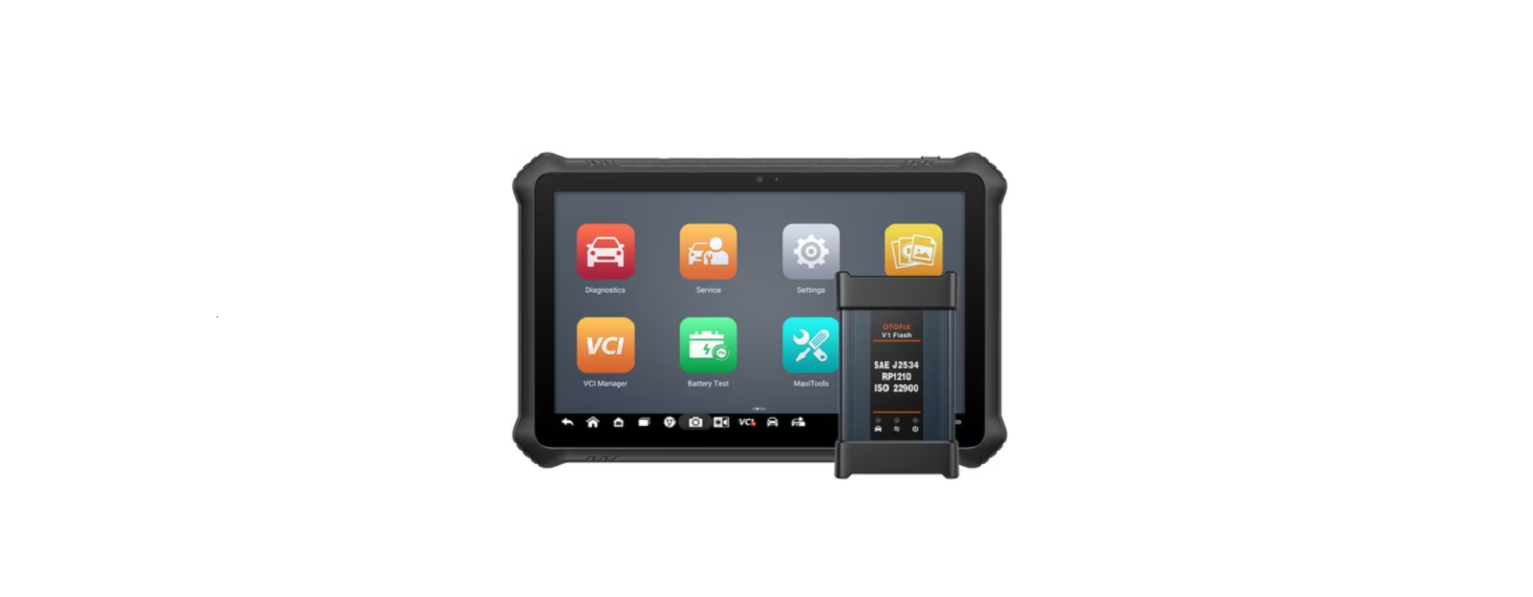

OTOFIX D1 Pro Bi-Directional Car Diagnostic Tool

Description

- 10.4-inch Touchscreen
- Ambient Light Sensor — detects ambient brightness
- Front Camera
- Power LED
- DC Power Supply Input Port
- USB Port
- USB Port
- Headphone Jack
- Microphone
- Mini USB Port
- SD Card Slot
- Power/Lock Button — turns the device on & off with a long press, or locks the screen with a short press.
- Speaker
- Rear Camera
- Camera Flash
OTOFIX V1 Flash
- DC Power Supply Input Port
- Vehicle Data Connector
- Ethernet Port
- USB Port
- Vehicle LED — flashes green when the device is communicating with the vehicle OTOFIX EvoScan Ultr.
- Connection LED — refer to Table 1-1 Connection LED Description for details
- Power LED — refer to Table 1-2 Power LED Description for details
Connection LED Description
Power LED Description
Getting Started
- Connect the OTOFIX main cable V2.0 to the OTOFIX D1 Pro Bi-Directional Car Diagnostic Tool Vehicle Data Connector on the V1 Flash and tighten the thumb screws.

- Connect the cable’s 16-pin adapter to the vehicle’s DLC, which is generally located under the vehicle’s dashboard.rd

- Long-press the Power Lock button to power up the tablet. Ensure the tablet has a charged battery or is connected to the supplied DC power supply

- Connect the tablet with the V1 Flash via Bluetooth or the included USB cable to establish a communication link. Use only the USB cable connection when programming

- When the V1 Flash is properly connected to the vehicle and the tablet, the VCI status button at the bottom bar on the screen displays a green badge. This OTOFIX D1 Pro Bi-Directional Car Diagnostic Tool indicates your diagnostics tablet is ready to start vehicle diagnosis.

Dear Customer
Thank you for purchasing this OTOFIX EvoScan Ultra diagnostics tool. This tool is manu- EN factured to a high standard and — when used according to these instructions and properly maintained — will provide years of trouble-free performance.
Customer Service
-
- Website: www.otofixtech.com
- Ph: +86-755-21612590
- Scan the QR code

FAQs
What is the OTOFIX D1 Pro used for?
Full-system diagnostics, service resets, bi-directional active testing, and support for advanced features like ECU coding and modifications for the majority of OBD-II compliant vehicles are all capabilities of the professional-grade automobile diagnostic scanner D1 Pro.
What does “bi-directional” mean in this context?
Beyond only scanning fault codes, bi-directional control enables the tool to transmit commands to a car’s modules, enabling you to test actuators and other parts, including window motors, radiator fans, fuel pumps, and more.
Which vehicles are compatible with the OTOFIX D1 Pro?
From 1996 to the present, it has supported more than 80 car brands worldwide, including American, European, and Asian models. Vehicle-specific features differ depending on the year, manufacturer, and model.
Is a subscription required to use the tool?
Software upgrades for the D1 Pro are free for a year. But even without updates, the gadget continues to work.
Can I use the OTOFIX D1 Pro without internet access?
Indeed. However, an internet connection is necessary for features like software upgrades, remote help, and cloud-based diagnostics.
Does it support ECU coding and programming?
Indeed. On compatible cars, the D1 Pro enables ECU coding and customisation. Although it can manage numerous dealer-level modifications, it does not carry out ECU flashing or module programming like factory tools do.
Is the OTOFIX D1 Pro suitable for hybrid and electric vehicles (EVs)?
Indeed. For many EVs and hybrids, the tool enables diagnostics, such as system tests for high-voltage batteries, inverter modules, and electronic brake systems on compatible models.