

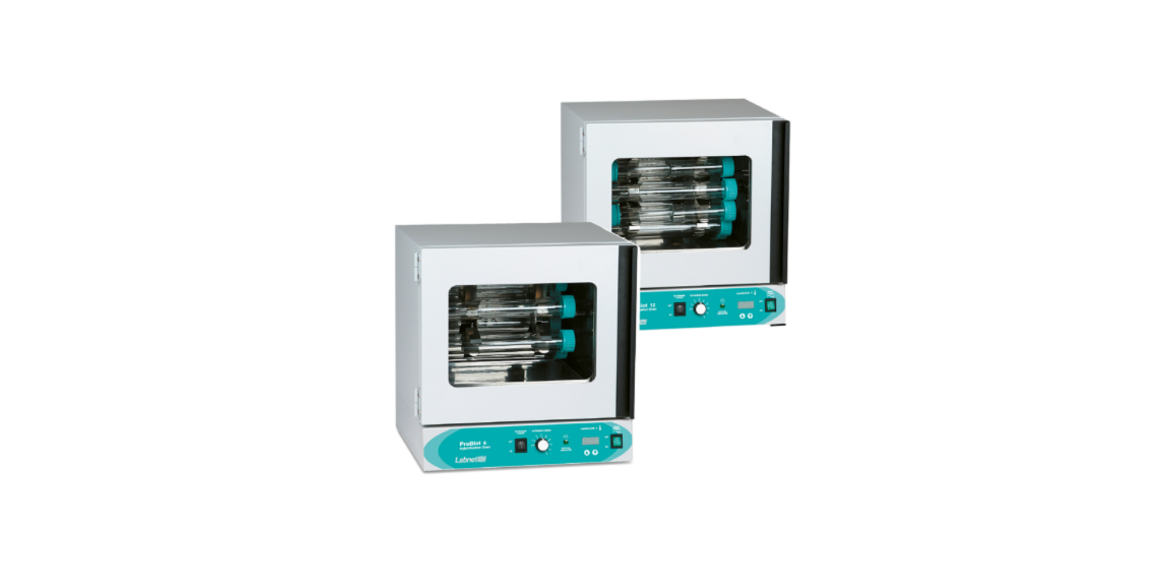

Labnet H0600A ProBlot Hybridization Oven
Introduction
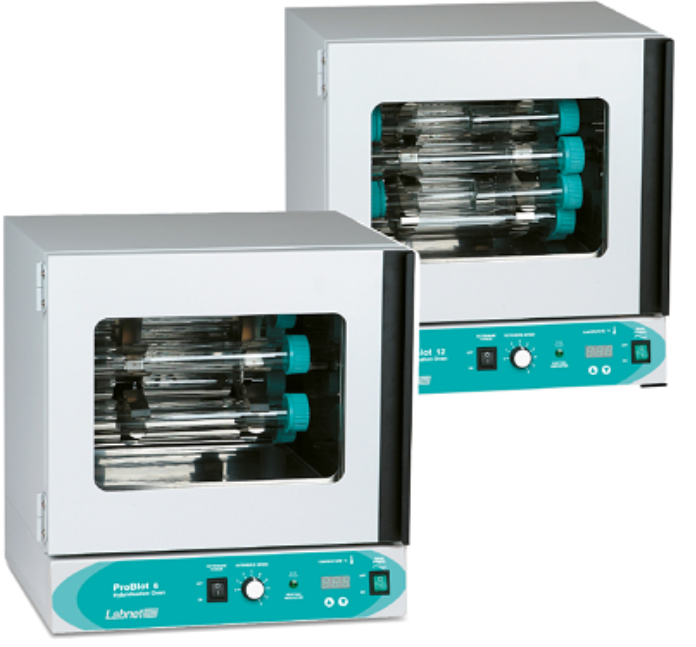
The Labnet ProBlot™ 6 and 12 hybridization ovens provide extremely stable temperature environments and smooth variable speed rotation that are ideal for blot hybridization and blot washing activities.
Labnet ProBlot hybridization ovens use microprocessor controls and mechanical convection to maintain a stable temperature environment and to achieve fast chamber temperature recovery after a door opening. The oven interior is constructed from stainless steel for corrosion resistance.
ProBlot rotisseries are easily removed from the oven and are adjustable for either horizontal or more vigorous angled blot washing. All oven doors have an integral glass window to allow observation of samples without opening the door, and each door is fully thermal gasketed.
The ProBlot 6 and 12 ovens include a drip pan for easy clean-up of accidental spills. Hybridization bottles made of high-quality borosilicate glass, which provide a high level of protection against heat and thermal expansion, are recommended for optimum ProBlot oven performance.
Safety Information
Before using the Labnet ProBlot hybridization oven for the first time, please read this entire manual carefully. If the equipment is used in a manner not specified by the manufacturer, the protection provided by the equipment may be impaired.
Operation
- Although the Labnet ProBlot hybridization oven has been designed to minimize user exposure to radioactive materials, proper precautions must be taken when using radioactive materials.
- Always inspect the hybridization bottles, caps, and seals before use. Do not use bottles, caps, or seals that are cracked or chipped. Cap seals should be replaced if they are severely deformed or discolored. Special attention should be paid to inspecting bottle rims/threads.
- Do not take bottles to temperatures higher than 70°C without opening and retightening the cap to relieve pressure build-up. Temperatures above 70°C can cause breakage of hybridization bottles. If chamber temperatures rise above 70°C when bottles are in use, do not open the oven door. Reduce the temperature setting to below 70°C or turn the power off and allow sufficient time for the bottles to cool below 70°C before opening the door.
Specifications
- Exterior dimensions (W x D x H) 19 x 17.5 x 19.5 in. (48.3 x 44.5 x 49.5 cm)
- Chamber dimensions (W x D x H) 14.5 x 11 x 13.5 in. (36.8 x 27.9 x 34.3 cm)
- Chamber temperature range: Ambient, 5°C to 80°C
- Environmental conditions 5°C to 40°C, ≤80% RH, non-condensing
- Accuracy ±0.1°C
- Uniformity ±0.5°C
- Optional rocker speed 8 to 40 rocks per minute.
- Interior electrical outlet 1A (120V)
- Electrical rating 120V ±10%, 50/60 Hz, 5x20MM T6.3A 250V
- 230V ±10%, 50/60 Hz, 5x20MM T6.3A 250V
The Labnet ProBlot™ hybridization oven is designed to be safe at least when operated under the following conditions:
- Indoor use only
- Altitude up to 2,000 meters
- Pollution Degree 2
Package Contents
- Labnet ProBlot hybridization oven
- Adjustable feet (4)
- Rotisserie
- Rotisserie brass locking pin
- Drip pan
- Instruction manual
Installation
Remove the drip pan (if not already separated), adjustable feet, and rotisserie from the chamber (see Section 8.2). Install the four adjustable feet and locate the Labnet ProBlot hybridization oven on a stable, flat surface near a grounded electrical outlet.
The location selected should be out of direct sunlight and away from heat-producing sources or hot or cold air drafts. At least 2 in. (5 cm) ventilation clearance is required around all sides of the oven. Level the oven using the four adjustable feet. Clockwise rotation of a foot raises the oven. You may wish to use a level placed in the chamber for optimum leveling.
Check the rotisserie and set it for horizontal or angled use by adjusting the screws in the rotisserie hub (see Section 8.1). Plug the unit into a properly rated and grounded electrical outlet, and the unit will be ready for use.
Stacking Labnet ProBlot Hybridization Ovens
The ProBlot 6 and 12 models may be stacked up to two high. You may wish to remove the adjustable feet from the upper unit when stacking.
The adjustable feet can slide off the top of the lower unit, and/or scratching can occur if rubber cups or matting are not used. When stacking, it is advisable to use either rubber furniture cups under the feet of the upper unit or flat rubber matting at each corner of the upper unit or across the entire upper surface.
To stack a unit, place the upper oven on top of the lower oven slightly toward the back such that the upper oven does not prevent the lower oven door from moving freely.
Labnet H0600A ProBlot Hybridization Oven user manual provides setup, operation, and maintenance instructions for accurate lab hybridization.
The controls for the Labnet ProBlot hybridization oven include power to the oven, temperature setting and display, and rotisserie power and speed. The controls are located at the bottom front of each oven.
- Main power switch: Turns the power to the unit on/off. Illuminates green when On.
- Temperature controller and temperature set: The controller has a 3-digit display for displaying chamber temperature or setpoint information.
- To enter the setpoint mode of operation, press either the Up or Down arrows once.
- The display will start to blink, going from bright to dim, and will show the setpoint.
- To change the setpoint, use the Up and Down arrows. A
- fter setting the temperature, allow at least one hour for the chamber temperature to stabilize and 24 hours for optimum stabilization.
- Suspend a certified reference thermometer in a hybridization bottle such that it does not touch the glass bottle sides, or (less accurately) tape the reference thermometer to the outside wall of a hybridization bottle.
- Mount the bottle on the rotisserie (and a second bottle for balance), and run the unit at the desired temperature for 2 hours.
- Compare the units displayed to the reference thermometer.
- If there is an unacceptable difference, put the controller into calibration mode by pressing both the Up and Down arrows at the same time until the two outside decimal points begin to flash.
- Allow the oven to stabilize again, and recalibrate if necessary.
- Heating Indicator: Illuminates green when the controller is calling for heat from the heater.
- This indicator will be on continuously while the oven heats up to the set temperature and will then cycle on and off at the set temperature.
- Rotisserie speed knob: Controls the rotisserie speed. Clockwise rotation increases speed.
- The oven has a nominal speed range of 4 to 20 rpm.
Rotisserie
The rotisserie is stainless steel and has clips to hold hybridization bottles. Always load the rotisserie with an even number of bottles in a balanced pattern. The standard rotisserie will hold either six or twelve large (300 mm) bottles and double the number of small (150 mm) bottles. The Labnet H0600A ProBlot Hybridization Oven clips may be squeezed inward to also hold 50 mL tubes. Optional rotisseries that hold other styles of bottles or vertical 50 mL tubes are available.
Setting Rotisserie Offset Angle
The rotisserie can be adjusted to hold bottles either horizontally or at a slight angle for more vigorous wetting action. To adjust the angle, first loosen the screws on one hub, then rotate the hub to create an angle offset between the two hubs, then retighten the screws. An additional angle can be obtained by loosening the screws and rotating the second hub in the opposite direction from the first hub.
Rotisserie Removal and Installation
Bottles may need to be removed before attempting to remove or install the rotisserie. The rotisserie is held and driven by a two-prong fork drive on one side and locked in a cradle on the other side by a brass locking pin. To remove the rotisserie, first remove the brass Labnet H0600A ProBlot Hybridization Oven locking pin, then lift the rotisserie from the cradle while simultaneously moving the rotisserie away from and off the two-prong fork drive. Rotisserie installation is the reverse.
Rocking Platform Installation
To install the rocking platform, first install the fork adapter (rectangular bar with holes) on the rotisserie drive fork by pressing the adapter over the two prongs and tightening the Allen screw at the end of the adapter with the wrench provided. Do not overtighten.
Next, use the rotisserie speed control to bring the fork drive and adapter to a horizontal position. Place the rocking platform in the oven and connect the platform drive arm to the fork drive adapter using the thumbscrew. Two positions are available on the adapter. Select the position that allows the platform to sit horizontal (or close to horizontal) when the fork drive and adapter are horizontal.
To operate the rocking platform, turn the rotisserie power switch to the On position and adjust the speed using the rotisserie speed knob.
Cleaning and Maintenance
Be sure to disconnect the power cord before cleaning or decontaminating the oven. Do not use chlorine-based bleach or abrasives. Any spills in the incubator and/or on the rotisserie should be cleaned up immediately.
Decontamination
This method works on the oven interior, the drip pan, the rotisserie, and the rocker platform.
Troubleshooting Guide
Problem Solution
| The oven will not power on or will not heat | Check the power cord, outlet, and unit circuit breaker. |
| The rotisserie will not turn on | Check the rotisserie On/Off switch and speed setting. |
| Rotisserie speed is erratic/jumps. | Check for balanced load on rotisserie. |
| The rocker platform will not operate. | Check that nothing is blocking the rocker platform sides. The temperature |
| is too high | Check the setpoint and readjust, if necessary. Check calibration. |
| Chamber temperature goes above the set point and settles back to the set point | Normal operation in initial heat up or if the point door is opened for a long period. |
| The temperature will not remain stable, or the display will show “LO” | Check that the setpoint is at least 5°C above ambient, which is the minimum set and operating point. |
| The indicated temperature is unstable. | A slight variation of ±0.1°C is normal. Larger fluctuations may be ambient variations from drafts, door opening and closing, a fan obstruction or failure, or electrical noise from RFI (motors, etc.).The temperature |
| e is too low. | Confirm temperature setpoint. |
| The unit will not heat above the temperature that is below the setpoint | Confirm setpoint. Check the temperature of the chamber with a thermometer, and recalibrate if needed. |
| The temperature display and the reference thermometer do not match | Be sure the unit has been allowed to stabilize for 1 hour. |
| Cannot adjust the setpoint or calibration | Turn the unit off for 5 seconds to reset. If the problem persists, call Corning Customer Service. |
| Unit calibrated at one temperature but not at another | This can be a normal condition if temperatures or load vary widely. For best accuracy, calibrate at the setpoint. |
Accessories
Cat. No./Description
| H1200-RA | Rocking platform |
| H1212-40VA | Rotisserie, vertical, for 12 x 50 mL conical tubes |
| H1264-VA | Rotisserie, vertical, for 64 x 1.5 mL or 32 x 15 mL conical tubes |
| H1264-HA | Rotisserie, horizontal, for 64 x 1.5 mL or 32 x 15 mL conical tubes |
Limited Warranty
Corning Incorporated (Corning) warrants that this product will be free from defects in material and workmanship for a period of one (1) year from the date of purchase.
Corning’s sole obligation shall be to repair or replace, at its option, any product or part thereof that proves defective in material or workmanship within the warranty period, provided the purchaser notifies Corning of any such defect. Corning is not liable for any incidental or consequential damages, commercial loss, or any other damages from the use of this product.
In the event this product fails within the specified period of time because of a defect in material or workmanship, contact Corning. Corning’s Customer Service team will help arrange local service where available or coordinate a return authorization number and shipping instructions. Corning may elect for on-site service for larger equipment.
Some states do not allow limitations on the length of implied warranties or the exclusion or limitation of incidental or consequential damages. This warranty gives you specific legal rights. You may have other rights that vary from state to state. No individual may accept for, or on behalf of Corning, any other obligation of liability, or extend the period of this warranty.
For your reference, make a note of the serial and model number, date of purchase, and supplier here.
- Serial No. __________________________________________
- Date Purchased _______________________________________
- Model No. _________________________________________
- Supplier _____________________________________________
Equipment Disposal
According to Directive 2012/19/EU of the European Parliament and of the Council of 4 July 2012 on waste electrical and electronic equipment (WEEE), this product is marked with the crossed-out wheeled bin and must not be disposed of with domestic waste. Consequently, the buyer shall follow the instructions for reuse and recycling of waste electronic and electrical equipment (WEEE) provided with the products and available at www.corning.com/weee.
Customer Service
- Website: www.labnetlink.com.
- Visit: www.corning.com/lifesciencs
- Visit: www.corning.com/resources
- USA/Canada: 1.800.492.1110
- Others: +1.978.442.2200
- North America: 978.442.2200
- Australia/New Zealand: 61 427286832
FAQs
What is the Labnet H0600A ProBlot Hybridization Oven used for?
The ProBlot H0600A is made for hybridising nucleic acids (DNA/RNA) onto membranes using techniques like Southern and Northern blotting. It offers consistent rotation and accurate temperature control for the best hybridisation results.
What is the temperature range of the ProBlot oven?
The oven’s temperature range of 25°C to 70°C provides versatility for a range of hybridisation processes.
How does the rotation mechanism work, and why is it important?
By rotating samples at varying speeds (usually 5–60 rpm), the oven prevents uneven hybridisation and enhances signal quality by distributing the probe solution evenly throughout the membrane.
What sizes of hybridization bottles or tubes are compatible?
Standard 50 ml and 100 ml hybridisation bottles, as well as other containers up to about 12 cm in diameter, can fit inside the ProBlot oven.
Can the oven accommodate samples with volatile hybridization buffers?
Although made for sealed bottles, to avoid safety risks, do not use extremely volatile or combustible liquids inside the oven.