


Labnet C0060 Spectrafuge 6C Research Centrifuge User Manual
Introduction
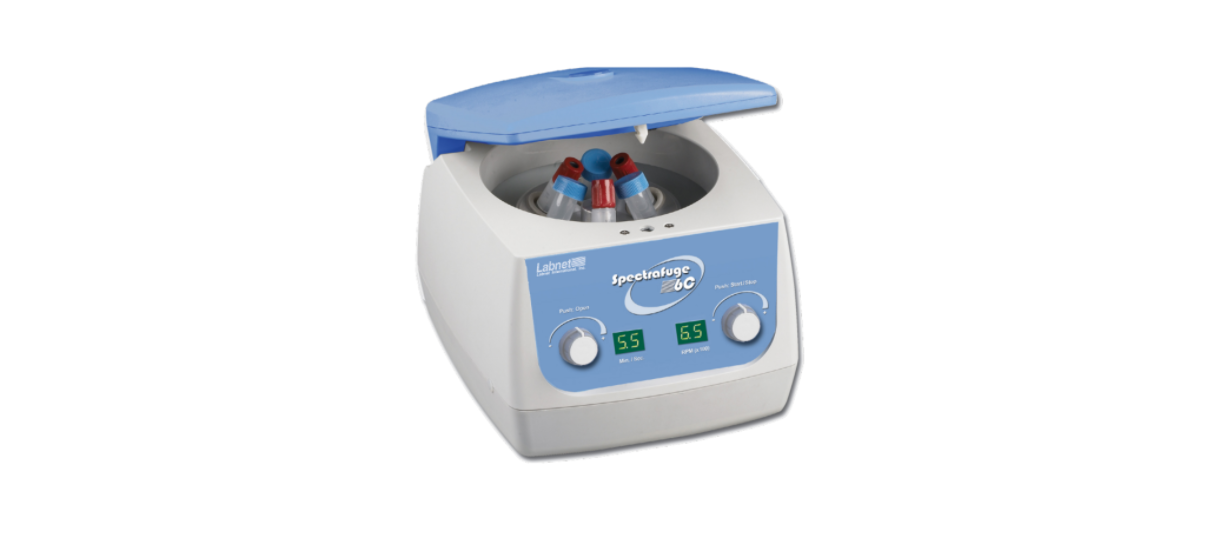
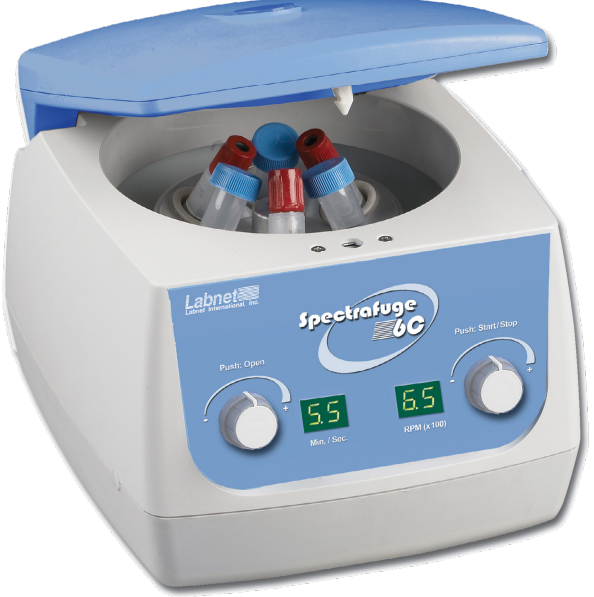
The Spectrafuge™ 6C is a small benchtop centrifuge designed for the separation of various research
samples and is supplied with a 6 x 15 mL rotor. Adapters are available for tubes smaller than 10 mL.
The Spectrafuge 6C reaches speeds of up to 6,500 rpm/4,000 x g.
Symbols and Conventions
- The electrical warning indicates the presence of a potential hazard that could result in electrical shock.
- This symbol identifies a Protective Earth (PE) terminal, which is provided for connection of the supply system’s protective earth (green or green/yellow) conductor.
Safety Information
If this equipment is used in a manner not specified by the manufacturer, the protection provided by the equipment may be impaired.
- Never use the centrifuge in any manner not specified in these instructions.
- Never operate the centrifuge without a rotor properly attached to the shaft.
- Never fill tubes while they are in the rotor. Liquid spillage may harm the nit.
- Never put your hands in the rotor area unless the rotor is completely stopped.
- Never move the centrifuge while the rotor is spinning.
- Never use solvents or flammables near this or other electrical equipment.
- Never centrifuge flammable, explosive, or corrosive materials.
- Never centrifuge hazardous materials outside of a hood or proper containment facility.
- Always locate the centrifuge within easy access to an electrical outlet.
- The centrifuge is located in an explosive atmosphere.
Unpacking
| Labnet Spectrafuge™ 16M microcentrifuge | 1 |
| Instruction manual | 1 |
| Power cord
C0160 (NA plug) C0160-230V (EU and UK plugs) |
1
1 |
| Rotor screw wrench and screw | 1 |
Installation
Unpacking the centrifuge
Before unpacking the centrifuge, inspect the outside of the carton for any shipping damage. Remove the centrifuge from the carton. Inspect the centrifuge for any visible signs of shipping damage. Shipping damage is the responsibility of the transportation carrier.
Required space
To guarantee sufficient ventilation, ensure that the centrifuge has at least 15 cm (6 inches) of free space on all sides, including the rear. The centrifuge should not be located in areas subject to excessive heat, such as in direct sunlight or near radiators or the exhaust of a compressor, as a buildup of heat may occur within the chamber.
Installation
Before opening the centrifuge, check that the power source corresponds to that on the manufacturer’s rating label, then connect the power cord to the centrifuge and the power source.
Accessories
The following accessories are available for the Spectrafuge 16M Microcentrifuge.
| Cat. No. | Tube Measurement (mm) | Max. Speed (rpm) | Centrifuging Radius (cm) | RCF (g-Value) (x g) | |
| Angle rotor for 18 x 1.5 mL tubes | Included with the unit | 10 x 40 | 14,000 | 7.3 | 16,000 |
| Adapter for 0.5 mL tubes | C1205 | 8 x 30 | 14,000 | 6.6 | 14,462 |
| Adapter for 0.4 mL tubes | C1206 | 6 x 47 | 14,000 | 7.3 | 16,000 |
| Adapter for 0.2 mL tubes | C1222 | 6 x 21 | 14,000 | 6.1 | 13,366 |
Maintenance
Periodically inspect the rotor for dents, dings, scratches, discoloration, and cracks. If any damage to the rotor is found, discontinue use of the rotor immediately and replace it.
Mounting and securing the angle rotor
Remove the rotor screw from the motor shaft by turning the screw counterclockwise. Clean the motor shaft and the rotor mounting hole (see Figures 1 and 2). Place the rotor on the motor shaft, ensuring that the cross-pin (Figure 1) aligns correctly with the rotor slot (Figure 2).

- Chamber and motor shaft.
- Bottom of the ngle rotor.
- Loading the rotor
Removing the rotor
Using an adjustable or 1/4 inch wrench to loosen the screw and remove the rotor, retaining the screw/washer assembly by turning it counterclockwise. Lift the rotor directly upward in a straight vertical motion.
Overloading rotors
Do not attempt to exceed these values. In order to centrifuge liquids with a higher density, it is necessary to reduce the speed. Failure to reduce the speed may result in damage to the rotor and centrifuge.


If in doubt concerning maximum speeds, please contact the manufacturer for assistance.
Operation
Closing the lid
After the rotor has been properly secured and loaded, close the centrifuge lid, making sure that the interlock has been engaged.
- Spectrafuge™ 16M control panel layout.
Lid release
If the lid does not open automatically, press the lid button.
- Disconnect the power cord from the wall socket.
- Remove the plastic plug, located on the left side of the unit, below the quick button.
- Pull the cord (attached to the plug) to open the lid lock manually.
Lid lock
When the rotor begins to accelerate, the lid lock indicator light turns on and the lid button becomes inoperable. Do not attempt to open the lid until the lid lock indicator turns off. At the end of the run, the lid will automatically open.
Speed selection
The scale is directly proportional to the speed – a setting of 9 corresponds to 9,000 rpm, a setting of 13 corresponds to a speed of 13,000 rpm, etc.
Time and Momentary operation
For run times less than 5 minutes, turn the knob clockwise past the halfway point and then counterclockwise to the desired time. For run times longer than 5 minutes, turn \the knob clockwise to the desired time.
When the preselected time expires, the centrifuge will stop automatically. To stop the centrifuge before the expiration of the et time, turn the Time knob to the zero position.
Service and Maintenance
Centrifuge service
Always keep the centrifuge housing, rotor chamber, rotor, and rotor accessories clean. For more thorough cleaning, use a neutral cleaning agent (pH between 6 and 8) applied with a soft cloth.
Cleaning the rotor
The rotor should be cleaned after each use. When spinning 8 samples containing phenol or phenolchloroform, the rotor should be cleaned immediately after use.
Disinfection
Should a spill of infectious materials occur within the rotor or chamber, the unit should be disinfected. This should be performed by qualified personnel with proper protective equipment.
Replacing fuses
The fuse holder is located in the power inlet on Labnet C0060 Spectrafuge 6C Research Centrifuge the rear of the unit. Disconnect the power cord from the power inlet. Open the fuse holder drawer by inserting a small screwdriver under the tab and prying it open.
Remove the innermost (operative) fuse from its retaining tabs, and replace the fuse if necessary. A spare fuse is located in the outermost chamber of the fuse drawer. Replace only with a fuse of the same value as the original.
Specifications
| Maximum speed | 14,000 rpm |
| Maximum RCF | 16,000 x g |
| Maximum volume | 18 x 1.5/2.0 mL |
| Admiss. density | 1.2 kg/dm3 |
| Electrical/fuse rating
C0160 C0160-230V |
120V ± 10%, 50/60 Hz, 1.3A/2.5AT
230V ± 10%, 50/60 Hz, 0.7A/1.25AT |
| Operation conditions | 5°C to 40°C, up to 80% RH, non-condensing |
- Indoor use only
- Altitude up to 2,000 meters
- Pollution degree 2
Troubleshooting
| The lid lock will not release | Defective lid lock | Open manually and have the unit serviced. |
| No power from the PC board | Call for service. | |
| The centrifuge is not receiving power. | See “Centrifuge will not start”.The centrifuge | |
| e cannot be started, although the power is on | The lid was not closed correctly | Close the lid correctly. |
| No speed or time has been selected | Set Speed and/or time. |
Determination of g-values
The centrifuging radius of the 1.5 mL rotor is 7.3 cm. See Section 7.1 (Rotor and Accessories) for the correct radius when using adapters and smaller tubes.

To calculate the RCF value at any point along the tube or bottle, measure the radius, in mm, from the center of the centrifuge spindle to the particular point. Draw a line from the radius value on the right-hand column to the appropriate centrifuge speed on the left-hand Labnet C0060 Spectrafuge 6C Research Centrifuge column. The RCF value is the point where the line crosses the center column. The nomogram is based on the formula: RCF = (11/17 x 10-7) RN2
Where
- R = Radius in mm from centrifuge spindle Labnet C0060 Spectrafuge 6C Research Centrifuge to point in tube bottom
- N = Speed of spindle in RPM
Limited Warranty
Corning Incorporated (Corning) warrants that this product will be free from defects in material and workmanship for a period of one (1) year from the date of purchase. Corning’s sole obligation shall be to repair or replace, at its option, any product or part thereof that proves defective in material or workmanship within the warranty period, provided the purchaser notifies Corning of any such defect. Corning is not liable for any incidental or consequential damages, commercial loss, or any other damages from the use of this product.
Corning’s Customer Service team will help arrange local service where available or coordinate a return authorization number and shipping instructions. Corning may elect for on-site service for larger equipment. Some states do not alllimitationsion on the length of implied warranties or the exclusion or limitation of incidental or consequential damages. This warranty gives you specific legal rights. You may have other rights that vary from state to state. No individual may accept for, or on behalf of Corning, any other obligation of liability, or extend the period of this warranty
Warranty/Disclaimer
Unless otherwise specified, all products are for research use or general laboratory use only.* Not intended for use in diagnostic or therapeutic procedures. Not for use in humans. Corning Life Sciences makes no claims regarding the performance of these products for clinical or diagnostic applications. *For a listing of US medical devices, regulatory classifications, or Labnet C0060 Spectrafuge 6C Research Centrifugespecific information on claims, visit www.corning.com/resources.
Equipment Disposal
Consequently, the buyer shall follow the instructions for reuse and recycling of waste electronic and electrical equipment (WEEE) provided with the products and available at www.corning.com/weee.
Customer Service
- Website: www.labnetlink.com.
- Visit: www.corning.com/lifesciencs
- Visit: www.corning.com/resources
- USA/Canada: 1.800.492.1110
- Others: +1.978.442.2200
- North America: 978.442.2200
- Australia/New Zealand: 61 427286832
FAQs
What is the maximum speed and relative centrifugal force (RCF) of this centrifuge?
For mild to moderate centrifugation requirements, its maximum RCF of roughly 2,166 x g can be achieved at up to 6,000 RPM.
Is the speed adjustable?
Indeed, the speed may be changed from 1,000 to 6,000 RPM, enabling customisation according to sample needs.
Does the Spectrafuge 6C include a timer?
It does have a digital timer that can be set for continuous runs or from 1 second to 99 minutes.
Is the rotor removable?
The fixed-angle rotor may be easily cleaned and maintained because it is detachable.
How do I clean and maintain the centrifuge?
Use a gentle cloth and a light detergent to clean the outside. Use a moist cloth to clean the rotor and rotor chamber regularly. Steer clear of strong chemicals.