

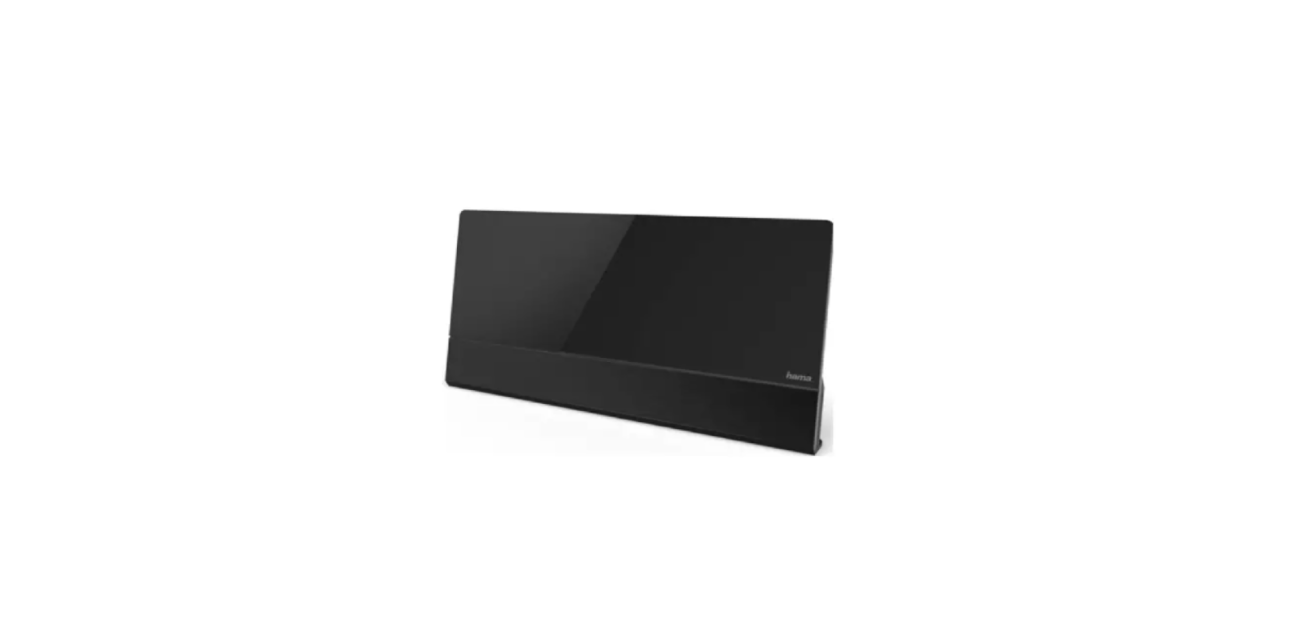

Hama 00221087 Active DVB-T2 Indoor Antenna
Safety Instructions
The Hama 00221087 is designed for safe indoor use. Follow these safety instructions carefully to ensure proper operation and prevent damage.
- Use the product only for the intended purpose.
- Protect the product from dirt, moisture, and overheating, and use it in dry rooms only.
- The electrical socket must always be easily accessible.
- Route all cables so there is no risk of tripping.
- Do not bend or crush the cable.
- Do not drop the product and do not expose it to any major shocks.
- Dispose of packaging material immediately in accordance with the locally applicable regulations.
- Do not modify the product in any way. Doing so voids the warranty.
- Do not attempt to service or repair the device yourself. Leave the service work to qualified experts.
- Do not open the device or continue to operate it if it becomes damaged.
Controls and Displays
- Aerial cable
- Operating LED
- Power supply (USB-A)
- Fastening screw for base/wall bracket
Package Contents

- DVB-T indoor aerial
- Base/wall bracket
- These operating instructions
Technical Data
- Power supply 5VDC/50 mA max
- via USB-A
- Frequency band 470 – 690 MHz
- Amplification 28 dB
- Output level 100 dBμV max.
- Noise 3 dB max
- Connection coax plug
- Ambient temperature -20 to +40°C
Start-up and Operation
Direct power supply to the aerial via the USB connection on the digital TV / set-top box
- Connect the coaxial cable on the aerial to the TV or set-top box.
- Connect the USB cable to an available USB input on your TV or set-top box.
- Ensure that the LED (2) lights up.
Power supply to the aerial via an external USB power supply unit
- Connect the coaxial cable on the aerial to the TV or set-top box.
- Connect the USB cable to a suitable USB power supply unit (not included in the extent of delivery) and connect the power supply unit to a socket.
- Ensure that the LED (2) lights up.
For more guidance on setting up Hama devices, see the Hama 00222238 Palawan Weather Station Instruction Manual.
Standing (Pic 3a) / wall mounting

The aerial can be stood up in square format or, thanks to a variable and lockable foot, can also be mounted on the wall in portrait or landscape format. To do this, loosen the fastening screw (4) and secure the base according to the desired setup configuration using the screw. With wall mounting, please use suitable screws and plugs (not included in the extent of delivery) to secure the bracket (base) to the wall.
- After the product has been installed, check that it is sufficiently stable. You should repeat this check at regular intervals.
Warranty disclaimer
The Hama 00221087 warranty: Hama GmbH & Co KG assumes no liability and provides no warranty for damage resulting from improper installation/mounting, improper use of the product, or from failure to observe the operating instructions and/or safety notes.
Declaration of Conformity
Hama GmbH & Co KG hereby declares that the radio equipment type [0022108compliesnce with Directive 2014/53/EU.
Customer Service
- Website: https://de.hama.com
- Ph: 49 9091 502-0
FAQs
Q: Do I need a power source for this antenna?
Indeed, the Hama 00221087 features an integrated signal amplifier that needs external power, making it an active antenna. Either the USB or the provided power adapter can be used to power it.
Q: Can this antenna receive analog TV signals?
No. Older analogue broadcasts might not be supported by this device, which is specifically designed for DVB-T2 digital signals.
Q: Can this antenna improve weak signals?
Yes, the included amplifier strengthens weak signals; however, your location in relation to broadcast towers also affects the quality of your reception.
Q: Is the Hama 00221087 compatible with all TVs?
Any TV having a coaxial antenna input and DVB-T2 signal capability can use it. If you’re not sure, check the specs of your TV.
Q: Can I adjust the direction of the antenna?
Indeed, signal reception is impacted by the orientation of the antenna. To locate the location with the strongest signal, rotate and tilt it. For best results, many people need to try a few different postures.
Q: Does the antenna have a built-in amplifier?
Indeed, the amplifier improves signal reception and is especially helpful in places where signals are weak or erratic.