

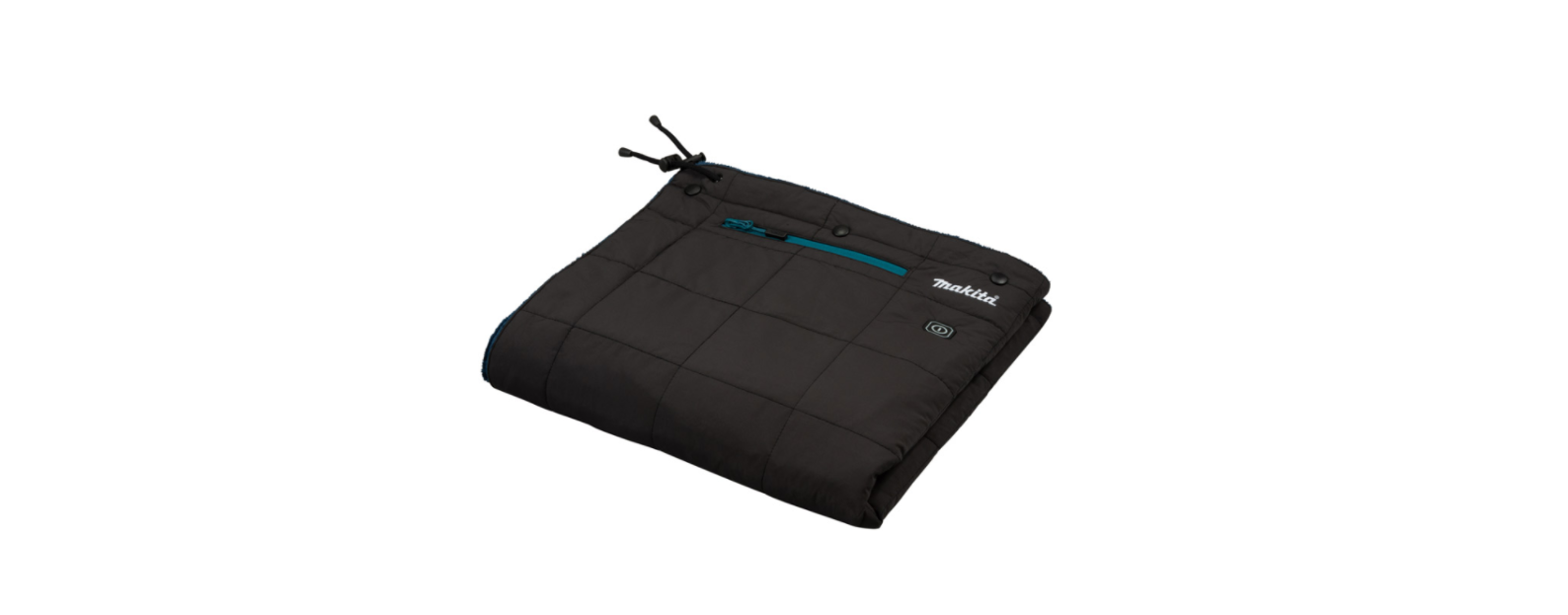

Makita CB100D Cordless Heated Blanket
Safety Instructions
- Do not use the appliance other than for its intended use.
- Keep maintenance of Makita CB100D Cordless Heated Blanket labels and nameplate.
- If they become unreadable or missing, contact our authorized service center for repair.
- Be careful not to touch the same part of the skin with the heating section for a long time.
- Stop using the appliance when you feel it is hot.
- Never use the appliance while you are sleeping.
- Do not insert pins into the blanket.
- Remove the batteries from the appliance before charging.
- Remove exhausted batteries from the appliance and dispose of them safely.
- When not in use, detach the battery holder from the blanket.
- Before storing the appliance, remove the batteries from the battery holder.
- Do not short-circuit the supply terminals.
- Do not use the appliance near a fire or in an explosive atmosphere, such as in the presence of flammable liquids, gases, or dust.
- Do not use this appliance for a pet.
- Keep this appliance away from pets.
- Do not throw or twirl this appliance.
- Do not put a heavy object onto this appliance.
- Do not use this appliance with the blanket folded.
- Do not use Makita CB100D Cordless Heated Blanket with other heating appliances at the same time.
- When washing the blanket, follow the instructions in the caution tag on the blanket.
- Before cleaning the blanket, remove the battery holder, extension cord, and battery cartridge.
- Put the power cable in the battery pocket and close the zip fastener.
- Keep the work area clean and well-lit. Cluttered or dark areas increase accident risk.
- Do not expose the appliance to rain or wet conditions.
- Water entering the appliance may increase the risk of electric shock.
- Do not abuse the cord. Never use the cord for carrying, pulling, or unplugging the blanket.
- Keep the cord away from heat, oil, and sharp edges.
- Do not connect the power source to the USB port.
Specifications
| Model: | CB100D | DCB200 | ||
| Material | Outer: 100% Polyester Batting: 100% Polyester Liner: 100% Polyester |
|||
| Temperature adjustment steps | 3 | |||
| Size (L x W) | 700 mm x 1,400 mm | |||
| Net weight * | 0.58 kg | |||
Approximate weight without battery holder, battery cartridge, extension cord, and storage bag
| USB power supply port | D.C. 5 V, 2.4 A, Type A | |
| Rated voltage | D.C. 10.8 V – 12 V max
D.C. 14.4 V D.C. 18 V |
|
| Battery cartridge | 10.8 V – 12V max | BL1016 / BL1021B / BL1041B |
| 14.4 V | BL1415N / BL1430B / BL1440 / BL1460B | |
| 18 V | BL1815N / BL1820B / BL1830B / BL1840B / BL1850B / BL1860B |
A combination of a battery holder and a blanket
For the combination of battery holder and blanket, refer to the table below.
| Model | Battery | Part number of the battery holder |
| CB100D | 10.8 V – 12 V max | TD00000110 |
| DCB200 | 14.4 V or 18V | TD00000111 |
Operating Time
CB100D
| Temperature setting | Battery cartridge |
| BL1041B | |
| HIGH | 3.5 hours |
| MEDIUM | 7.0 hours |
| LOW | 10.5 hours |
DCB200
| Temperature setting | Battery | cartridge |
| BL1460B | BL1860B | |
| HIGH | 5.5 hours | 7.5 hours |
| MEDIUM | 10.5 hours | 16.0 hours |
| LOW | 23.0 hours | 33.0 hours |
Intended use
This appliance is intended for warming up the body in cold environments.
Parts Description
Battery holder (optional accessory) Fig.1
| 1 | Battery holder for CXT battery cartridge | 2 | Battery holder for LXT battery cartridge | 3 | CXT battery cartridge (10.8 V – 12 V max) | 4 | LXT battery cartridge (14.4 V / 18 V max) |
| 5 | Adapter cable | – | – | – | – | – | – |

| 1 | Power cable | 2 | Battery pocket | 3 | Power button | 4 | Heating element (inside) |
| 5 | Extension cord | – | – | – | – | – | – |
Installation
Installing or removing the battery cartridge

- Red indicator
- Button
- Battery cartridge
- Battery holder (optional accessory)
To install the battery cartridge, align the tongue on the battery cartridge with the groove in the housing and slip it into place. Insert the battery cartridge all the way until it locks in place with a small click. If you can see the red indicator on the upper side of the button, it is not locked completely. To remove the battery cartridge, slide it from the battery holder while pressing the button on the front of the cartridge.
Attaching the battery holder
Take the power cable out of the battery pocket and connect the jack to the plug of the adapter cable.

- Power cable
- Jack
- Adapter cable
Using the Battery Pocket
The battery holder (with battery cartridge) can be stored in the battery pocket. Take the power cable out of the battery pocket and connect the jack to the plug of the adapter cable. After that, put the battery holder (with battery cartridge) into the battery pocket and fasten the zip fastener.

The belt hook on the battery holder can be detached by removing the screws.

Using the extension cord, if you put the battery holder out of the battery pocket, connect the extension cord between the jack of the power cord and the plug of the adapter cable. 
Using the belt hook on the battery holder
If you hang the battery holder on your waist belt, attach the belt hook of the battery holder to your waist belt. And then connect the jack of the adapter cable to the battery holder and connect the plug of the adapter cable to the jack of the power cable. 
The battery holder has an anti-drop function. When removing the battery holder from the belt, pull up the battery holder while pressing the unlock button. 
Functional Description
Power button
To turn on the blanket, connect all the cables, press the power button on the battery holder, and then press and hold the power button on the blanket for a few seconds. To turn off, press and hold the power button on the blanket.
There are three temperature settings (high, medium, low). When you switch on the blanket, the temperature is set to “high”. Each time you press the power button, the temperature setting changes as shown in the figure. The color of the power button shows the current setting. 
Only for battery cartridges with the indicator. The indicator lamps light up for a few seconds


Battery Protection System
The device is equipped with a battery protection system. This system automatically cuts off power to the
heating parts to extend battery life. If the remaining battery capacity is too low, the device will not operate. When you turn the device on, the power is supplied to the heating parts again, but stops soon. In the
Connecting USB Devices
The battery holder (with the battery cartridge) can work as an external power supply for USB devices.
- Open the cover and connect a USB cable (not included) to the USB port. Then connect the other end of the cable to the device.
- Start charging: When using the battery holder (with the battery), press and hold the power button until the power level indicator lights up. The battery supplies DC 5 V, 2.4 A. Battery holder (with battery).
Maintenance
Cleaning the blanket
- Detach the battery holder (or extension cord) from the blanket before washing.
- Be sure to store the power cable inside the battery pocket and close the zip fastener before washing.
- Follow the instructions on the tag.
- Do not wash the blanket with other clothes. Doing so may cause color fading or color transfer.
- Do not use the fabric softener.
- Use only neutral detergent.
- After washing, take out the blanket from the washing machine at once.
Storage
When not in use, detach the battery holder from the blanket. Store the blanket in the storage bag.

Optional Accessories
If you need any assistance for more details regarding these accessories, ask your local Makita Service. Centerce Center.
- Battery holder
- Adapter cable
- Makita genuine battery and charger
Customer Service
- Website: https://www.makitauk.com/
- Ph: 1-800-462-5482
FAQs
Q: What is the Makita CB100D?
The CB100D is a cordless heated blanket that may be used at home, on the job site, or outdoors. It is powered by Makita 18V Lithium-Ion batteries.
Q: What battery does it use?
It is compatible with Makita cordless tools in the 18V range and runs on Makita 18V LXT Lithium-Ion batteries.
Q: Is the CB100D washable?
Indeed. Before cleaning, take out the controller and batteries. You may either machine wash the blanket on a gentle cycle or wash it by hand. The controller and battery should not be submerged in water.
Q: What materials is the blanket made of?
Designed for comfort and safety, the CB100D has a built-in heating element and soft polyester fabric.
Q: Is it safe to use while sleeping?
Yes, Makita CB100D Cordless Heated Blanket but it’s advised to use low or medium heat while sleeping and not fold or cover the blanket while the heater is running for safety.
Q: Can it be used outdoors?
Indeed. It is perfect for camping, outdoor labour, or athletic events because it is portable and cordless. Keep the blanket away from damp surfaces and rain.
Q: Does it overheat?
Indeed. To avoid overheating and guarantee reliable, safe warmth, the CB100D has an automated temperature control mechanism.
Q: Can I use non-Makita batteries?
For safety and best results, it is highly advised to use only Makita 18V batteries. Batteries from third parties could harm the blanket or nullify the warranty.