Close Menu
onyxguides.comonyxguides.com

    Subscribe to Updates

    Get the latest creative news from FooBar about art, design and business.

    What's Hot

    How To Connect Hp Deskjet Printer To Wi-Fi

    March 27, 2026

    GENEINNO GTP-EXCAM1 T1 Pro External Camera User Manual

    March 27, 2026

    How Does A Projector Work

    March 26, 2026
    Facebook X (Twitter) Instagram
    onyxguides.comonyxguides.com
    Facebook X (Twitter) Instagram Pinterest
    • Home
    • About us
    • Terms & Conditions
    • Privacy Policy
    • FAQs
    • Contact us
    onyxguides.comonyxguides.com
    Home » Bang & Olufsen Beocom EX UC Wireless Headphones User Manual
    Bang & Olufson

    Bang & Olufsen Beocom EX UC Wireless Headphones User Manual

    By Gabriel SmithOctober 24, 2025Updated:October 24, 2025No Comments3 Mins Read
    Facebook Twitter Pinterest LinkedIn Tumblr WhatsApp Telegram Email
    Bang-Olufsen-Beocom-EX-UC-Wireless-Headphones-featured
    Share
    Facebook Twitter LinkedIn Pinterest Email

    Bang-Olufson-Logo

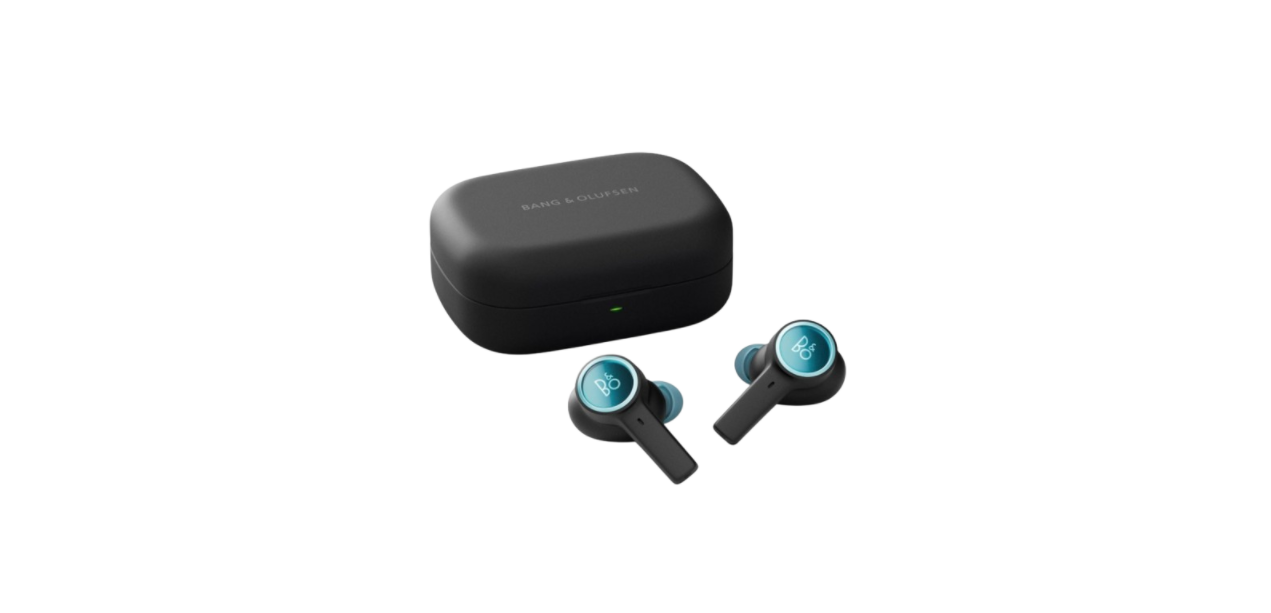
    Bang & Olufsen Beocom EX UC Wireless HeadphonesBang-Olufsen-Beocom-EX-UC-Wireless-Headphones-Product-removebg-preview

    Introduction

    The app gives you the full Bang & Olufsen experience from setup to audio personalisation, product support, and new features right at your fingertips. When you first start the Bang & Olufsen app, you are asked to create a user account. Then tap the Add Product icon to add your product to the app.

    Bang-Olufsen-Beocom-EX-UC-Wireless-Headphones-Fig-10

    Overview

    Open Case

    Bt Pairing

    Bang &-Olufsen-Cisco-950-True-Wireless-Earbud-FIG 2

    When opening the Charging Case lid for the Bang & Olufsen Cisco 950 True Wireless Earbuds first time, it will go into automatic pairing mode.

    With another DeviceBang &-Olufsen-Cisco-950-True-Wireless-Earbud-FIG 3

    Insert AirPods

    Inside the box, you will find different sizes of eartips. Pick the ones Bang & Olufsen Beocom EX UC Wireless Headphones that fit you best for maximum comfort. Remember, the earbuds will automatically connect to your latest device via Bluetooth when removed from the charging case.Bang-&-Olufsen-Beocom-EX-UC-Wireless-Headphones

    Call Operation

    Answer callSingle tap
    End callDouble-tap and hold
    Reject callDouble-tap and hold
    Volume upTap and hold
    Volume downTap and hold
    Own Voice,
    Active Noise Cancellation,
    Neutral (cycle)
    Single tap
     Mute/UnmuteSingle tap

    Media OperationBang-&-Olufsen-Beocom-EX-UC-Wireless-Headphones

     Play/PauseSingle tap
     Volume upTap and hold
     Volume downTap and hold
     Next track (Customize*)Double tap
    Transparency,
    Active Noise Cancellation,
    Neutral (cycle)
    Single tap

    Single Earbud OperationBang-&-Olufsen-Beocom-EX-UC-Wireless-Headphones

    Bang-&-Olufsen-Beocom-EX-UC-Wireless-Headphones

    Customize Single Earbud Operations in the Bang & Olufsen app to match your preferences. (e.g., previous track, voice assistant, battery status…)

    Charging

    Bang-&-Olufsen-Beocom-EX-UC-Wireless-Headphones

    Customer Support

    • Visit: http://www.bang-olufsen.com
    • Ph:+45 96841122
    • Timing: 9:00 – 12:00
    • Company name: Bang & Olufsen UK Ltd
    • Company address: 7 Albemarle Street, London, W1S 4HQ, United Kingdom

    FAQs

    Can I hear ambient sounds while wearing the headphones?

    Indeed, Transparency Mode lets outside noises in without taking off the headphones, which is helpful for talks or announcements.

    Are the headphones comfortable for long-term wear?

    Indeed, the Beocom EX UC has a lightweight, adjustable headband and memory foam ear cushions for prolonged use at work or on the road.

    Can I use the headphones for video conferencing on a PC without Bluetooth?

    Yes, for a reliable wired connection and complete UC platform compatibility, use a USB-C cable.

    Can I integrate the headphones with smart assistants?

    Yes, you can use your connected device to interact with Cortana, Google Assistant, and Siri.

    How loud can the headphones get?

    For both music and calls, the Beocom EX UC produces sound that fills a room with powerful bass, clear mids, and sharp highs.

    Are replacement parts available?

    Yes, authorised service centres for Bang & Olufsen sell headbands, cables, and ear cushions.

    Can I use only one earcup for calls?

    Yes, you can make calls using either the left or right earcup separately, which helps you multitask while still paying attention to your surroundings.

    Bang & Olufsen Beocom EX UC installation guide Bang & Olufsen Beocom EX UC maintenance guide Bang & Olufsen Beocom EX UC manual Bang & Olufsen Beocom EX UC operation manual OnyxGuides Manual User Manual
    Share. Facebook Twitter Pinterest LinkedIn Tumblr Email
    Gabriel Smith

      Related Posts

      Sony ILCE-6700 Interchangeable Lens Digital Camera User Guide

      December 7, 2025

      Bose MA12 Panaray Modular Line Array Loudspeaker User Manual

      December 4, 2025

      Bowers & Wilkins Px8 Wireless Headphones User Manual

      December 4, 2025

      Sonos Arc Black Voice Control Ultra Soundbar User Manual

      December 4, 2025

      JANAM GT1 Self Mobile Entry Head Unit Instruction Manual

      December 4, 2025

      Ronix 1250 Carpet Vacuum Cleaner Instruction Manual

      December 4, 2025
      Add A Comment

      Comments are closed.

      Don't Miss
      Other

      How To Connect Hp Deskjet Printer To Wi-Fi

      March 27, 2026

      Introduction The printer is a very useful device. The people in offices or at home…

      GENEINNO GTP-EXCAM1 T1 Pro External Camera User Manual

      March 27, 2026

      How Does A Projector Work

      March 26, 2026

      Swellpro GC3-S Waterproof 4K 3 Axis Gimbal Camera User Guide

      March 26, 2026
      Stay In Touch
      • Facebook
      • Twitter
      • Pinterest
      • Instagram
      • YouTube
      • Vimeo

      Subscribe to Updates

      Subscribe to Updates

      Follow us

      Facebook X-twitter Instagram Pinterest

      © 2025 All rights reserved Onyx Guide.