

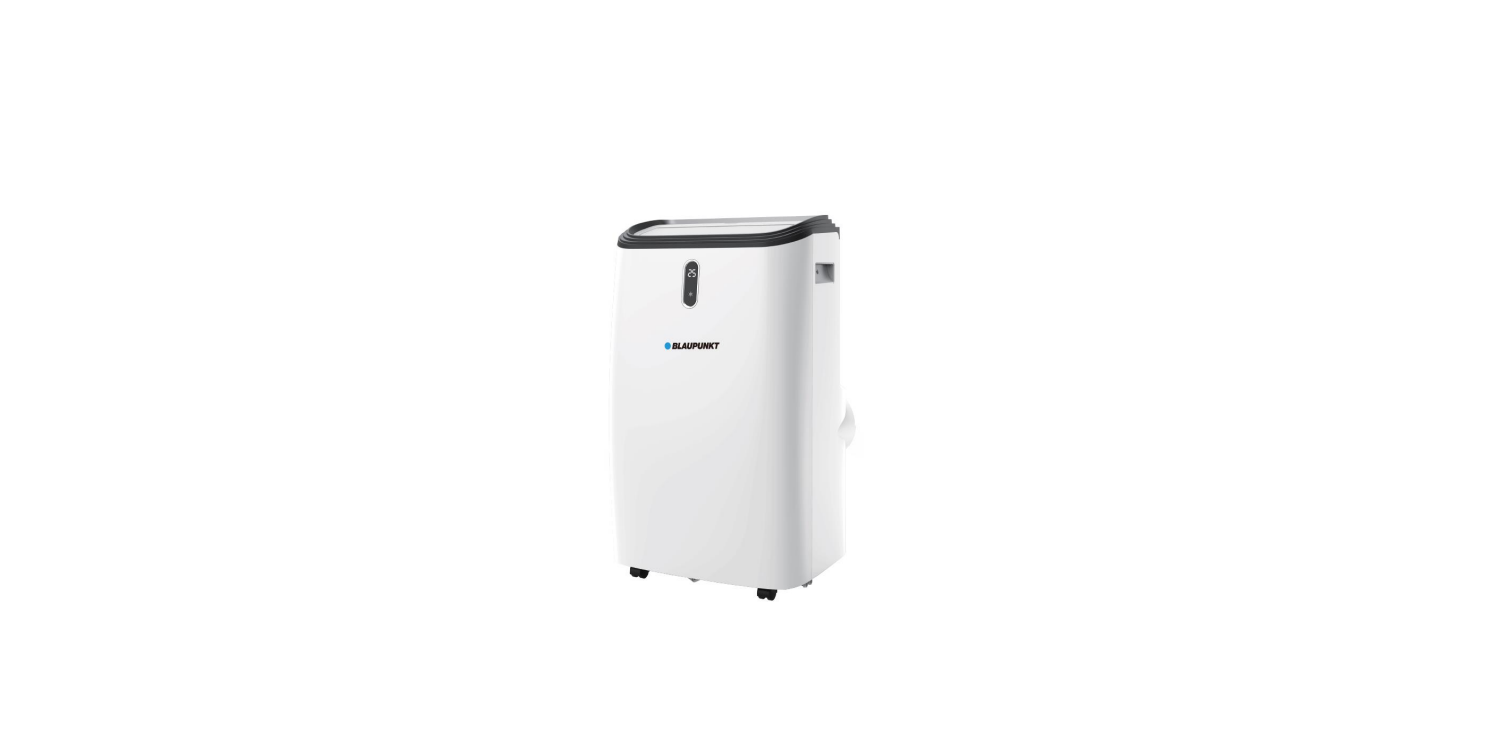

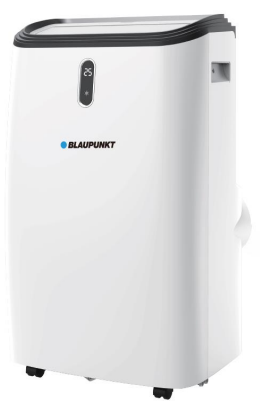
Blaupunkt ACP616HIM Portable air conditioner
Safety Instructions
- Store the device in a way that prevents mechanical damage.
- Do not pierce or expose to fire.
- Avoid working in confined spaces. Isolate the area around the workplace.
- Refrigerant may be odourless.
- Do not pierce any element of the refrigerant circuit.
- Refrigerant accumulation can cause a fire or explosion due to the presence of electric heaters, stoves, or other sources of ignition.
- Disposal of equipment containing flammable refrigerant: see national regulations.
- Store in compliance with the manufacturer’s guidelines.
- To achieve the utmost in enjoyment and performance, and in order to become familiar with its features, please read this manual carefully before attempting to operate this product.
- Before using this device, read the instruction manual and follow the instructions inside.
- This device is for domestic use only. Do not use for any other purposes.
- It is necessary to check if the total current consumption of all devices plugged into the wall outlet does not exceed the fuse in the circuit.
- If you are using an extension cord, make sure that the total power consumption of the equipment plugged into the extension cord does not exceed the extension cord’s power rating.
- Before maintenance work, always disconnect the unit from the power supply.
- When unplugging the power cord from the electrical outlet, hold it by the plug only and remove the plug carefully. Never pull the cable, as it may cause damage to the plug or power cord.
- Damage to the power cord or plug can lead to an electrocution hazard.
- Never leave the product connected to the power source without supervision.
- Never put the power cable, the plug, or the whole device into the water or any other liquids.
Descrpition
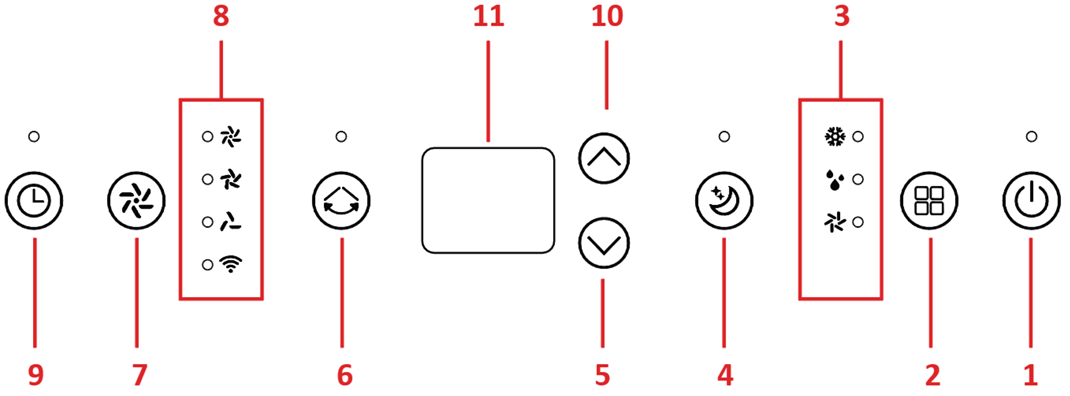
- On/Off switch (POWER)
- MODE button
- Operating mode indicator
- NIGHT MODE button
- Decrease button (temperature or timer value)
- SWING button – automatic oscillating change of air direction
- Button for air volume control (SPEED)
- Fan speed and Wi-Fi network indicator
- Timer setting button
- Increase button (temperature or timer value)
- Display
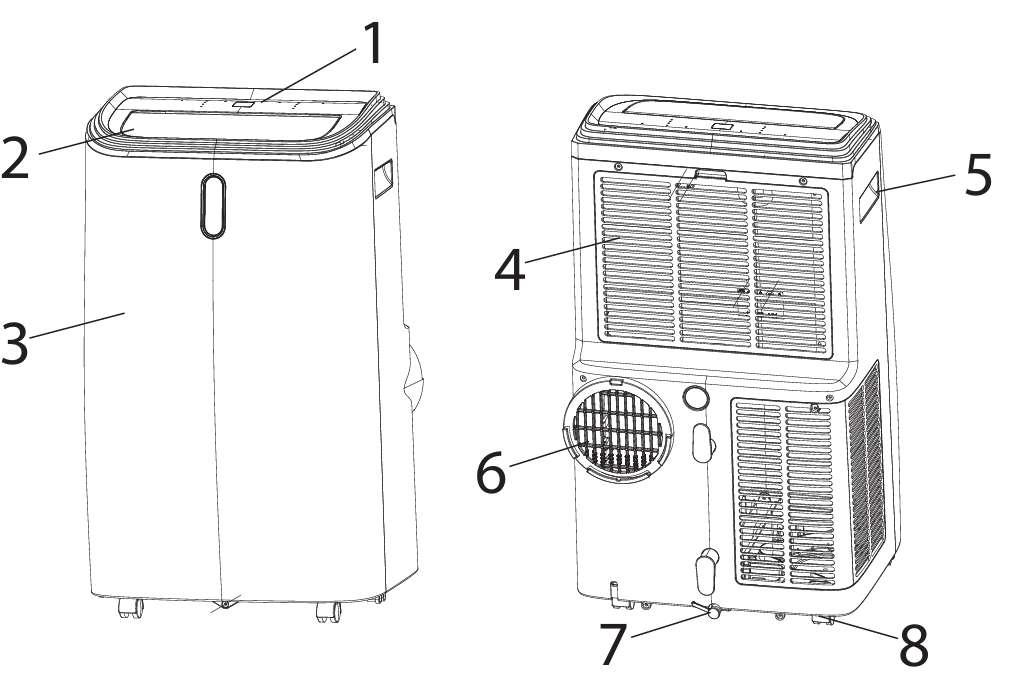
- Air supply
- Front panel
- Air intake grille with filter
- Handles
- Air exhaust
- Water drain with a plug
- Wheels
Prepration
- The air conditioner requires air to be vented to the outside of the room being cooled.
- Connect the exhaust air pipe to the air conditioner, and direct the other end to the outside through a tilt window or to a ventilation grille prepared for this purpose.
- Take care to keep the outlet pipe as short as possible. Note that the discharge pipe heats up, and the heat will stay in the room. If necessary, use a longer heat removal pipe.
- It is advisable to use insulation, such as cladding the pipe with wool or polystyrene.
- The air conditioner does not normally require the installation of a condensate drainage pipe.
- In very high humidity conditions, or if you want to dehumidify the air in the room, this solution may be recommended.
- The water should be discharged using a hose to a drain to the sewage system.
- The water will be heavily demineralised and is not suitable for drinking or watering plants.
- Place the air conditioner in a location where the air flow will not be blocked.
- Leave at least 50 cm of free space around the air conditioner.
- Pay particular attention to curtains and other textiles so that they do not restrict the airflow.
- Install an air discharge pipe. Connect the tube to the connector. At the other end, screw the fixing to the window seal.
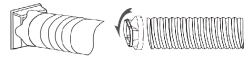
- Place the discharge pipe in the window, then stretch it so that it reaches the air conditioner.
- Avoid kinks and angles on the pipe.
- Reduction in airflow will result in a decrease in the unit’s performance.
Operation
- Connect the appliance to the power source.
- Switch on the air conditioner using the POWER switch (1.1)
- Set the expected temperature using the up and down arrow keys (1.10, 1.5).
- The blowing force can be changed by pressing the SPEED blowing control button (1.7).
- The timer is set using the up and down arrow keys (1.10, 1.5) after pressing the timer button (1.9).
- When the TIMER function is set, the unit will enter the off/on timer mode.
- In this mode, the air conditioner will operate according to the selected setting.
- To switch the timer off, set the timer value to 00 or press the POWER switch (1.1).
- If the automatic defrost mode is activated, the fan will run and the power on indicator will flash.
- Once the defrosting process is complete, the air conditioner will resume operation.
- If the condensate drip tray overflows, the unit will stop operating.
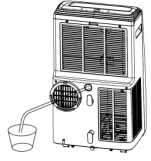
- Disconnect the air conditioner from the power supply Blaupunkt ACP616HIM Portable air conditioner and then place a vessel under the water drain.
- Remove the plug and wait for the water to drain. Then plug the drain hole again.
- Do not tilt the air conditioner during this operation, as water may spill out of the drip tray.
- You can connect a condensate drainage pipe. It should be connected to the upper drain hole.
- Ensure that the pipe slopes steadily towards the external vessel or drain grille.
Resetting
- To connect the device to the local WiFi network, reset the WiFi connection settings.
- The device should be in sleep mode. Press the “TIMER” buttons and hold for about BLAUPUNKT ACP414H Portable Air Conditioner 5 seconds.
- When the WiFi flashes quickly, the appliance will be ready to search. CAUTION: The appliance operates only with 2.4 GHz wireless networks.
- The network should use WPA2-PSK encryption and AES protocol.
Connection
- Press the “add device” button after starting the application.
- Press the button to continue adding.
- Select the available WiFi network and enter the appropriate password. Press the button to continue.
- Press the “add device” button after starting the application. In the “Add manually” section, select the product group “small appliances…” and then the “air conditioner”.
- Then select the available WiFi network and enter the Blaupunkt ACP616HIM Portable air conditioner appropriate password.
- The application should disconnect from the current WiFi network, connect with the appliance, and provide configuration parameters.
- The application should return to the previous network.

Cleaning & Maintainance
- Before you start cleaning the product, ensure that it has BLAUPUNKT ACP414H Portable Air Conditioner been disconnected from the power supply and has fully cooled down.
- Keep the inlet and outlet openings free of dust. Clean the outer surface of the unit with a slightly damp cloth, and then wipe it dry.
- The water tank should be cleaned regularly with a sponge and dishwashing liquid, then rinsed and wiped dry, again with the sponge. Clean the air filter on a regular basis.
- When this crossed-out wheeled bin symbol is attached to a product, it means that the product is covered by the European Directive 2012/19/EU.
- Please inform yourself about the local separate collection system for electrical and electronic products.
- Do not dispose of this appliance in the common waste bin.
Specifications
- Cooling capacity: 4700 W / 16k BTU
- Heating capacity: 3280W
- High energy efficiency, EER 2.6, energy class A Air flow: 450 m³/h
- Dehumidification efficiency: 1.9 l/h
- Max noise level: LPA: 56 dB, LWA: 65 dB
- Rated power (energy consumption): 1712 W
- Power supply: 220-240V~50Hz
- Permissible excessive operating pressure for suction: 0.7MPaa
- Maximum allowable pressure: 3.2 MPa
- WiFi transmitter frequency range: 2.400 to 2.4835 GHz
- WiFi transmitter power: ≤17.5 dBm
Environmental information
- We have tried to make the packaging easy to separate into three materials: cardboard (box), polystyrene foam(buffer), and polyethylene(bags, protective foam sheet).
- Please observe the local regulations regarding the disposal of packaging materials, exhausted batteries, and old equipment.
Conformity
- Hereby, Blaupunkt Competence Center 2N-Everpol Blaupunkt ACP616HIM Portable air conditioner Sp. z o.o. Declares that this equipment complies with the essential requirement and other relevant provisions of Directive 2014/53/EU.
Customer Service
- USA/Canada: 1-800-456-4537
- Mexico: 001-800-456-4537
- Hours of Operation: Monday-Friday 8:00 AM -5:00 PM (CT)
- Languages Spoken: English, Spanish, and translation services are available.
- Service parts: kohler.com/serviceparts
- Care and cleaning: kohler.com/clean
- Patents: kohlercompany.com/patents
Customer delight and a gracious product experience are our top priorities, and we want to know how we did. Post a review on the Kohler.com product page for your product or on the website where you purchased your product.
FAQs
Q: What size room is the ACP616HIM suitable for?
Ans: Rooms up to 40–50 m² (430–540 ft²) are intended for it. Perfect for offices, living rooms, and bedrooms. Efficiency may be lowered in larger or less well-insulated spaces.
Q: Can the ACP616HIM be used without the exhaust hose?
Ans: No. In order to remove hot air from the room, the exhaust hose is necessary. The unit will overheat and cool inefficiently if it is not used.
Q: How energy efficient is the ACP616HIM?
Ans: Depending on the mode, this model usually has an Energy Efficiency Ratio (EER) between 2.6 and 3.1. It is more energy-efficient than previous generations, particularly when equipped with inverter technology.
Q: Is there a child lock function?
Ans: Look for a lock icon on your digital panel or remote control to see whether it has a kid lock or control lock feature. Toggle it by holding the key for three to five seconds.
Q: Where can I buy replacement parts or accessories?
Ans: Contact approved service centres or go to the official Blaupunkt Tools or Appliances website. When ordering remote controls, hoses, or filters, provide your model number (ACP616HIM).
Q: What warranty is provided with this unit?
Ans: A two-year limited warranty covering manufacturing faults is often included with the ACP616HIM. You must have proof of purchase. If possible, register online to guarantee quicker assistance.
Q: Can I use an extension cord with this unit?
Ans: No, connect the ACP616HIM straight to a grounded wall outlet for both performance and safety. Extension cords have the potential to damage the device by overheating or causing power dips.