

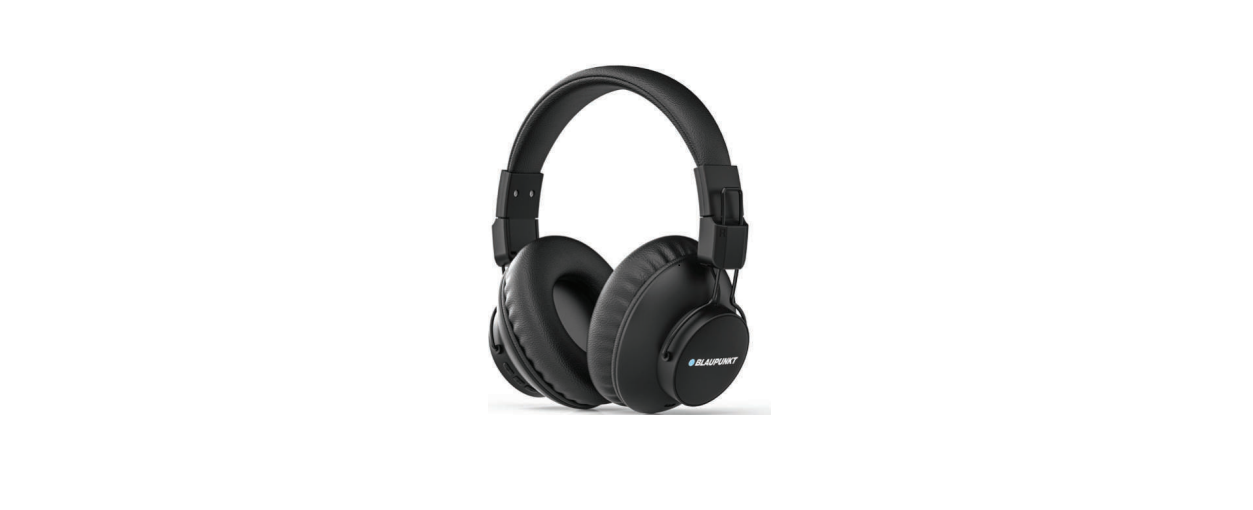

BLAUPUNKT BH41 Wireless Headphone
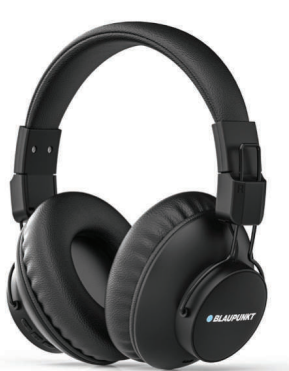
Introduction
Congratulations and Willkommen! You are now part of the Blaupunkt family. You have chosen German iconic brands’ premium earbuds and have become a part of an elite group that enjoys and appreciates the finest audio experience. To get the best performance from your Blaupunkt audio product, please read this manual carefully and follow the instructions. This will ensure you get the most out of your Blaupunkt product. Keep the manual safe and refer to it when in doubt.
Packing list
1pcs bluetooth headphone 1pcs TYPE-C charging cable
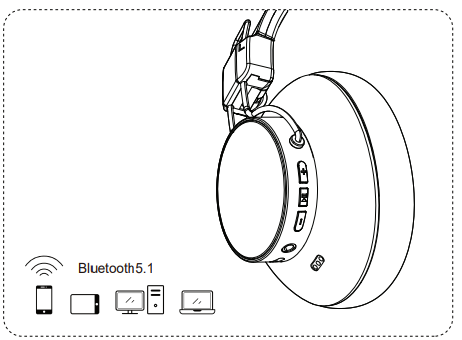
Bluetooth Mode
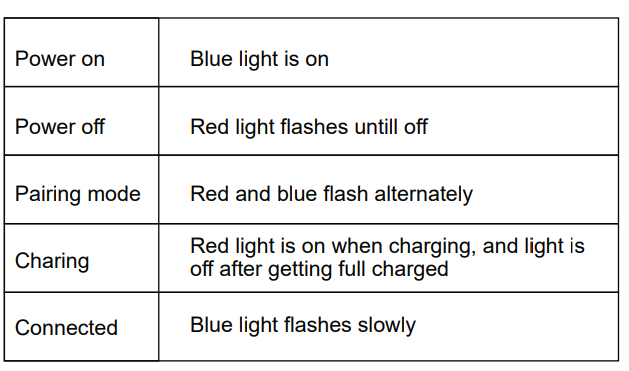
- Long-press the headphone power button ì î for 3 seconds, you will hear the prompt voice ì Power on, Pairing î and the red and blue lights will flash alternately.
- Open the Bluetooth mode on the device, search for the pairing name ì E94 î, and then you will hear the prompt voice ì Connected îonce paired successfully.
- Connect automatically: after powering on, it will automatically search and connect to the smart device which paired last time.e
Power on/off
- Power on: Long press ì î around 3 seconds, you will hear the prompt voice: Power on, and the blue light will turn on.
- Power off: Long press ì î around 3 seconds, you will hear the prompt voice: Power off, and the red light flashes until off.
Button Instruction
- Power on/Power off, Pause/Play
- Short press for volume up/ Long press for next track.
- Short press for volume down/ Long press for last track
Instruction of Incoming Calls
- AAnswer short press
- Hang up: short press
- Reject: long press
- Dial back: double click
LED Instructions
- Please turn off the device to avoid power consumption if no pairing operation is taken after the Bluetooth headphone BLAUPUNKT BH41 Wireless Headphone enters the pairing system.
- Please do not perform other operations when searching for Bluetooth in case of a procedure error.
- Please adjust the volume properly to avoid doing harm to your ears.
- Please pay attention to the use environment to prevent damage to the Bluetooth headset.
- Please get the Bluetooth headphones fully charged first when using them if not been used for a long time beforehand.
SPECIFICATIONS
- Sensitivity: 100±3dB
- Impedance: 32ohms
- Speaker diameter: 40mm
- Frequency Response: 20Hz~20KHz
- Battery capacity: 300 mAh/3.7V
- Battery Charging Voltage: DC4.75-5.25V
- Working Range: about 10m
- Weight of Headphone: 183.2 g
Please be careful while listening to music. Blaupunkt has always ensured that every audio product is powerful and produces massive bass and other audio ranges. Please raise the volume levels slowly and do not play music at full volume, as this could hurt your ears.
One Year Warranty
1 Year Warranty. If you have any issues with your product, please contact our Authorized Customer Care team. Blaupunkt Authorized Service Center: Envent World Wide Pvt Ltd. Khasra. No- 15/15(4-16), Village Samalkha, Tehsil Vasant Vihar, New Delhi- 110037 Email- wecare@blaupunktaudio.in Whatsapp Chat Support: 8860 022 600 Please submit the following information while claiming product warranty:
- Serial Number
- Date of purchase
- A copy of proof of purchase in case of warranty
Disposal
- Do not dispose of your old unit in the household trash.
- Use the return and collection systems available to dispose of the old device.
- This manual may be updated from time to time without notice.
Disclaimer
- Blaupunkt is not liable for any loss or damage caused or resulting from unauthorized disassembly or modification to the product.
- No warranty, whether express or implied, is provided in the U.S. and Canada.
Customer Service
- Tel: 1800 252 878 658
- Website: http://www.blaupunkt.com
FAQs
Q: What devices are compatible with the BH41 headphones?
Ans: Any Bluetooth-enabled device, including PCs, laptops, tablets, smartphones, and TVs with Bluetooth, can use the BH41 headphones.
Q: What is the Bluetooth range?
Ans: The headphones have a wireless range of up to 10 meters (33 feet) in open space. This distance could be shortened by walls or interference.
Q: Is a wired option available for non-Bluetooth devices?
Ans: Indeed! The BH41 has a 3.5mm AUX input, so you may use the included audio cable to connect to non-Bluetooth devices.
Q: Can I connect to multiple devices at once?
Ans: No. Pairing a single device is supported by the BH41. To switch devices, unplug one and use the Bluetooth settings to manually connect to the other.
Q: What audio codecs are supported?
Ans: For reliable and high-quality audio streaming, the BH41 supports the standard SBC Bluetooth codec. LDAC and aptX are not supported.
Q: Is noise cancellation available?
Ans: Although the BH41 lacks active noise cancellation (ANC), its over-ear cushioning design offers passive noise isolation.
Q: Can I use the BH41 for gaming?
Ans: You can, but be aware that real-time game audio sync may be impacted by Bluetooth audio’s minor latency. If you require low-latency performance, use the AUX cord.
Q: Are the headphones foldable or portable?
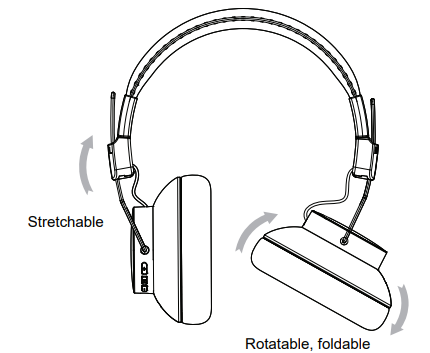
Ans: Indeed! The BH41 headphones are convenient to carry and store because of their foldable design and swivel ear cups.