

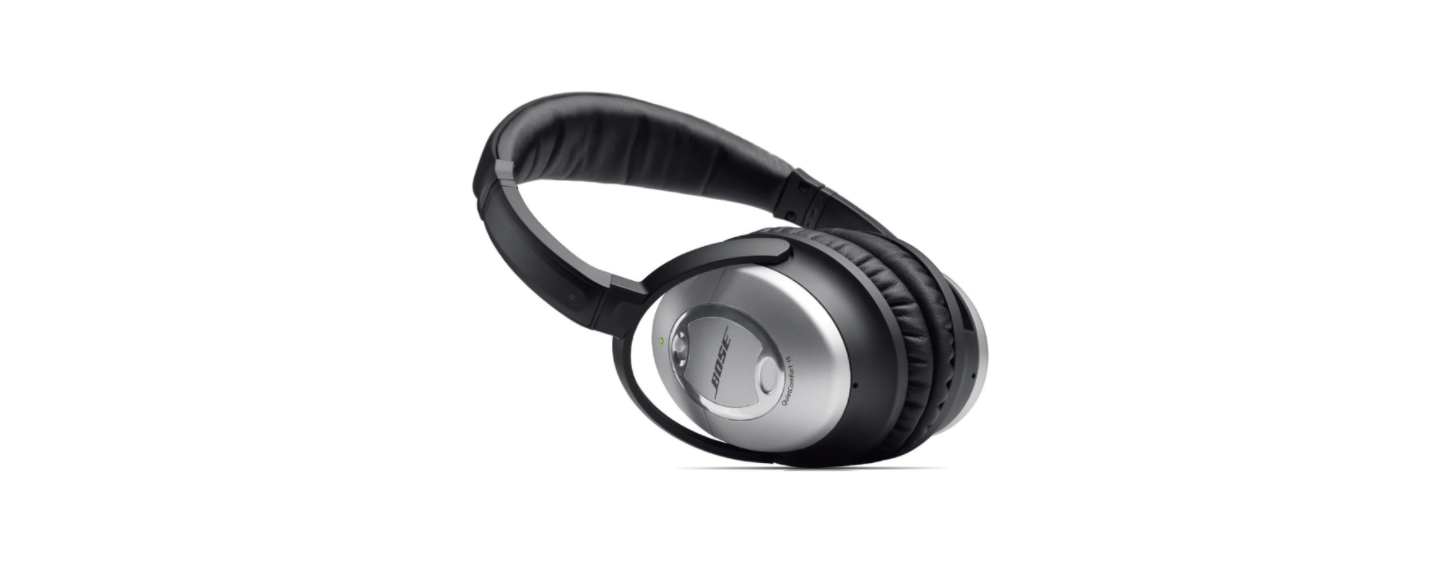

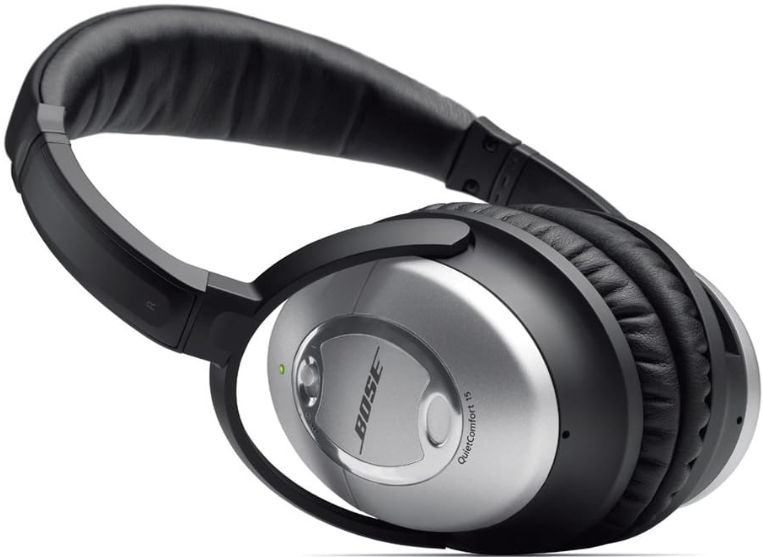
Bose QuietComfort 15 Noise-Cancelling Headphones Safety Instructions
- Read these instructions. Keep these instructions. Heed all warnings. Follow all instructions
- Do not use this apparatus near water. Clean only with a dry cloth.
- Only use attachments/accessories specified by the manufacturer.
- To avoid hearing damage, use your headset at a comfortable, moderate volume level.
- Do NOT use the headset at a high volume for any extended period.
- Remove the headset immediately if you experience a warming sensation or loss of audio.
- Do NOT use the headset as an aviation communication headset.
- Do NOT use the headset if it emits a loud, unusual noise.
- If this happens, turn the headset off and contact Bose customer service.
- Contains small parts which may be a choking hazard.
- Not suitable for children under age 3.
- Keep the product away from fire and heat sources.
- Do NOT place naked flame sources, such as lighted candles, on or near the product.
- Do NOT make unauthorized alterations to this product.
Description
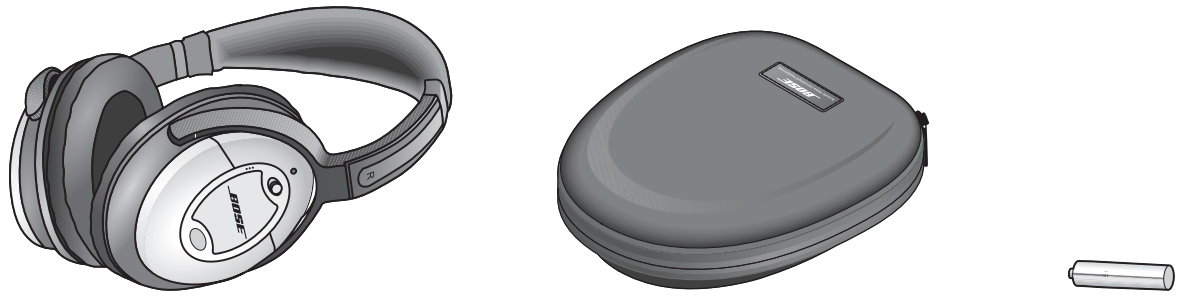
- QuietComfort® 15 headphones
- Carrying case
- Battery (AAA)

- Audio cable with remote & microphone
- Audio cable
- Airline adapter
Beforeputtingt on the Headphones
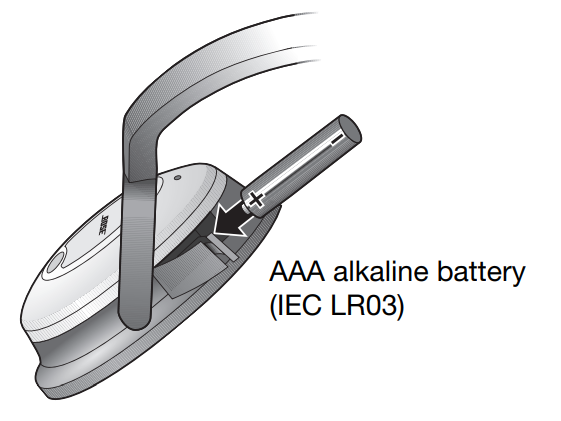
- Tilt the top of the right earcup inward to gain access to the battery compartment.
- Open the battery compartment and insert the battery as shown.
- Close the compartment
Noise reduction only
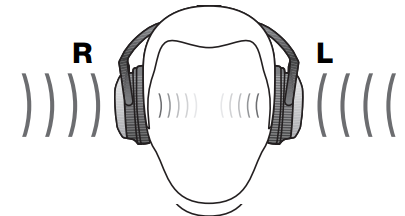
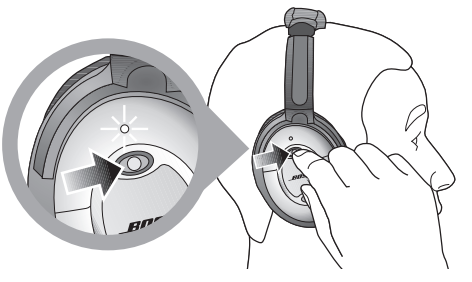
Put on the headphones. On the right earcup, slide the power switch forward to the On position. The battery light indicator will illuminate.
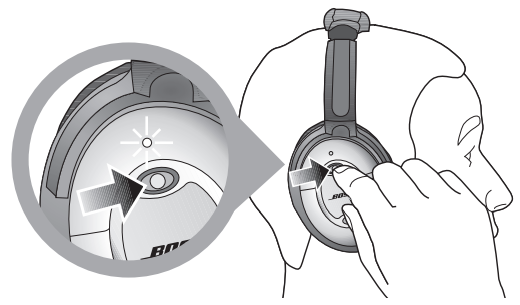
You do not need to connect the headphones cord for noise reduction only operation.
For Noise Reduction and Audio
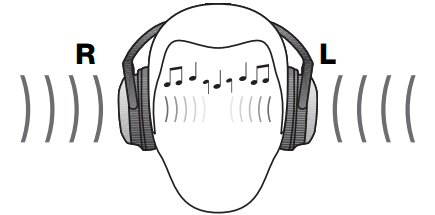
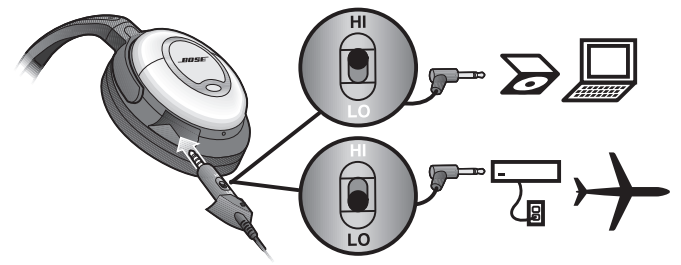
You can use the headphones with a variety of audio sources: airline audio, a CD, DVD, or MP3 player, a personal or laptop computer, or a home stereo. When using with Apple products, use the audio cable with remote and microphone. When using other audio sources, use the standard audio cable. To enjoy both noise reduction and audio
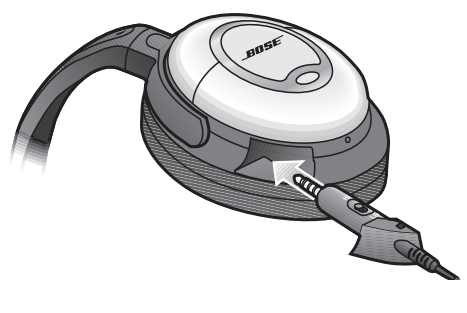
- Gently push the headphones plug all the way into the connector opening on the left earcup, until the plug housing is flush with the earcup.
- Connect the headphones cord to an audio source. For information on using your headphones on an airplane, see “Connecting to in-flight entertainment systems” on page 5.
- Put on the headphones. On the right earcup, slide the power switch forward to the On position. The battery light indicator will illuminate.
Use
The remote and mic are supported only by iPod nano (4th generation and later), iPod classic (120GB, 160GB only), iPod touch (2nd generation and later), iPhone 3GS, iPhone 4, iPad, iPad 2, and 2009 models or later of MacBook and MacBook Pro. The remote is supported by iPod shuffle (3rd generation and later). Audio is supported by all iPod models.
Connecting to your Apple device
You can connect the headphone to the standard 3.5 mm headphone jack on your iPhone, iPod, or other Apple product.
Using the headphones with your Apple device
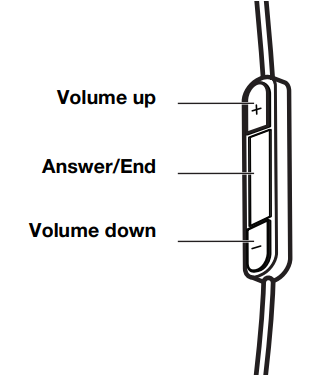
The Bose® QuietComfort® 15 headphones come with a small in-line remote with an integrated microphone for convenient control of select Apple products. Easily control volume, trackselectionn and voice applications, plus switch between your calls and music.
Headphone Controls
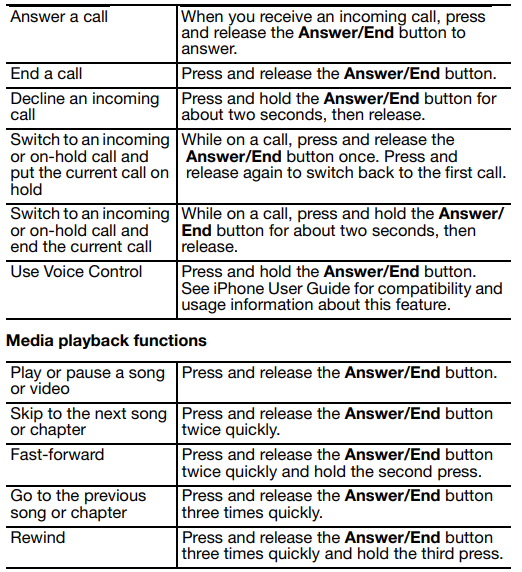
Basic Functions

Connecting to in-flight Entertainment Systems
Audio jack configurations on airplanes vary. Notice the jack configurations in the chart below.
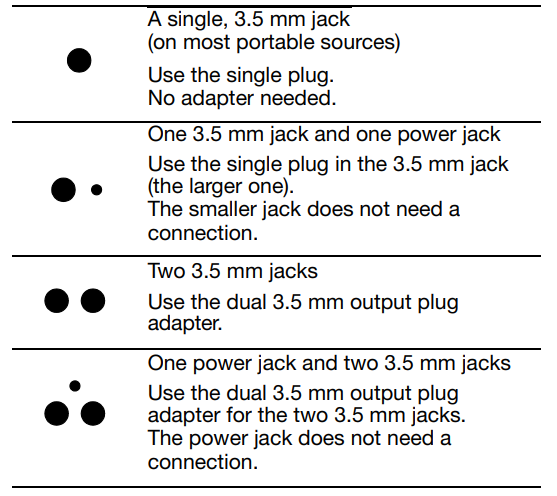
To connect to in-flight entertainment systems equipped with dual output connectors, use the dual 3.5 mm output plug.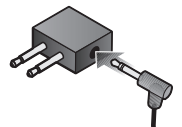
Storing the Headphones
To store the headphones in the case, rotate the earcups inward, then place the headphones in the case.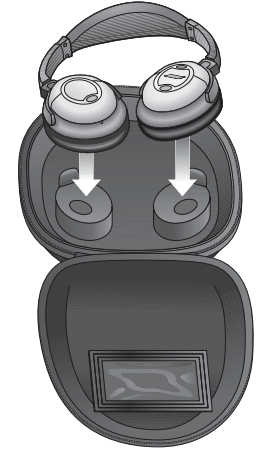
Battery Life and Replacement
Although it varies by usage, battery life averages 35 hours. The battery light indicator starts flashing when there are approximately 5 hours of battery life remaining. When a replacement is needed, use a AAA alkaline battery (IEC LR03).
Cleaning the headphones
Scheduled cleaning is not required. However, you can simply wipe the outside surfaces with a damp cloth, as needed. Also, be sure that the earcup ports are clear and that no moisture is allowed into the earcups.
Reattaching the earcup cushions
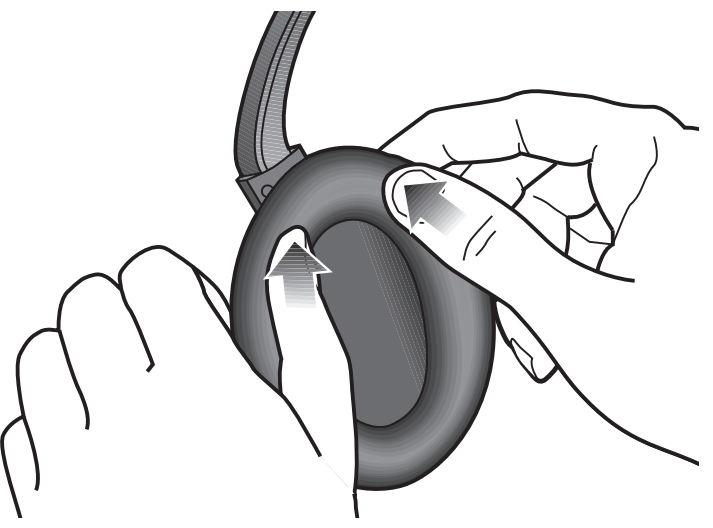
If a cushion becomes partially or completely detached:
- Push its mounting rim back into the earcup.
- Press around the edge of the mounting rim, making sure it snaps into place under all eight tabs around the earcup.
Replacement parts and accessories
You can purchase accessories from your Bose® dealer, at global.Bose.com, or by placing an order over the phone. See the inside back cover for contact information.
Troubleshooting
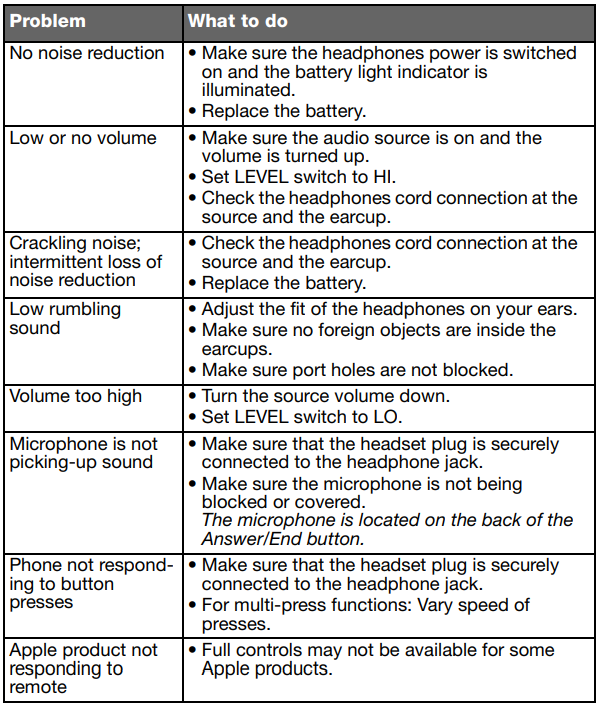
Other Considerations
QuietComfort® 15 headphones are designed for passenger use on jet aircraft. They are not engineered to meet the needs of pilots and crew members or to meet civil aviation authority standards for communication headsets. For pilots and crew members who require communication headsets, Bose® offers an aviation headset specifically designed to meet or exceed civil authority standards. It features a microphone with the appropriate power and intelligibility for critical communication needs. It is also engineered to withstand the environmental conditions that are common in unpressurized aircraft.
Regulatory Compliance
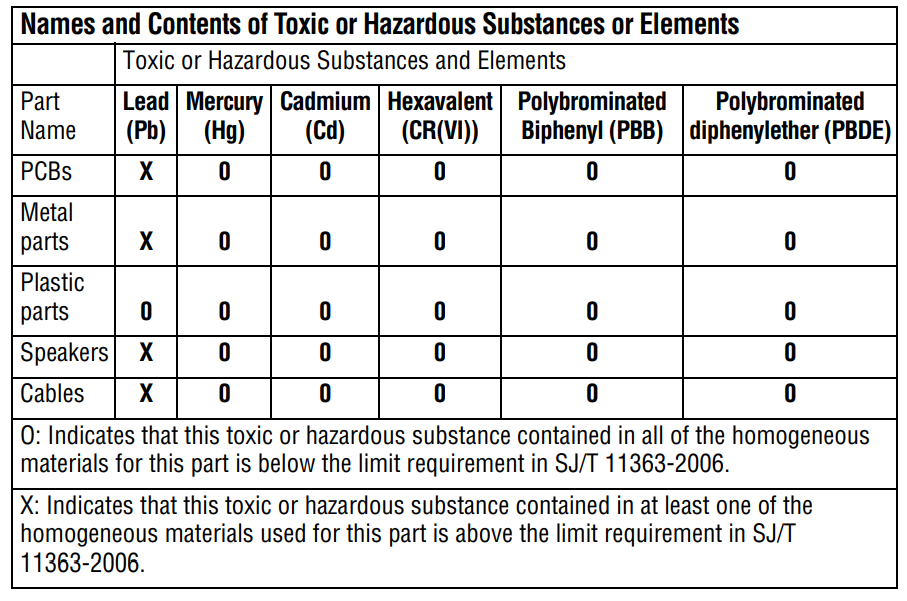 Regulatory Compliance
- This product conforms to all applicable EU directive requirements.
- Proper disposal and recycling help protect natural resources, human health, a nd the environment.
- For more information on the disposal and recycling of this product, contact your local municipality, disposal service, or the shop where you bought this product.
Warranty
- This product is covered by a limited warranty.
- For warranty details, visit BoseProfessional.com/warranty.
Customer Support
- Tel: 1-800-278-1083
- Website: https://support.bose.com/
MA 01748 USA Bose is a trademark of Bose Corporation. ArenaMatch is a trademark of Transom Post OpCo LLC. ©2024 Transom Post OpCo LLC.
FAQs
Q: What makes the QuietComfort 15 headphones special?
Active noise cancellation (ANC) on the QC15 headphones reduces background noise, making for a calmer listening experience. They are perfect for travel, business, or casual listening since they produce high-quality music with crisp mids and deep bass.
Q: Are these headphones wired or wireless?
The QuietComfort 15 is a type of wired headphone. The provided cable is used to send audio. The active noise cancellation feature is the only one that uses battery power.
Q: How long does the battery last for noise cancellation?
Noise reduction usually lasts up to 35 hours on a single AAA battery. For optimal performance, use premium alkaline batteries.
Q: Can I use the headphones without noise cancellation?
Indeed. Noise cancellation won’t work if the battery isn’t attached, but you can still listen. The ANC effect is absent, but the sound quality is still superb.
Q: Can these headphones be used with mobile phones or tablets?
Indeed. Any gadget with a normal 3.5mm headphone jack can use the headphones. No matter the source of the music, noise cancellation is effective.
Q: Can I replace the ear cushions or headband?
Indeed. Bose provides new headbands and cushion parts via their official website or approved service partners. Use authentic Bose replacements at all times.
Q: Can I use these headphones on airplanes?
Of course. Because of its active noise cancellation, which lowers engine and cabin noise for a more comfortable listening experience, the QC15 is perfect for travel.
Q: Why does the sound seem different with noise cancellation on?
Because it eliminates low-frequency background noise, active noise cancellation improves clarity while somewhat changing the natural sound signature.