

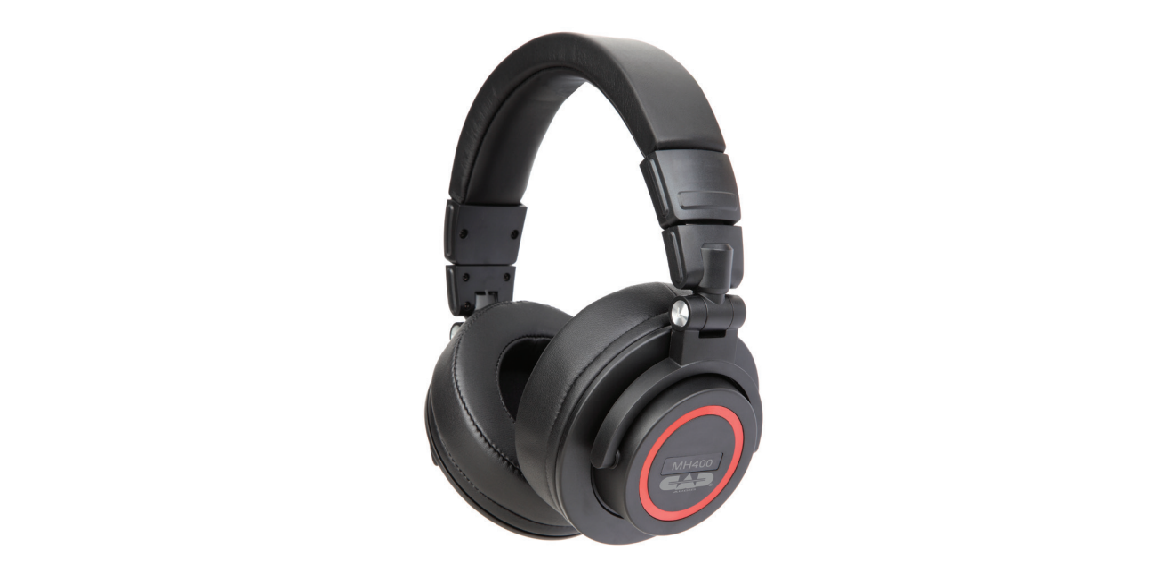

CAD-Audio MH400 Sessions Headphone
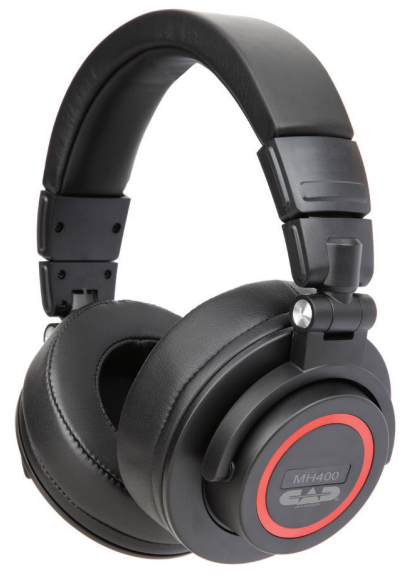
Introduction
The MH400 headphones deliver high-fidelity performance for a variety of applications. Whether you are mixing, recording, DJing, or listening recreationally, the MH400 will be your go-to headphones. The plush leather headband and earcups provide a comfortable listening experience for extended periods of time, and the over-ear design provides the perfect amount of isolation from unwanted environmental noises.
Features
- 90° swivel earcups provide added flexibility
- An extended detachable cable (13.1’/4m) enables more freedom
of movement - Plush leather materials make extended use more comfortable
- Over-ear design improves sound quality and reduces unwanted
background noise - Foldable design offers easy portability CAD-Audio MH400 Sessions Headphone and saves space
- 2 Year Warranty
Specifications
- Frequency Response …………………………. 10Hz -35KHz
- Sensitivity …………………………………………………..98±3dB
- Driver……………………………………………………………50mm
- Impedance……………………………………………………. 32Ω
- Dimensions ………………………………… 7.2″ x 3.74″ x 8.58″
- Size……………………………………… (18.3cm x 9.5cm x 21.8cm)
- Weight……………….. 0.80lbs [0.365Kg] including cable
- RoHS…………………………………………………….. Compliant
Two-Year Limited Warranty
CAD Audio hereby warrants that this product will be free of defects in material and workmanship for a period of two years from the date of purchase. In the unlikely event that a defect occurs, CAD Audio will, at its option, either repair or replace it with a new unit of equal or greater value.
Retain proof of purchase to validate the purchase date and return it with any warranty claim. This warranty excludes exterior finish or appearance, damage from abuse, misuse of the product, use contrary to CAD Audio’s instructions, or unauthorized repair.
This warranty gives you specific legal rights, and you may have other rights that vary from state to state. Some states do not allow the exclusion or limitation of incidental or consequential damages or limitations on how long an implied warranty lasts, so the above exclusions and limitations may not apply to you.
Customer Service
CAD Audio Corporate Offices
- Address: 6573 Cochran Rd., Bldg. I Solon, OH 44139 U.S.A.
- Tel: (440) 349-4900
- Fax: (440) 248-4904
- Website: www.cadaudio.com
- Distributor: Distributed Worldwide by American Music and Sound
- Address: 925 Broadbeck Drive, Suite 22, 0 Newbury Park, CA 91320 U.S.A.
- Tel: (800) 431-2609
- Fax: (800) 431-3129
FAQs
What are the main features of the CAD-Audio MH400 Sessions Headphones?
For studio monitoring, recreational listening, and professional use, the MH400 Sessions’ over-ear design, cosy ear cushions, great audio reproduction, and sturdy construction make it the perfect choice.
Are the MH400 headphones compatible with all audio devices?
Indeed, the MH400 has a standard 3.5mm stereo connector that works with mixers, laptops, smartphones, and other devices. A 1/4″ adapter for professional audio equipment is also included.
Can I use the MH400 headphones for long sessions without discomfort?
Indeed, the headphones have an adjustable headband and plush, padded ear cups for prolonged use when recording, mixing, or just listening.
How do I properly connect the MH400 headphones to my device?
Just insert the 3.5mm connector into the headphone jack on your device. Use the 1/4″ adapter that comes with the device if it has a 1/4″ output.
Is the cable on the MH400 detachable or fixed?
The fixed, coiled wire of the MH400 is made to be flexible and not tangle when moving.
Are the MH400 headphones suitable for professional studio use?
Indeed, the MH400 offers precise sound reproduction that is appropriate for tracking, mixing, and monitoring in studio settings.
Can I replace the ear pads if they wear out?
Indeed, authorised CAD-Audio dealers and the official website offer replacement ear pads.
Is the MH400 headphone cable long enough for studio use?
With its comfortable 3-meter (10-foot) extension, the coiled cable allows for flexibility in the majority of studio configurations.