

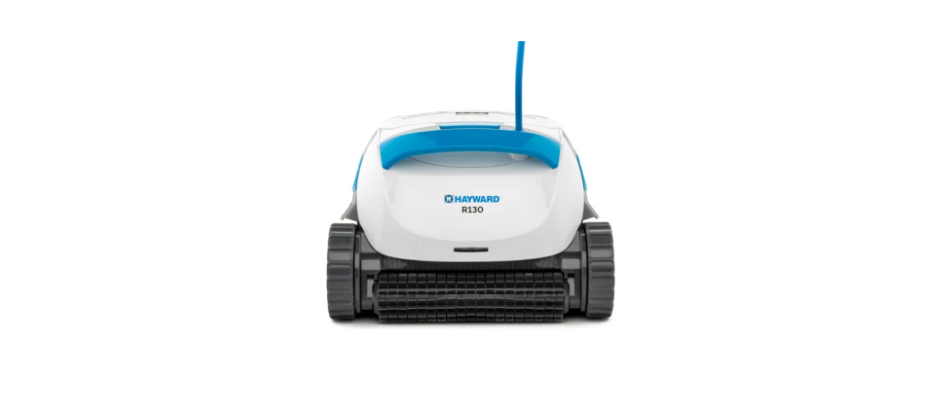

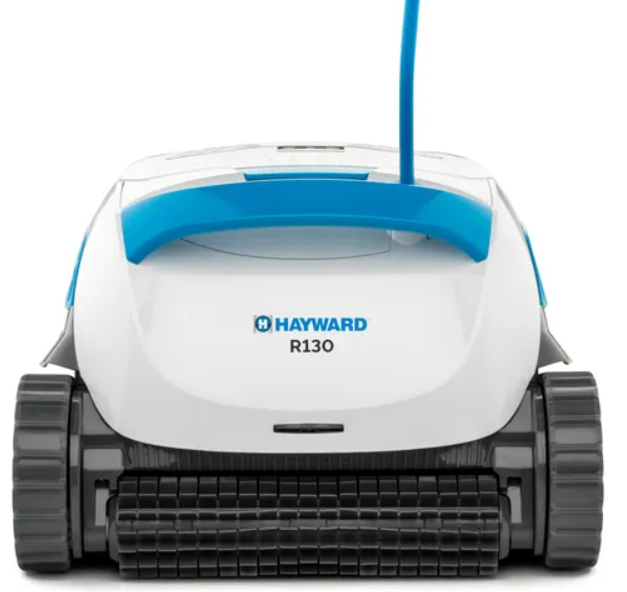
Hayward Robotic R130 Pool Cleaner
Introduction
Thank you for purchasing a Hayward Robotic Pool Cleaner. We are sure that your Robotic Pool Cleaner will provide you with reliable, convenient, and cost-effective pool cleaning. Its reliable filtration in all pool conditions and active brushing enhance pool hygiene. Robotic Pool Cleaners deliver advanced cleaning technologies, long-lasting performance, and easy maintenance. You and your family will be free to enjoy your swim with full confidence that your pool is completely clean.
Specifications
- Motor protection: IP 68
- Minimum depth: 0.4 m (1.33 ft)
- Maximum depth: 5 m (16.4 ft)
Digital Power Supply
- Input: 100 VAC – 125 VAC or 200 VAC – 230 VAC 50 Hz – 60 Hz
- Output: <30 VDC IP
Safety Instructions
- Use the originally supplied power supply only
- Ensure the electrical outlet is protected by a ground fault interrupter (GFI) or an earth leakage interrupter (ELI)
- Keep the power supply out of standing water.r
- Position the power supply at least 3.5 m (12 ft) away from the edge of the pool. ol
- Do not enter the pool while the Pool Cleaner is working
- Unplug the power supply before servicing
- Keep the Robotic Pool Cleaner out of the reach of children or persons with reduced physical, sensory, or mental capabilities, or lack of experience and knowledge, unless they have been given supervision or instruction.
- Chlorine 4 ppm max.
- pH 7.0 – 7.8
- Temperature 6 °C – 35 °C (43 °F – 95 °F)
- NaCl 5000 ppm max.
Cleaning
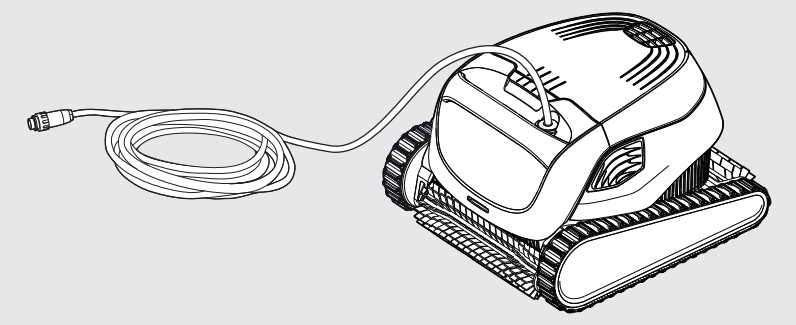
THE PoolCleaner Robotic R130
 Power supply options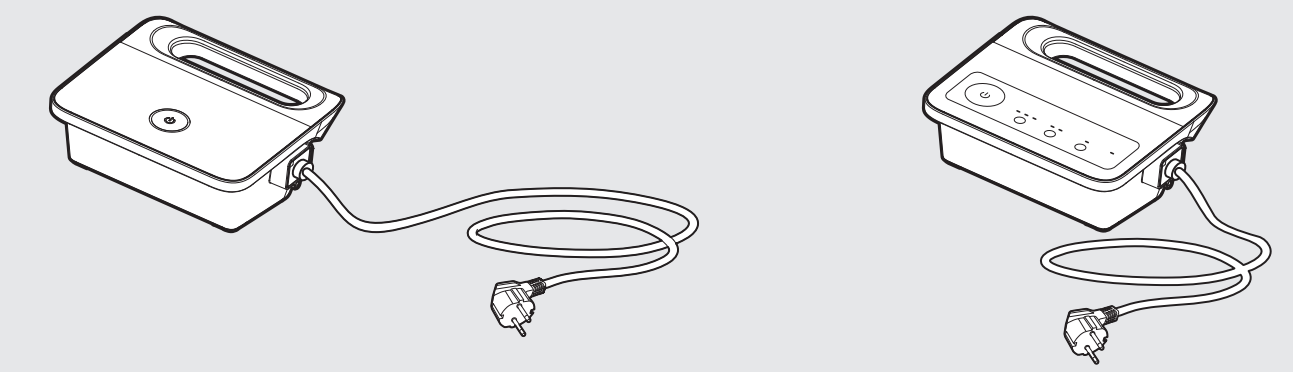
Filtration options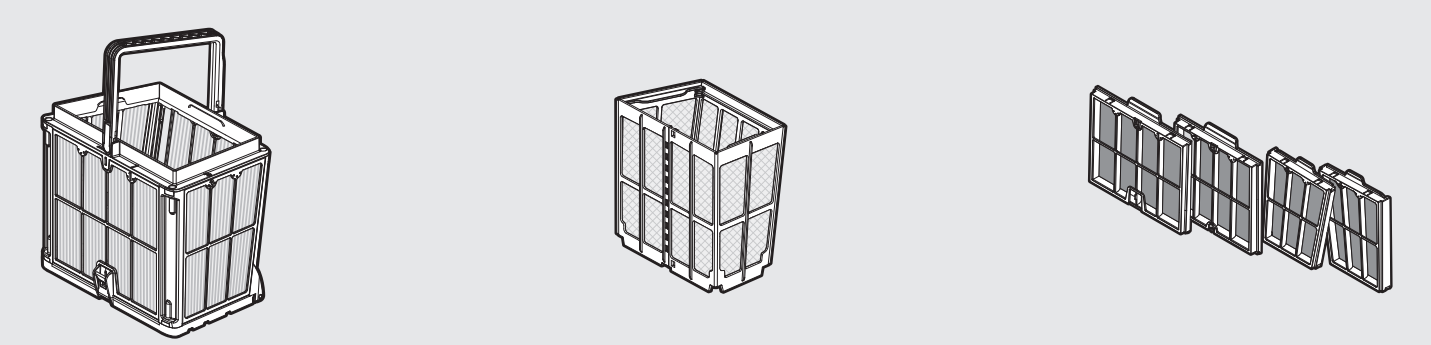
Caddy kit – optional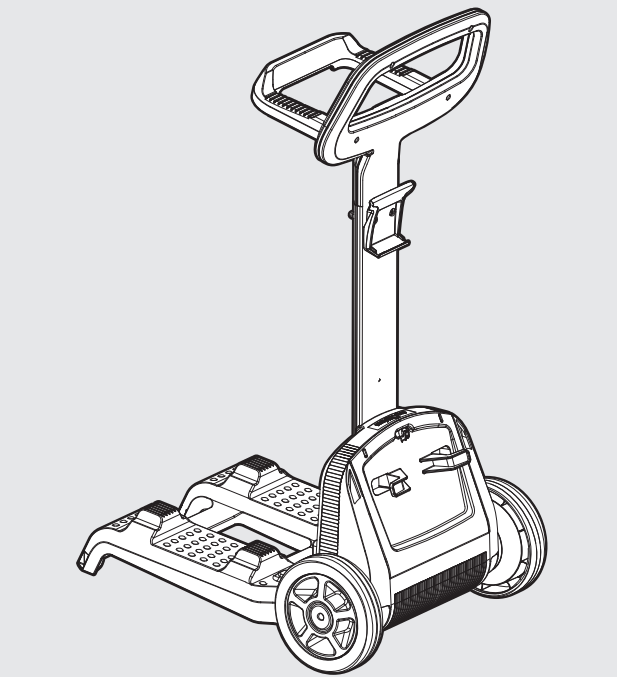
Setup
Before using the Pool Cleaner for the first time, perform the following steps:
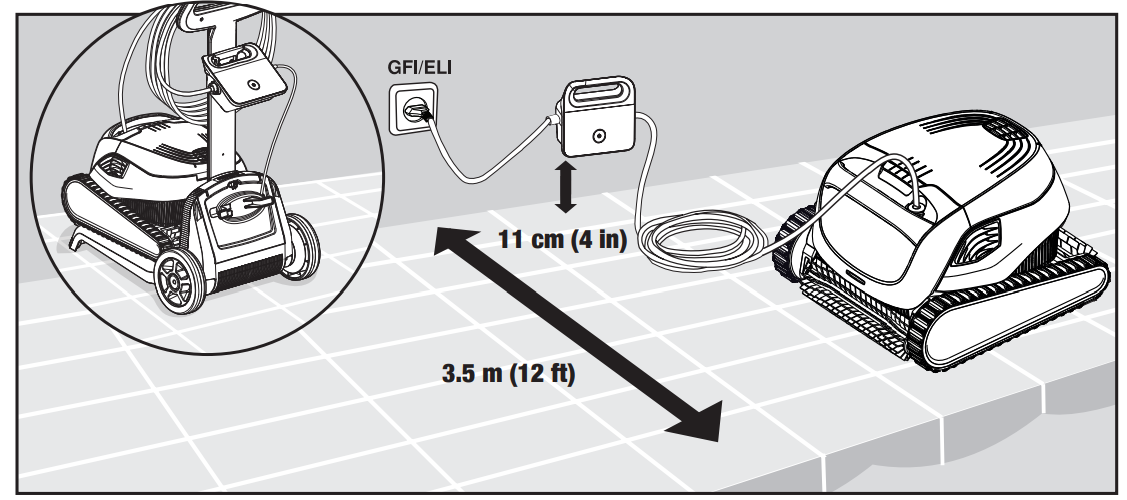
Position the power supply so that it is approximately in the middle of the long side of the pool at a distance of min 3.5 m (12 ft) from the pool and placed 11 cm (4 in) above ground.
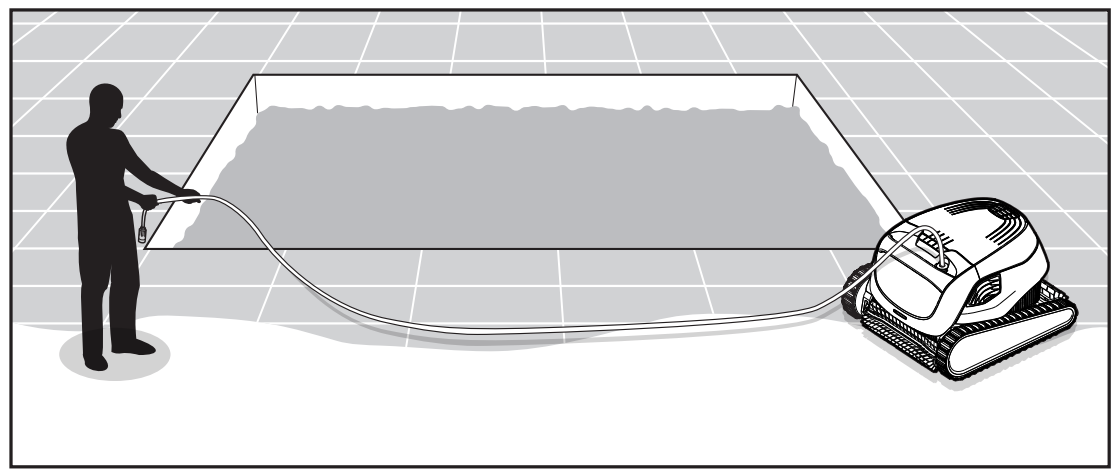
Unwind the cable and stretch it out completely so that it has no kinks. 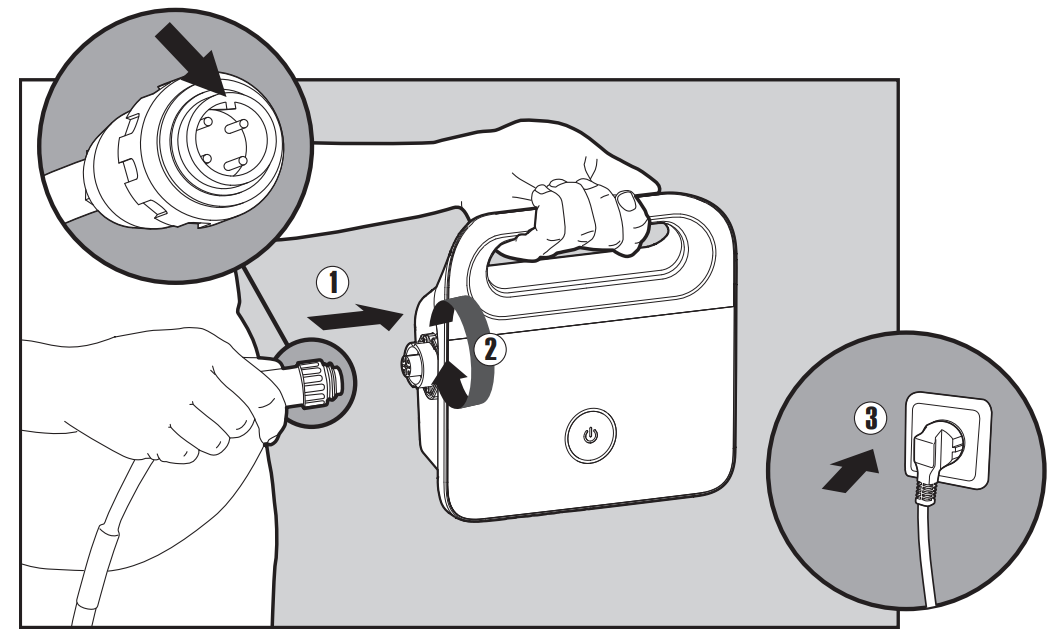
Attach the floating cable to the power supply by inserting it with the notch on the connector (1), lined up with the groove in the socket on the power supply, and turning clockwise (2). Plug in the power supply and leave it in the OFF position (3).
Putting the Pool Cleaner into the pool
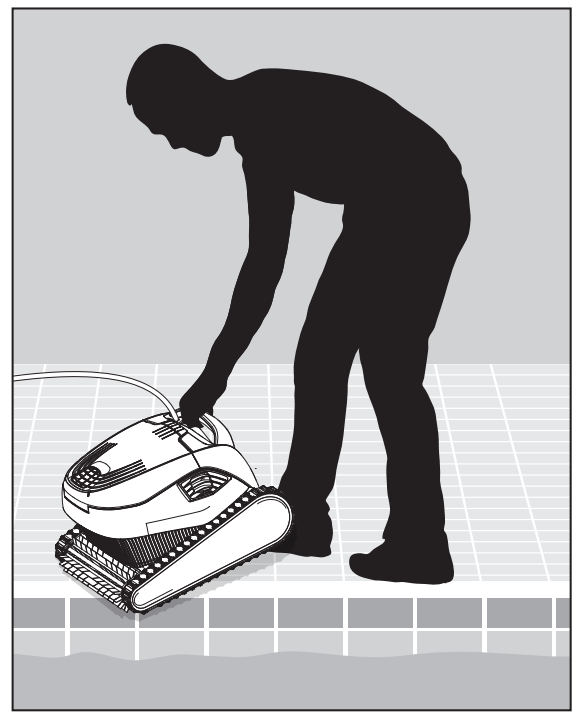
Put the Pool Cleaner into the pool. Release the Pool Cleaner and let it sink to the floor of the pool. Make sure that the floating cable is free of any obstructions.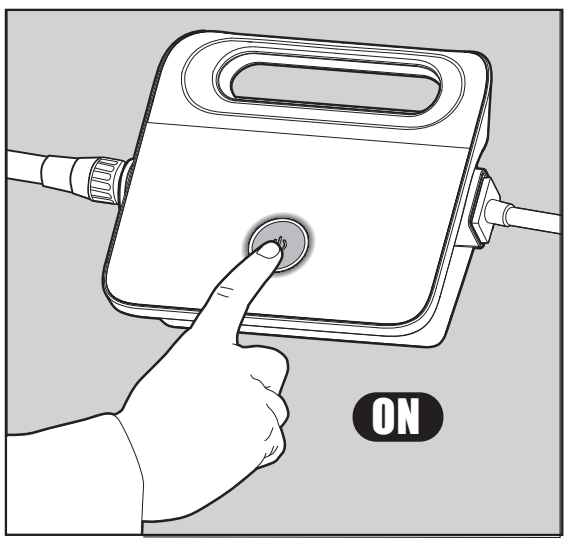
Turn the power supply ON. The Pool Cleaner will now operate until it has reached the end of the cleaning cycle.
Indicator Lights – Model R130 only
- Light Indication
- Blue blinking: Normal operation of the Pool Cleaner
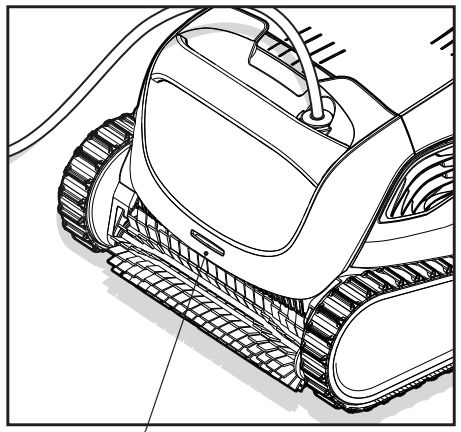
Indicator liants.
Removing the Pool Cleaner from the pool
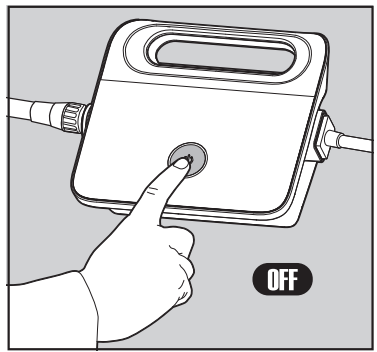
Turn OFF and unplug the power supply.ply
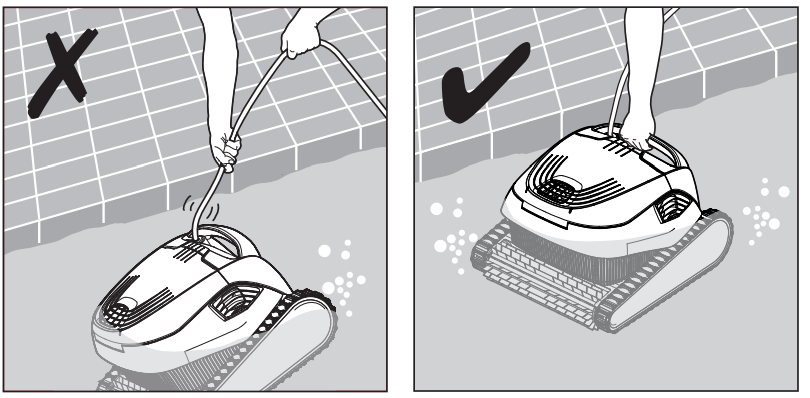
Using the floating cable, bring the Pool Cleaner to the pool’s edge. Using the handle, remove the Pool Cleaner from the pool.
DO NOT PULL THE POOL CLEANER FROM THE POOL USING THE CABLE.
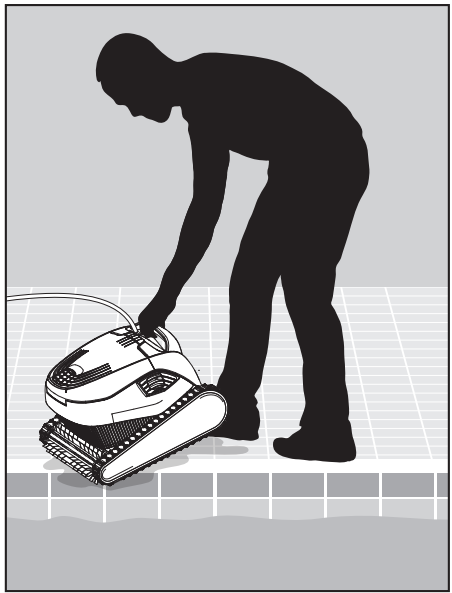
Place the Pool Cleaner on the edge of the pool and let the water drain out.
Cleaning
Make sure the power supply is switched off and unplugged.
Cleaning after use – removing and cleaning the dual filter basket
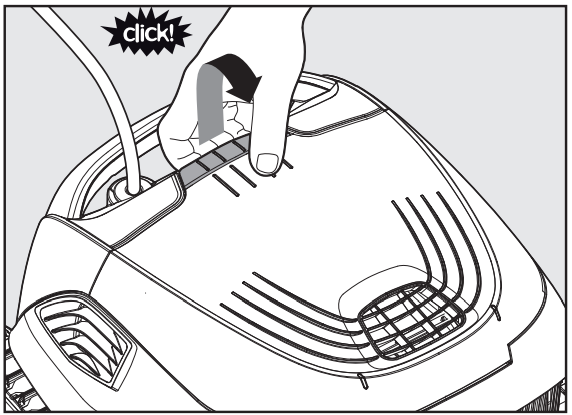
Open the filter cover.
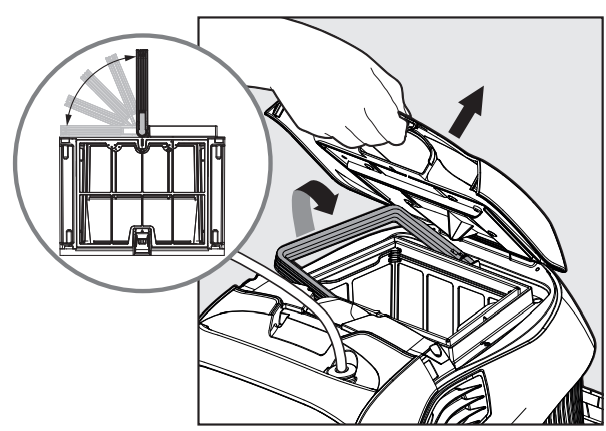
Upon opening the filter cover, the handle will lift independently.
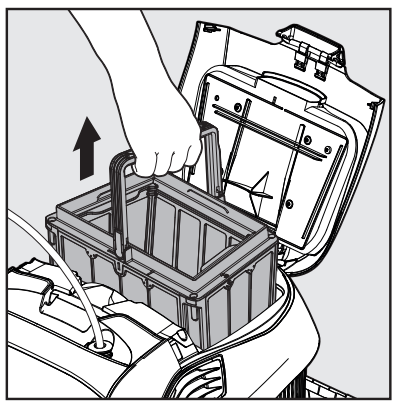
Lift the basket.
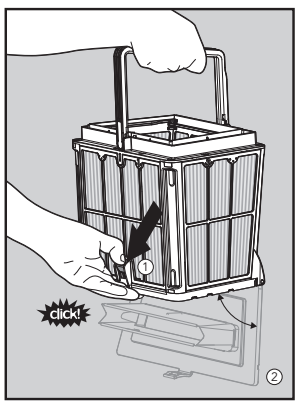
Open the latch to release the bottom lid in order to remove the debris.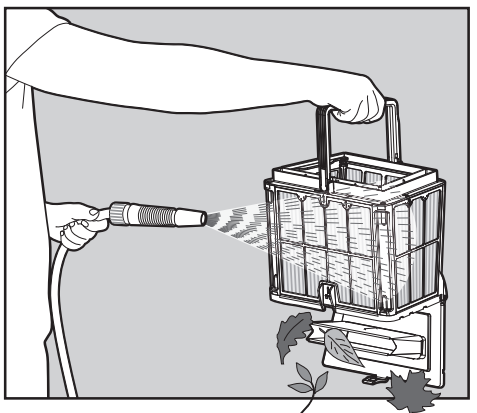
With a hose. Clean the filter basket
Filter Cleaning
Dismantle the 4 ultra-fine filter panels of the outer basket, according to the following steps:
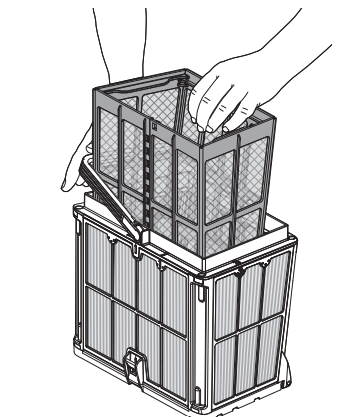 Holding down the handle, remove the inner net basket.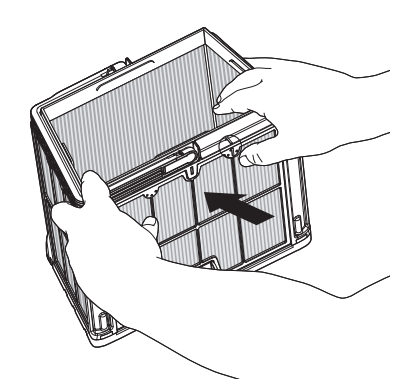
Dismantle the panels, starting by pressing on panel 1 using your thumbs.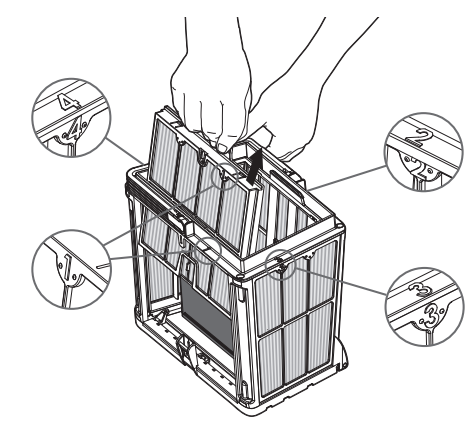
Continue to dismantle the panels in the order of their numbers: 2 —> 3 —> 4.
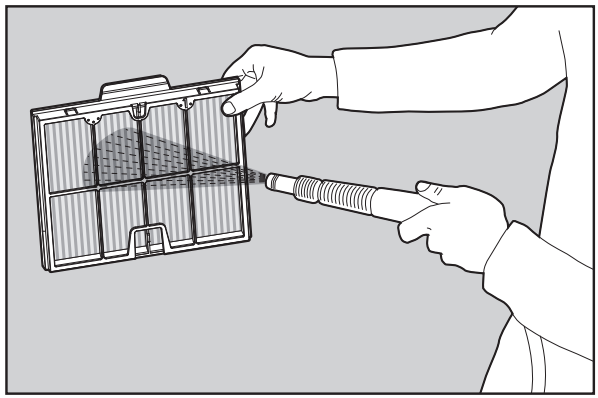
Clean the filter panels with a hose.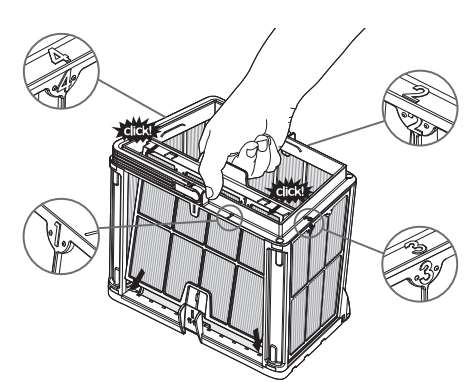
Assemble the filter panels according to the following order: Panel 4 —> 3 —> 2 —> 1.
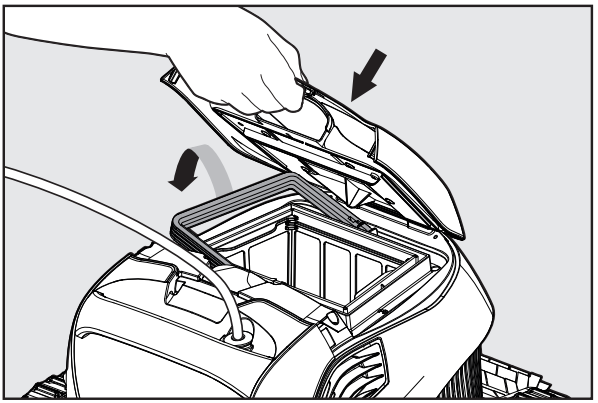
Insert the clean filter basket and close the Hayward Robotic R130 Pool Cleaner filter cover.
Cleaning the Impeller
If you notice debris trapped in the impeller
Make sure the power supply is switched off and unplugged.
Clean the debris trapped in the impeller opening according to the following steps: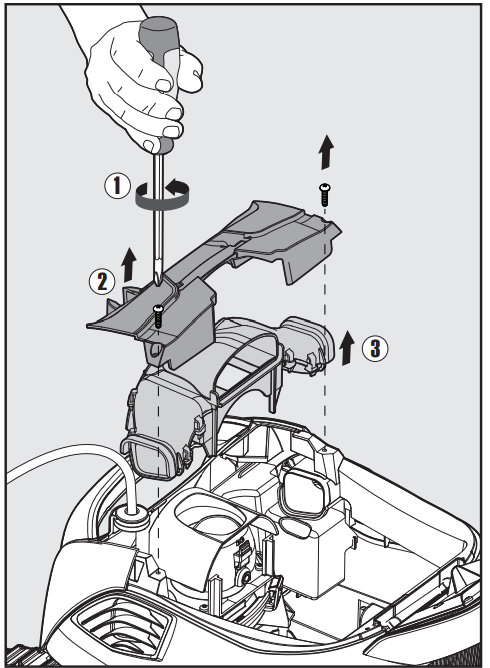
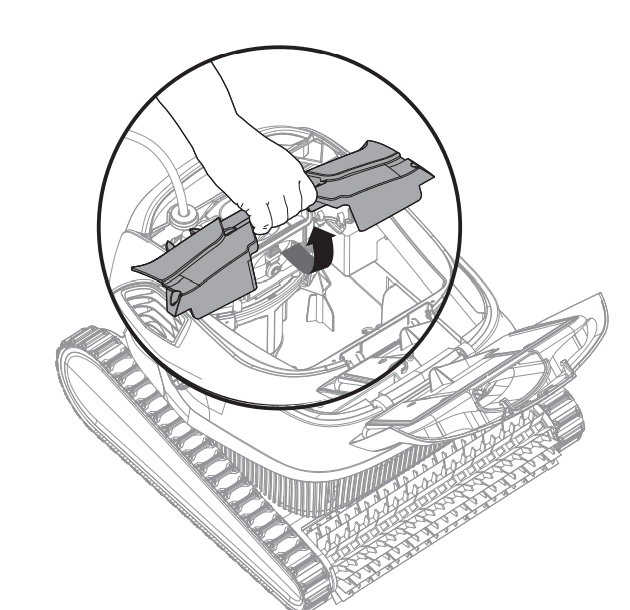
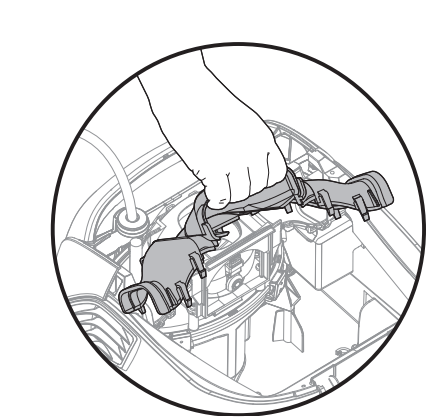
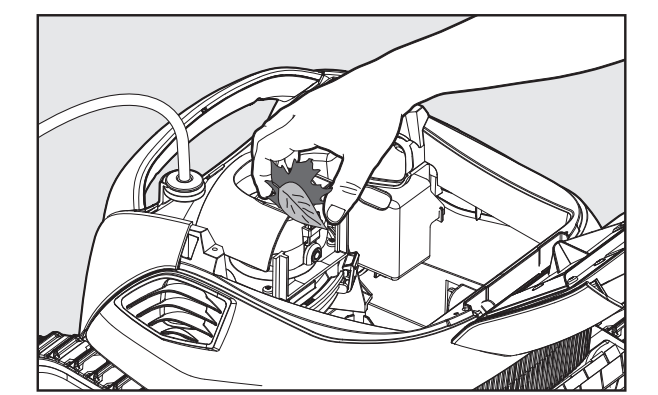
Assemble the impeller compartment according to the next steps.
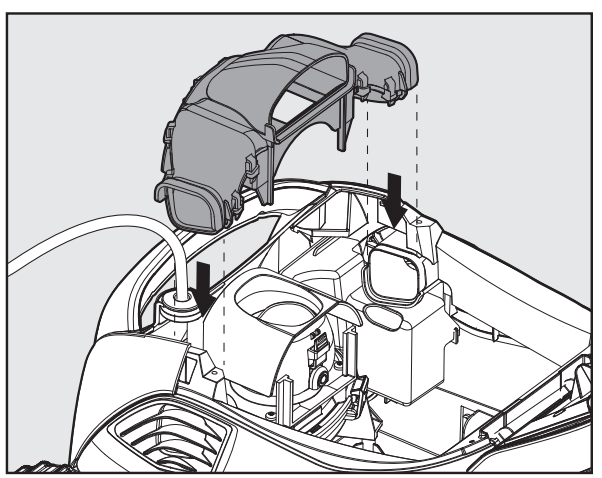
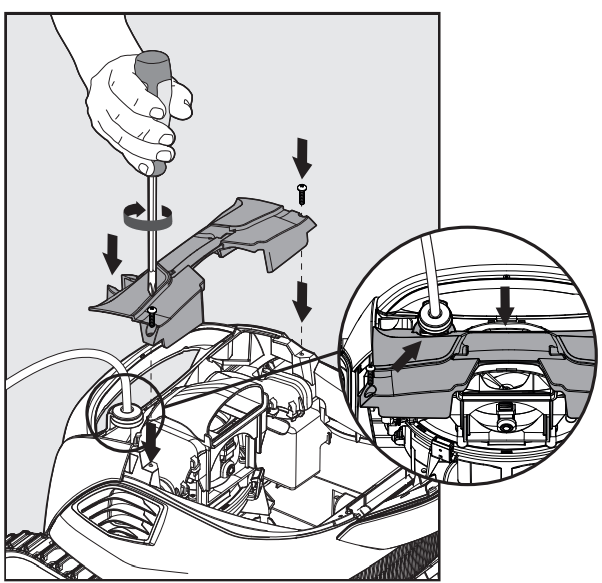
Storage
If the Pool Cleaner will not be in use for an extended Hayward Robotic R130 Pool Cleaner period of time, perform the following storage steps:
- Make sure that no water is left in the Pool Cleaner
- Thoroughly clean the filter basket and panel, and insert them in place
- Roll up the cable so that it has no kinks
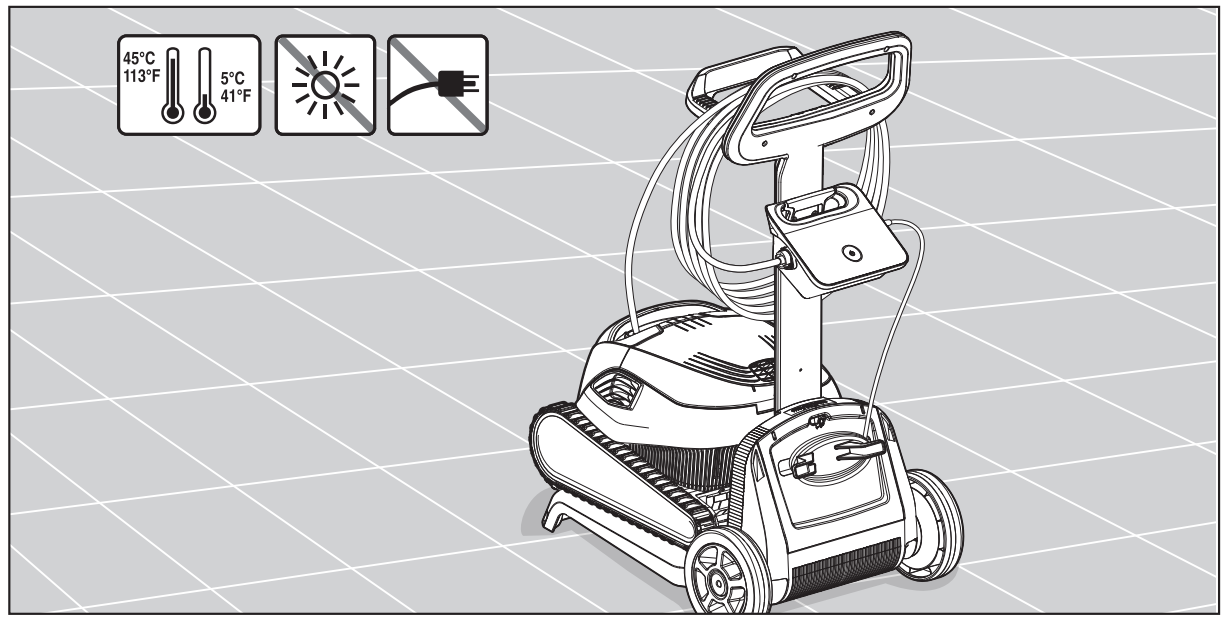
- Store the Pool Cleaner in a protected area out of direct sun/rain/frost, at a temperature of between 5 °C – 45 °C (41 °F – 113 °F)
Troubleshooting
Warranty
All Hayward products are covered for manufacturing defects or material defects for a warranty period of 2 years from the date of purchase. Any warranty claim should be accompanied by proof of purchase, indicating the date of purchase. We would therefore advise you to keep your invoice.
In order to make a claim under the warranty and in order to request repair or replacement of an article, please ask your dealer. Parts damaged by wear and tear: gasket and cell plate coating.
Customer Service
- Ph: 1-800-657-2287
- Website: www.haywardcommercialpool.com
FAQs
What type of pools is the R130 Robotic Cleaner designed for?
Vinyl, concrete, fibreglass, and tile in-ground pools are just a few of the types and surfaces that the Hayward R130 is perfect for. It works well with home pools that are between thirty and forty feet long.
What parts of the pool does the R130 clean?
It cleans the lower walls, coves, and pool floor. Depending on the surface and form of the pool, some models also provide partial wall climbing.
How long is a typical cleaning cycle?
The cleaning cycle of the R130 normally lasts 90 minutes. During this period, it is intended to effectively cover the whole pool surface.
Can I leave the cleaner in the pool all the time?
No. In order to prevent extended exposure to chemicals and sunshine, which over time may deteriorate parts, it is advised to remove the cleaner after every cycle.
Do I need to run the pool pump while using the R130?
No, the R130 is completely independent and doesn’t depend on the pump or filtration system in your pool. Its motor and filter are inside.
Can the R130 clean steps or ledges?
Robotic cleaners are not made to effectively tackle small or irregular steps, yet they might be able to partially clean big steps or ledges.
Is the R130 safe to use in saltwater pools?
Yes, saltwater pools can safely use it. To avoid salt corrosion, simply rinse the cleaner with fresh water after use.
Can I schedule cleanings or use a timer?
Although the R130 model can be connected to an external timer if required, it normally does not enable sophisticated scheduling capabilities.