

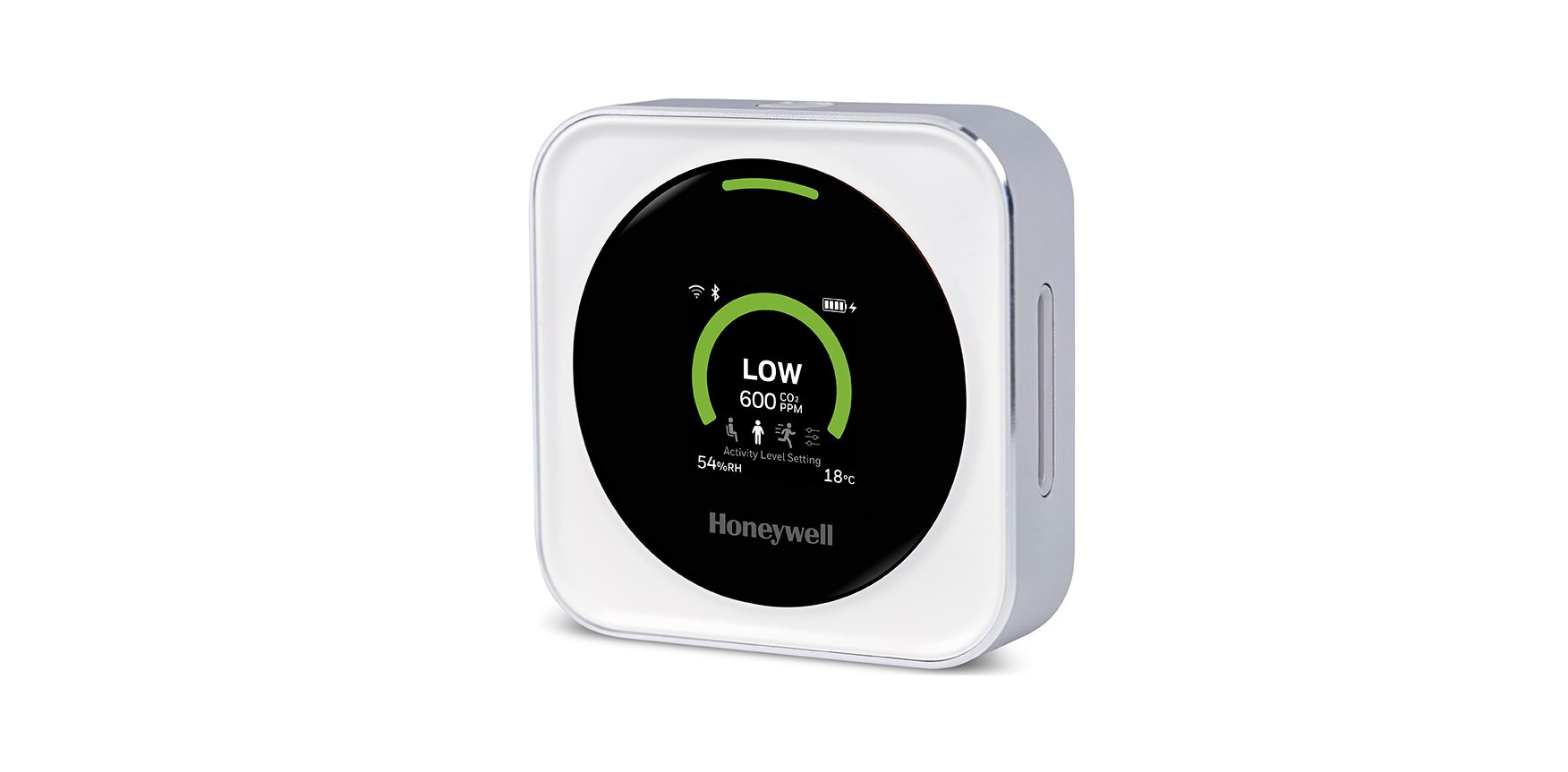

Honeywell Transmission Risk Air Monitor
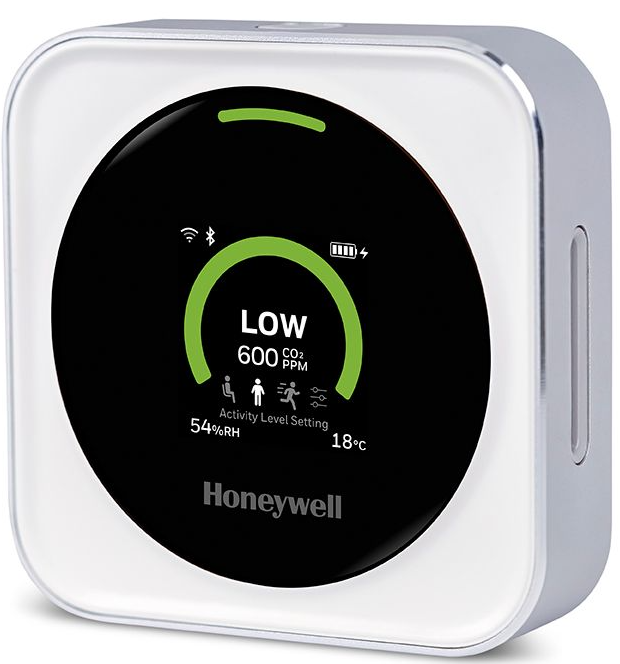
Packing List
Standard package includes
- Honeywell Transmission Risk Air Monitor (HTRAM) device X1
- User Manual X1 USB cable X1
- AC adapter: HTRAM-AD-USC (USC version), or HTRAM-AD-EU (EU version), or HTRAM-AD-UK (UK version)
- Wall mount kit (separate instructions provided in kit)
Operation
- HTRAM is a dekeepingr wall-mounted device. We recommend keeping it plugged in so it’s powered by the external USB charger. There is a rechargeable battery inside that will supply power for up to 10 hours, but we recommend keeping the device plugged in to conserve battery life.
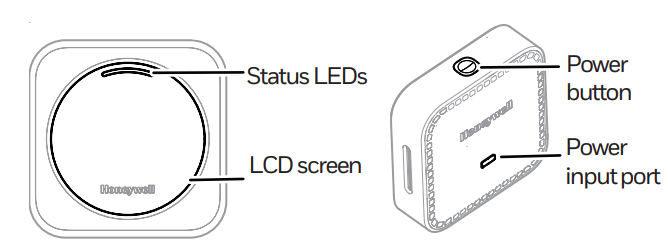
- Device On/Off: When the device is in OFF status, push and holdbutton for 3 seconds to turn it on.
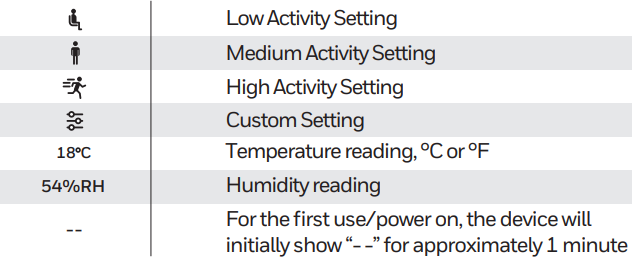
- The device will show information on the screen. After the initial process (approximately 1 minute), 1the device enters normal status and displays readings. When the device is in ON status, push and holdthe top button for 3 seconds to turn it OFF.
Functions
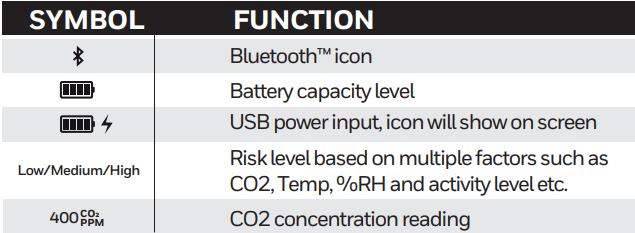
Quick Start
- Make sure these components were in the box. If any are missing, please contact the company from which you purchased the device as soon as possible:
- Air Monitor

- USB Cable
- User Manual
- Air Monitor
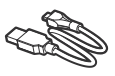
- Connect the microUSB end to the device, and the USB connector to a power adapter or computer.
- Make sure the working environment is supported by Bluetooth™ and wireless with Internet access, and a user-supplied smartphone using Apple iOS or Android™.


Indicators
Alarm
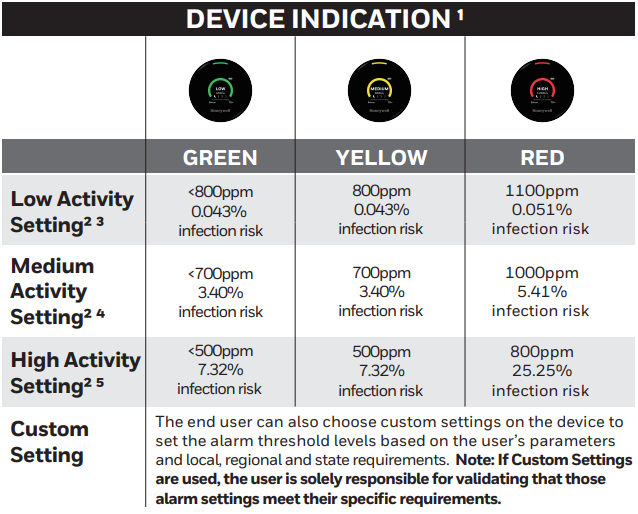
- The user must verify applicable standards or regulations and adapt the product’s thresholds to such standards and regulations as required for its intended usage by the user.
- The percent of infection risk calculation is based on the following assumptions and is only intended as guidance: Total number of people: 20, Infected: 1; Time duration: 30 mins, and room size: 900sqft.
Scenario Selection
The device has three pre-programmed scenario settings based on activity levels.
- Low activity
Reading, quietly talking, Breathing rate (susceptibles): 0.252 m3/h, CO2 emission rate/person: 0.0052 (@ 273 K and 1 atm), Quanta exhalation rate (infected): 9.4 quanta/h, activity duration for 30 minutes - Medium activity
Eating, talking loudly, Breathing rate (susceptibles): 1.2 m3/h, CO2 emission rate/person: 0.012 (@ 273 K and 1 atm), Quanta exhalation rate (infected): 170 quanta/h, activity duration for 45 minutes - High activity
Running, jumping, exercising, Breathing rate (susceptibles): 3 m3/h, CO2 emission rate/person: 0.016 (@ 273 K and 1 atm), Quanta exhalation rate (infected): 408 quanta/h, activity duration for 60 minutes - Other general assumptions fromthe risk estimator can be found in the table below:
| Parameters | Value | Unit | Source | |
| Length of the room | 30 | ft | ||
| Width of the room | 30 | ft | ||
| Volume | 900 | sq ft | ||
| Height | 16 | ft | ||
| Pressure | 0.95 | atm | ||
| Temperature | 20 | C | ||
| Relative Humidity | 50 | % | ||
| Background CO2 Outdoors | 415 | ppm | ||
| Decay rate of the virus Deposition on surfaces Additional control measures Total N people present | 0.62 0.3 0 20 | h-1 h-1 h-1 ft | default per:https://tinyurl.com/covid-estimator default per:https://tinyurl.com/covid-estimator default per:https://tinyurl.com/covid-estimator | |
Data History
- To review the device’s data history, please click the “Data History” tab on the mobile app.
- You can switch among CO2, temperature, and humidity to view the device’s history.
- It can be viewed by day, week, or month.
- The device’s maximum data storage is approximately 90 days.
- It will only keep the most recent 90 days’ worth of data.
Default Setting
- Alarm sound: Users may enable or disablethe device’s buzzer function.
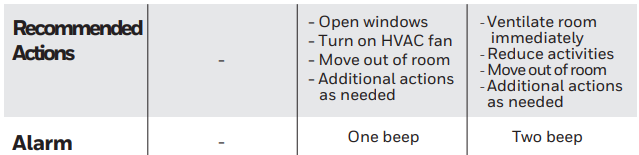
- When the device’s alarm sound is enabled, thebuzzer will beep at medium or high alarm.
- Turn off display: users can turn off the display on the mobile app.
- When the display is off, users can wake up the device by pressing the top button.
- Then the display will auto off in 2 minutes.s
Specifications
- Dimensions: (H × W × D) 80 mm × 80 mm × 22 mm [3.1 in × 3.1 in × 0.87 in]
- Weight: 140g
- Housing materials: Aluminum alloy
- Display: TFT
- Input voltage: 5 V
- Input current: 1 A
- Battery: Lithium-ion rechargeable battery, 10-hour battery time
- Battery capacity: 2,600 mAh
- Operating temperature and humidity: 0°C to 40°C, 0% RH to 90% RH
- USB port: Micro USB
Correct Disposal of this product
Recycle it responsibly to promote the sustainable reuse of material resources. They can take this product for environmentally safe recycling.
Warranty
Some states do not allow limitations on how long an implied warranty lasts, so the above limitation may not apply to you. This warranty gives you specific legal rights, and you may have other rights which vary from state to state.
Customer Support
- Website: resideo.com
- Visit: HoneywellHome.com
- Tell: 1-800-633-3991.
2019 Resideo Technologies, Inc.
FAQs
Q: What does the Honeywell Transmission Risk Air Monitor actually measure?
Indicators of airborne risk, including CO2 levels, occupancy trends, and ventilation efficiency, are monitored. These variables aid in determining the probability of transmission risk in indoor settings.
Q: Does the monitor detect viruses directly?
Rather, it gauges ambient factors that affect the risk of transmission, enabling you to enhance ventilation and air quality.
Q: What is the ideal mounting location for accurate readings?
Position the monitor away from open windows, vents, heating/cooling units, and direct sunlight at breathing-zone height, which is usually 1 to 1.5 meters above the floor. Steer clear of enclosed shelves and corners that could hold stagnant air.
Q: How long does the device take to give accurate readings after powering on?
Before displaying completely accurate environmental data, the monitor normally has to warm up for a short while, usually a few minutes.
Q: Can the monitor be used in large commercial spaces?
Yes, but several units could be required for balanced coverage in big rooms or open spaces. Every gadget keeps an eye on danger within a certain radius.
Q: How often should I clean or maintain the unit?
Every month, use a light, dry cloth to dust or clean the outside. Steer clear of aerosols, liquids, and cleansers. Look for dust buildup in vents or sensors and give them a gentle cleaning if necessary.
Q: Does the monitor need Wi-Fi to operate?
While linked features like data recording, cloud reporting, or mobile app integration may need a network connection, basic monitoring usually operates without Wi-Fi.