

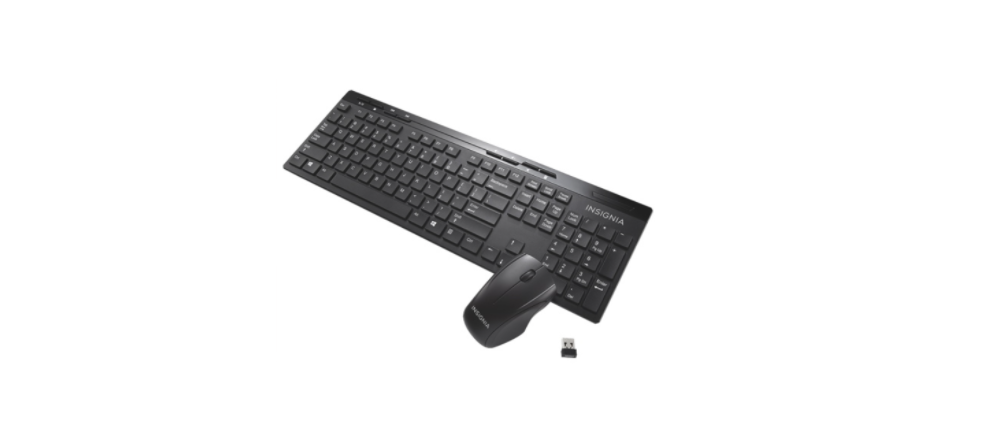

Insignia NS-PNK5011-C Wireless Keyboard
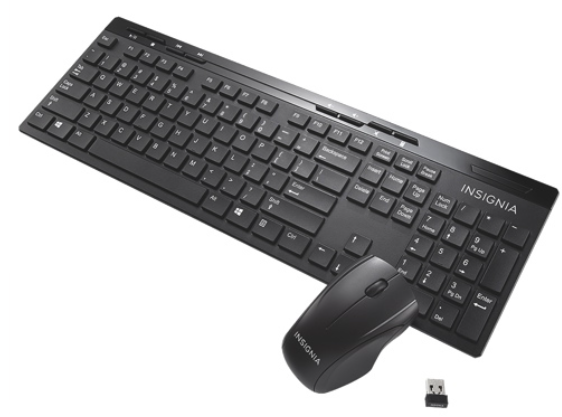
Package contents
- Wireless keyboard
- Nano receiver
- AAA alkaline batteries (2)
- Quick Setup Guide
System requirements
- Windows® 8, Windows® 7, Windows Vista®, Windows® XP, or Mac OS X 10. X or higher
- One available USB port
Keyboard features
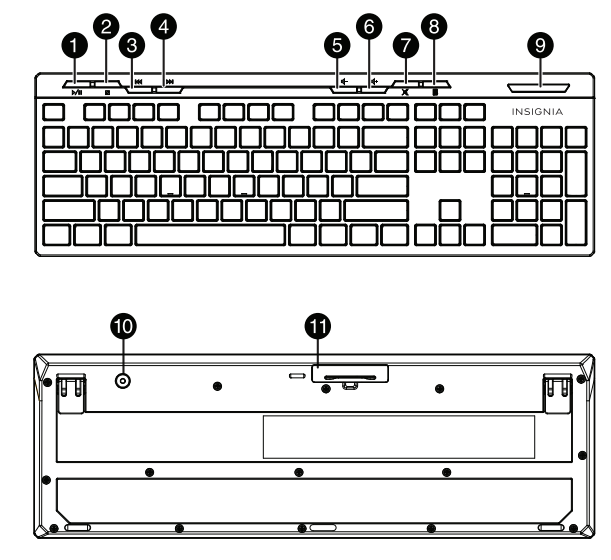
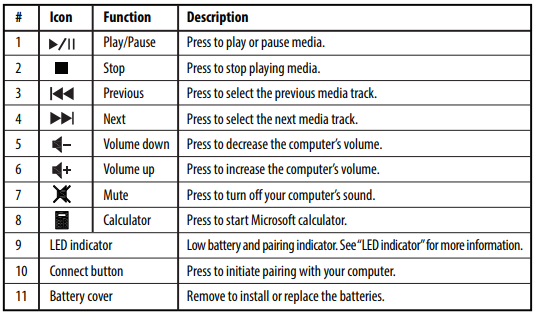
Installing the keyboard batteries
- Take the battery cover off.
- Insert two AAA batteries (included) into the battery compartment. Make sure that the + and – signs match the symbols in the compartment.
- Replace the cover.

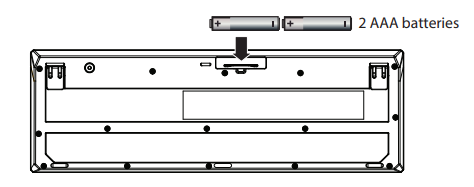
Setting up the connection between the nano receiver and keyboard
- Plug the nano receiver into the USB port on your computer.
- The computer automatically detects your keyboard, and you can immediately begin using it.
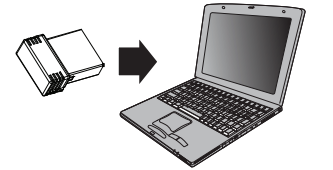
If the keyboard does not work:
- Move your computer and keyboard closer together.
- Replug the nano receiver into the USB port on your computer, then press the connect button on the keyboard. The LED indicator on the keyboard flashes steadily while in pairing mode (10 seconds). After pairing successfully, the LED indicator lights solid for 10 seconds, then turns off.
- Check the batteries in your keyboard. The LED indicator blinks for 10 seconds when the batteries are low.
LED indicator
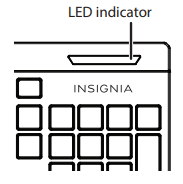
- Power ON Red LED is on for 10 seconds, then turns off
- Low battery warning: Red LED blinks for 10 seconds.
- Pairing Red LED blinks for 10 seconds after pressing the Connect button.
- Pairing failed. After pressing the Connect button, the LED blinks, then lights solid for 10 seconds.
- Paired successfully. After pressing the Connect button, the LED blinks for 10 seconds, then turns off.
Cleaning your keyboard
- Wipe the keyboard with a damp, lint-free cloth.
Specifications
Keyboard:
- Dimension (L×W×H): 17.1 × 5.6 × .8 in. (43.4 × 14.3 × 2.06 cm)
- Weight: 16.9 oz. (.5 kg)
- Radio frequency: 2.4GHz
- Operating distance: 33 feet (10 meters)
- Key number: 104 keys (US)
- Battery: 2 × AAA alkaline batteries
- Battery life: 6 months (based on average usage)
Nano receiver:
- Dimension (L×W×H): .7 x .6 x .2 in. (1.8 × 1.4 × .6 cm)
- Weight: .04 oz. (.001 kg)
- Interface: USB 1.1, 2.0, 3.0
Troubleshooting
My keyboard is not working.
- Move your keyboard closer to your computer.
- Make sure that your computer meets the system requirements.
- If your keyboard stops working:
- Make sure that your keyboard and nano receiver are paired by pressing the connect button on the keyboard.
- Replace the keyboard batteries.
- Try connecting your nano receiver to a different USB port on your computer.
Legal notices
FCC Statement: This device complies with Part 15 of the FCC Rules. Operation is subject to the following two
conditions:
- This device may not cause harmful interference, and
- This device must accept any interference received, including interference that may cause undesired operation.
This equipment has been tested and found to comply with the limits for a Class B digital device,
under Part 15 of the FCC Rules. These limits are designed Insignia NS-PNK5011-C Wireless Keyboard to provide reasonable protection
against harmful interference in a residential installation.
This equipment generates, uses, and can radiate radio frequency energy and, if not installed and used according to the instructions, may cause harmful interference to radio communications. However, there is no guarantee that interference will not occur in a particular installation. Suppose this equipment does cause harmful interference to radio or television reception, which can be determined by turning the equipment off and on. In that case, the user is encouraged to try to correct the interference by one or more of the following measures:
- Reorient or relocate the receiving antenna.
- Increase the separation between the equipment and receiver.
- Connect the equipment to an outlet on a circuit different from that to which the receiver is connected.
- Consult a dealer or an experienced radio or TV technician for assistance.
Warning: Changes or modifications not expressly approved by the party responsible for compliance could void the user’s authority to operate the equipment. RSS-Gen and RSS-210 statement: This device complies with Industry Canada license-exempt RSS standard(s). Operation is subject to the following two conditions:
- This device may not cause interference, and
- This device must accept any interference, including interference that may cause undesired operation of the device.
One-year limited warranty
For complete warranty, visit www.insigniaproducts.com.
Contact Insignia
1-877-467-4289 (U.S. and Canada) or 01-800-926-3000 (Mexico) www.insigniaproducts.com
INSIGNIA is a trademark of Best Buy and its affiliated companies. Registered in some countries.
Distributed by Best Buy Purchasing, LLC
7601 Penn Ave South, Richfield, MN 55423 U.S.A.
©2014 Best Buy. All rights reserved. Made in China
FAQs
How do I set up my Insignia NS-PNK5011-C wireless keyboard for the first time?
On your laptop or computer, plug the bundled USB receiver onto a USB port. Use the power switch, which is often found on the top or bottom edge, to turn on the keyboard. In a few seconds, the keyboard and receiver will pair automatically.
Does the keyboard need batteries?
Indeed. Normally, the NS-PNK5011-C requires two AAA batteries, which are provided. Put them in the battery compartment according to the polarity (+/-) markings.
How do I know if the keyboard is powered on?
The indicator light on the keyboard briefly flashes to verify that it is turned on and connected. Check the power switch or batteries if the light doesn’t turn on.
Do I need to install any drivers or software?
No. The keyboard is plug-and-play and compatible with the majority of operating systems, such as ChromeOS, macOS, and Windows. Drivers are not needed.
Can I use this keyboard with a smart TV or gaming console?
Yes, provided that the TV or console allows wireless keyboard input or USB. Basic text and navigation features should be functional when you connect the USB receiver to the USB port on your TV or game console.
What is the operating range of the wireless connection?
Up to 26 feet (8 meters) separate the keyboard and the receiver. For the best signal, keep the receiver in line of sight and steer clear of any metal objects that might interfere with the connection.
Can I use the keyboard with multiple devices?
No, the NS-PNK5011-C’s dedicated USB receiver allows it to connect to a single device at a time. Multi-device switching and Bluetooth are not supported.
How do I reconnect the keyboard if I lose the wireless receiver?
Regretfully, the receiver cannot be replaced separately because it is pre-paired at the factory. For help or replacement alternatives if lost, get in touch with Insignia Customer Support.