

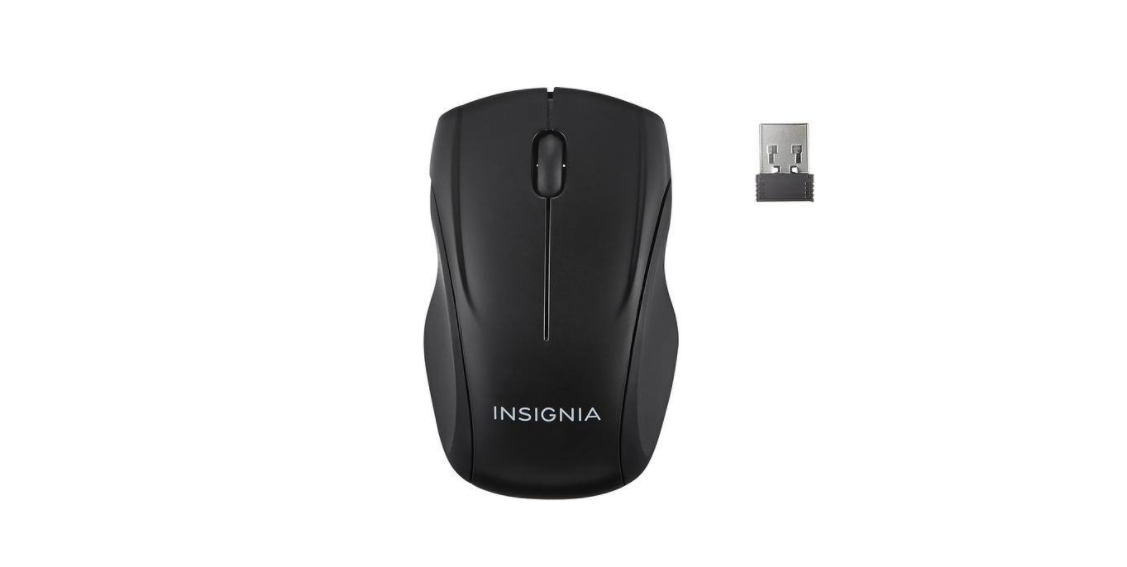

Insignia NS-PNM6003-BK Wireless Optical Mouse
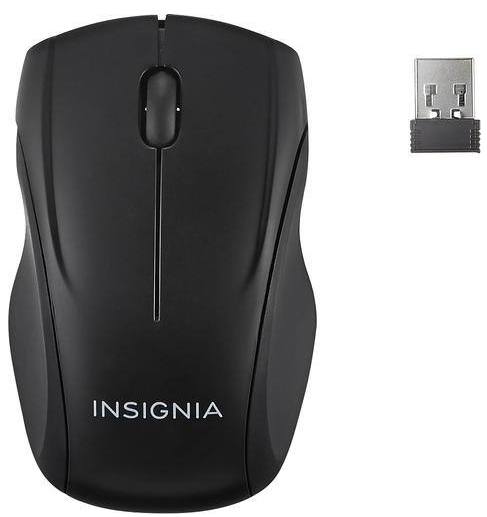
Package Contents
- Wireless Optical Mouse
- USB transceiver
- AA battery (1)
- Quick Setup Guide
System Requirements
- Windows® 8.1, Windows® 8, Windows® 7, Windows Vista®, or Mac OS 10.X or higher
- One available USB port
Features
Blue sensor for enhanced tracking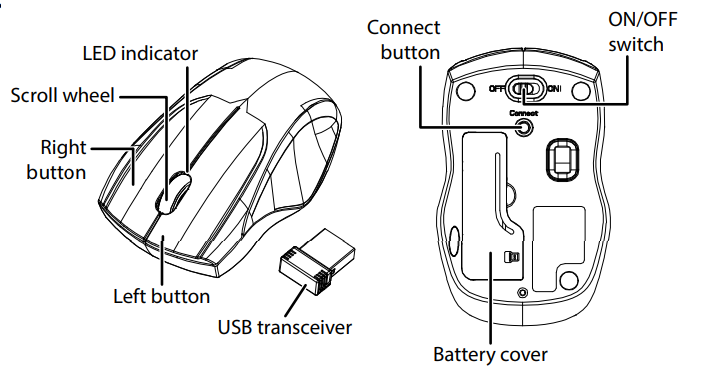
Before using your new product, please read these instructions to prevent any damage.
Installing The Battery
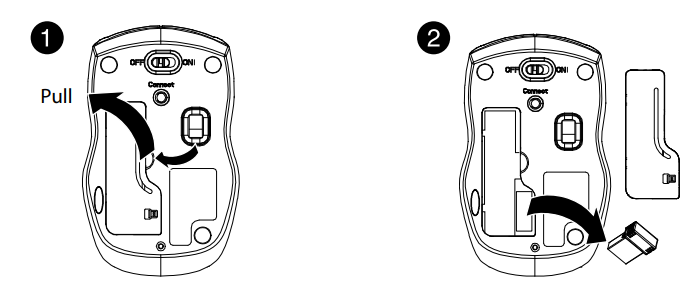
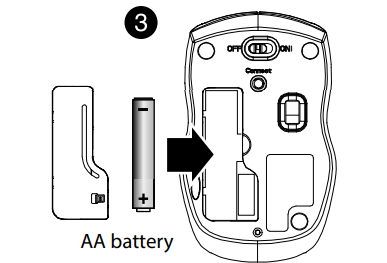
- Take the battery cover off.
- Remove the USB transceiver.

- Insert the included AA battery into the battery compartment. Make sure that the + and – signs match the symbols in the compartment.
- Replace the battery cover.
- Store the USB transceiver in the mouse when it is not in use.
Connecting
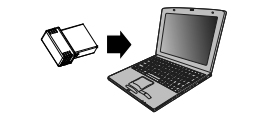
- Plug the USB transceiver into a USB port on your computer.
- Slide the ON/OFF switch on your mouse to ON. The computer automatically detects the mouse, and you can immediately begin using it.
If the mouse does not work
- Move your mouse closer to your computer.
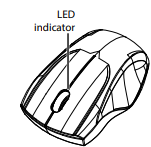
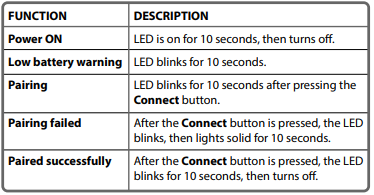
- Re-plug the USB transceiver into the USB port on your computer, then press the connect button on the mouse. The LED indicator on the mouse flashes steadily while in pairing mode (10 seconds). After pairing successfully, the LED indicator lights solid for 10 seconds, then turns off.
- Check the battery in your mouse. The LED indicator blinks for 10 seconds when the battery is low.
LED Indicators
Cleaning
- Wipe the mouse with a damp, lint-free cloth.
Specification
Mouse
- Dimension (L×W×H): 3.89 × 2.44 × 1.44 in. (9.9 × 6.2 × 3.67 cm)
- Weight: 1.86 oz. (.05 kg)
- Battery: 1 AA alkaline battery
- Battery life: 6 months (based on average usage)
- Radio frequency: 2.4GHz
- Operating distance: 33 feet (10 meters)
- Rating: 1.5V C.C. – 10mA
USB transceiver
- Dimension (L×W×H): .7 × .6 × .2 in. (1.8 × 1.4 × .6 cm)
- Weight: 1.2 g ± 0.5g
- Interface: USB 1.1, 2.0, 3.0
Troubleshooting
My mouse is not working
- Move your mouse and computer closer together.
- Make sure that your computer meets the system requirements.
- Only use the mouse on a clean, flat, non-slippery surface to ensure smooth and accurate cursor action.
- If your mouse stops working:
- Make sure that your mouse and USB transceiver are paired by
pressing the connect button on the mouse. - Replace the mouse battery.
- Try connecting your USB transceiver to a different USB port on your computer.
- Avoid using your mouse on reflective, transparent, or metallic surfaces.
Legal Notices
FCC Statement
This device complies with Part 15 of the FCC Rules. Operation is subject to the following two conditions: (1) this device may not cause harmful interference, and (2) this device must accept any interference received, including interference that may cause undesired operation.
This equipment generates, uses, and can radiate radio frequency energy and, if not installed and used following the instructions, may cause harmful interference to radio communications. However, there is no guarantee that interference will not occur in a particular installation.
- Reorient or relocate the receiving antenna.
- Increase the separation between the equipment and receiver.
- Consult the dealer or an experienced radio/TV technician for help.
RSS-Gen and RSS-210 statement
This device complies with Industry Canada license-exempt RSS standard(s). Operation is subject to the following two conditions: (1) this device may not cause interference, and (2) this device must accept any interference, including interference that may cause undesired operation of the device.
RSS-102 statement
This equipment complies with Industry Canada radiation exposure limits set forth for an uncontrolled environment.
One-Year Warranty
Definitions
The Distributor* of Insignia-branded products warrants to you, the original purchaser of this new Insignia-branded product (“Product”), that the Product shall be free of defects in the original manufacturer of the material or workmanship for one (1) year from the date of your purchase of the Product (“Warranty Period”).
How to obtain warranty service?
If you purchased the Product at a Best Buy retail store location or from a Best Buy online website, please take your original receipt and the Product to any Best Buy store. Make sure that you place the Product in its original packaging or packaging that provides the same amount of protection as the original packaging. To obtain warranty service, in the United States and Canada, call 1-877-467-4289. Call agents may diagnose and correct the issue over the phone.
Where is the warranty valid?
This warranty is valid only in the United States and Canada at Best Buy branded retail stores or websites to the original purchaser of the product in the country where the original purchase was made.
Customer Service
- Tel: 1-877-467-4289
- Visit: http://www.insigniaproducts.com
INSIGNIA is a trademark of Best Buy and its affiliated companies. Registered in some countries. Distributed by Best Buy Purchasing, LLC 7601 Penn Ave South, Richfield, MN 55423 U.S.A.
©2021 Best Buy. All rights reserved.
FAQs
Q: How do I power on the beverage cooler?
Connect the cooler to an electrical outlet that is grounded. To begin cooling, turn on the power switch, which is in the back. When powered on, the inside light will turn on.
Q: What is the temperature range of the cooler?
The temperature range maintained by the NS-BK2TSS6 is 34°F to 50°F (1°C to 10°C). To get the cooling setting you want, turn the thermostat dial.
Q: Can I store both cans and bottles?
Indeed. Cans and bottles can be stored on the cooler’s movable shelves. If shelves are needed to accommodate taller bottles, remove them.
Q: How do I prevent frost buildup?
Because it is thermoelectric, the NS-BK2TSS6 generates very little frost. To lessen condensation, make sure the door is completely closed and the seal is clean.
Q: Can I store food items in this cooler?
Although the NS-BK2TSS6 is made for drinks, you can temporarily keep non-perishable or cold-sensitive goods in it. Perishable foods shouldn’t be kept in storage for long.
Q: How long does it take for the cooler to reach the set temperature?
After turning on, it could take two to four hours for the cooler to achieve the ideal temperature. The contents and ambient room temperature may have an impact on performance.
Q: Is the interior light energy-efficient?
Indeed. An energy-efficient LED light that lights the interior without substantially compromising cooling performance is integrated inside the cooler.
Q: Can I leave the cooler running continuously?
Indeed. The NS-BK2TSS6 is made to run continuously. Maintain efficiency by checking and cleaning the interior on a regular basis.